Ambisius vs Glide — which one actually fits how your business operates?
Building the App vs. Running the Business
Glide makes it possible to turn a spreadsheet into an app — but how much time are you spending building versus actually running your business?
Glide has earned its reputation as one of the more approachable no-code app builders out there. But for a small business owner, the real question isn't which tool has more features — it's which one gets you to a working system fastest, without a steep learning curve or hours of manual configuration.
In this post, we compare Ambisius and Glide from a practical standpoint: how fast can you go from zero to a working app, how well does each tool adapt to your specific workflow, and when something needs to change, how painful is it?
What Is Glide?
A visual, drag-and-drop app builder — great for those comfortable with manual configuration.
Glide is a no-code app builder that lets you create mobile and web apps from data sources like Google Sheets, Excel, or Glide Tables. You pick components, arrange layouts, connect data columns, and publish your app — all without writing code.
-
Clean visual interfaceGlide's component library is solid and the interface is well-designed — for someone willing to invest time learning it, it can produce good-looking apps.
-
Familiar spreadsheet-based data modelIf your data already lives in Google Sheets, Glide lets you put a mobile-friendly interface on top of it without migrating anything.
-
Everything is configured manuallyEvery screen, every component, every data connection has to be set up by hand — the more complex your business needs, the more time you spend inside the builder rather than inside your business.
What Is Ambisius?
An AI-powered app builder that turns your business description into a fully working system — in minutes.
Ambisius is built specifically for small and medium businesses. There's no drag-and-drop interface to learn, no component library to browse, and no data columns to manually connect. You chat with an AI, describe what your business needs, and the app is built for you automatically.
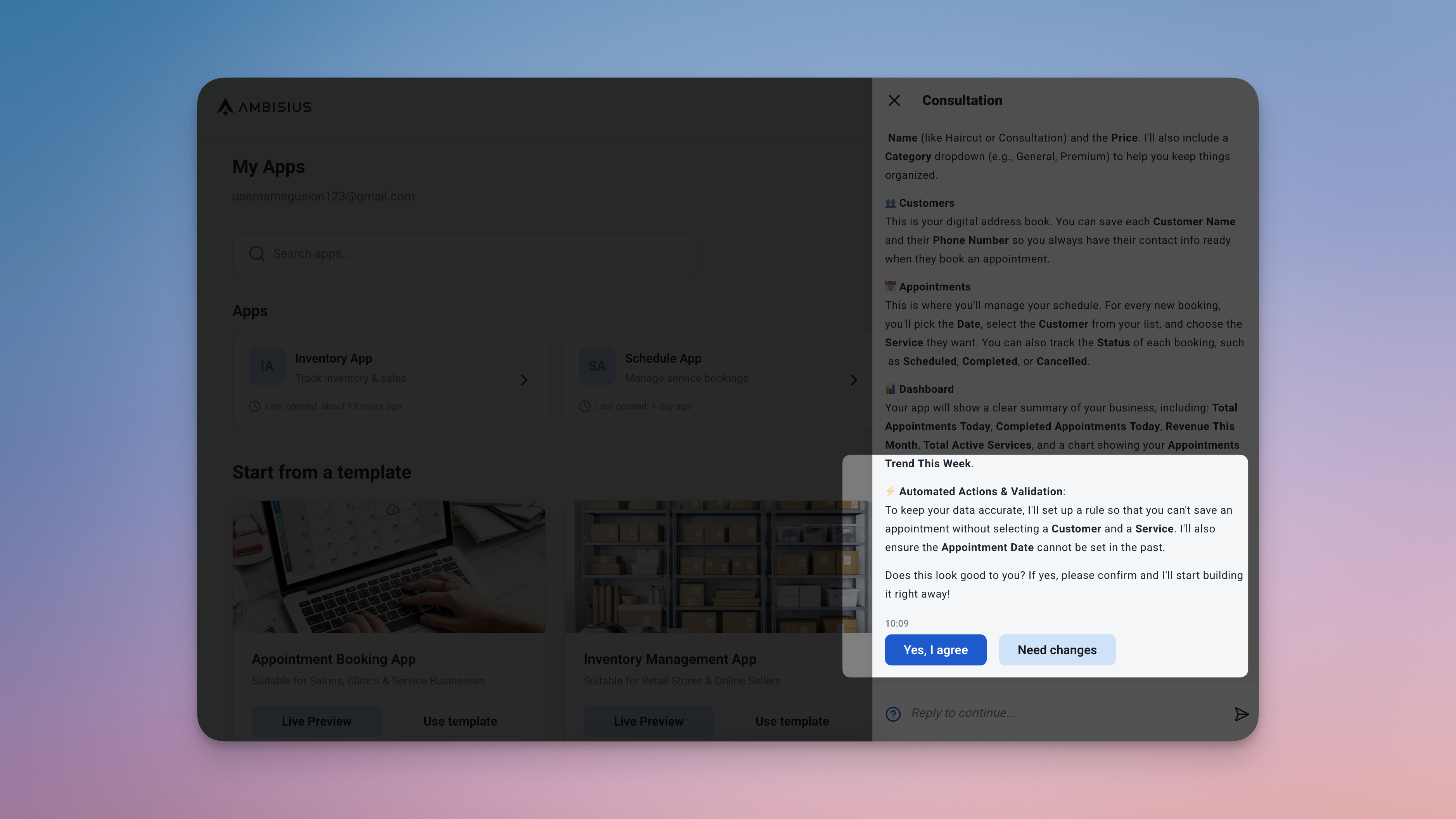
Describe your business in plain language — Ambisius builds the entire app, including tables, validations, dashboard, and analytics, automatically.
-
No configuration requiredThe AI builds tables, relationships, calculated fields, validations, a dashboard, and analytics — all from a plain-language description of your business.
-
Built for real business workflowsInventory tracking, appointment scheduling, invoicing, event registration — all through conversation, not component configuration.
-
Changes are just a conversationNeed to add a column, a new page, or a new report? Just describe it in chat — changes are applied instantly, no rebuilding required.
Head-to-Head Comparison
How the two tools stack up across the things that matter most to a small business owner.
| Feature | Ambisius | Glide |
|---|---|---|
| Built for | Small business owners (SMEs) | Individuals & small teams building internal tools |
| Setup | Chat with AI — app ready in minutes | Manual drag-and-drop component configuration |
| Technical skill needed | None | Low-to-moderate — components & data binding |
| Customization | AI-driven, fully custom to your workflow | Manual — you configure every screen and component |
| Auto Calculation | ✅ Built-in | Limited — requires formula columns in data source |
| Data Relations | ✅ Built-in | Limited — depends on spreadsheet structure |
| Validation & Error Prevention | ✅ Built-in (range, overlap, uniqueness) | Limited — basic input validation only |
| Team Collaboration | ✅ Per-menu, per-action access control | Limited — role-based, less granular |
| Notifications / Alerts | ✅ Condition-based smart alerts | Limited — available on higher-tier plans only |
| Customer-Facing Sharing | ✅ Publish as customer-facing app | ✅ Available |
| Mobile App | ✅ iOS, Android, PWA | ✅ iOS, Android, PWA |
| Ready-Made Business Templates | ✅ Inventory, Appointments, Invoices, Events | ✅ General templates — not SME-specific |
| Modify / Extend the App | Chat with AI — changes applied instantly | Manual reconfiguration in the visual builder |
| Pricing model | Credit-based — pay for what you build | Per-editor subscription — scales with builders |
Detailed Breakdown
Four areas where the difference between the two tools is most felt by a real business owner.
1. Speed to a Working App: Chat vs. Configure
With Glide, you start by connecting a data source, then manually build each screen — pick a layout, add components, bind each component to a data column, configure actions, set up navigation, and repeat for every page. A reasonably complete app for something like appointment management could take several hours to a full day to set up properly, even for someone experienced with the tool.
With Ambisius, the conversation is the setup. Describe your business and the AI builds everything — data tables, relationships, computed fields, validation rules, a dashboard, and analytics — all in minutes.
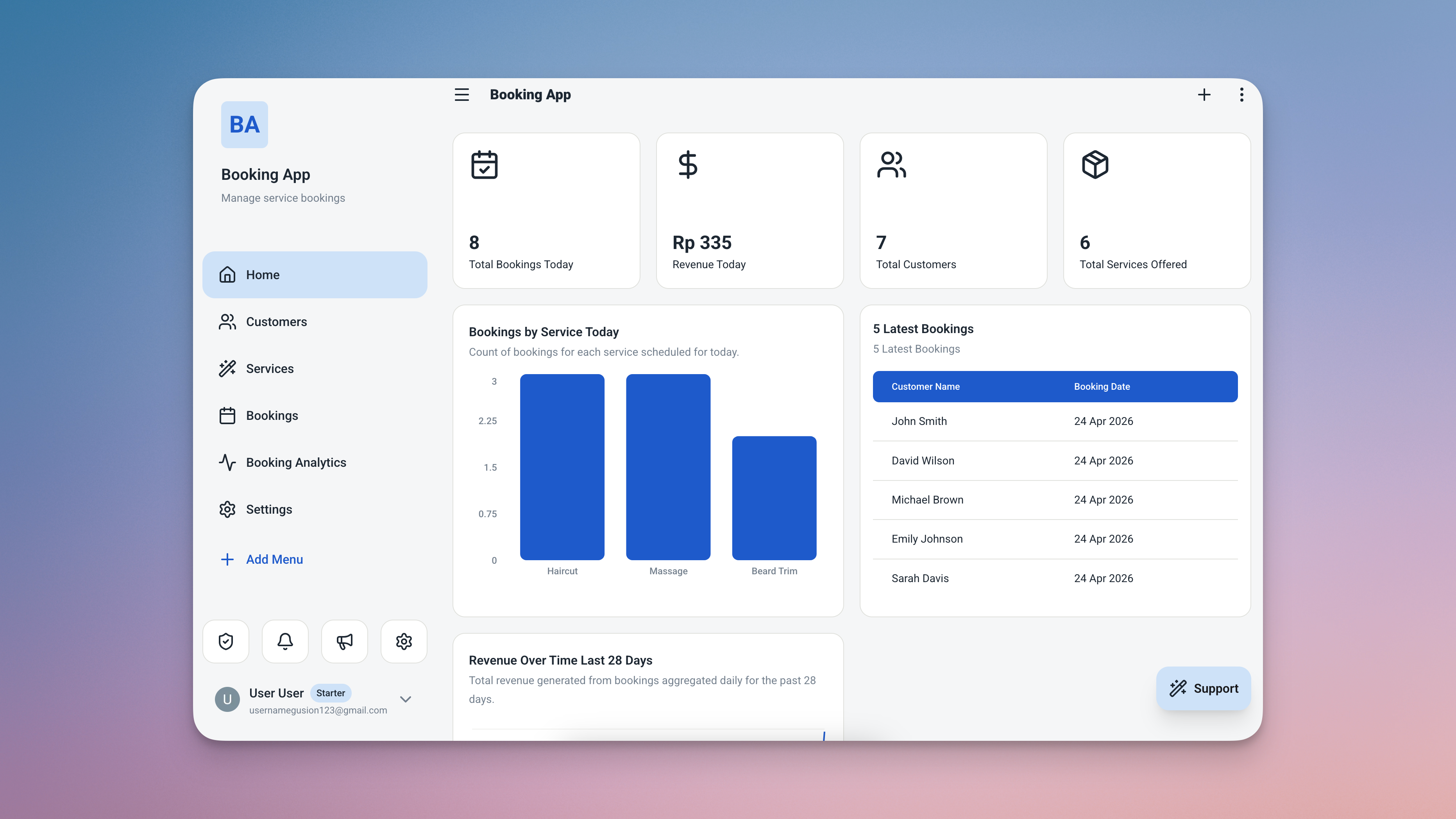
A fully working appointment management app — tables, dashboard, validations, and analytics — built in minutes from a plain-language description.
For a small business owner, this isn't just a convenience — it's the difference between having a working system this week versus still tinkering with it next month.
2. Business Logic: Built-In vs. Bolted On
Glide is primarily a presentation layer — it takes data from a spreadsheet and displays it in a mobile-friendly interface. Business logic like preventing a sale when stock is zero, automatically calculating an appointment's end time, or blocking a double-booking has to be built into the underlying spreadsheet using formulas, or configured using Glide's computed columns. This requires you to think like a developer, not a business owner.
Ambisius treats business logic as a first-class feature — not something you configure, but something that's built into how the app works from the moment it's created.
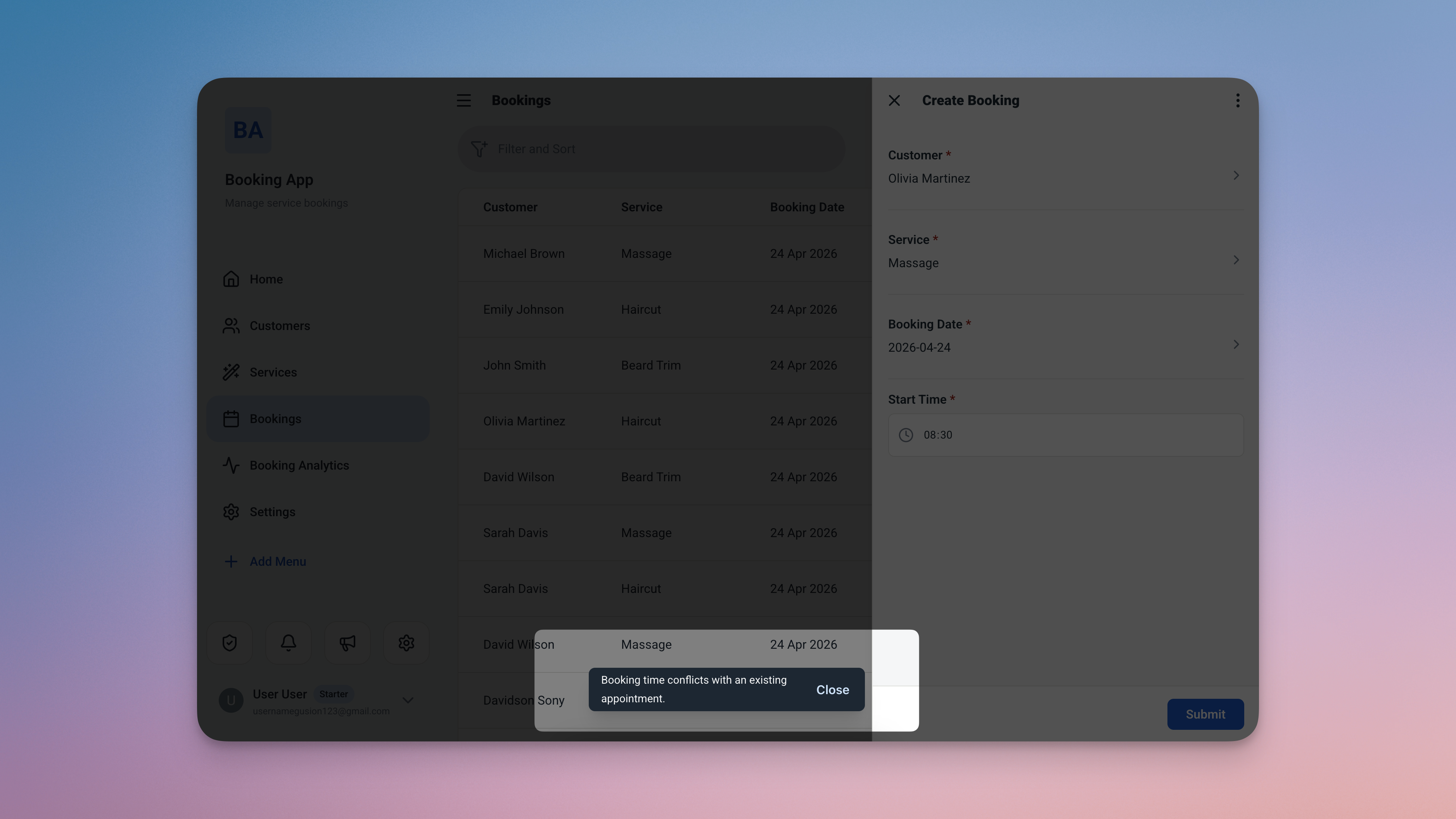
Business logic built in — end times calculate automatically, and conflicting bookings are blocked before they're saved.
3. Making Changes: Conversation vs. Reconfiguration
Every business evolves — you add a new service, change your pricing structure, need a new report, or want to track something you didn't think of at the start. How each tool handles change is a critical and often overlooked factor.
With Glide, making changes means going back into the visual builder: finding the right screen, adjusting the right component, re-binding data if the structure changed, and re-testing the result. For structural changes — adding a new table, changing how data relates, adding a new dashboard page — it can be a significant time investment.
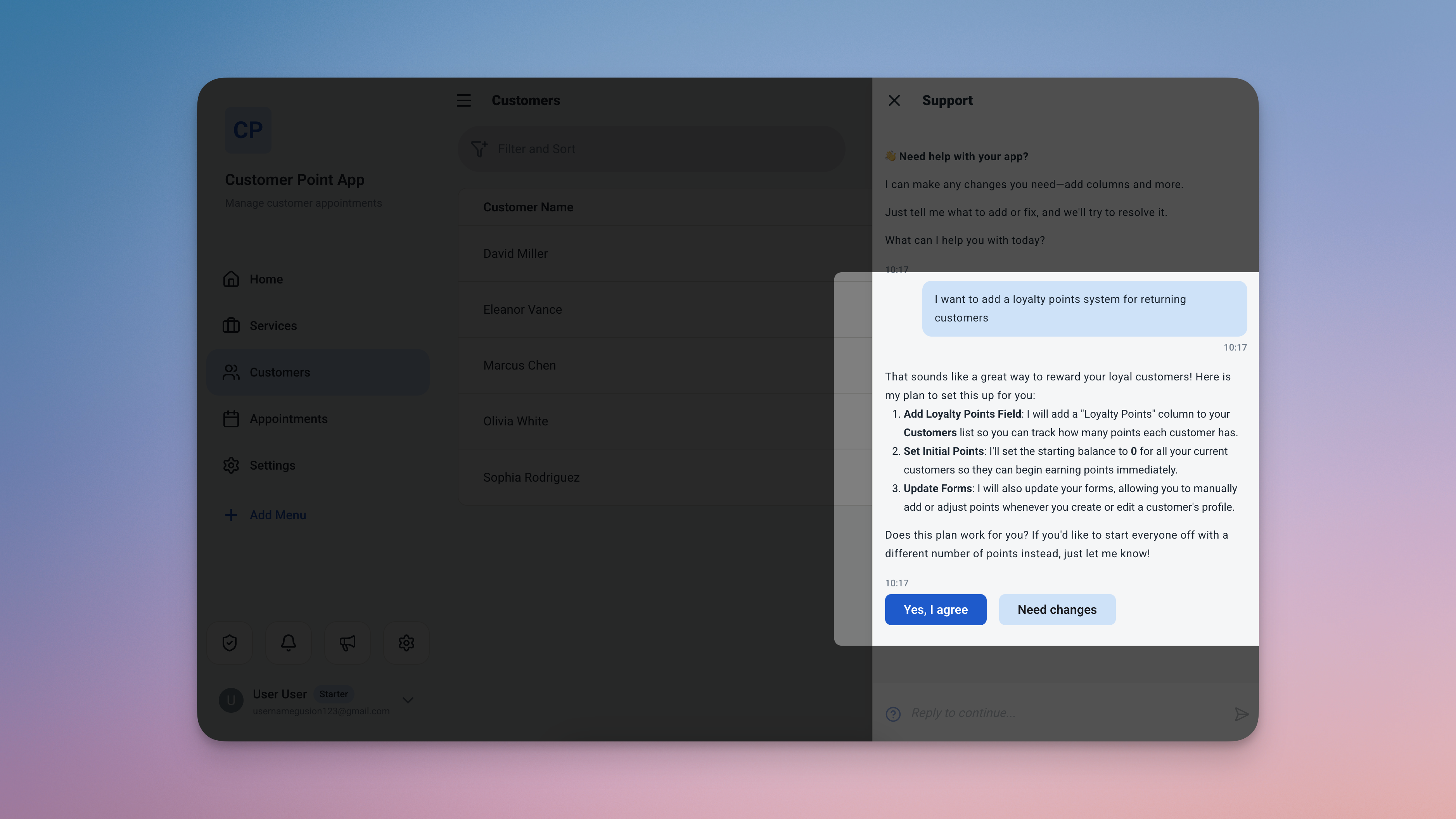
Every change is a conversation — describe what you need, review the cost, confirm, and it's done. No rebuilding, no re-binding.
The AI always shows a summary and the credit cost before applying any change — so there are no surprises, and nothing breaks without your confirmation.
4. Pricing: Per Editor vs. Per Usage
Glide's pricing is structured around editors — the people who build and maintain the app. As your needs grow (more rows, more automations, more advanced features), you move into paid tiers. If you want multiple people to be able to modify the app, each editor seat adds to the cost.
Ambisius uses a credit-based model — you pay for what you actually build and change, not for how many people access or modify the app. Exploring and chatting with the AI is free. Credits are only consumed when you confirm a change, and new users receive free starter credits to experience the product before committing.
For a small business owner on a budget, paying for usage rather than seats is a more predictable and often more affordable model — especially as your team grows.
Verdict — Who Should Use What?
The right tool depends on how much time you want to spend building versus running your business.
Choose Glide if:
-
You enjoy visual, drag-and-drop buildingIf you're comfortable configuring components and binding data manually, Glide's visual flexibility is a genuine strength.
-
Your data already lives in Google SheetsGlide is a natural fit if you want to put a mobile interface on top of an existing spreadsheet without migrating your data.
-
You're building a simple toolA directory, a catalog, or a basic form-based app — Glide handles these well without requiring complex business logic.
-
You have time to learn and maintain the platformGlide rewards investment. If you have the time and interest to master the builder, it gives you granular control over every screen.
Choose Ambisius if:
-
You want a working app without learning a builderAmbisius does the building for you — describe your business and the app appears, fully configured and ready to use.
-
You need built-in business logicStock validation, double-booking prevention, auto-calculations — all built in, without writing a single formula or configuring a single rule.
-
You need to adapt your app quicklyEvery change is a conversation — no going back into a builder, no risk of breaking something while editing.
-
You need granular staff access controlSet exactly what each team member can see and do — per menu, per action — so sensitive data stays protected.
-
You want smart alerts without manual monitoringLow stock, new bookings, overdue invoices — Ambisius alerts you automatically when something needs attention.
-
You're running a retail, salon, clinic, or service businessAmbisius is built for operational systems — not just data viewers. If your business needs a proper system, not just a pretty interface, Ambisius is the stronger fit.
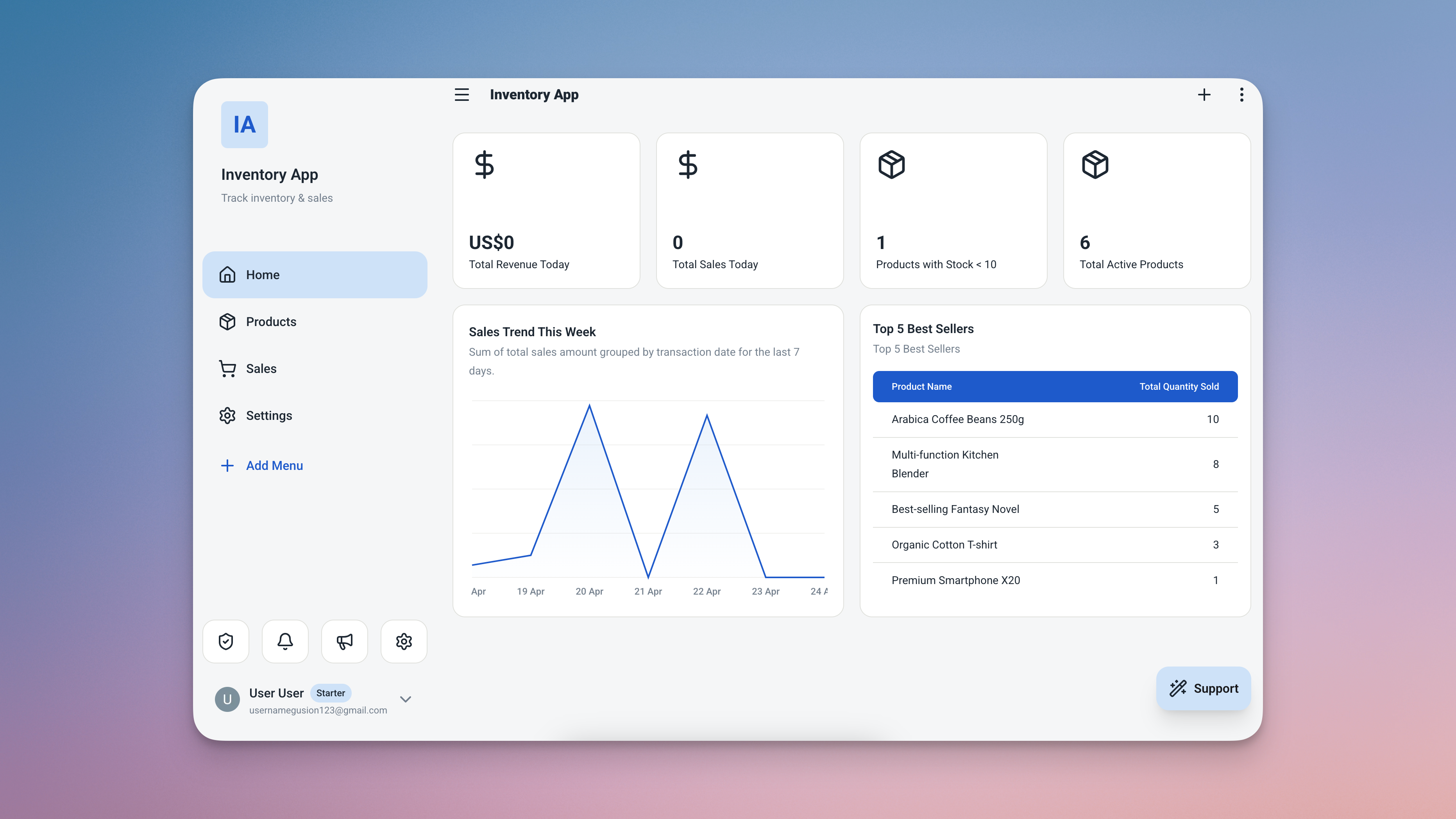
A fully operational business system — stock tracking, sales metrics, low-stock alerts, and analytics — all built automatically by Ambisius.
Who Ambisius Is Built For
If you're running a business on spreadsheets, WhatsApp, or notebooks — Ambisius was made for you.
Ready to Build Faster?
Stop spending time configuring your app — start running your business.
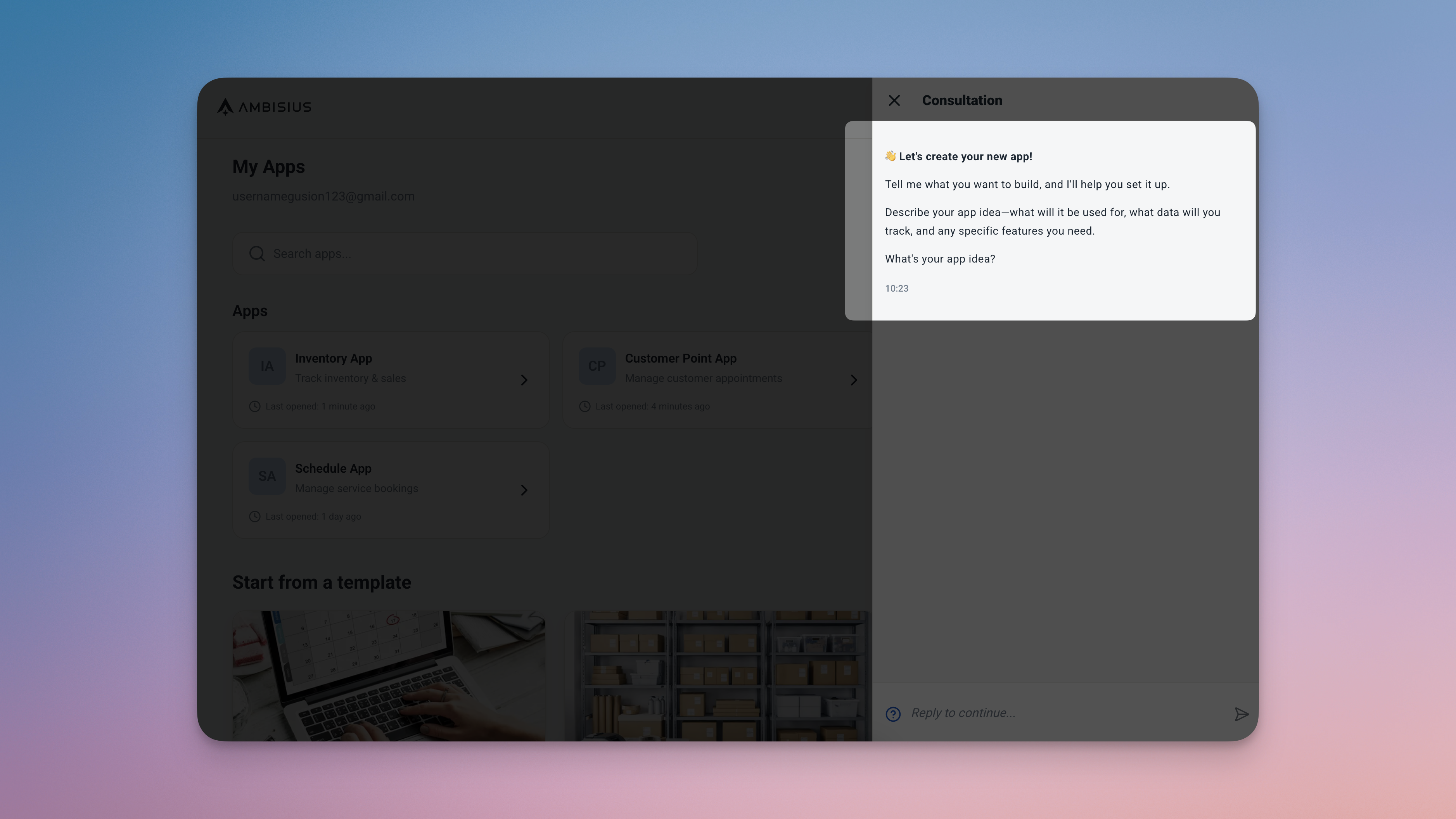
Start by describing your business — your app is ready before you finish your coffee.
Frequently Asked Questions
-
Is Glide good for small business operations?Glide works well for simple use cases — a product catalog, a basic booking form, or an internal directory. But for more complex operational needs like inventory with stock validation or appointment scheduling with double-booking prevention, you'll need to build and maintain that logic yourself. Ambisius comes with these capabilities built in.
-
Can I migrate from Glide to Ambisius?Yes. Describe your existing setup to Ambisius via chat and the AI will build an equivalent — or more capable — system for you. Since Glide typically uses Google Sheets as a backend, your existing data is easy to reference as you transition.
-
Is Ambisius free to use?Ambisius uses a credit-based model. Chatting with the AI and exploring the platform is completely free. Credits are only consumed when you confirm a change and the AI applies it to your app. New users receive free starter credits to get started without any upfront commitment.
-
Do I need coding skills to use Ambisius?No. Ambisius is built specifically for non-technical users. You describe what you need in plain language — the AI handles everything else. No formulas, no component configuration, no data binding required.
-
How long does it take to build an app on Ambisius?Most business apps — including tables, relationships, validations, a dashboard, and analytics — are ready in minutes. You can then continue refining via chat, and every change is applied instantly.
-
Does Glide work on mobile?Yes, Glide apps are mobile-friendly and available as PWAs. Ambisius is also fully responsive across iOS, Android, tablet, and desktop browser — and offers native iOS and Android apps, so your team can use it on any device without any additional setup.
The Bottom Line
Glide is a well-designed tool — for people who enjoy building apps visually and have the time to configure and maintain them. But for a small business owner who needs a working operational system without the setup headaches, the manual configuration, or the per-editor pricing — Ambisius is the stronger choice.
No drag-and-drop. No manual setup. No formulas. Just describe your business — and your app is ready.