



Ambisius vs Notion — which one actually runs your business?
Notion Is Everywhere — But Is It Actually Built for Your Business?
There's a moment when you realize Notion might not be the right tool for running real operations.
Notion is beautiful, flexible, and free to start — so it's no surprise that a lot of small business owners end up using it to track products, manage client lists, or organize their team's tasks.
But there's a moment — usually after a staff member edits the wrong row, or a formula stops working, or you realize you can't stop someone from accidentally deleting a record — when you start wondering: is Notion actually built for this?
In this post, we break down exactly how Ambisius and Notion compare for day-to-day small business operations — not just features on a spec sheet, but what it actually feels like to run a real business on each tool.
What Is Notion?
A powerful workspace for organizing knowledge — but not a business operations tool.
Notion is an all-in-one workspace that combines notes, documents, wikis, and databases into a single platform. It was built for individuals and teams who want to organize their thinking, collaborate on documents, and manage projects in one place.
-
Genuinely versatileBuild kanban boards, simple databases, team wikis, personal dashboards, and content calendars — all within the same tool.
-
Loved by knowledge workersNotion has a massive following among students, creators, freelancers, and teams that work primarily with text, ideas, and documents.
-
Shows its limits fast in operationsWhen your business needs real data validation, enforced rules, role-based staff access, and mobile-ready operational tools — Notion starts to break down quickly.
What Is Ambisius?
An AI-powered app builder that builds a fully working business system around your workflow — in minutes.
Ambisius is built specifically for small and medium businesses. Instead of formatting pages to look like a business tool, you simply chat with an AI — describe what your business needs — and a fully working app is built for you automatically.
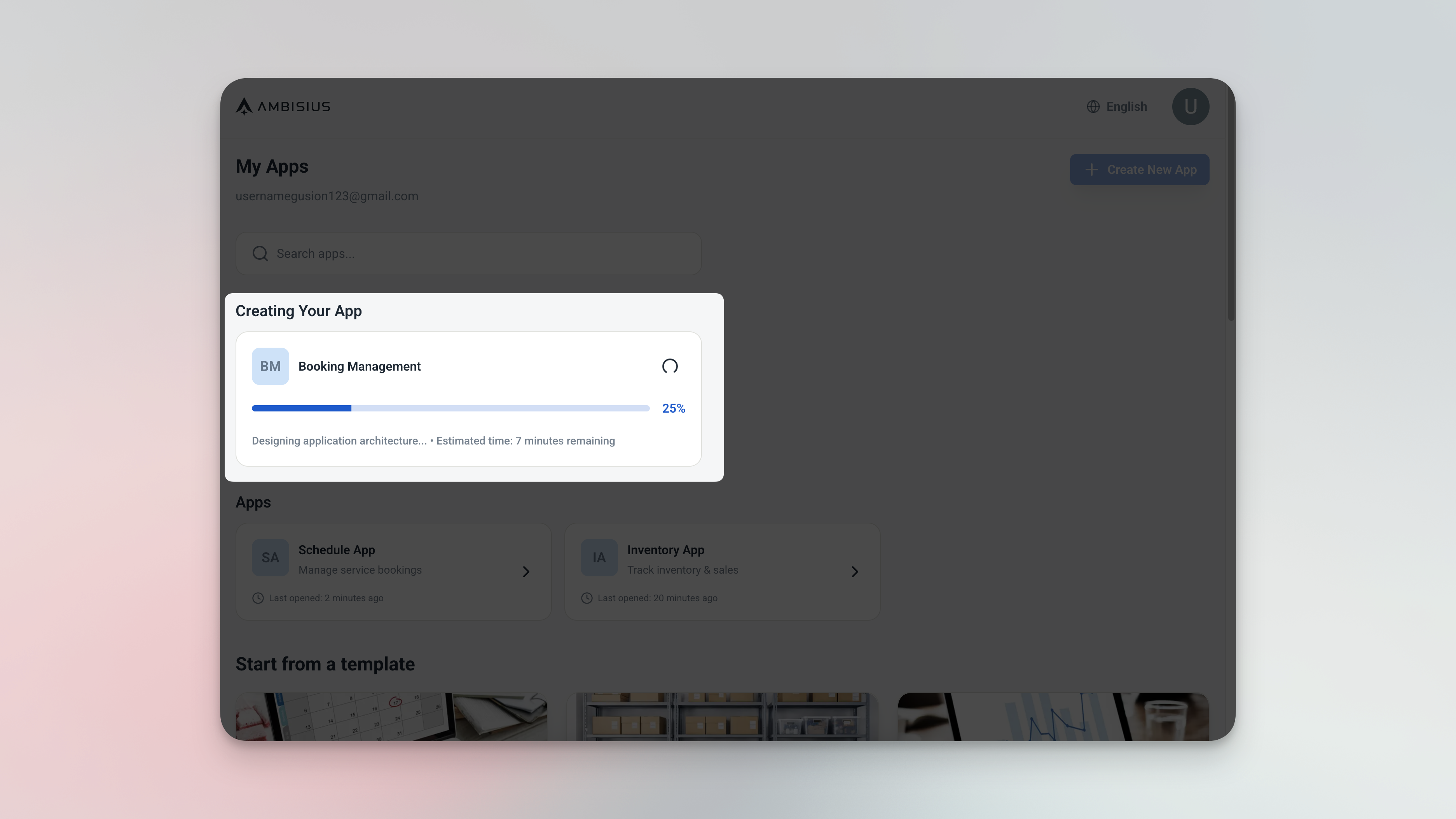
Describe your business in plain language — Ambisius builds the entire app for you automatically.
-
No coding, no page configurationYou describe what you need in plain language. The AI handles tables, relationships, calculated fields, validations, dashboard, and analytics — automatically.
-
Built around your workflowInventory tracking, appointment scheduling, invoicing, event registration — Ambisius builds the system around how your business actually runs, not the other way around.
-
Replaces the patchworkDesigned for business owners who are done patching together Notion pages, spreadsheets, and WhatsApp messages to run their operations.
Head-to-Head Comparison
How the two tools stack up across the things that matter most to a small business owner.
| Feature | Ambisius | Notion |
|---|---|---|
| Built for | Small business owners (SMEs) | Knowledge workers, students, creative teams |
| Setup | Chat with AI — app ready in minutes | Manual page and database configuration |
| Technical skill needed | None | Low-to-moderate — requires familiarity with Notion's system |
| Customization | AI-driven, fully custom to your workflow | Flexible but entirely manual |
| Auto Calculation | ✅ Built-in | Limited — basic formula support only |
| Data Relations | ✅ Built-in | Limited — relation fields exist but lack business logic |
| Validation & Error Prevention | ✅ Built-in (range, overlap, uniqueness) | ❌ Not available |
| Team Collaboration | ✅ Per-menu, per-action access control | Limited — page-level permissions only |
| Notifications / Alerts | ✅ Condition-based smart alerts | ❌ Not available |
| Customer-Facing Sharing | ✅ Publish as customer-facing app | Limited — public pages only, no interactive forms |
| Mobile App | ✅ iOS, Android, PWA — fully responsive | ✅ iOS & Android — not optimized for operations |
| Ready-Made Business Templates | ✅ Inventory, Appointments, Invoices, Events | ✅ General templates — not SME-specific |
| Pricing model | Credit-based — pay for what you build | Per-seat subscription — free plan available |
Detailed Breakdown
Four areas where the difference between the two tools is most felt by a real business owner.
1. Notion Is a Document Tool Pretending to Be a Database
Notion's databases look like spreadsheets and feel like they should work like business tools — but underneath, they're still built around the idea of pages and blocks, not structured business data.
There's no rule in Notion that says "you cannot record a sale if stock is zero." Nothing stops a staff member from typing a negative number, creating a duplicate record, or breaking a formula — and there's no alert when it happens.
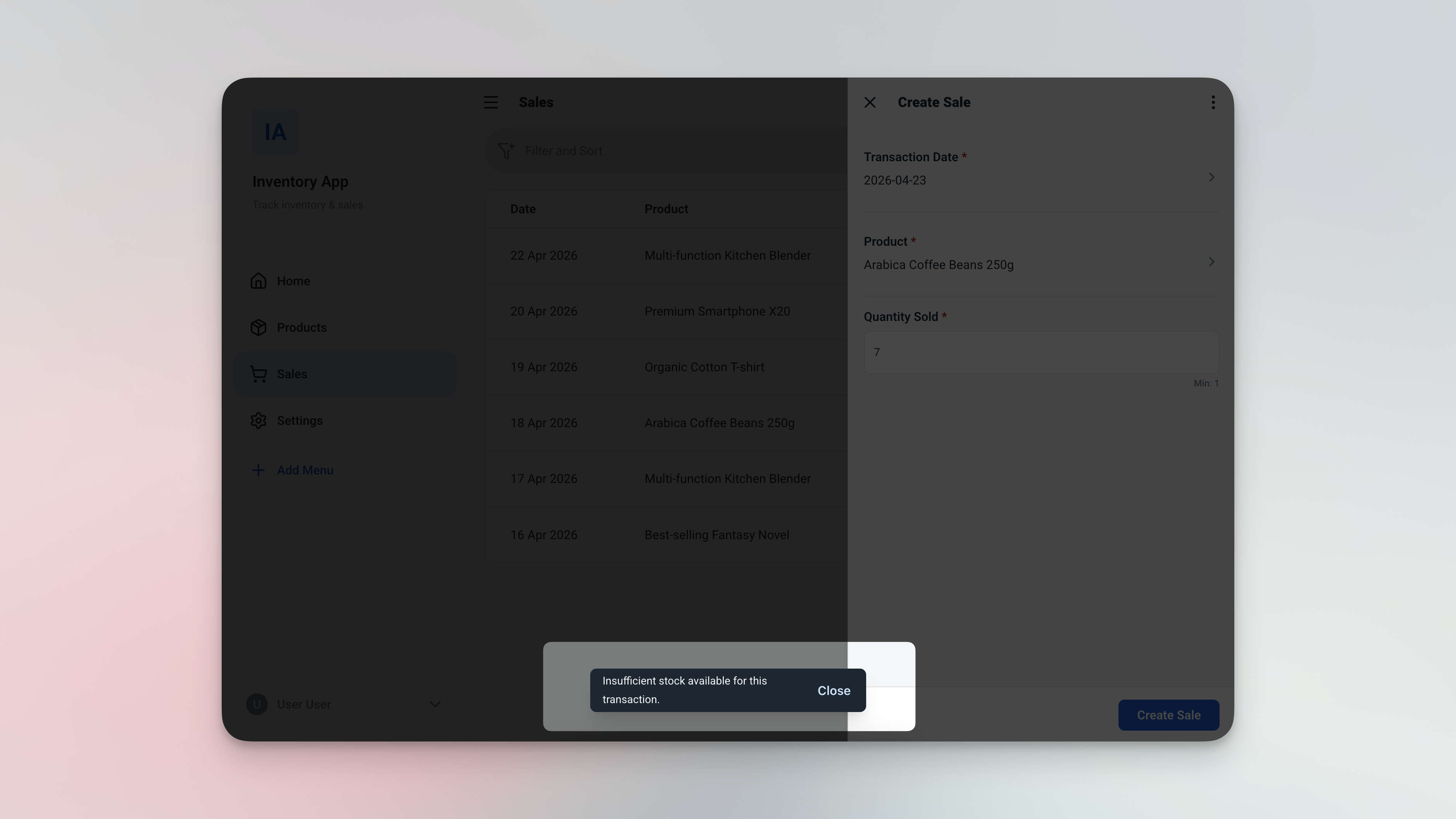
Ambisius blocks the action before the mistake happens — no overselling, no negative stock, no manual checking required.
-
No field-level validationNothing prevents a staff member from entering a negative quantity, a future date in the wrong field, or a duplicate customer name.
-
No stock enforcementNotion has no concept of "available stock" — you can record a sale of 100 units even if you only have 5 in stock.
-
Formulas break silentlyWhen a Notion formula stops working, there's no alert. Your data just becomes quietly wrong — and you may not notice until it's too late.
-
No duplicate preventionAnyone can create a second "John Smith" customer record — Notion won't stop them, and you won't know until your data is a mess.
2. Access Control: Who Can Do What?
In Notion, permissions work at the page level — you can make a page viewable, editable, or hidden. But you can't say "this person can add new records but cannot edit existing ones" or "this staff member can see the sales page but not the pricing or analytics."
For a small business, this is a real problem. You want your cashier to record sales — but not change product prices. You want your warehouse staff to log stock arrivals — but not access your revenue dashboard.
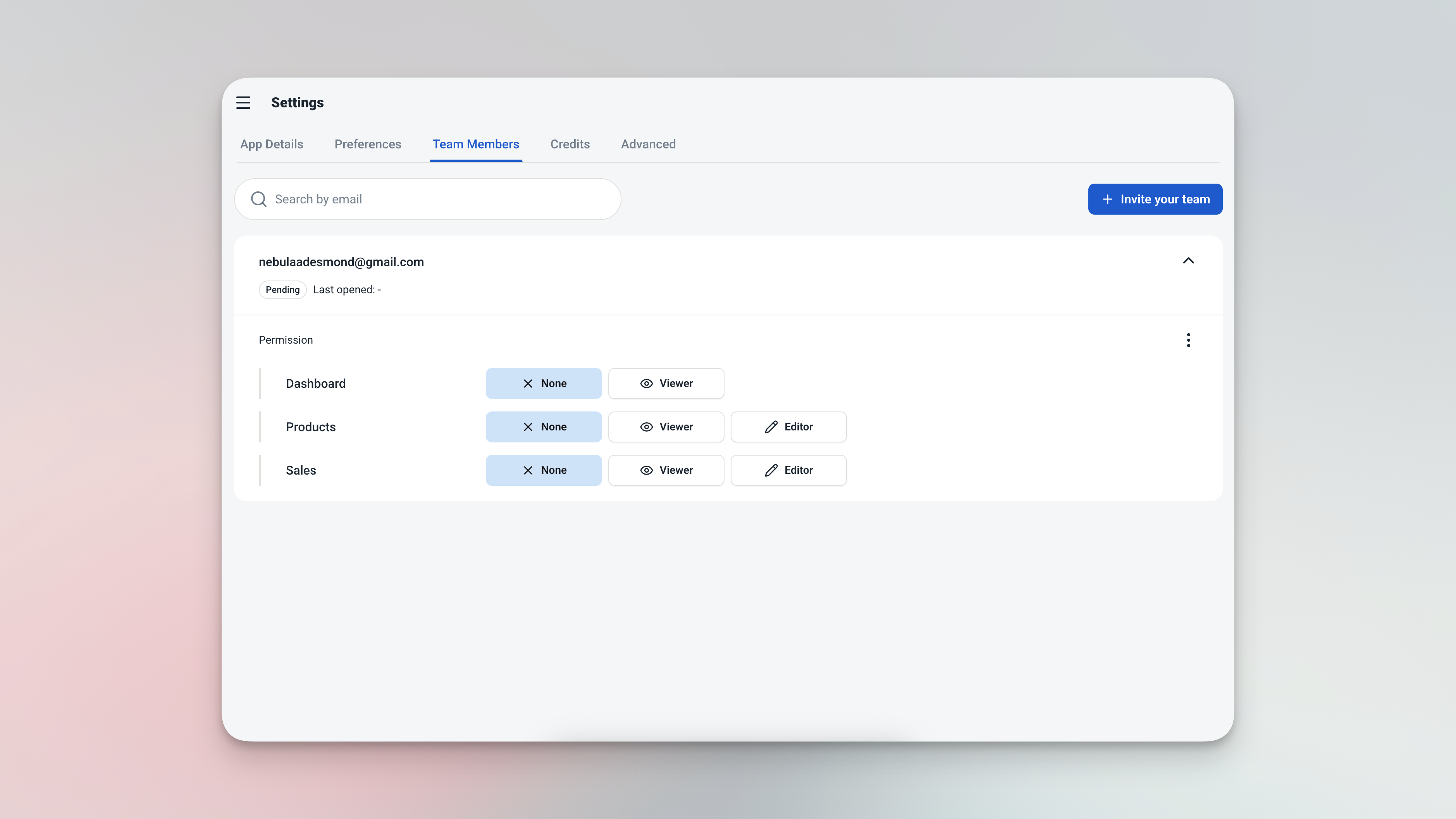
Per-menu, per-action access control in Ambisius — set exactly what each team member can see and do.
| Role | Can Do | Cannot Do |
|---|---|---|
| Cashier | Add sales records | Edit product prices, delete records |
| Warehouse Staff | Log stock in | View financial analytics |
| Manager | View all pages | Delete records |
| Owner | Full control | — |
3. Business Logic: Rules That Actually Run Your Business
Running a business means enforcing rules — consistently, every time, without relying on people to remember them. This is where Notion fundamentally cannot compete.
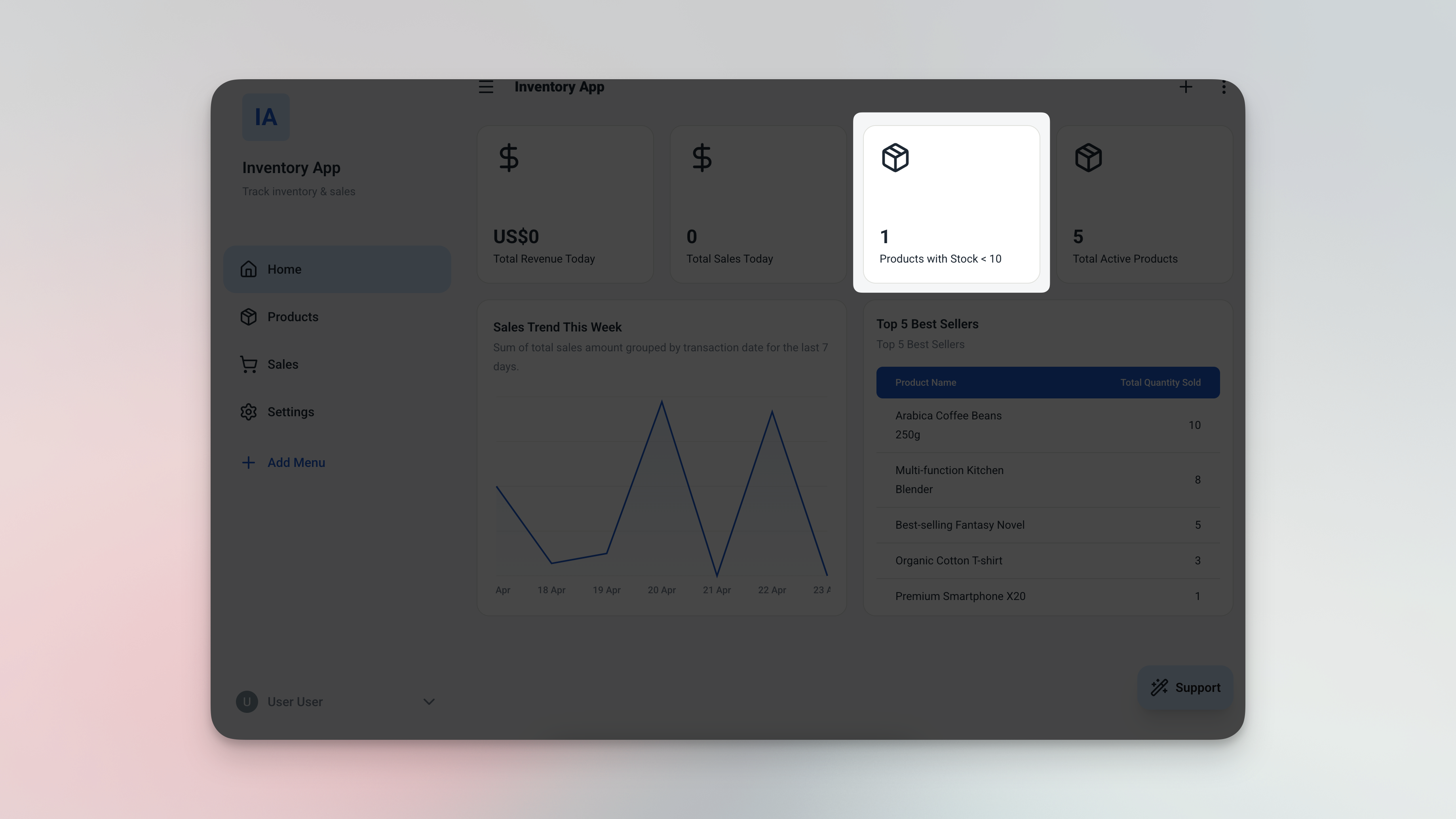
Condition-based alerts and automatic status updates — Ambisius enforces your business rules so you don't have to.
In Notion, none of this exists natively. For a business handling dozens of transactions a day, relying on people to manually check for errors and remember to update statuses isn't a system — it's a liability.
4. Mobile Experience: Built for the Office vs. Built for the Field
Notion has a mobile app, but it's optimized for reading and editing documents — not for operational tasks like recording a sale, checking in a customer, or logging stock from a warehouse floor.
Ambisius is fully responsive across iOS, Android, tablet, and desktop browser. Every page — whether it's a data entry form, a dashboard, or an analytics view — works seamlessly on any device your team uses.
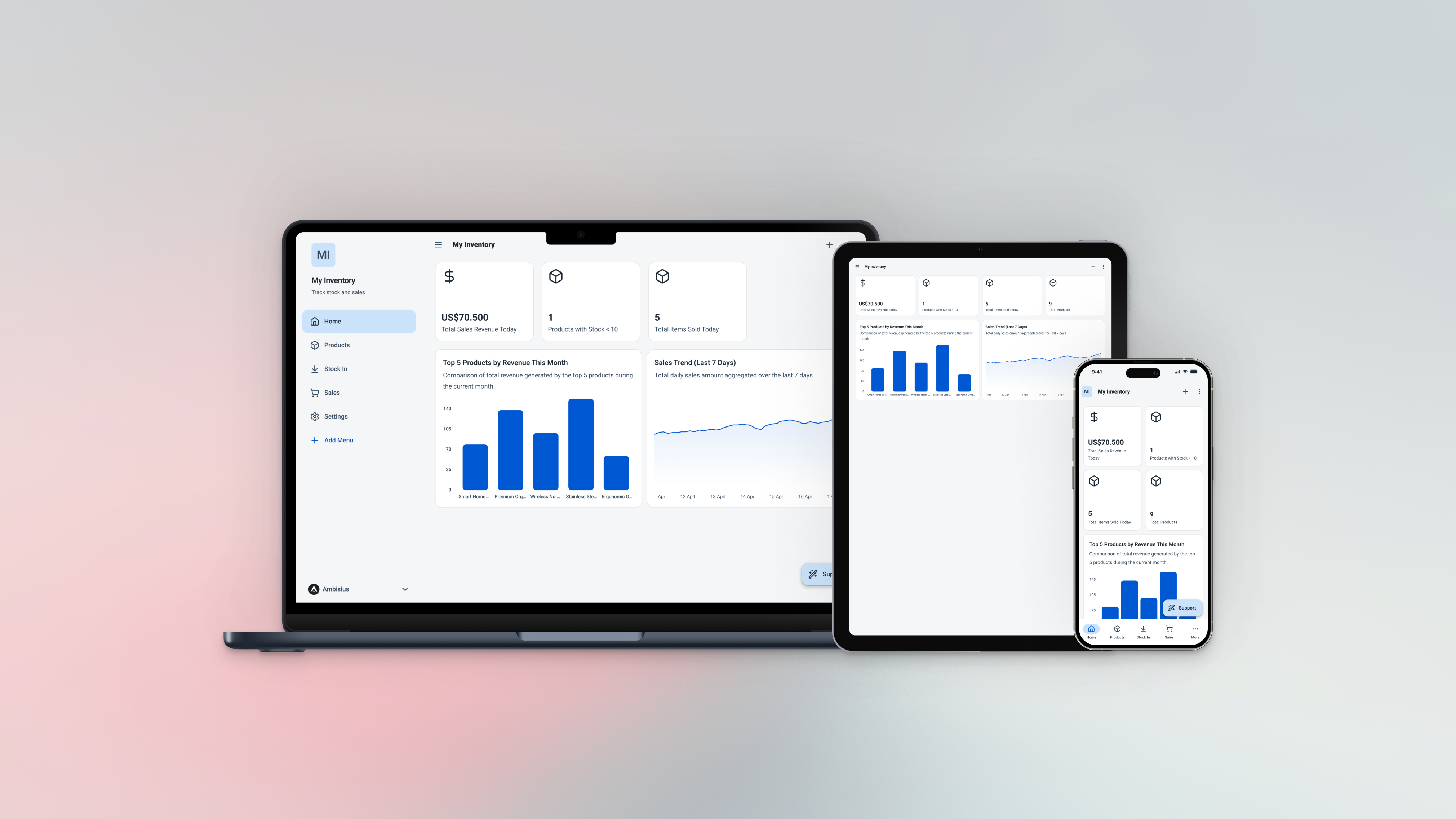
A cashier on a phone, a manager on a tablet, an owner on a laptop — all using the same Ambisius app, in real time.
For businesses where staff aren't sitting at desks all day, a fully responsive mobile experience isn't a nice-to-have — it's essential.
Verdict — Who Should Use What?
The right tool depends on whether you need to organize knowledge — or actually run a business.
Choose Notion if:
-
Your primary need is organizing notes and documentsNotion excels at team wikis, content calendars, project tracking, and internal documentation.
-
Your team works primarily with ideas and textIf your team is comfortable with digital tools and doesn't need enforced data rules, Notion's flexibility is a genuine advantage.
-
You don't need real-time operational trackingFor knowledge workers who don't need stock validation, booking conflict checks, or condition-based alerts — Notion is a great free workspace.
Choose Ambisius if:
-
You're running day-to-day business operationsInventory, bookings, invoices, attendance, or events — Ambisius is built specifically for these operational workflows.
-
You need the system to enforce rules automaticallyNo overselling, no double-bookings, no duplicate records — Ambisius enforces your business rules without relying on people to remember them.
-
You want precise control over staff accessGive staff access to exactly what they need — nothing more, nothing less — per menu and per action.
-
You need your team to use it on their phonesAmbisius works seamlessly on every device without any friction — ideal for teams that aren't sitting at desks all day.
-
You're done with the patchworkIf you're tired of maintaining a mix of Notion pages, spreadsheets, and WhatsApp messages to run your business — Ambisius replaces all of it in one place.
Move Beyond Notes — Get a Real Business System
Getting started with Ambisius takes minutes, not days.
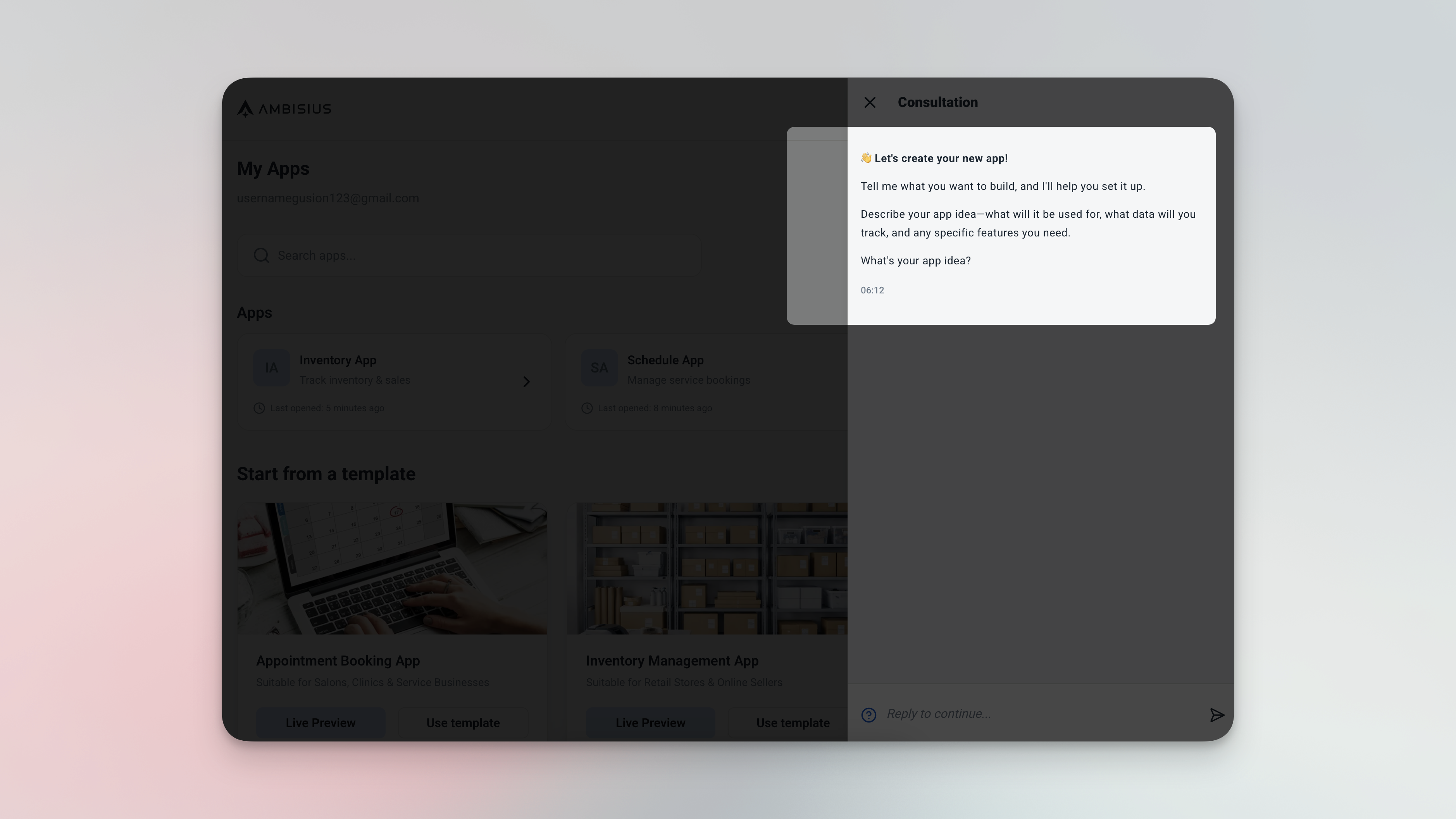
Start by describing your business — your fully working app is ready before you finish your coffee.
Who Ambisius Is Built For
If your business runs on real transactions — not just documents — Ambisius was made for you.
Frequently Asked Questions
-
Is Notion good for small business management?Notion works well for organizing information, documenting SOPs, and managing projects. But for operational tasks — like inventory tracking, appointment scheduling, or invoice management — it lacks the data validation, business logic, and access control that a real business system needs. Most small business owners find themselves working around Notion's limitations rather than through them.
-
Can I migrate from Notion to Ambisius?Yes. Describe your existing Notion setup to Ambisius via chat and the AI will build a proper operational system for you — complete with validations, relationships, a dashboard, and analytics. Your data can be re-entered or imported as you transition.
-
Is Ambisius free to use?Ambisius uses a credit-based model. Exploring the platform and chatting with the AI is free. Credits are only consumed when you confirm a change and the AI applies it to your app. New users receive free starter credits to get started without any upfront commitment.
-
Do I need coding skills to use Ambisius?No. You describe what your business needs in plain language — the AI handles everything else. No formulas, no page configuration, no database setup required.
-
How long does it take to build an app on Ambisius?Most business apps — including tables, relationships, validations, a dashboard, and analytics — are ready in minutes. You can keep refining via chat anytime and changes are applied instantly.
-
Can Notion replace a business management app?For most small businesses — no. Notion is a powerful knowledge and productivity tool, but it was never designed to be a business management system. It doesn't enforce data rules, doesn't support condition-based alerts, and doesn't give you the granular staff access control that operational tools require.
Ready to Move Beyond Notes?
Notion is a great tool — for organizing knowledge. But if your business depends on accurate, real-time operational data, enforced rules, and a team that can actually use the system on their phones — you need something built for that purpose.
Ambisius builds a fully working business app around your workflow — with real data rules, team access control, and a mobile-ready experience your staff will actually use. No coding, no complicated setup, no developer required.
