



Ambisius vs Microsoft Excel — which one actually works as a business operations system?
If You're Running Your Business on Excel, You Know the Feeling
It works — until a formula breaks, someone overwrites a row, and you spend Sunday night fixing a spreadsheet instead of resting.
Millions of small business owners use Excel to track inventory, record sales, manage bookings, and chase invoices. It's familiar, it's flexible, and it's free. But Excel was never designed to be a business operations platform — and the cracks show up fast when your team grows, your data gets complex, or your phone can't open the file properly.
In this post, we break down exactly how Ambisius and Microsoft Excel compare — not as software tools in the abstract, but as day-to-day operational systems for small businesses.
What Is Microsoft Excel?
The world's most powerful spreadsheet — built for analysis, not operations.
Excel is extraordinarily powerful in the right hands — capable of complex calculations, pivot tables, macros, and data visualization. Accountants, analysts, and finance teams rely on it daily, and for good reason.
-
Excellent for data analysisFinancial modeling, pivot tables, complex formulas — Excel was built for this and does it better than almost anything else.
-
Not built for operationsNo user roles, no real-time multi-user editing that's truly safe, no native mobile experience, and no built-in business rule enforcement.
-
Being used for the wrong jobSmall business owners have been bending Excel to do a job it was never meant to do — and paying the price in broken formulas, data chaos, and wasted hours.
Excel has no concept of business rules. Nothing stops a staff member from selling more stock than you have, creating a duplicate booking, or accidentally deleting last month's records.
What Is Ambisius?
An AI-powered app builder that gives you a complete operational system — built around your workflow, in minutes.
Where Excel gives you a blank grid and expects you to build the system yourself, Ambisius gives you a complete operational tool — with tables, relationships, automatic calculations, data validation, a live dashboard, and team access control — all generated from a plain-language conversation with an AI.
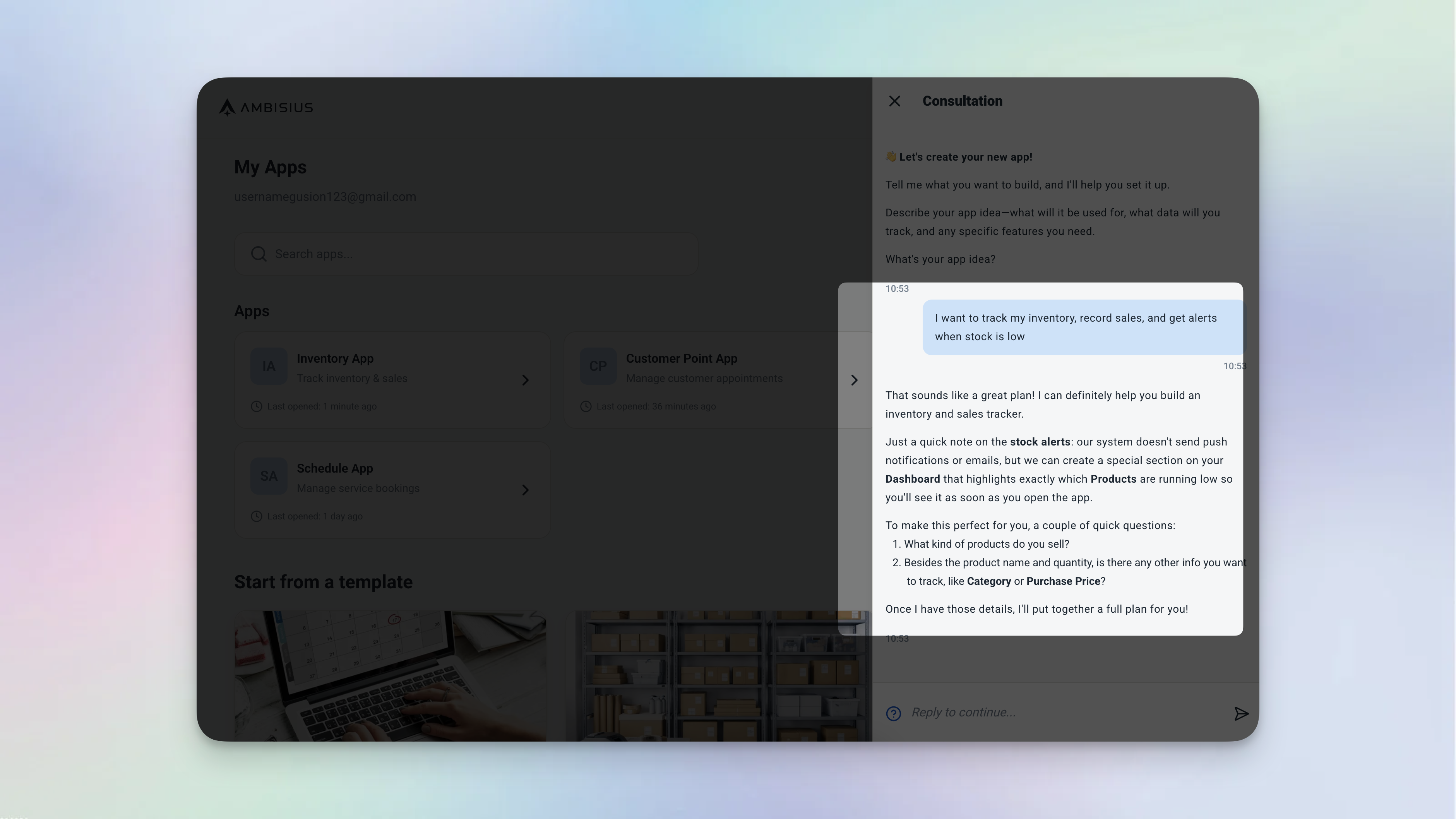
Describe your business in plain language — Ambisius builds the entire operational app for you automatically.
-
No formulas, no configurationYou describe what you need in plain language. The AI handles all the logic, calculations, and structure — automatically.
-
Built for non-technical business ownersNo developer needed. No spreadsheet engineering. If you can describe your business, Ambisius can build the app.
-
Works on every device, out of the boxiOS, Android, tablet, desktop browser — the same app works seamlessly across every device your team uses.
Head-to-Head Comparison
How the two tools stack up across the things that matter most to a small business owner running daily operations.
| Feature | Ambisius | Microsoft Excel |
|---|---|---|
| Built for | Small business operations | Data analysis & financial modeling |
| Setup | Chat with AI — app ready in minutes | Build everything manually from a blank sheet |
| Technical skill needed | None | Moderate to high — formulas, pivot tables, macros |
| Multi-user access | ✅ Safe, real-time, role-based | Limited — file conflicts, no true role control |
| Auto Calculation | ✅ Built-in, always consistent | Limited — formulas break silently |
| Data Relations | ✅ Built-in table linking | ❌ Not native — requires VLOOKUP/workarounds |
| Validation & Error Prevention | ✅ Built-in (range, overlap, uniqueness) | Limited — basic data validation only |
| Team Collaboration | ✅ Per-menu, per-action access control | Limited — all-or-nothing file sharing |
| Notifications / Alerts | ✅ Condition-based smart alerts | ❌ Not available |
| Customer-Facing Sharing | ✅ Publish as customer-facing app | ❌ Not available |
| Mobile App | ✅ iOS, Android, PWA — fully responsive | Limited — Excel mobile is severely restricted |
| Data Safety | ✅ Centralized, no accidental deletions | ❌ One wrong keystroke can break everything |
| Pricing model | Credit-based — pay for what you build | One-time purchase or Microsoft 365 subscription |
Detailed Breakdown
Four areas where the difference between Excel and Ambisius is felt most sharply in day-to-day business operations.
1. The Formula Problem: Silent Breakage vs. Built-In Logic
Every Excel power user knows the fear: you open the file, something looks off, and you realize a formula has been broken — possibly for weeks. Maybe someone inserted a row in the wrong place. Maybe a cell reference shifted. The result? Wrong totals, wrong stock counts, wrong invoice amounts — and you only find out when something goes visibly wrong.
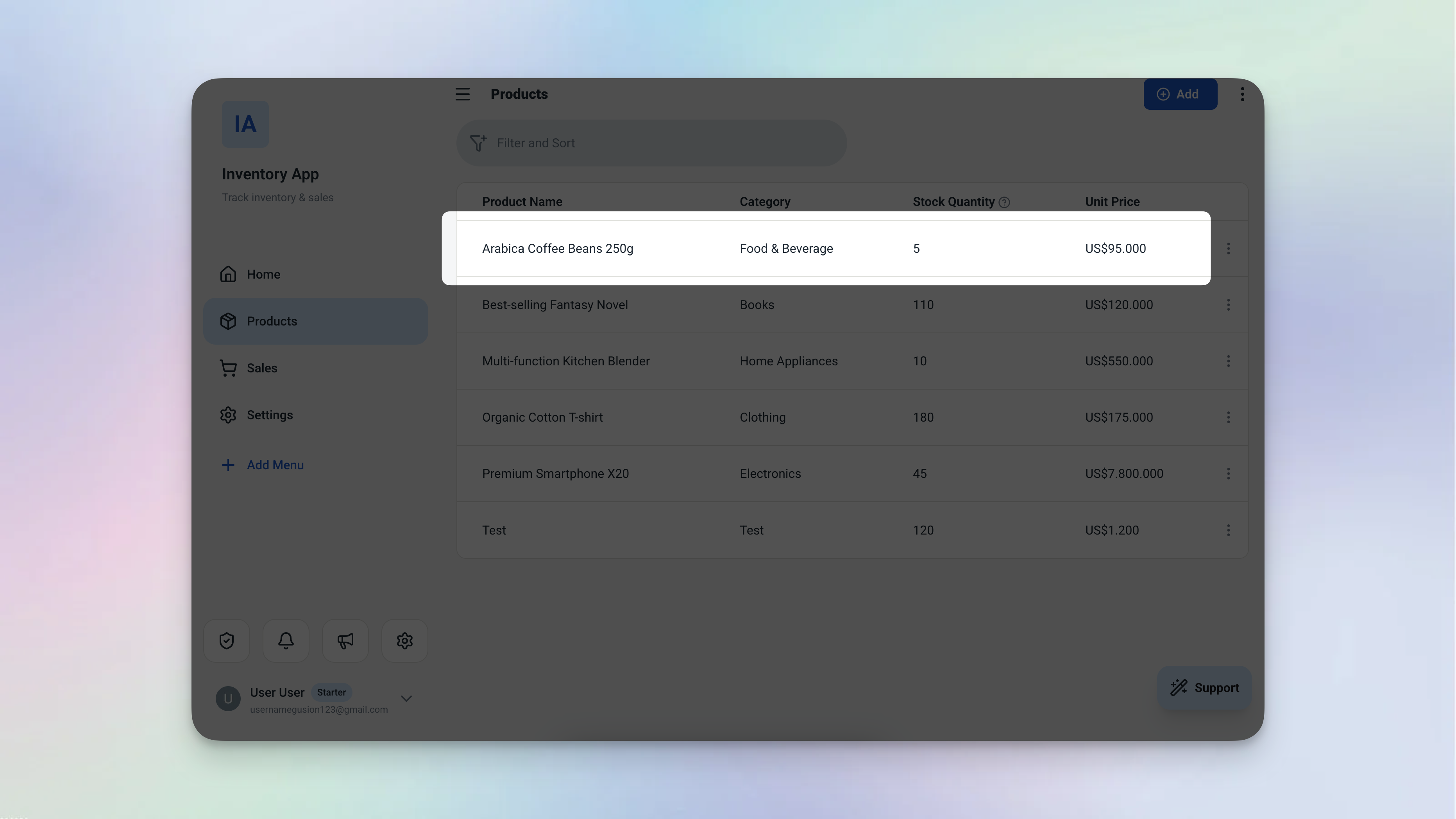
In Ambisius, calculations are defined once and maintained automatically — no formulas to break, ever.
Total = Quantity × Unit Price
End Time = Start Time + Service Duration
Days Until Due = Due Date − Today
These calculations are always correct, on every record, for every team member. You don't maintain them. You don't check them. They just work.
2. Data Safety: One Wrong Keystroke vs. Built-In Protection
In Excel, nothing stops anyone from typing the wrong number, deleting a row, or overwriting a formula. You rely entirely on human discipline — which, in a busy business, is not a reliable system. Ambisius has validation built in at the point of entry, before any data is saved.
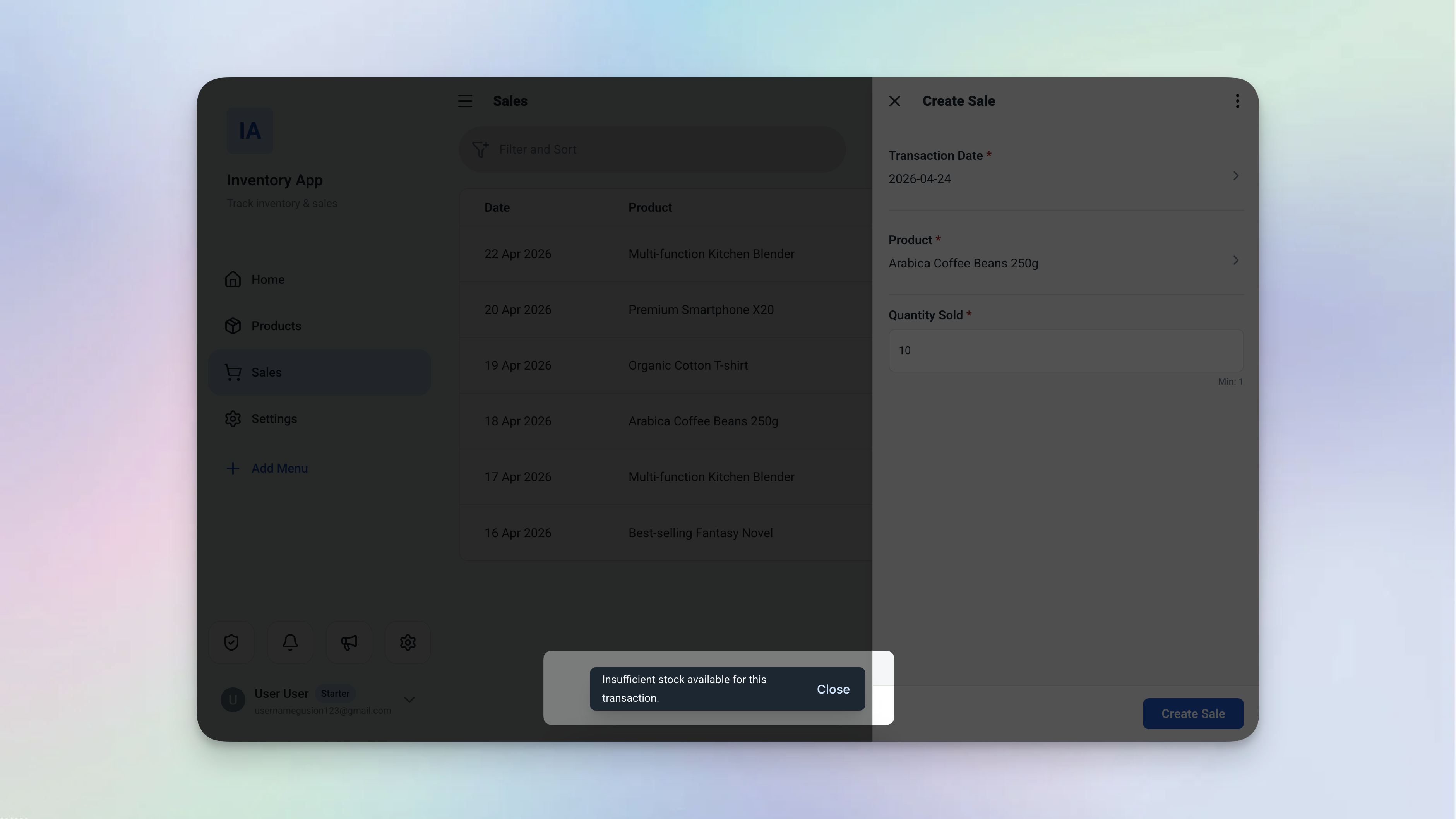
Validation in action — Ambisius blocks the save before a rule is broken, not after the damage is done.
-
Range validationStock can never go below zero. Quantities must be greater than zero. Appointments can't be booked in the past.
-
Uniqueness validationNo duplicate customer phone numbers. No duplicate product codes. The system catches them before they're saved.
-
Overlap validationNo two bookings in the same time slot. No two staff assigned to the same shift. Conflicts are blocked automatically.
-
State validationCan't mark an order as completed if it's already been cancelled. Status transitions follow your business rules.
3. Team Access: Share the File vs. Control the System
When you share an Excel file with a staff member, you're sharing everything. There's no way to say "you can add sales records but you can't see the profit margins." You either share the whole file or you don't — and either way, you're one accidental edit away from a problem.
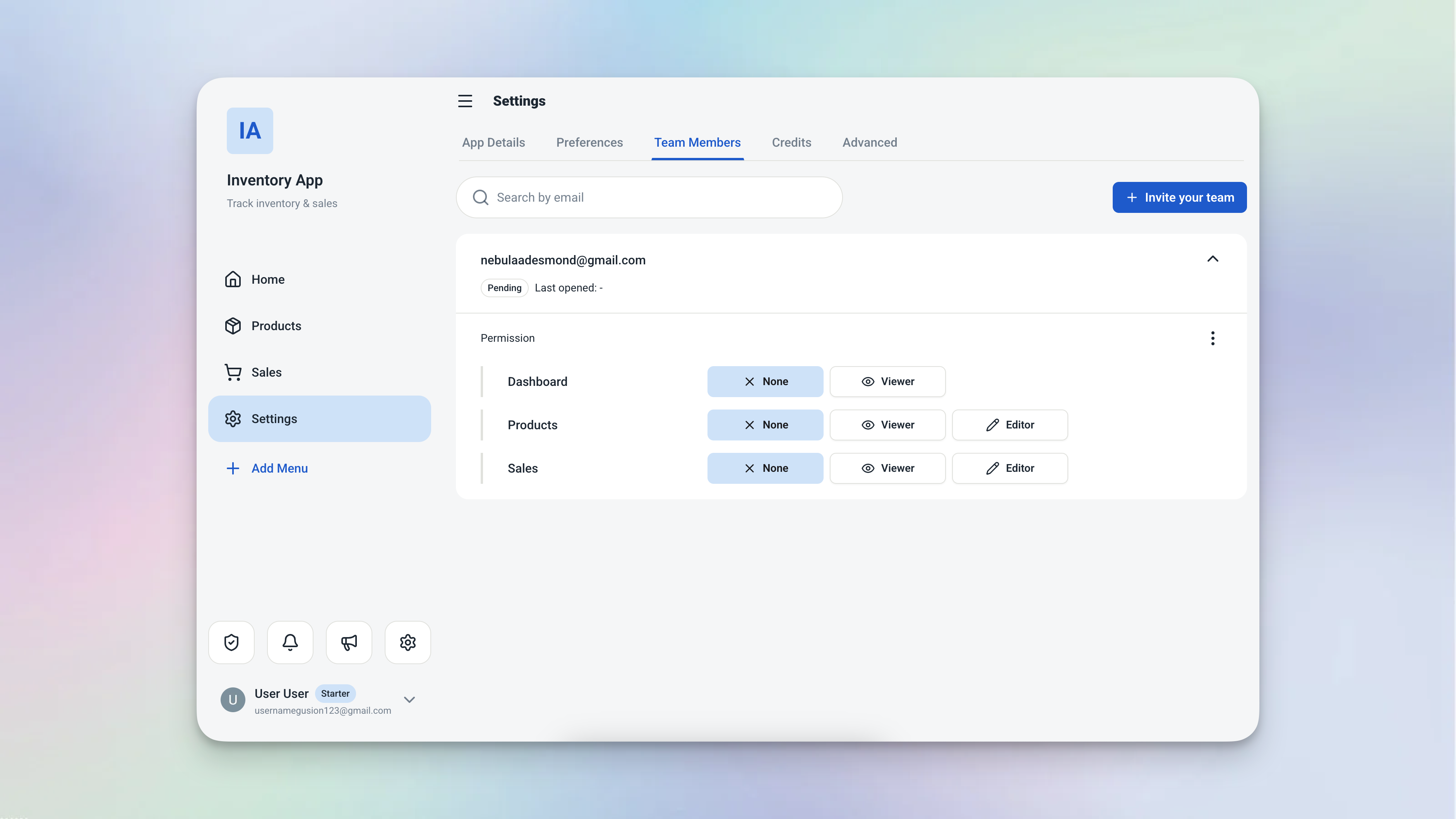
Ambisius gives you granular access control — every team member sees exactly what they need, nothing more.
| Role | Can Do | Cannot Do |
|---|---|---|
| Cashier | Add sales records | Edit product prices, view analytics |
| Warehouse Staff | Record stock arrivals | Access financial reports |
| Manager | View all menus | Delete records |
| Owner | Full access to everything | — |
4. Real-Time Visibility: Static File vs. Live Dashboard
An Excel file shows you data as of the last time someone updated it. If your cashier records a sale at 2pm and you check the file at 4pm, you might see it — or you might not, depending on whether they saved, whether you're looking at the right version, and whether the file synced properly.
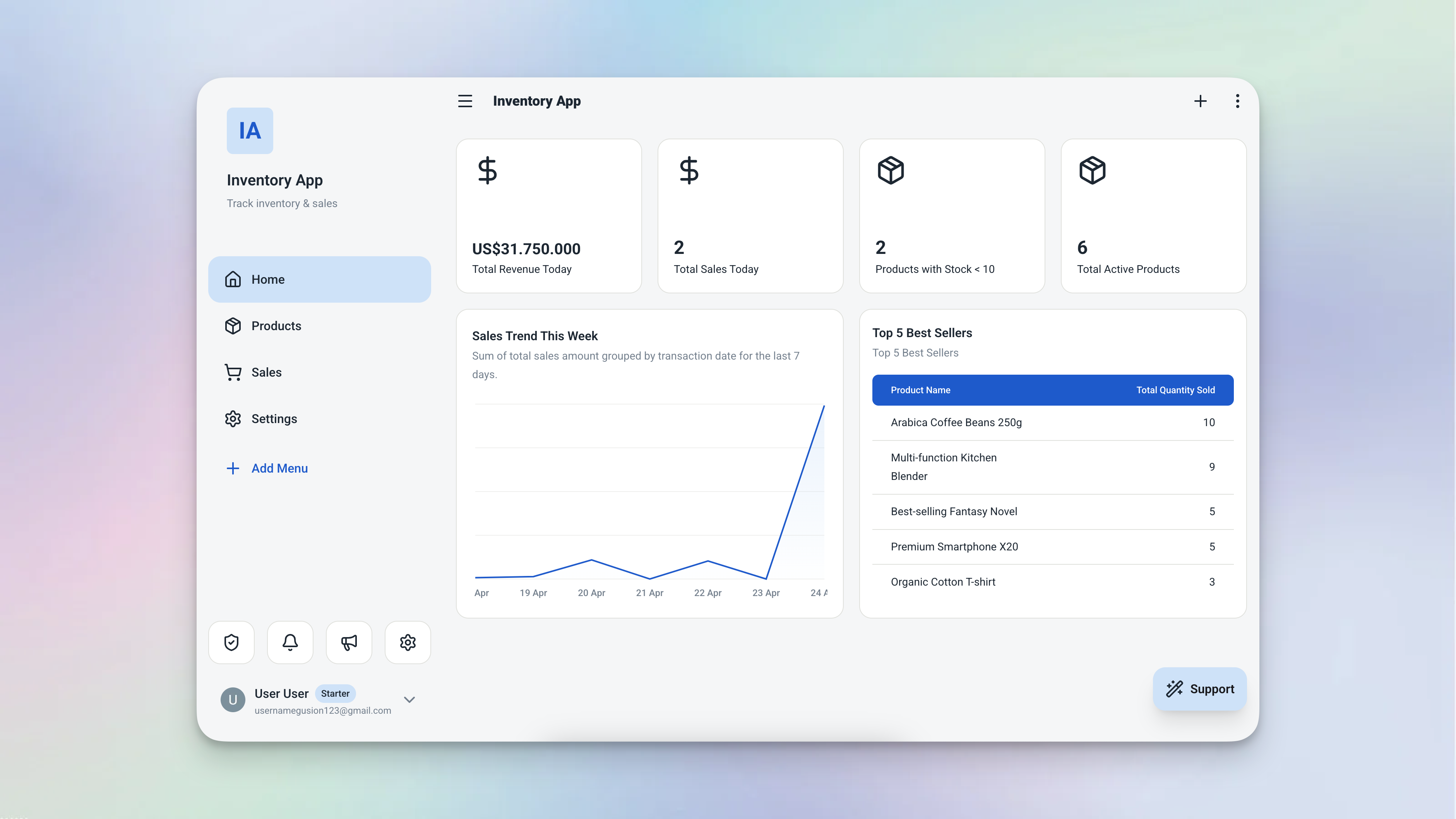
The Ambisius live dashboard — the current state of your business, always up to date, on any device.
You don't refresh a file. You don't ask your staff to send you an update. You open the app and the current state of your business is right there — on your phone, your tablet, or your laptop.
Verdict — Who Should Use What?
The right tool depends on what job you're actually trying to do.
Choose Microsoft Excel if:
-
Your use case is genuinely analyticalFinancial models, complex data analysis, detailed reports — Excel is purpose-built for this and does it better than almost anything else.
-
You work alone or with technically capable usersIf everyone using the file understands formulas and knows not to accidentally delete rows, Excel's risks are manageable.
-
You need deep Microsoft Office integrationIf your workflow is built around Word, PowerPoint, and Outlook, staying within the Microsoft ecosystem makes sense.
Choose Ambisius if:
-
You're using Excel for daily operationsInventory, sales, bookings, invoices — if Excel is your operational system and it's starting to cause problems, Ambisius is built exactly for this transition.
-
You've experienced broken formulas or version conflictsIf you've ever lost data, found a broken formula, or had two staff members overwrite each other's work — these problems don't exist in Ambisius.
-
You need your staff to use it safely from their phonesNo training required. No file to open. No risk of accidental edits. Staff use the app from any device — and the system enforces the rules for them.
-
You want business rules enforced automaticallyNo overselling, no double-bookings, no duplicate entries — Ambisius enforces your rules at the point of entry, every time.
-
You need real-time visibility without chasing updatesOpen the app and the current state of your business is right there — no asking staff to send you the latest file version.
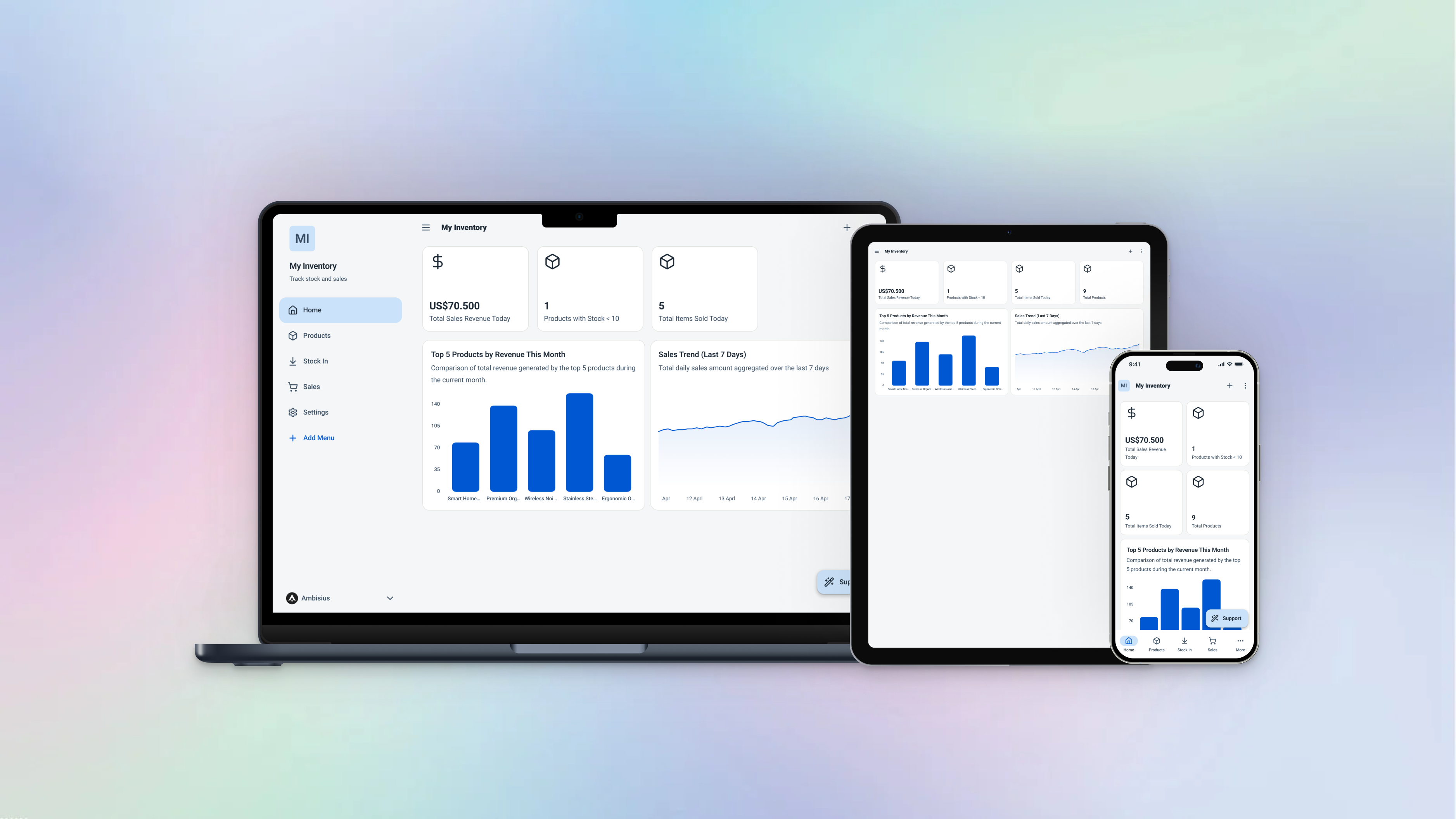
Ambisius works on every device your team uses — the same live data, everywhere, all the time.
Ready to Move On From Spreadsheets?
Getting started with Ambisius takes minutes — not a weekend of spreadsheet engineering.
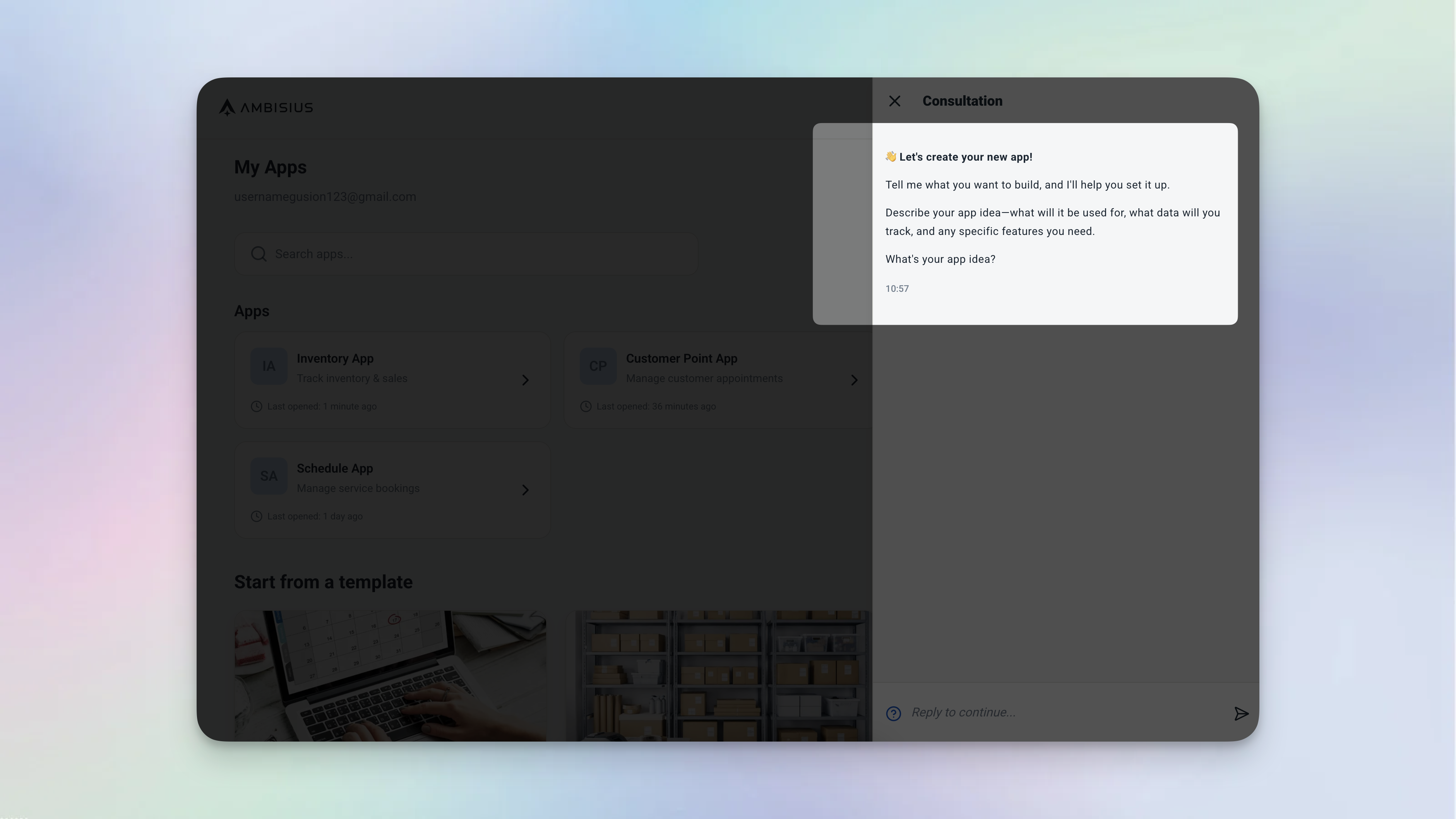
Start by describing your business — your fully working operational app is ready in minutes.
Who Ambisius Is Built For
If you're running a business on spreadsheets and want a proper system — without hiring a developer or learning a new platform — Ambisius was made for you.
Frequently Asked Questions
-
Is Excel good enough for small business inventory management?Excel can handle basic inventory tracking, but it has serious limitations for daily operations. It doesn't prevent overselling, doesn't alert you when stock is low in real time, and breaks down quickly when multiple staff members need to use it simultaneously. For a growing business, these limitations become costly mistakes.
-
Can I migrate my Excel data to Ambisius?Yes. Describe your current Excel setup to Ambisius via chat — your columns, your workflows, your business rules — and the AI will build an equivalent system for you. Your existing data can be re-entered or imported as you transition.
-
Is Ambisius free to use?Ambisius uses a credit-based model. Exploring the platform and chatting with the AI is free. Credits are only consumed when you confirm a change and the AI applies it to your app. New users receive free starter credits to get started without any upfront commitment.
-
Do I need coding or formula knowledge to use Ambisius?No. Ambisius is built specifically for non-technical users. You describe what you need in plain language — the AI handles all the logic, calculations, and structure. No formulas, no configuration, no technical knowledge required.
-
How long does it take to build an app on Ambisius?Most business apps — including tables, relationships, validations, a live dashboard, and analytics — are ready in minutes. You can then continue refining via chat and changes are applied instantly.
-
What happens if I need to change something in my Ambisius app?Just chat with the AI. "Add a new field for delivery address" or "Create a page for monthly reports" — the AI applies the change immediately. No developer needed, no rebuilding from scratch, no broken formulas to fix.
The Bottom Line
Excel is a brilliant tool — for the job it was designed to do. But running your daily business operations on a spreadsheet means living with broken formulas, data safety risks, limited mobile access, and no real-time visibility. These aren't minor inconveniences — they're the kind of problems that cost you time, money, and trust.
Ambisius is built for exactly the moment when Excel stops being enough. Describe your business, get a working app in minutes, and let the system enforce your rules — so you can focus on running your business instead of maintaining a spreadsheet.
