



Ambisius vs AppSheet — which one actually fits how your business operates?
"No-Code" Doesn't Always Mean Easy
There's a gap between no code and actually easy to use — and for most small business owners, AppSheet lives firmly in that gap.
If you've been looking for a way to turn your business data into a real app, you've probably come across AppSheet — Google's no-code platform that lets you build apps directly from spreadsheets. No code, connects to tools you already use, backed by Google. Sounds perfect.
But the reality for a small business owner trying to manage operations without a developer or an IT team is often very different. In this post, we compare AppSheet and Ambisius head-to-head — on setup, business logic, team collaboration, and overall fit for small businesses.
What Is AppSheet?
Google's no-code platform — powerful for technical teams, complex for everyone else.
AppSheet is Google's no-code app development platform, acquired in 2020 and now part of the Google Workspace ecosystem. It allows users to build mobile and web apps by connecting to data sources like Google Sheets, Excel, or cloud databases — without writing code.
-
Genuinely capableAppSheet supports data tables, conditional logic, workflows, automations, and even basic AI features — popular among operations teams and enterprise departments.
-
Best for Google Workspace teamsIt shines when your team is already using Google Sheets and someone technical enough is available to configure and maintain the platform.
-
Still spreadsheet-dependentAppSheet doesn't replace the spreadsheet — it reads from one. You're not escaping the spreadsheet world, just putting a layer on top of it.
What Is Ambisius?
An AI-powered app builder that turns your business description into a fully working system — no spreadsheet required.
Ambisius is built specifically for small and medium businesses. There are no spreadsheets to set up, no configuration panels to navigate, and no formulas to write. You simply chat with an AI, describe what your business needs, and a fully working app is built for you — automatically.
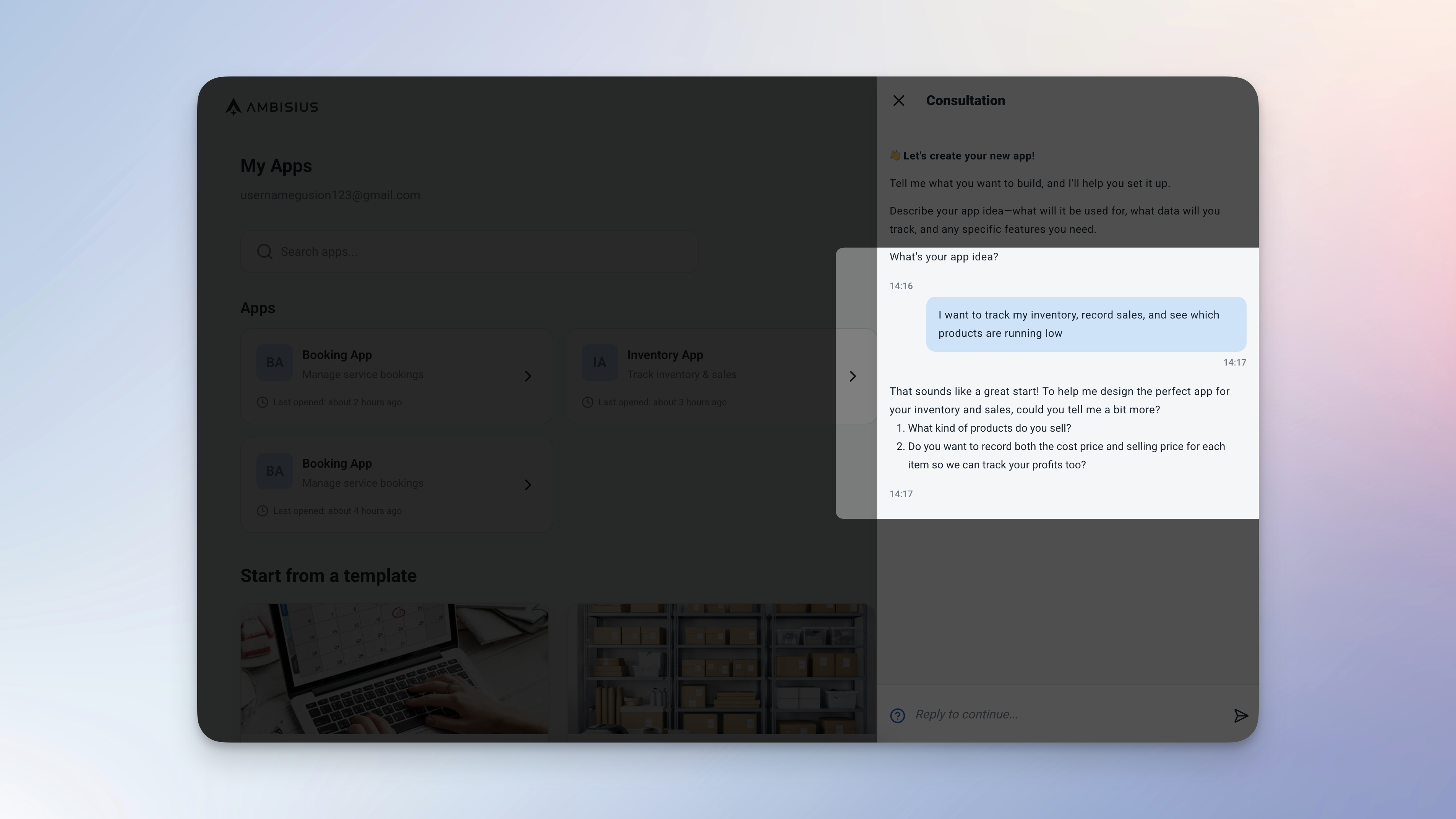
Describe your business in plain language — Ambisius builds the entire app for you, no spreadsheet needed.
-
No spreadsheet to prepareYou start from a conversation, not a spreadsheet. The AI builds the entire structure — tables, relationships, calculated fields, validations, dashboard, and analytics.
-
Built for real business workflowsWhether you run a retail store, salon, clinic, or freelance agency — Ambisius builds the app around your workflow, not the other way around.
-
Ready in minutes, not monthsA proper business system — complete with data tables, auto-calculations, validations, a dashboard, and analytics — is ready before you finish your coffee.
Head-to-Head Comparison
How the two tools stack up across the things that matter most to a small business owner.
| Feature | Ambisius | AppSheet |
|---|---|---|
| Built for | Small business owners (SMEs) | Operations teams, enterprise departments |
| Setup | Chat with AI — app ready in minutes | Manual configuration from spreadsheet data source |
| Technical skill needed | None | Moderate to high — requires spreadsheet + platform knowledge |
| Data source | Built-in structured database | Requires existing spreadsheet (Google Sheets, Excel, etc.) |
| Customization | AI-driven, fully custom to your workflow | Manual — configure views, columns, actions, workflows |
| Auto Calculation | ✅ Built-in | ✅ Available — requires formula setup |
| Data Relations | ✅ Built-in | ✅ Available — requires manual configuration |
| Validation & Error Prevention | ✅ Built-in (range, overlap, uniqueness) | Limited — requires manual expression setup |
| Team Collaboration | ✅ Per-menu, per-action access control | ✅ Role-based — less granular |
| Notifications / Alerts | ✅ Condition-based smart alerts | ✅ Available — via workflow automations |
| Customer-Facing Sharing | ✅ Publish as customer-facing app | Limited — requires additional configuration |
| Mobile App | ✅ iOS, Android, PWA | ✅ iOS & Android |
| Google ecosystem dependency | ❌ None — fully standalone | ✅ Deeply tied to Google Workspace |
| Pricing model | Credit-based — pay for what you build | Per-user subscription — scales with team size |
Detailed Breakdown
Four areas where the difference between the two tools is most felt by a real business owner.
1. Setup: You Still Need a Spreadsheet
The most important thing to understand about AppSheet — it doesn't replace the spreadsheet. It reads from one. Before you can build anything, you need a Google Sheet already set up with the right columns, the right data types, and the right structure. For a small business owner whose spreadsheet is a chaotic mix of merged cells and color-coded tabs, this is a real barrier.
With AppSheet, if your spreadsheet gets corrupted, reorganized, or accidentally edited — your app breaks. Your data's safety depends entirely on a spreadsheet being correctly maintained at all times.
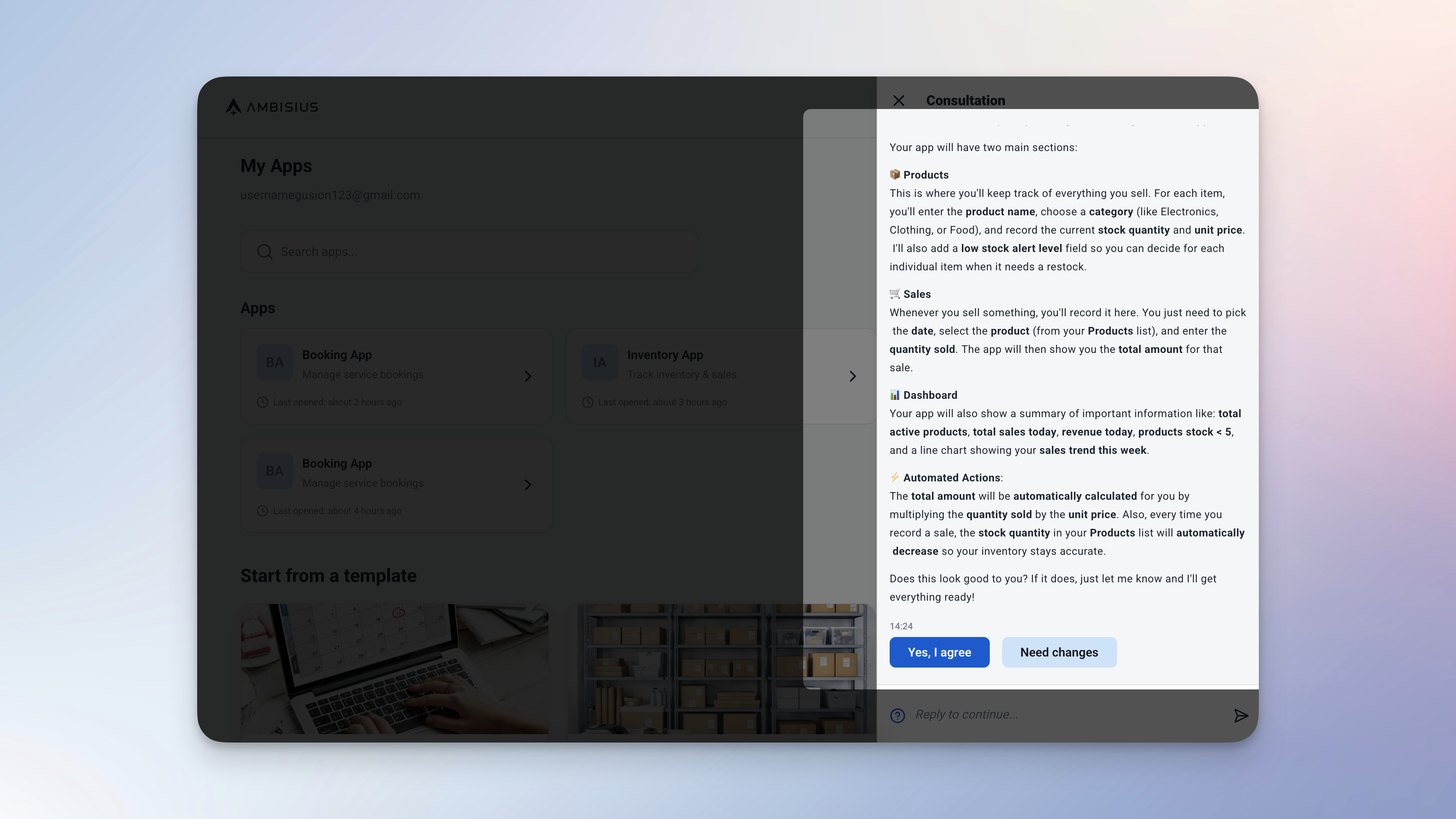
With Ambisius, you start from a conversation — not a spreadsheet. The AI builds the entire structure for you.
2. Configuration Complexity: No-Code Doesn't Mean No Effort
AppSheet markets itself as no-code — and technically, it is. But "no code" doesn't mean "no complexity." To build a working app in AppSheet, you still need to define column types, configure views, write expressions for calculated fields, set up workflow rules, and debug when things don't behave as expected. For a salon owner or a small retailer, this is a part-time job.
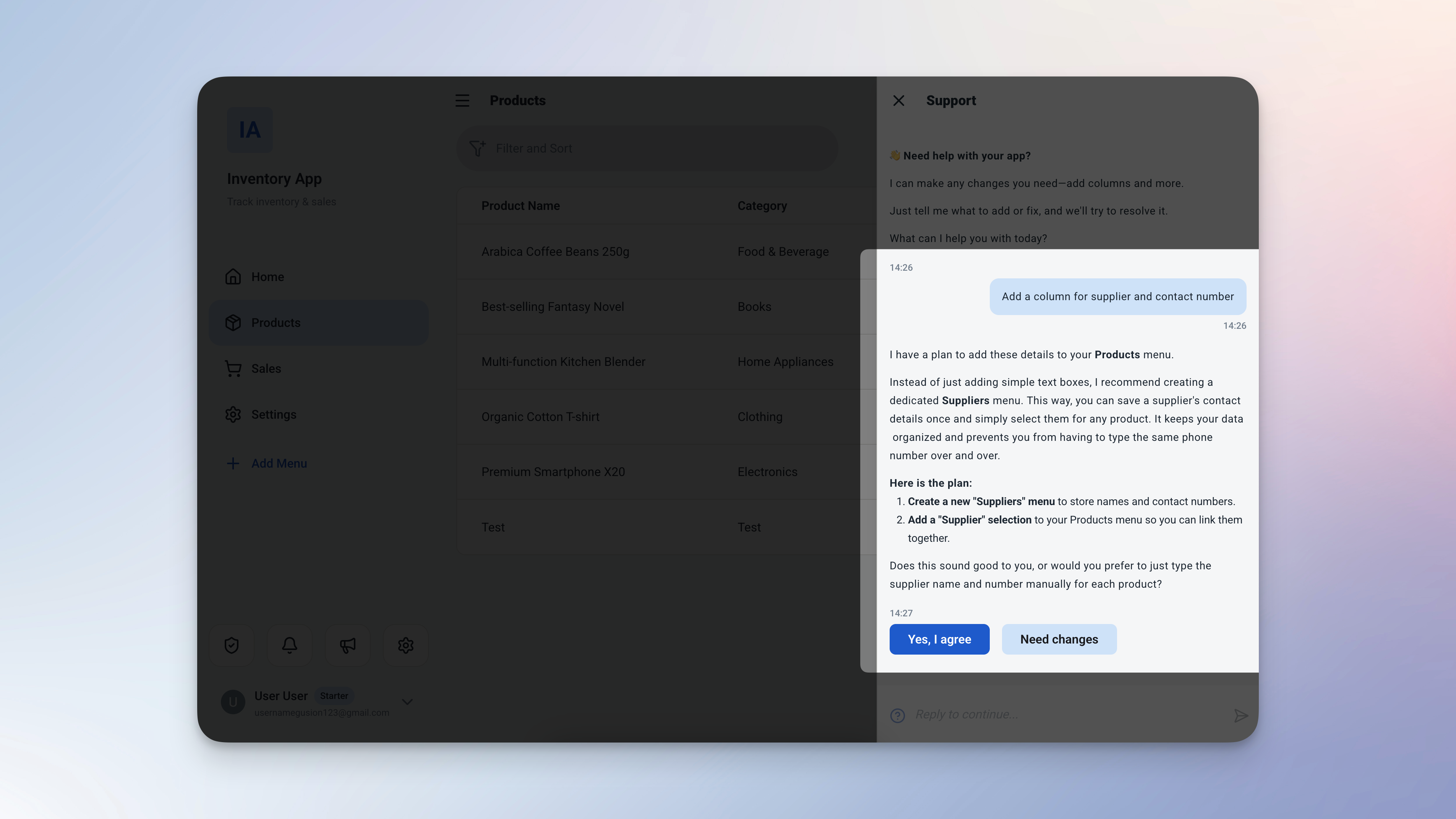
Want to make a change? Just describe it in the chat — Ambisius applies it instantly, no expression editor required.
With Ambisius, every configuration decision is handled by the AI. When you want changes, you just chat: "Add a column for supplier contact number" or "Show only active products in the sales dropdown" — and it's done.
3. Business Logic: Built-In vs. Built-by-You
Both tools support business logic — but how you get there is completely different. In AppSheet, logic is powerful but manual. Calculated fields require AppSheet's expression language. Validation rules require writing conditions. If you make a mistake, the app silently misbehaves until you find and fix it.
In Ambisius, business logic is built in from the start — protecting your data automatically, from day one.
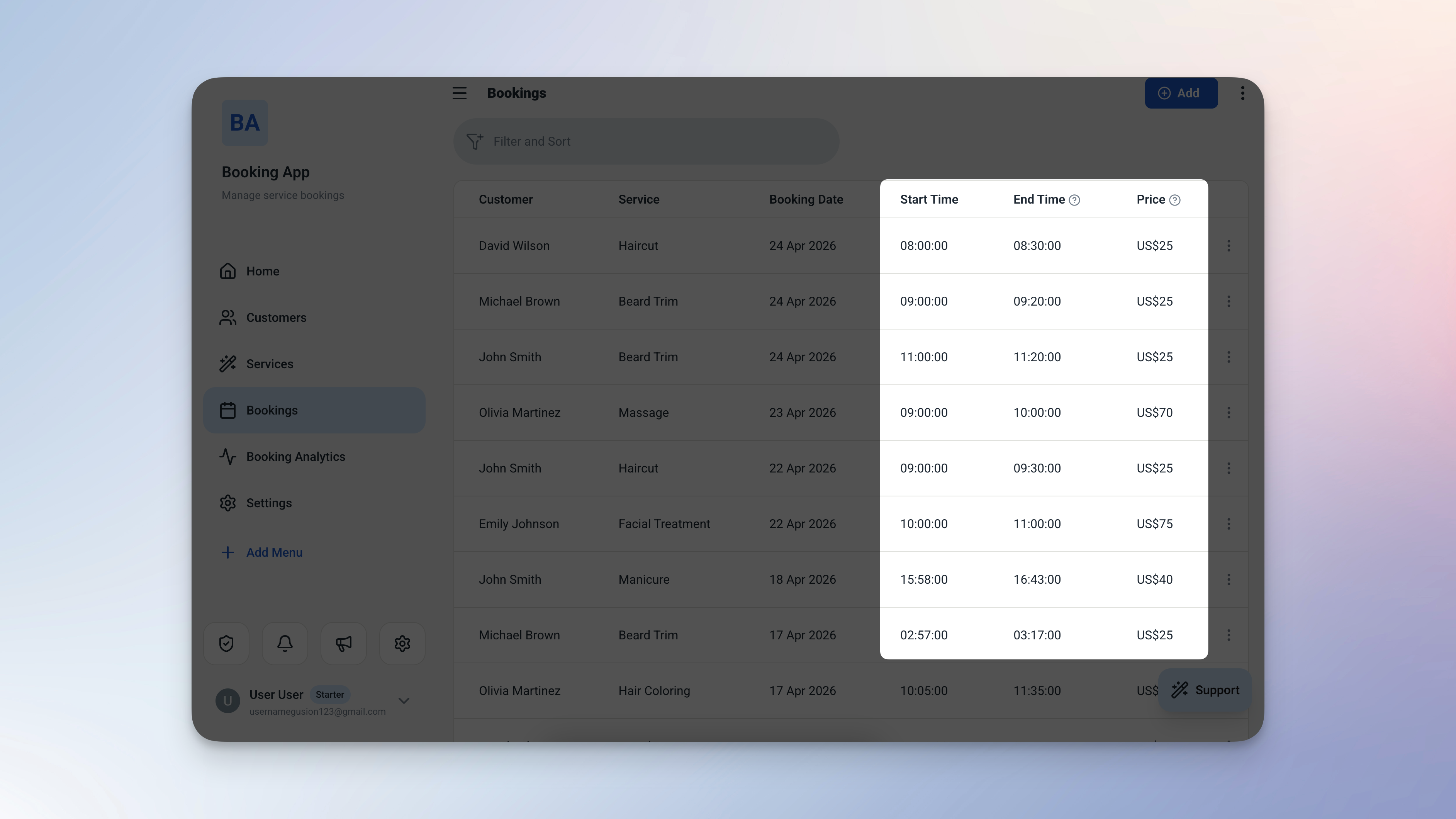
Business logic built in — end times calculate automatically, and invalid entries are blocked before they're saved.
4. Google Ecosystem: Strength or Lock-In?
AppSheet's deep integration with Google Workspace is both its biggest strength and its biggest constraint. If your team lives in Google Sheets, Google Drive, and Gmail — AppSheet fits naturally. But if you're not already in the Google ecosystem, or if you want your business app to be a standalone system rather than a layer on top of a spreadsheet, AppSheet adds complexity rather than removing it.
Ambisius is fully standalone. There's no spreadsheet dependency, no Google account required, and no risk of your app breaking because someone edited the wrong column. Your data lives in a structured, validated database — managed entirely through the app itself.
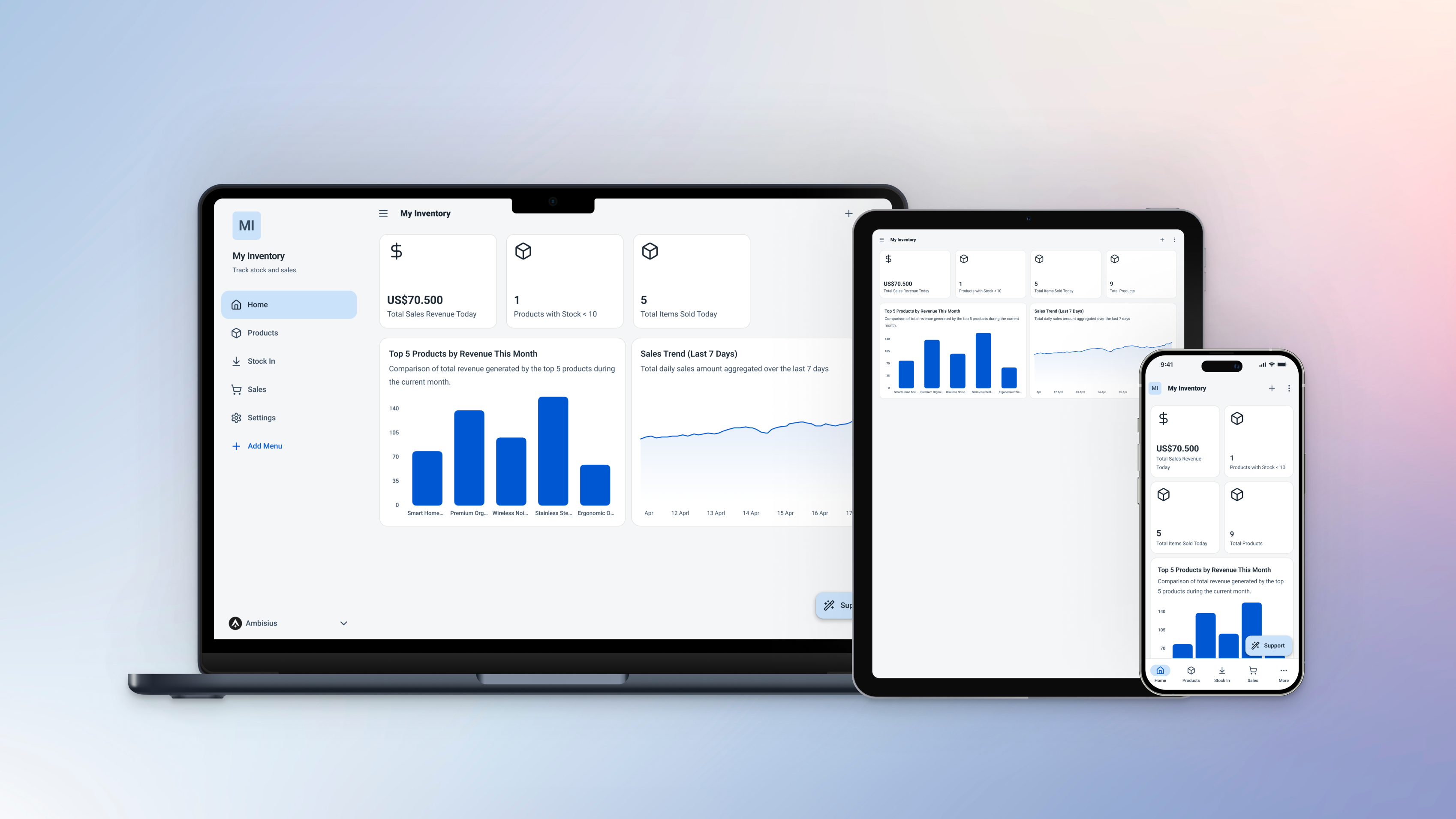
Ambisius is fully standalone — no Google account, no spreadsheet backbone, no external dependencies.
Verdict — Who Should Use What?
The right tool depends on your team's technical capacity and how tightly you're tied to the Google ecosystem.
Choose AppSheet if:
-
Your team is already deep in Google WorkspaceIf Google Sheets, Google Drive, and Gmail are already central to how your team operates, AppSheet fits naturally into that world.
-
You have someone technical to configure and maintain itAppSheet rewards investment. With a dedicated ops person or IT support, it's a powerful platform for digitizing structured processes.
-
You need deep Google service integrationsIf your workflow depends on BigQuery, Google Maps, or other Google services, AppSheet's native integrations are a genuine advantage.
-
You already have well-structured spreadsheet dataIf your Google Sheets are already clean and well-organized, AppSheet can turn them into an app without starting from scratch.
Choose Ambisius if:
-
You want a working app fast — without learning a platformDescribe your business in plain language and your app is ready in minutes. No configuration panels, no expression editors, no debugging.
-
You don't want a spreadsheet as your system's backboneAmbisius is fully standalone — your data lives in a structured, validated database, not a spreadsheet that can be accidentally broken.
-
You need business rules enforced automaticallyNo overselling, no double-bookings, no duplicate entries — without writing a single expression or setting up a single workflow.
-
You want precise control over staff accessShare the app with your team while staying in full control of who sees and does what — per menu, per action.
-
You need it to work on every device out of the boxAmbisius is fully responsive across iOS, Android, tablet, and desktop browser — the same app, everywhere your team works.
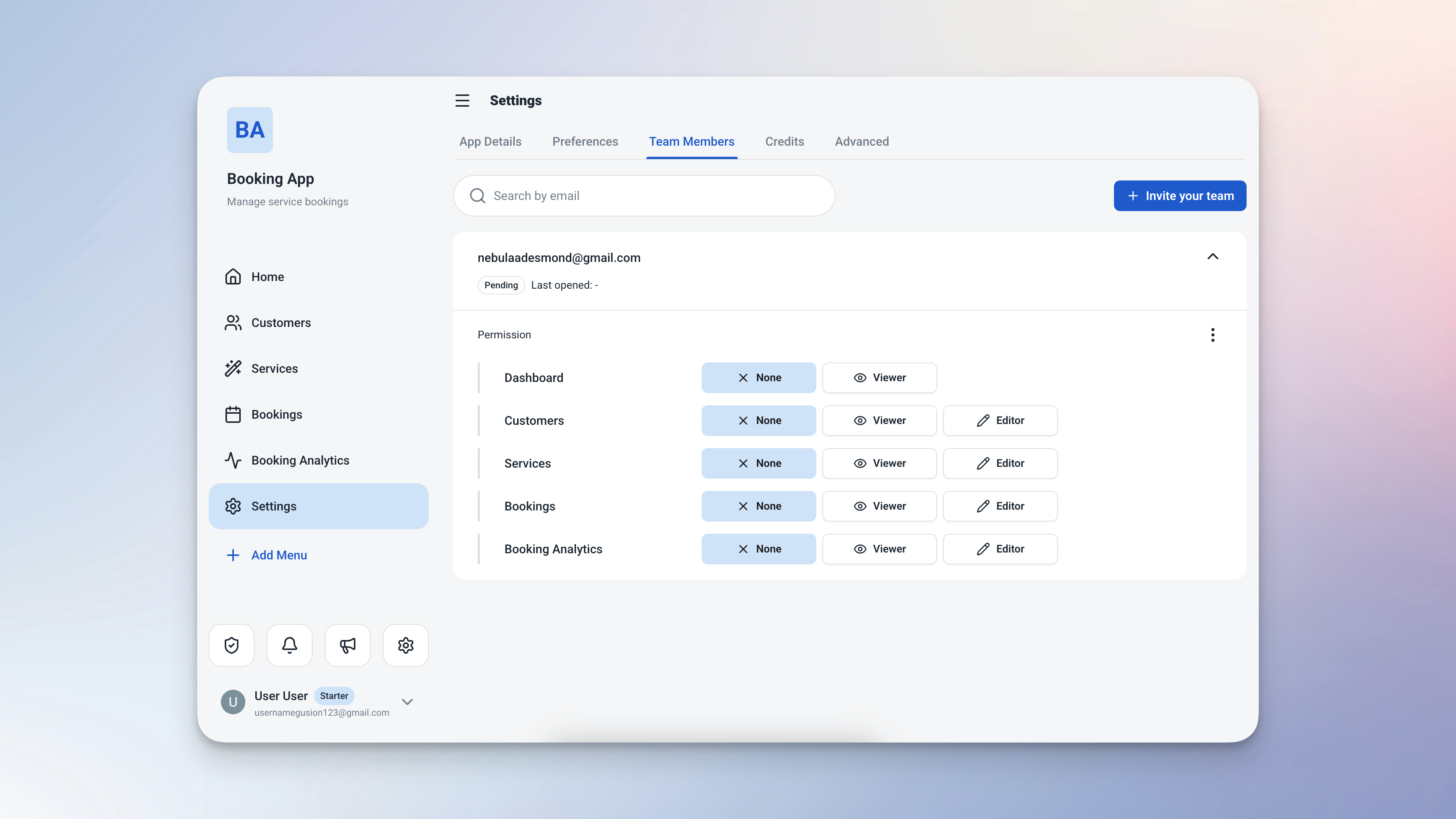
Per-menu, per-action access control in Ambisius — set exactly what each team member can see and do.
Ready to Leave the Spreadsheet Behind?
Getting started with Ambisius takes minutes — no spreadsheet setup, no expression editor, no configuration headaches.
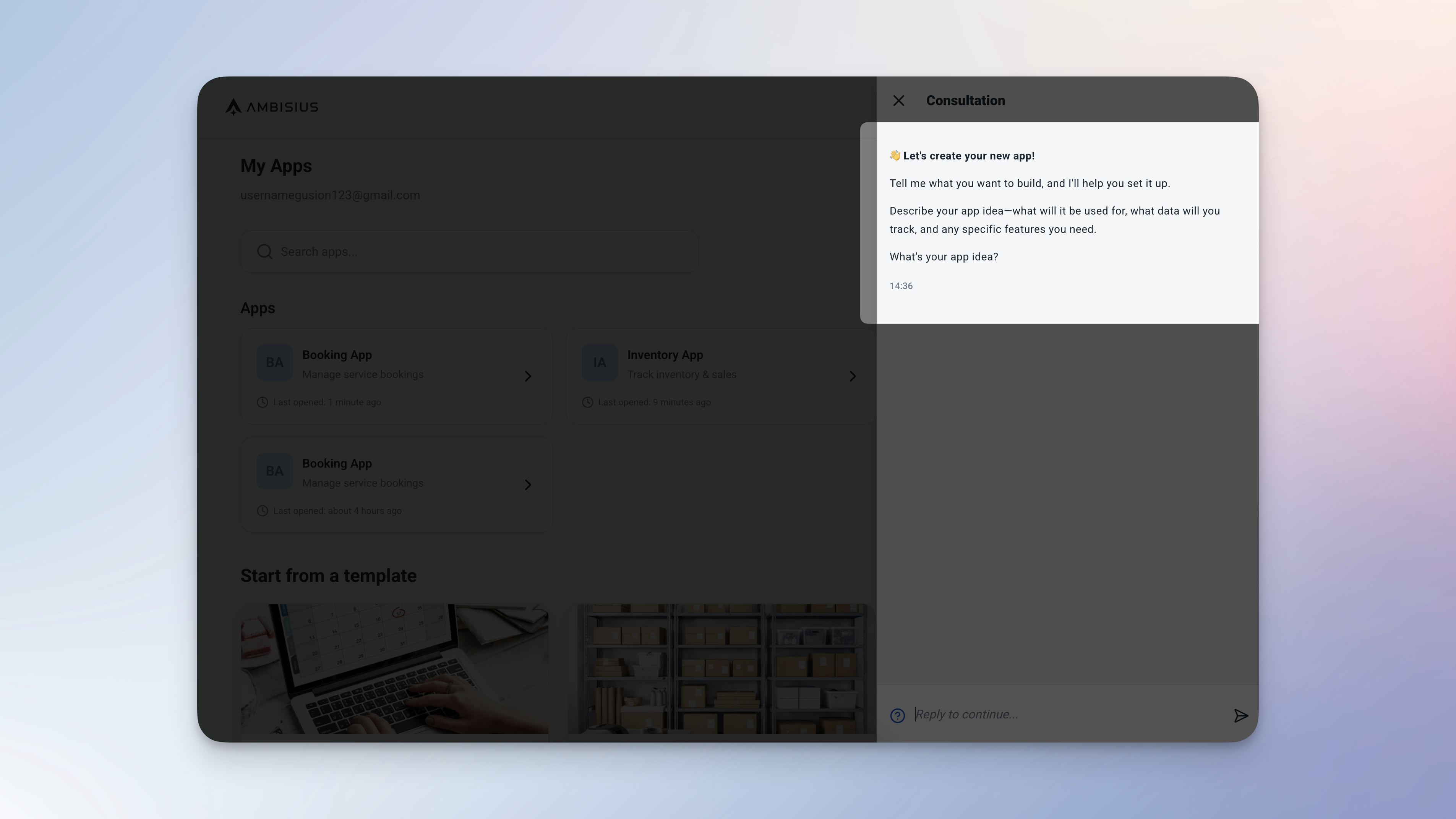
Start by describing your business — your app is ready before you finish your coffee.
Who Ambisius Is Built For
If you're running a business on spreadsheets, WhatsApp, or notebooks — Ambisius was made for you.
Frequently Asked Questions
-
Is AppSheet good for small businesses?AppSheet can work for small businesses already using Google Sheets, but the platform has a significant learning curve — you need to understand data structure, configure views, write expressions, and set up workflows. For small business owners without technical experience, this is often a real barrier. Ambisius removes that barrier entirely by building the app through AI conversation.
-
Can I migrate from AppSheet to Ambisius?Yes. Describe your existing setup to Ambisius via chat and the AI will build an equivalent system for you — often with stronger built-in validations and a cleaner experience for your team. Your data can be re-entered or imported as you transition.
-
Is Ambisius free to use?Ambisius uses a credit-based model. Exploring the platform and chatting with the AI is free. Credits are only consumed when you confirm a change and the AI applies it to your app. New users receive free starter credits with no upfront commitment.
-
Do I need coding skills to use Ambisius?No. Ambisius is built for non-technical users. You describe what you need in plain language — the AI handles all the structure, logic, and setup. No formulas, no expressions, no configuration panels required.
-
How long does it take to build an app on Ambisius?Most business apps — complete with tables, relationships, validations, a dashboard, and analytics — are ready in minutes. You can continue refining via chat at any time, and changes are applied instantly.
-
Does AppSheet work without Google Sheets?AppSheet can connect to other data sources like Excel, MySQL, and Salesforce — but Google Sheets is by far its most common and best-supported integration. If you're not using Google Workspace, AppSheet loses much of its convenience advantage.
The Bottom Line
AppSheet is a genuinely capable platform — for teams already embedded in Google Workspace who have the technical capacity to configure and maintain it. But for a small business owner who wants to move fast, stay in control, and stop depending on a spreadsheet as the backbone of their operations — Ambisius is the stronger choice.
No spreadsheet to prepare. No expressions to write. No configuration to debug. Just describe your business — and your app is ready.
