
Cover image for Ambisius Event Registration App Template.
What Happens When You Manage Registrations on a Spreadsheet
You open your sign-up sheet on the morning of the event. 87 names. Your venue fits 80. Somewhere between the Google Form, the WhatsApp confirmations, and the manual tally — seven extra people got through. Now you have to make seven awkward phone calls before the event even starts.
Managing event registrations manually feels fine — until it isn't. One missed count, one duplicate sign-up, and you're dealing with overbooking on the day of the event.
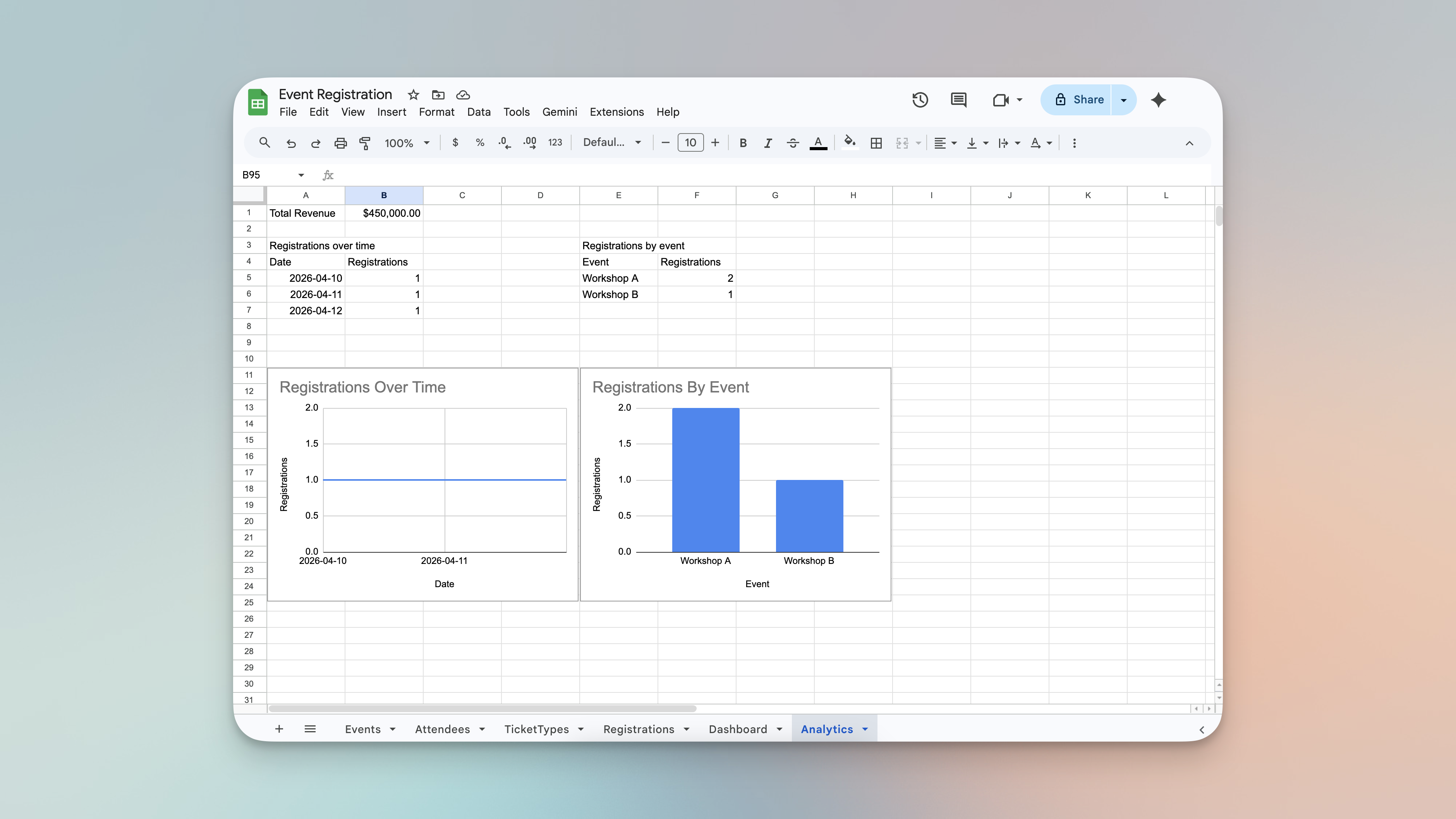
Managing event registration using spreadsheets - the process is chaotic.
-
No real-time capacity trackingSpreadsheets don't update automatically — someone has to count every time, and counts go wrong.
-
Overbooking happens silentlyNothing stops a form from accepting submission number 81 when your venue holds 80.
-
Duplicate sign-ups go unnoticedThe same person registers twice through different channels and ends up on the list twice.
-
Price changes break historical recordsUpdate a ticket price mid-campaign and suddenly your revenue figures no longer match what was actually charged.
-
No single source of truthSign-ups scattered across forms, messages, and sheets means no one really knows the accurate headcount.
Built for Anyone Who Manages Sign-Ups and Seats
Whether you run intimate workshops or large community events, this template works straight out of the box.
Simple for Attendees. Powerful for Organizers.
Here's exactly what happens from the moment someone registers.
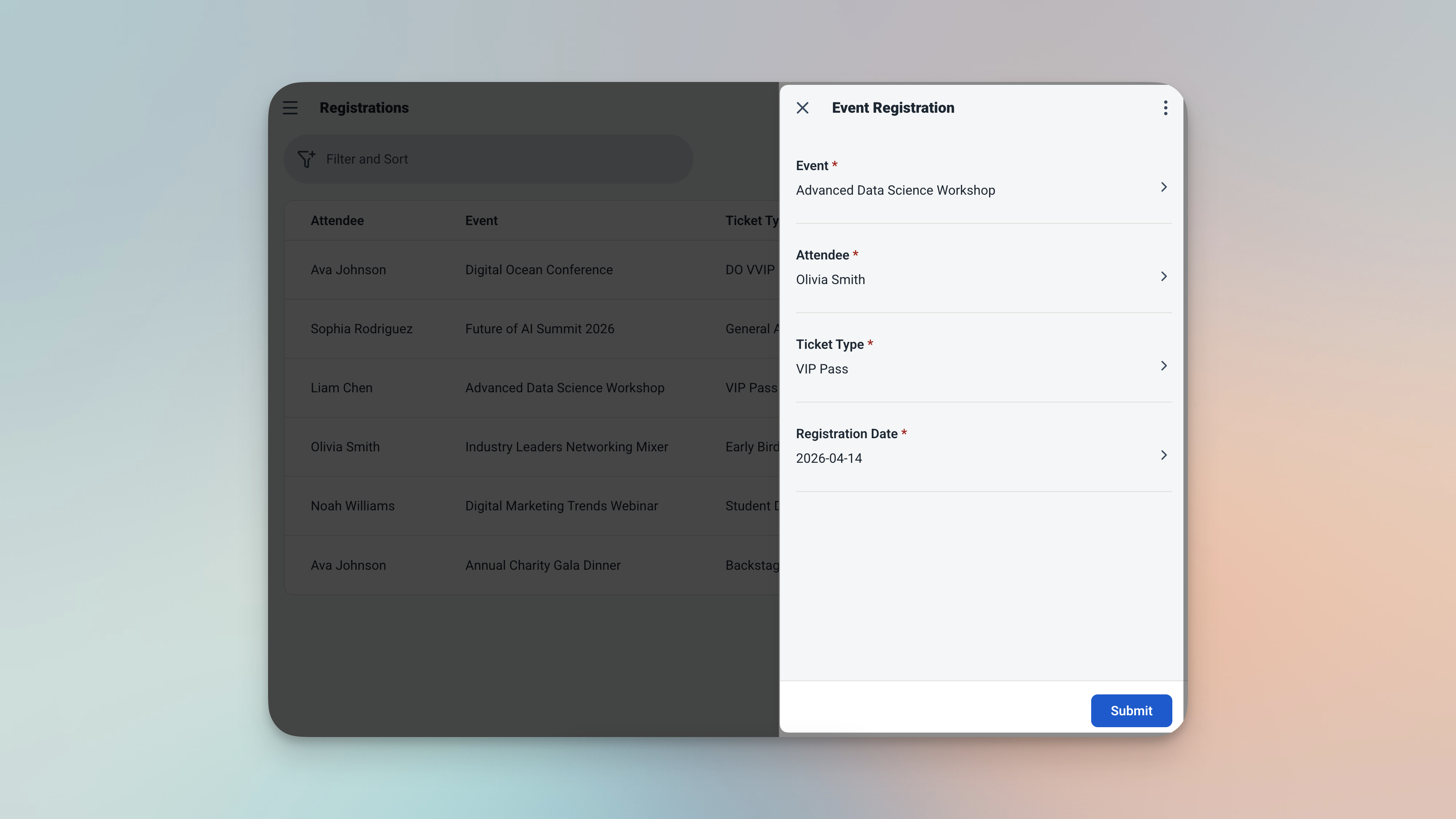
The registration form — every field linked to existing records, no free typing required.
-
1Select the event, attendee, and ticket typeAll fields are picked from existing records — no free typing, no data inconsistencies, no typos creating phantom duplicates.
-
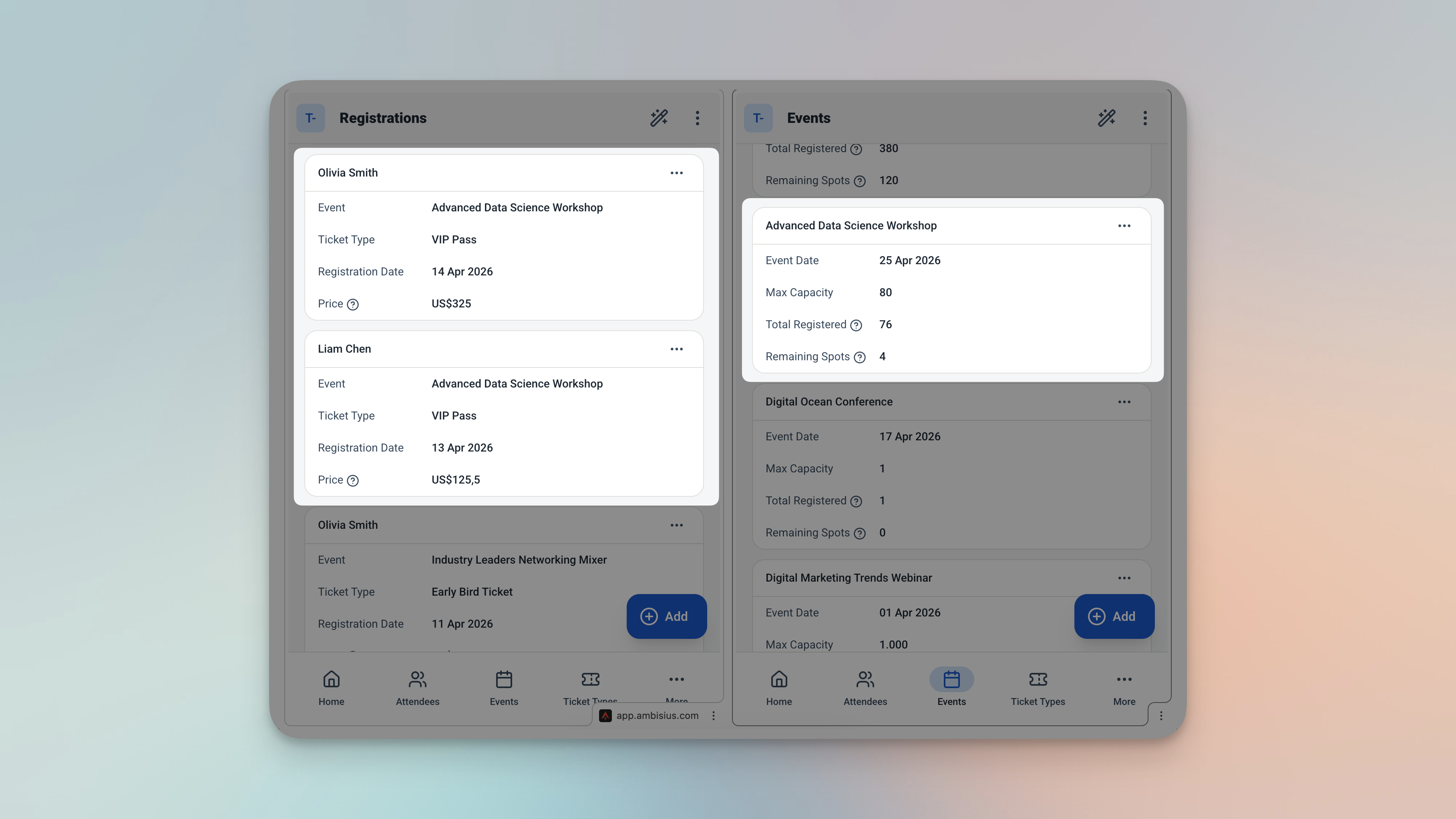
2Spots remaining updates instantlyEvery registration automatically reduces the available spots for that event. No manual counting, no formula maintenance.
-
3Full events are blocked automaticallyOnce an event hits its maximum capacity, new registrations are stopped before they save. No one slips through.
-
4Duplicate sign-ups are caughtIf the same attendee tries to register for the same event twice, the app blocks it before it saves — keeping your attendee list clean.
-
5Ticket price is locked in at registrationThe price is captured at the moment of registration. Update your ticket prices later — existing registrations are never affected.
-
6Your dashboard is always up to dateUpcoming events, recent registrations, and available spots — all visible the moment you open the app.
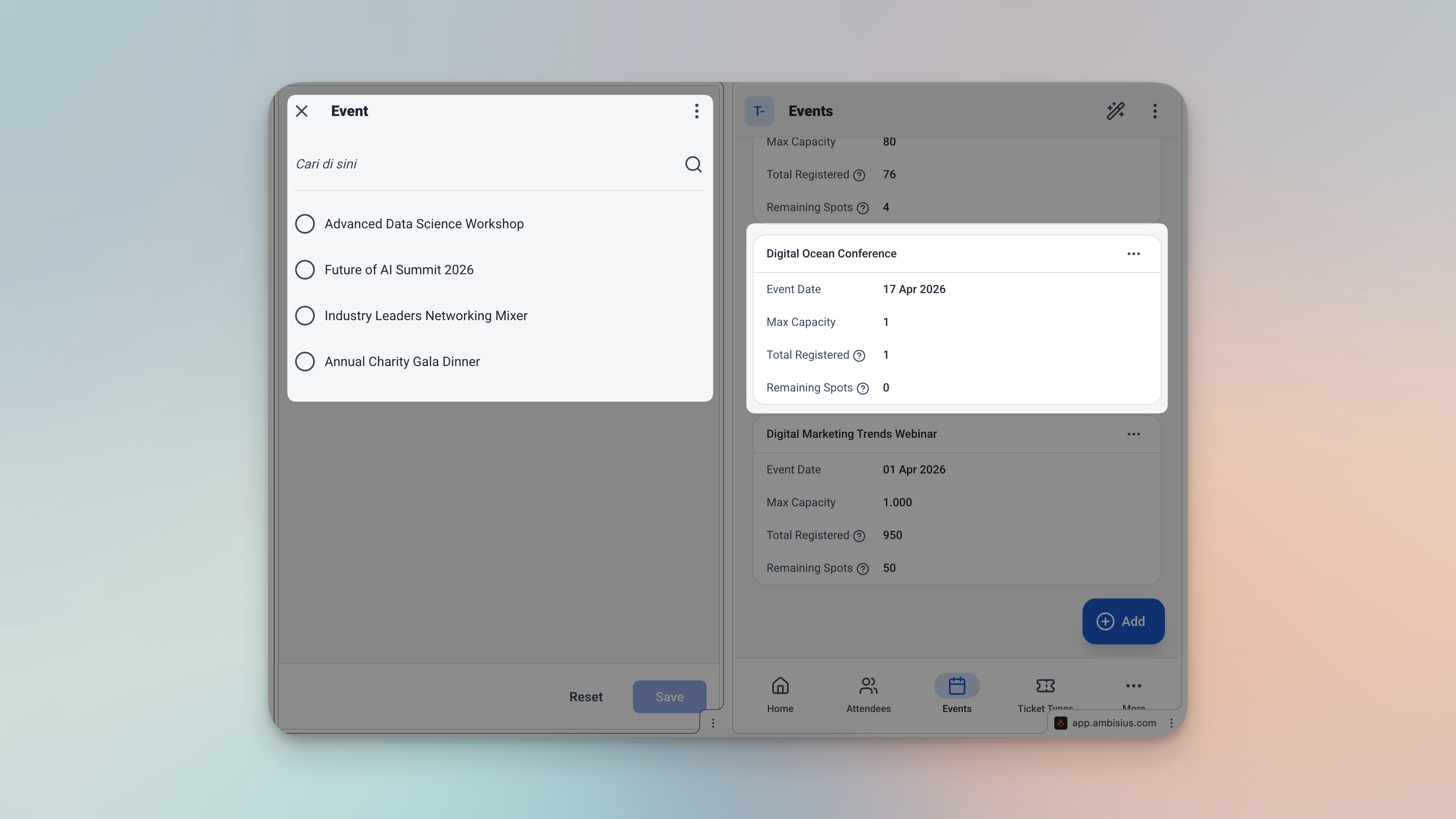
When an event hits capacity, the app blocks the registration automatically — no manual intervention needed.
The Features That Keep Your Events Running Smoothly
Four automatic safeguards built into every registration.
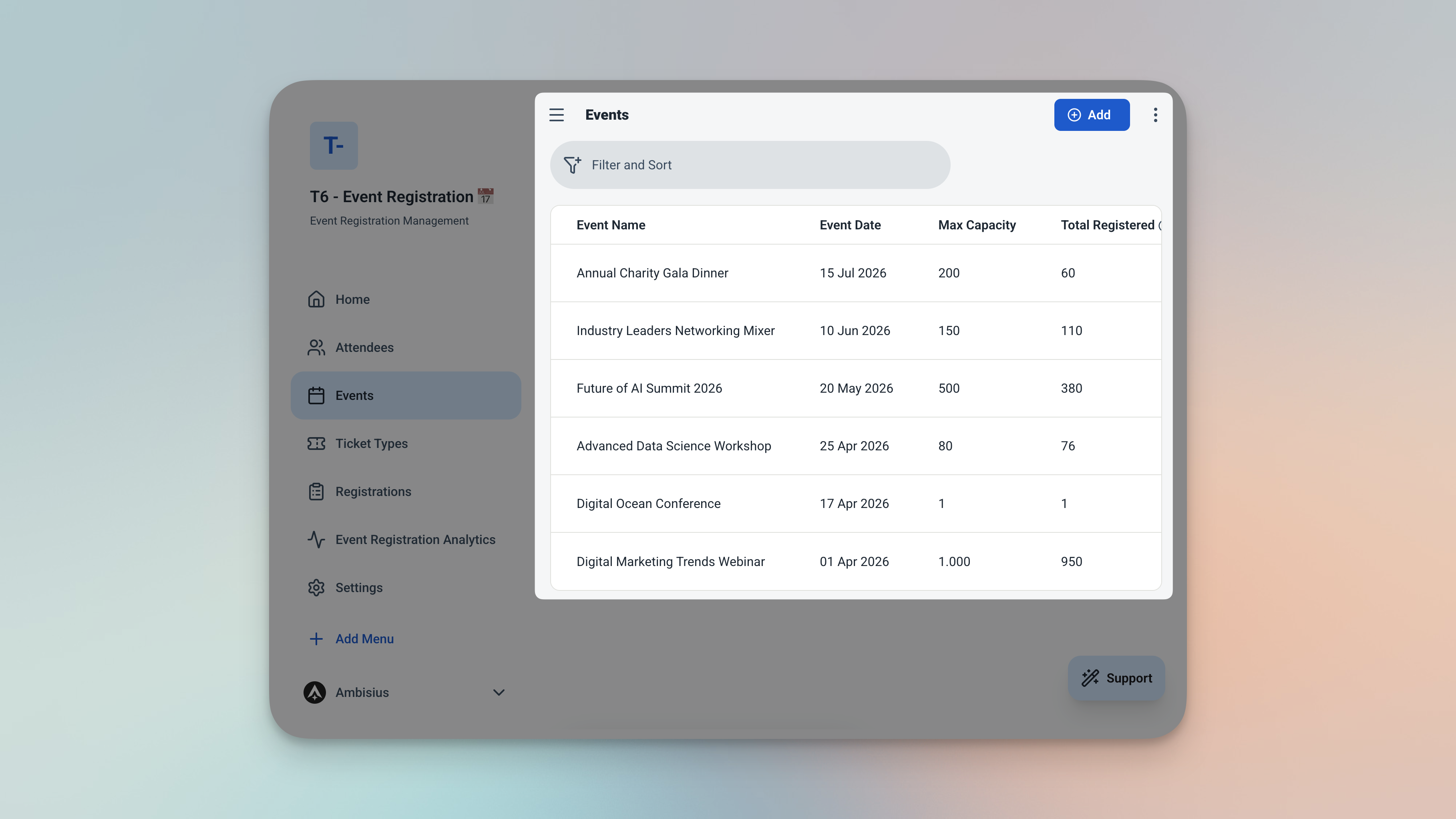
Spots remaining calculated automatically for every event — always accurate, always current.
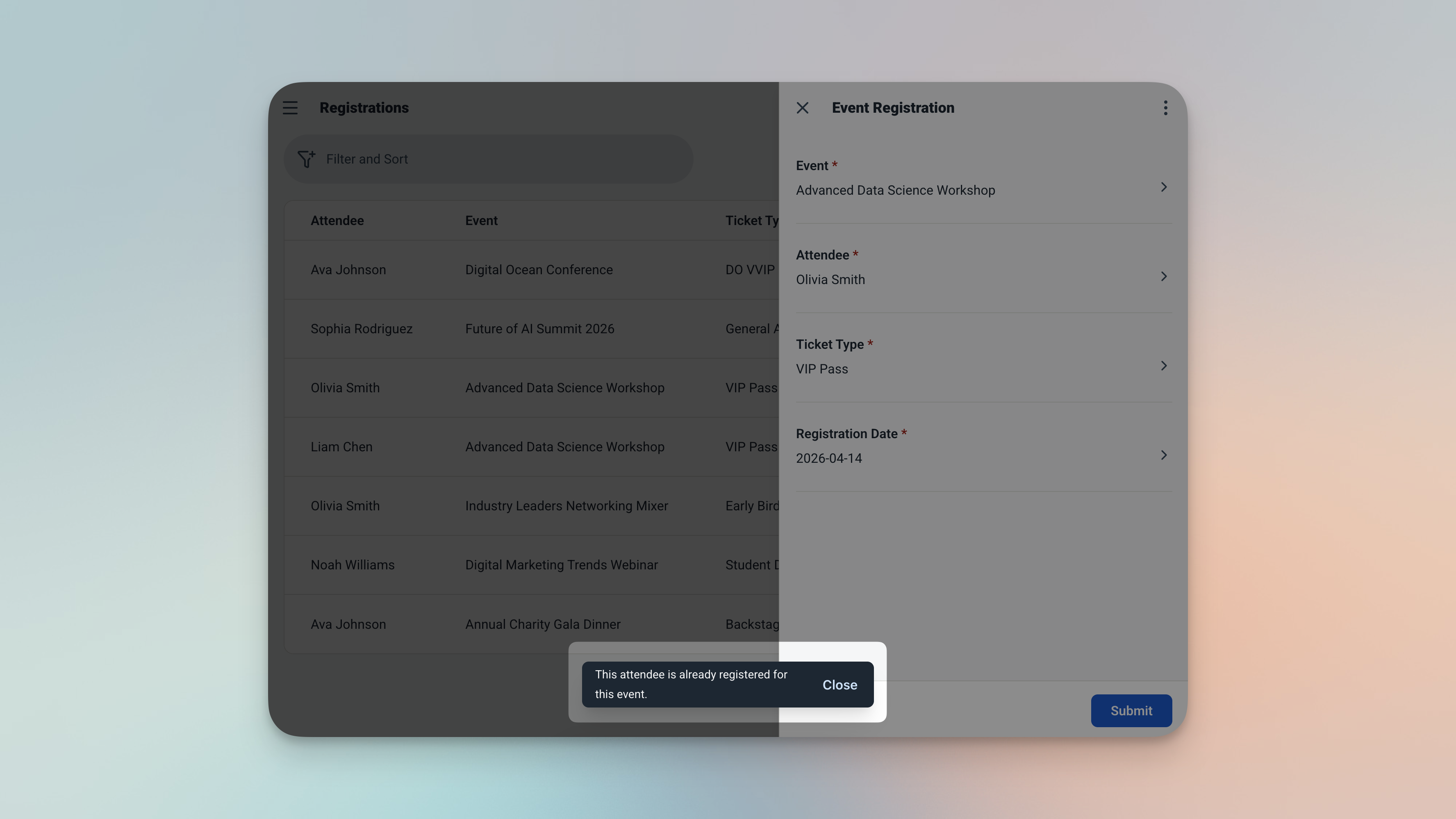
Duplicate sign-ups are caught and blocked before they save — clean attendee lists, every time.
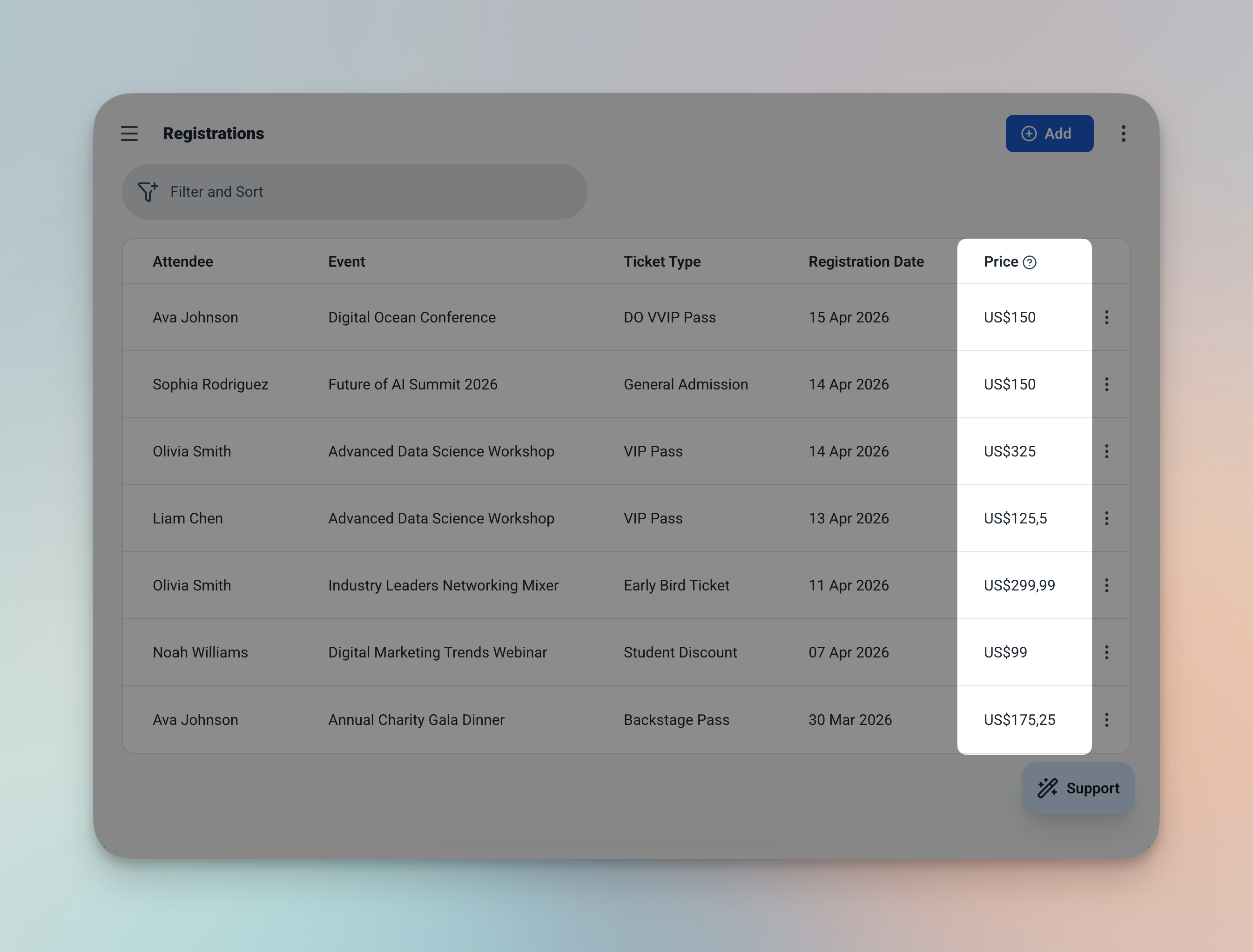
The price snapshot — captured at registration time and never changed by future price updates.
4 Tables — All Connected, All Ready to Use
Every table in the template has a clear job — and they all link together automatically.
🗓️ Events
The starting point. Every registration traces back to an event.
| Field | What It Stores |
|---|---|
| Name | Event name (e.g. UX Design Workshop, Annual Gala) |
| Date | When the event takes place |
| Max Attendees | The seat limit for the event |
| Total Registered | Auto-calculated — counts all confirmed registrations |
| Spots Remaining | Auto-calculated — max attendees minus total registered |
The Events table — spots remaining calculated live as registrations come in.
👥 Attendees
A simple record for every person who registers.
| Field | What It Stores |
|---|---|
| Name | Attendee's full name |
| Contact email |
🎟️ Ticket Types
Different tickets for different events — General, VIP, Early Bird, whatever you need.
| Field | What It Stores |
|---|---|
| Event | Which event this ticket belongs to |
| Name | Ticket category (e.g. General, VIP) |
| Price | Ticket price |
📋 Registrations
Where everything comes together. Links an attendee to an event and ticket type — with price locked in automatically.
| Field | What It Stores |
|---|---|
| Event | Linked from Events table |
| Attendee | Linked from Attendees table |
| Ticket Type | Linked from Ticket Types table |
| Registration Date | Defaults to today — no manual entry needed |
| Price | Captured at registration time — never affected by future price changes |
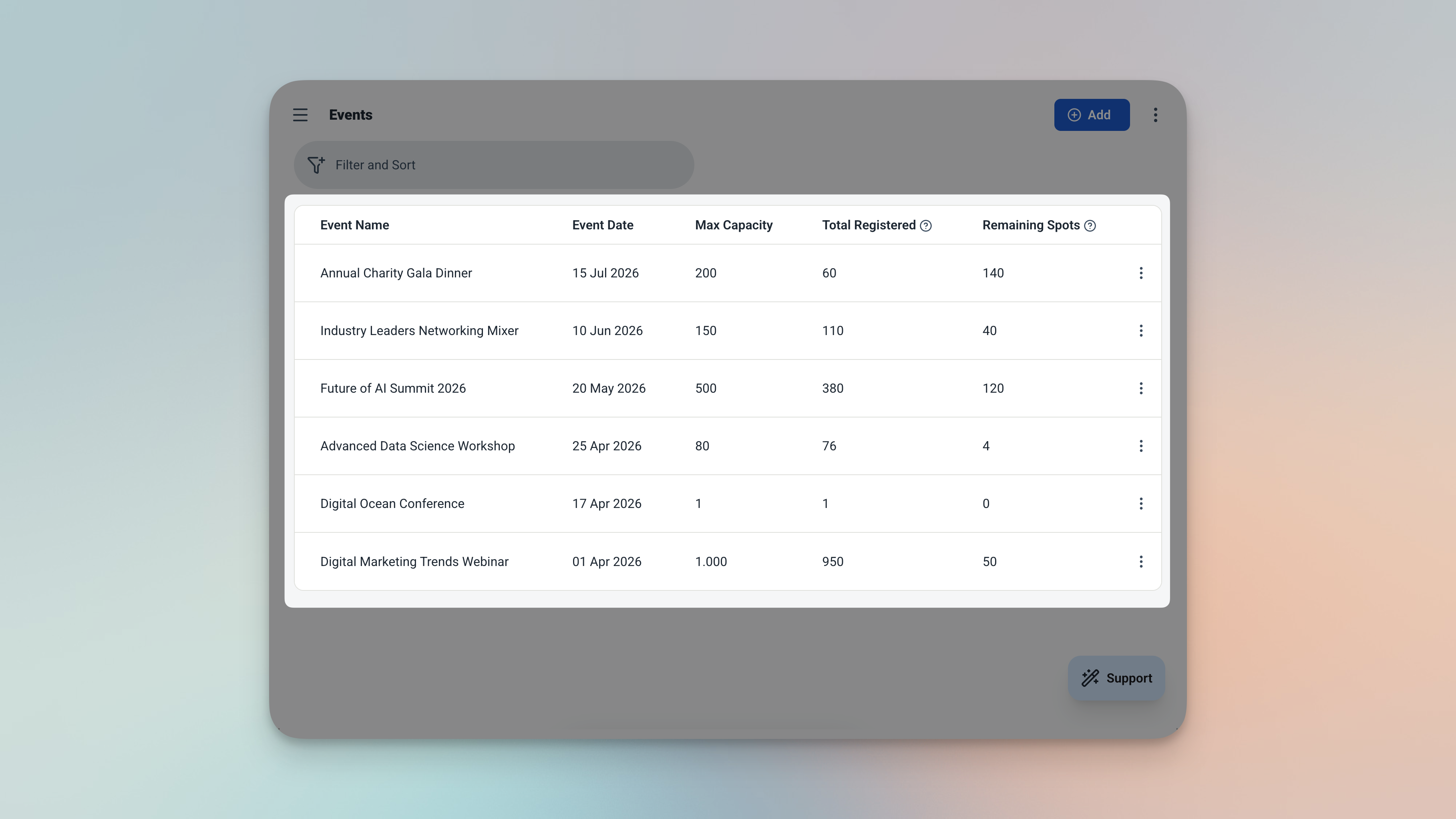
The Registrations table — every sign-up linked, every price locked in at the moment it was recorded.
Everything You Need — Right When You Open the App
The dashboard and analytics pages give you a live view of every event, every registration, and every dollar.
Dashboard — Your Event Command Centre
Three things greet you the moment you open the app.
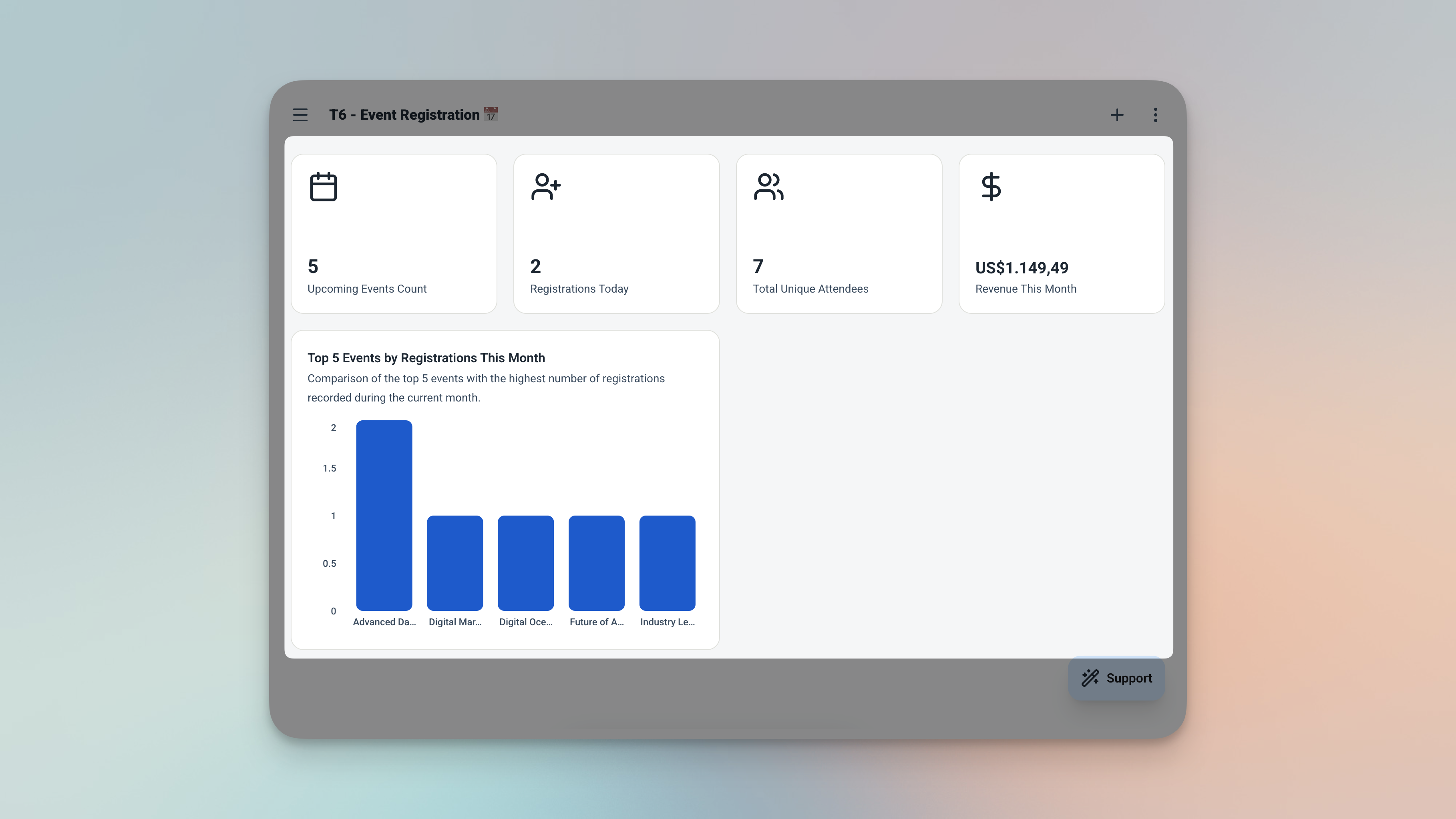
The dashboard — upcoming events, recent sign-ups, and available spots at a glance.
-
Upcoming EventsA count of how many events are coming up — so you always know what's on the horizon.
-
Recent RegistrationsThe latest sign-ups sorted by date — see who just registered without digging through the full table.
-
Upcoming Events ListAll future events sorted by date — nothing sneaks up on you.
Analytics — Plan Smarter for Every Event
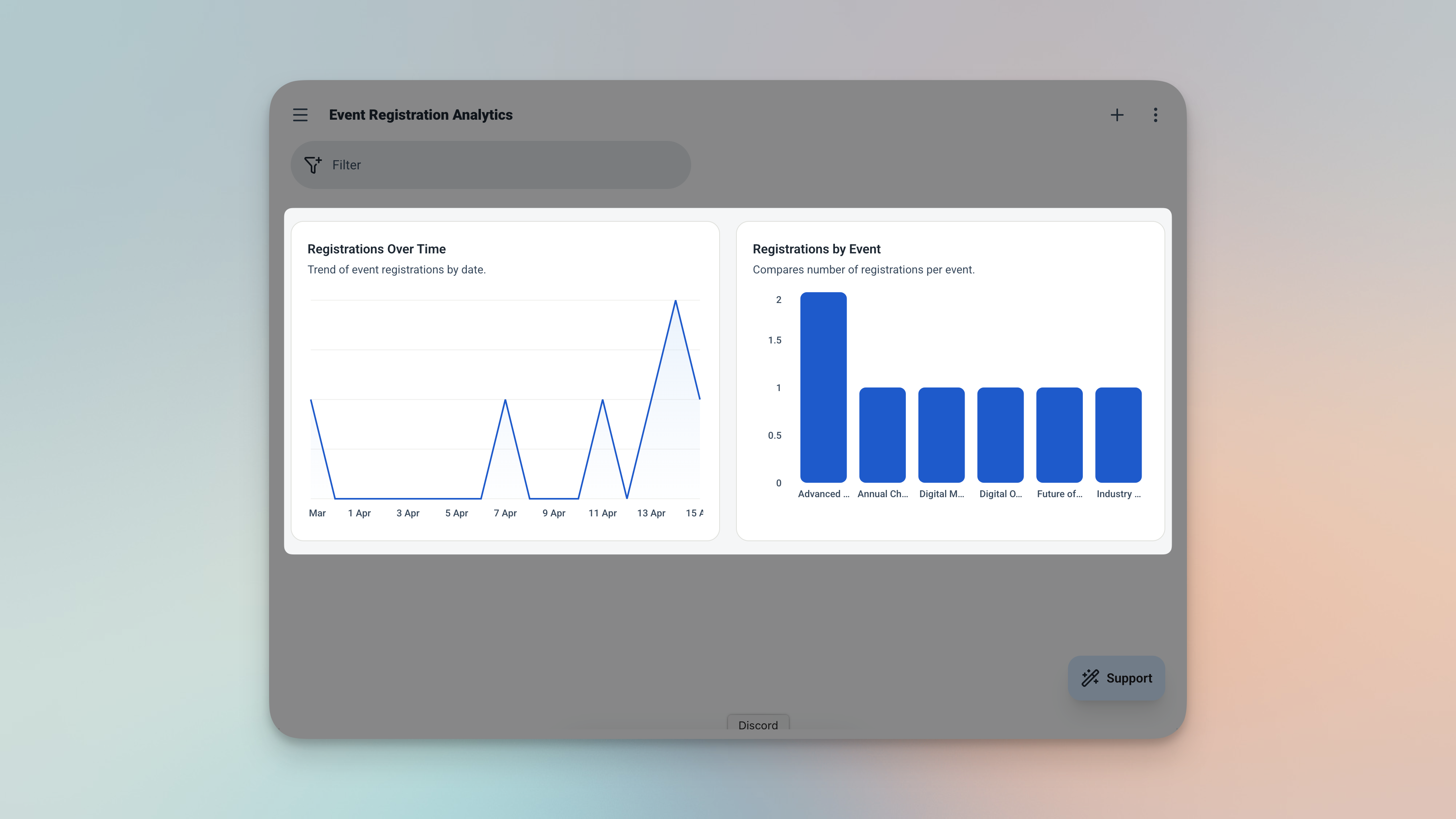
The analytics page — filter by date range or event to review performance after every event.
| Chart | What It Tells You |
|---|---|
| 📈 Registrations Over Time | When sign-ups spike — useful for timing future promotions |
| 📊 Registrations by Event | Which events fill up fastest |
| 💰 Total Revenue | Sum of all registration prices across your events |
Filter analytics by date range or specific event to review performance after each one — useful for spotting which events sell out fastest and when to open registrations.
From Zero to Live Registration in Minutes
No configuration screens. No technical setup. Three steps and you're running.
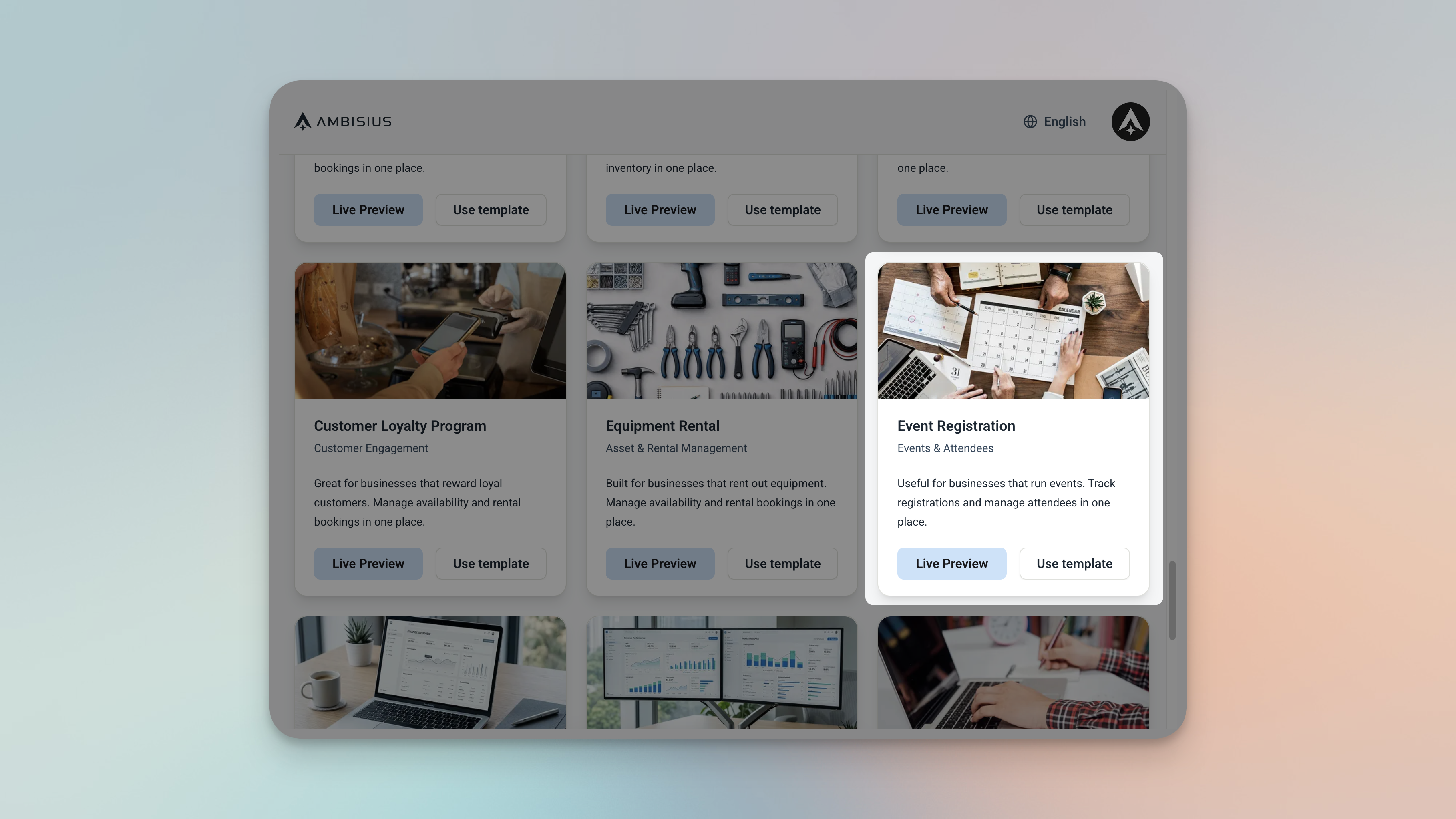
Find the Event Registration template in the Ambisius catalogue — one tap to duplicate.
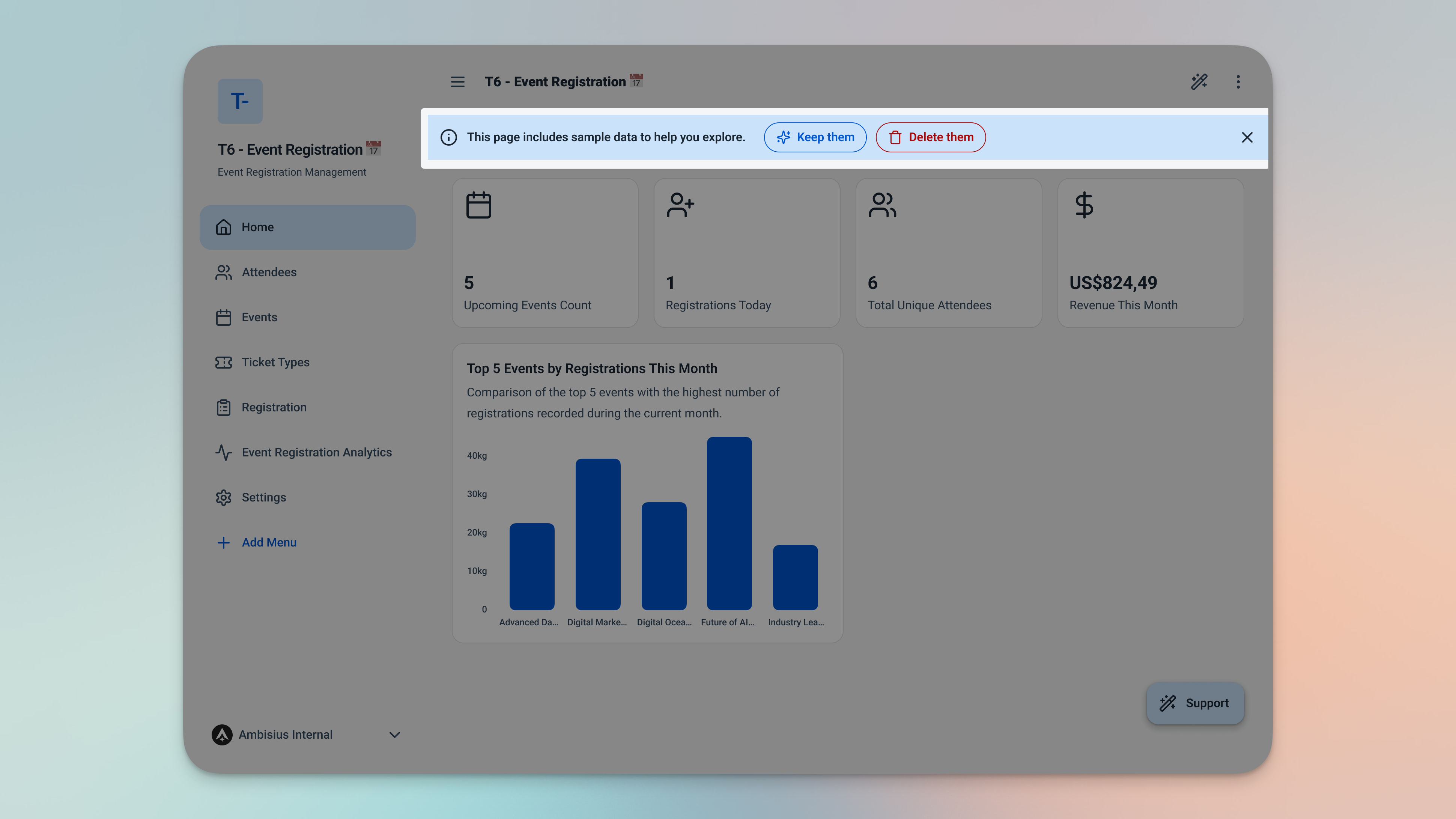
Your duplicated app — all 4 tables, all rules, dashboard, and analytics ready the moment you copy it.
Need Something Extra? Just Ask
The template is ready to use as-is — but every event business is a little different.
If you need to adjust anything, just describe it in the chat and the AI makes the change for you. Here are a few additions that work well for most organizers.
| What to Say in Chat | What Gets Added |
|---|---|
| "Add a notes field to registrations" | Capture dietary requirements, special requests, or T-shirt sizes |
| "Add a status field — Confirmed, Cancelled, Waitlisted" | Track each registration's current standing |
| "Add a venue field to events" | Record where each event is being held |
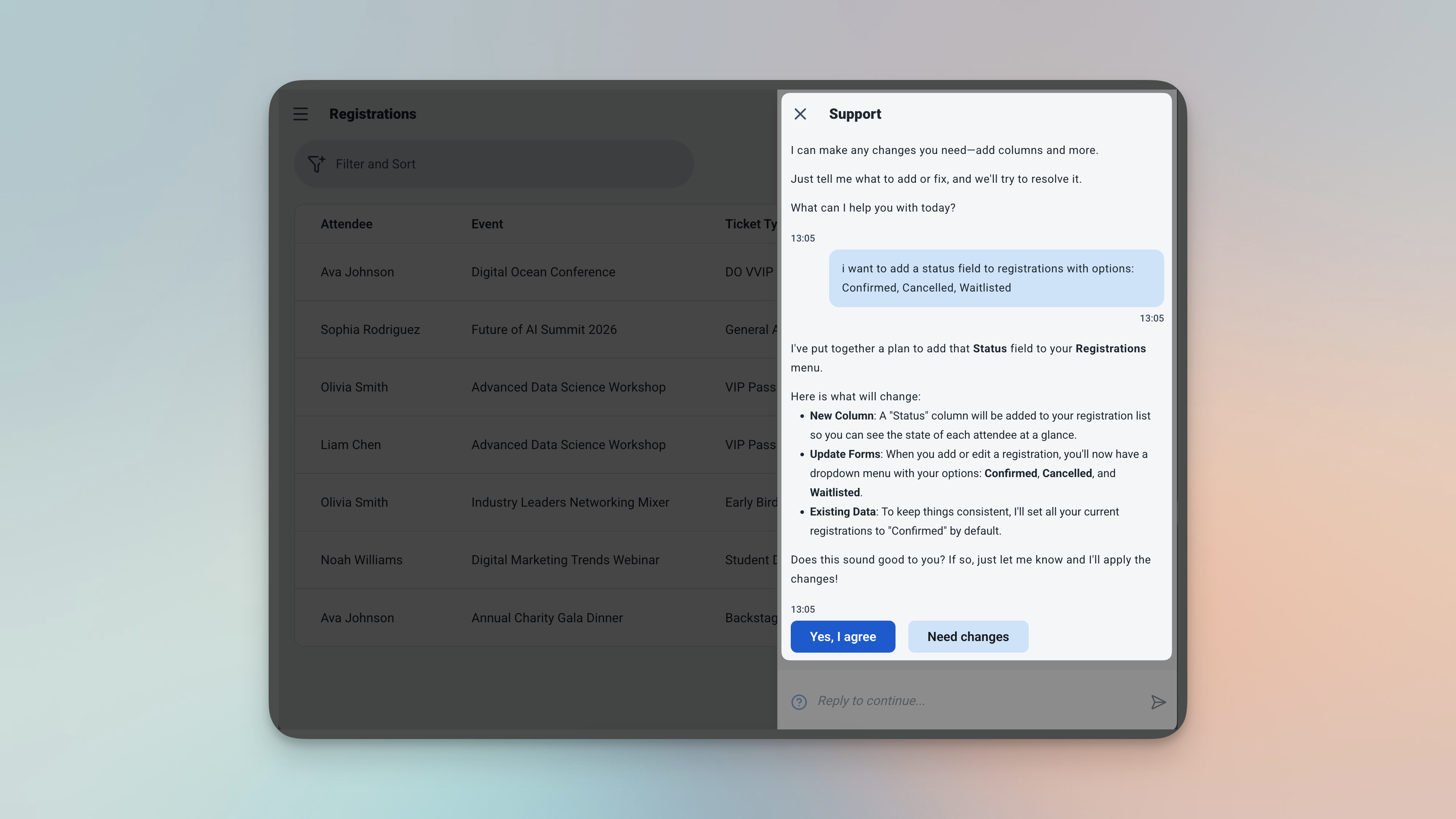
Describe the change in chat — the AI adds it for you, no technical knowledge needed.
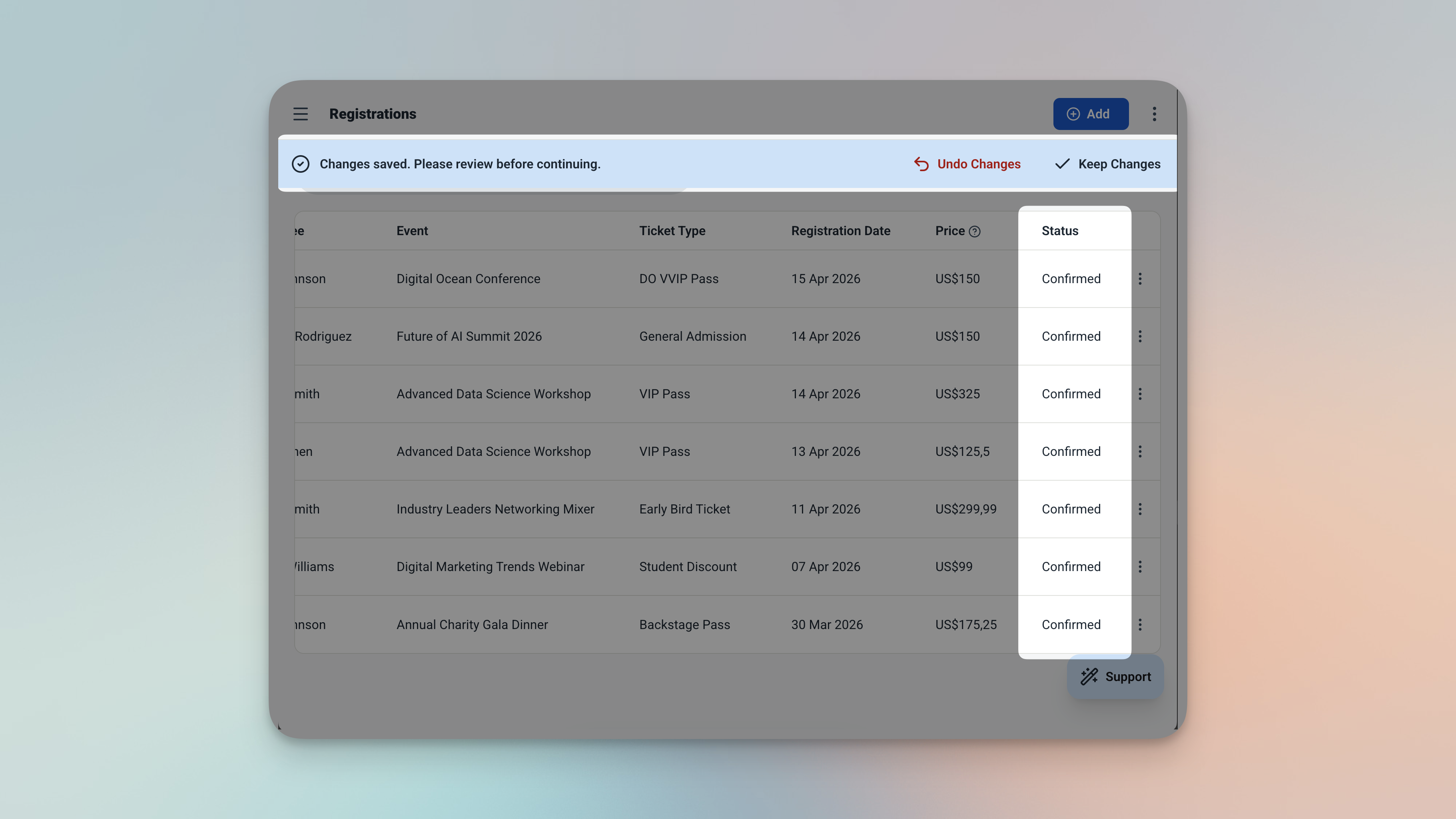
The updated registration form — the new status field added and ready to use immediately.
Already know what events and ticket types you need? Just add new rows directly to the Events or Ticket Types table — no chat required.
Frequently Asked Questions
-
Can I use this template for free?Yes. The Event Registration template is free to activate. Browsing and chatting with the AI costs nothing — credits are only used when you confirm a change to the app.
-
What happens when an event reaches full capacity?The app blocks any new registration automatically. Once the total registered matches the maximum attendees, no further sign-ups can be saved for that event.
-
Can the same person register for multiple different events?Yes — attendees can register for as many different events as you have. The duplicate check only applies to the same attendee registering for the same event more than once.
-
Can I have different ticket types for the same event?Absolutely. The Ticket Types table lets you create as many ticket categories as you need per event — General, VIP, Early Bird, Student, and so on.
-
Can I change ticket prices without affecting existing registrations?Yes. The price is captured at the moment each registration is created. Updating a ticket price later has no effect on records that have already been saved.
-
Can my team use this app too?Yes. You can invite team members and set exactly what each person can see and do. A registration assistant can add new registrations without being able to edit event details or view revenue analytics.
-
Does this work on mobile?Yes. Ambisius runs on iOS, Android, tablet, and any desktop browser — the same app, on every device your team uses.
Run Your Events. Let the App Handle the Rest.
Overbooking, duplicate sign-ups, and manual spot-counting are problems that belong in the past. The Ambisius Event Registration template gives you a proper registration system — one that tracks capacity in real time, enforces your rules automatically, and keeps your attendee data clean and accurate from the first sign-up to the last.
It's free. It's ready in minutes. And it grows with you — add fields, adjust ticket types, or manage multiple events at once, all without touching a spreadsheet.