



Cover image for Ambisius Commission Tracking App Template.
The Spreadsheet Said One Thing. Your Salesperson Said Another.
It's the end of the month. You open the commission spreadsheet — and immediately someone is questioning the numbers.
Manual commission tracking is one of the most common sources of tension between business owners and their sales teams. Not because anyone is dishonest — but because spreadsheets are fragile, easy to miscalculate, and hard to audit.
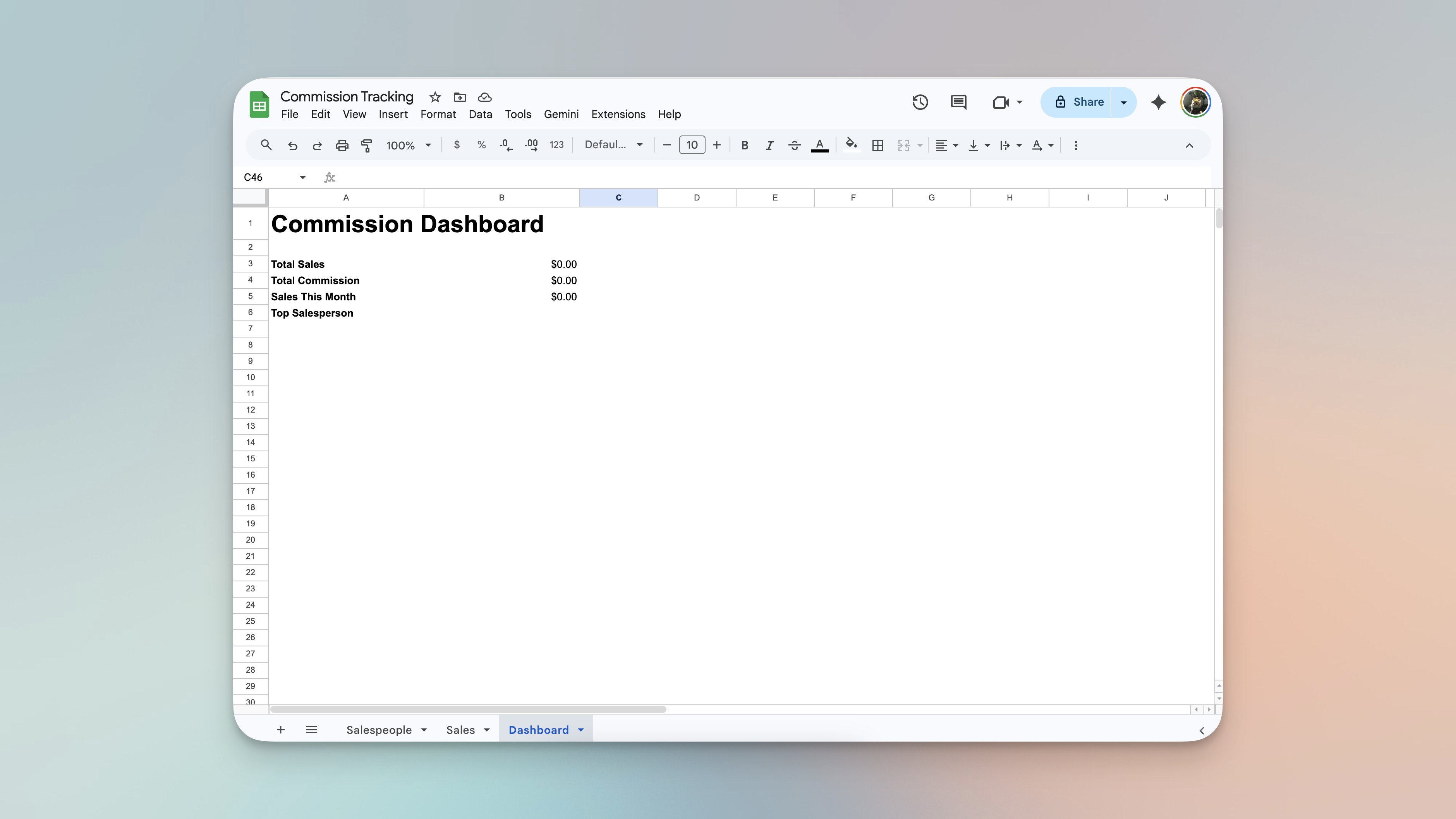
A typical commission spreadsheet — one broken formula and the whole month's numbers are wrong.
-
Did the formula break?Spreadsheet formulas break silently — one deleted row or copied cell and the totals are wrong without anyone noticing.
-
Was that sale included?Sales logged in different places — chat, email, a notebook — get missed when it's time to tally up.
-
Which rate was applied?When rates change mid-month, it's nearly impossible to know which sales used the old rate and which used the new one.
-
Running totals are always staleEvery new sale means someone has to manually update the totals — and that almost never happens in real time.
-
Payout time takes hoursFiltering, summing, cross-checking — what should take minutes turns into a half-day exercise every pay cycle.
The Ambisius Commission Tracker template removes the guesswork entirely. Every sale automatically calculates the commission earned. The rate is locked in at the moment of the sale. Each salesperson's running total is always current. And payout time takes minutes, not hours.
Built for Any Team That Pays on Performance
One rule of thumb: if you pay people based on what they sell, this template works for you.
No More Manual Calculations — Here's How It Works
The app handles the math from the moment a sale is recorded. Here's what happens end to end.
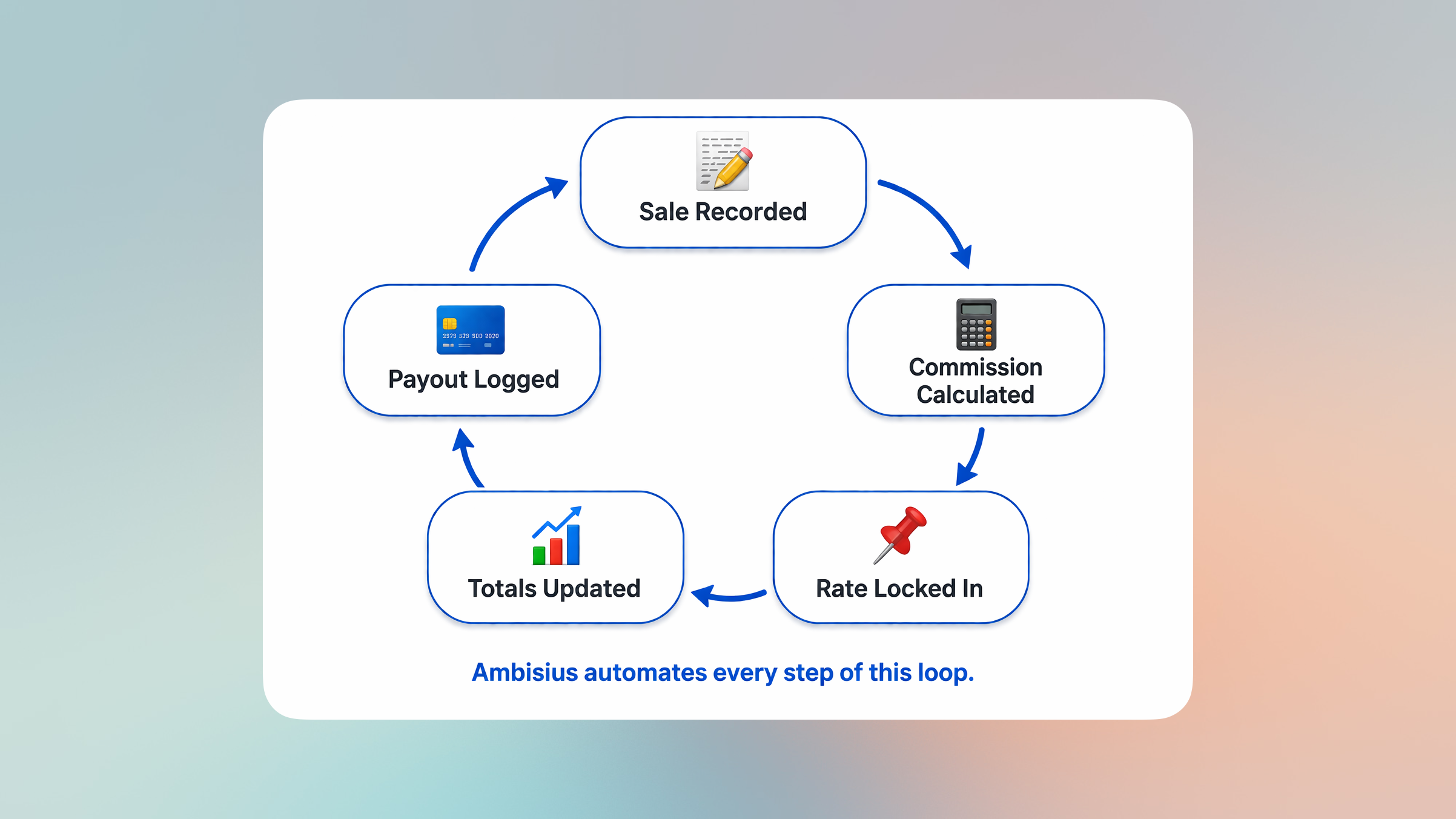
The full commission lifecycle — from sale entry to payout, automated at every step.
-
1A sale is recordedStaff logs the salesperson and the sale amount. That's all they need to enter — the app takes it from there.
-
2Commission is calculated instantlyThe app multiplies the sale amount by the salesperson's commission rate — automatically. No formula needed, no manual step.
-
3The rate is locked inThe commission rate at the time of the sale is captured and saved. If the rate changes next month, every past sale stays exactly as it was.
-
4Running totals stay currentEach salesperson's total sales and total commission update automatically with every new sale — no manual adding up, ever.
-
5Payout time is simpleLog a Commission Payment for a date range — the app tells you exactly how much commission was earned in that period. Pay the right amount, every time.
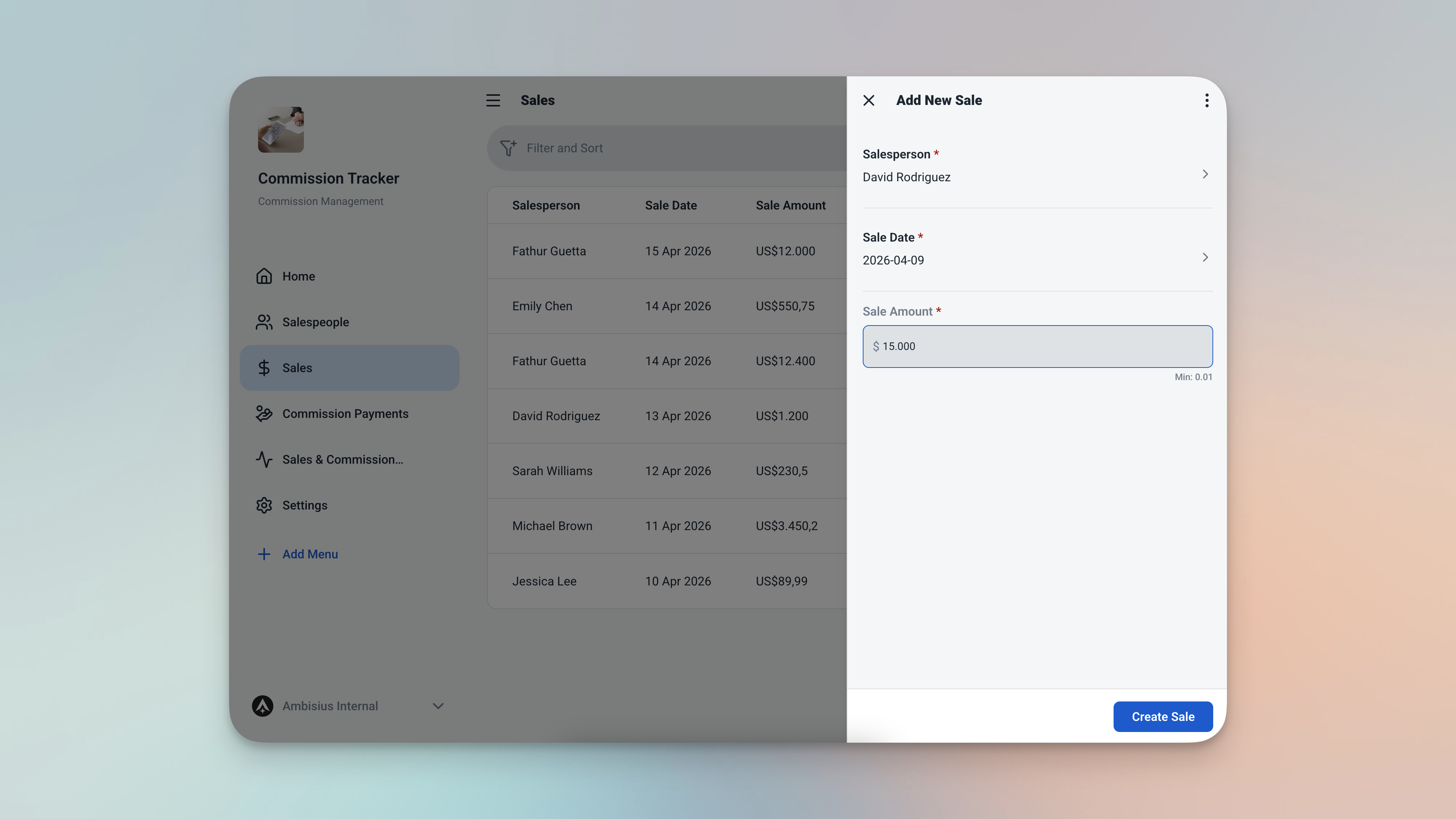
Enter the sale amount — commission calculates itself instantly, no formula needed.
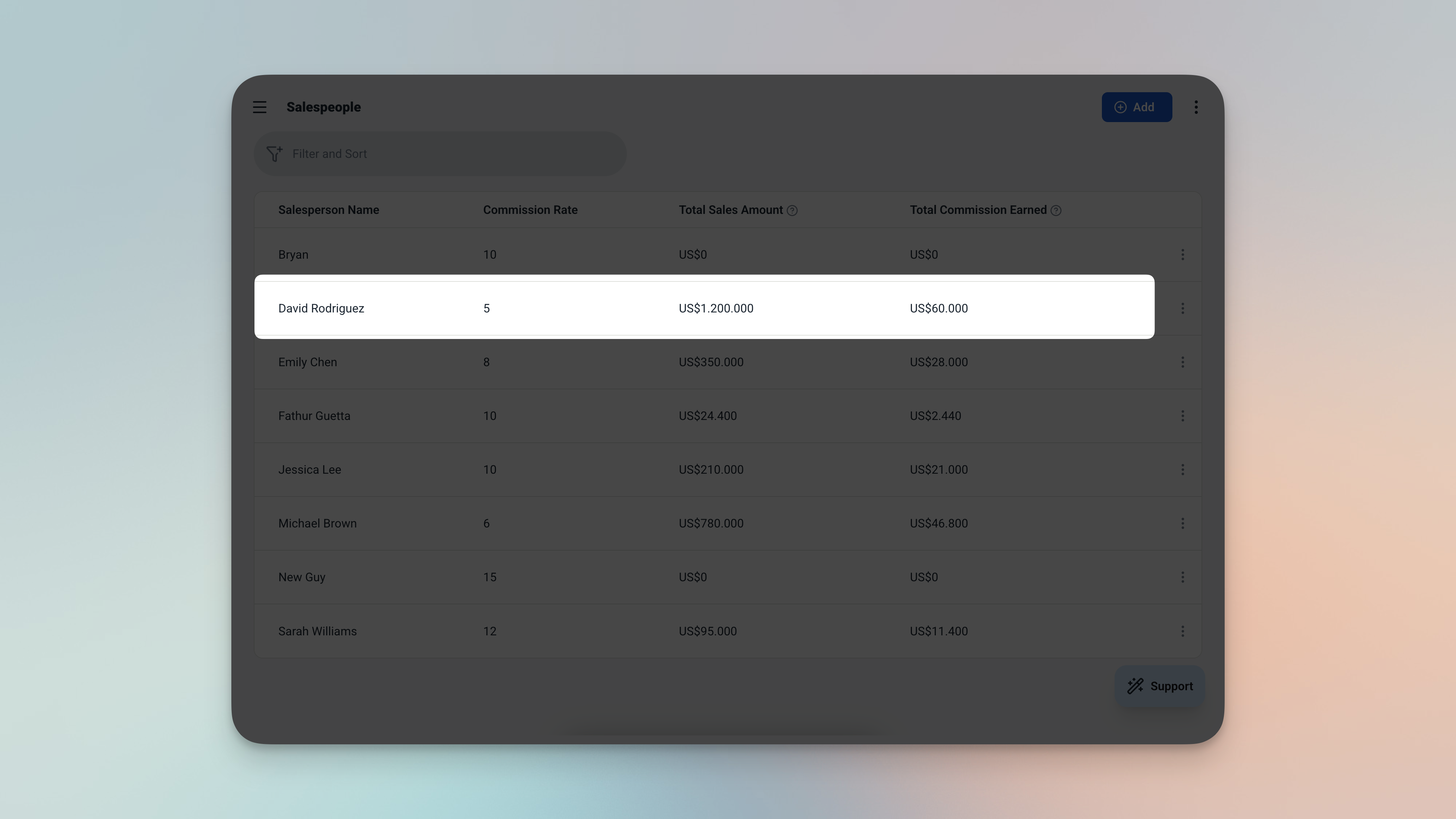
Each salesperson's profile always shows their current total sales and total commission — updated with every new sale.
The Features That Keep Everyone Honest
Four smart features that eliminate the most common commission tracking headaches.
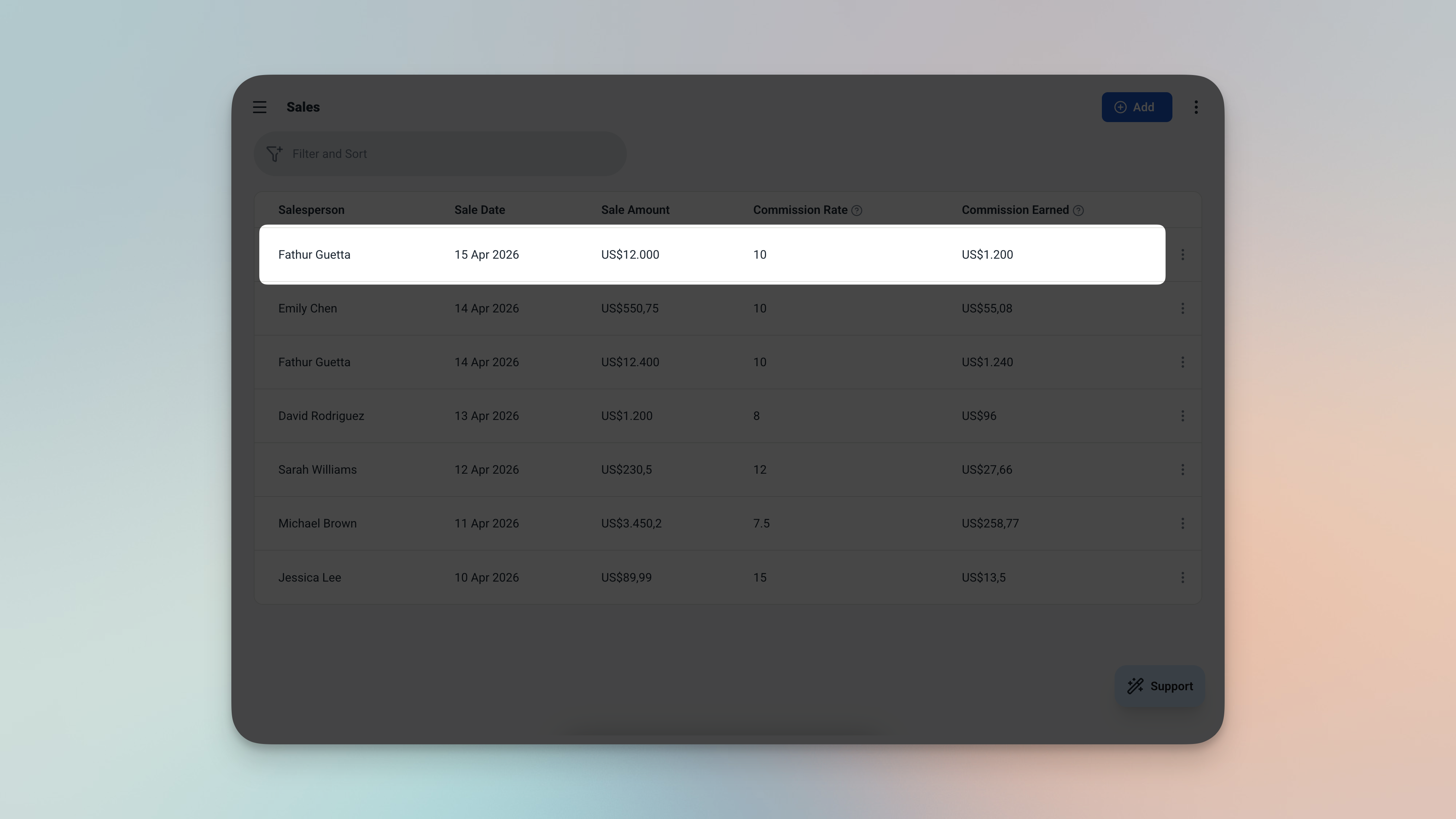
Every sales record shows the amount, the locked-in rate, and the commission — all calculated automatically.
Commission = Sale Amount × Commission Rate
Period Commission = Sum of all commissions within Period Start → Period End
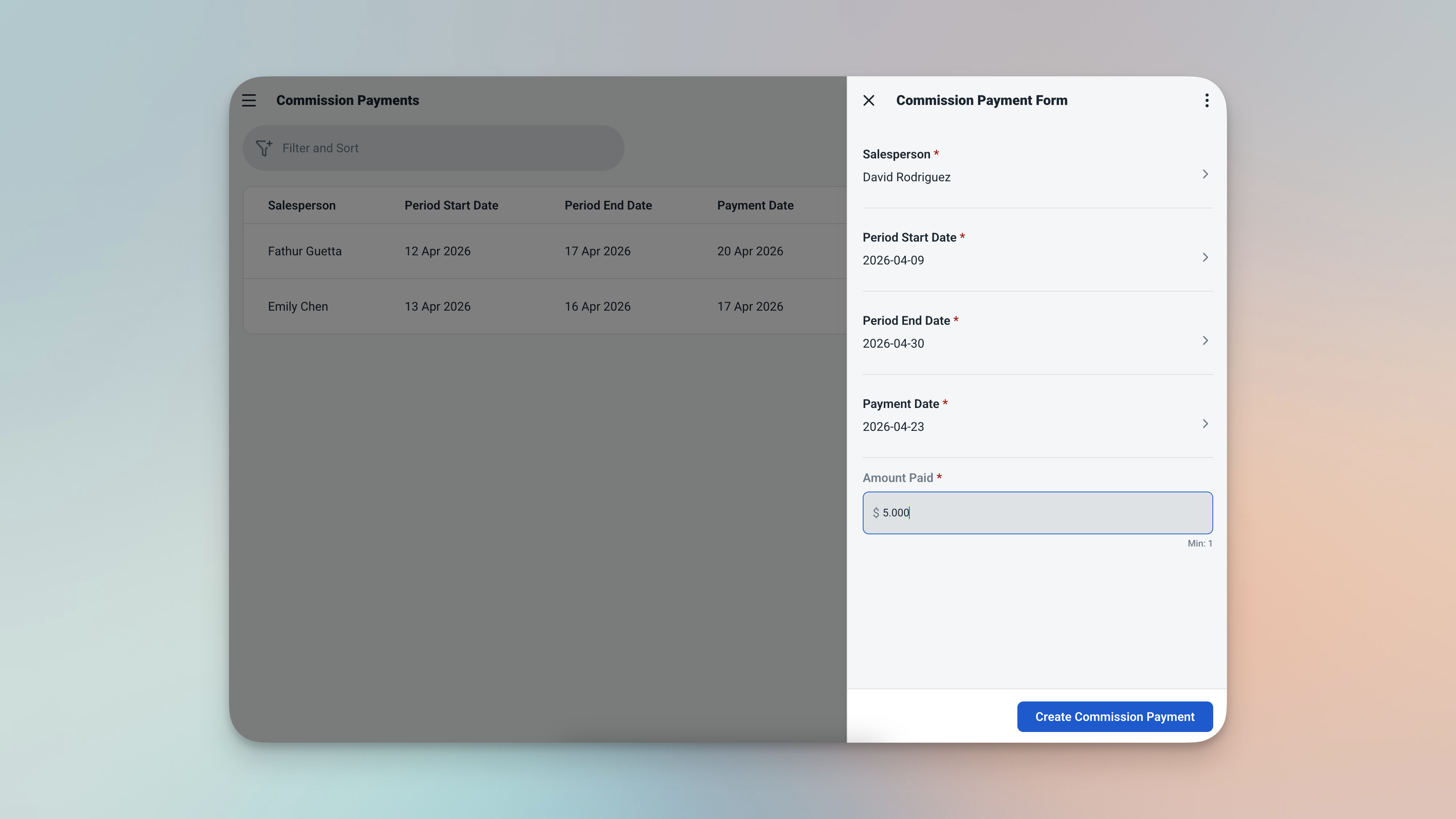
Set the payout period — the app calculates exactly what's owed for that window, automatically.
3 Tables — Connected and Ready to Use
Activate the template and all three tables are ready to go — connected, calculated, and waiting for your data.
👤 Salespeople
Your team roster. Stores each person's name, commission rate, and running totals — always current.
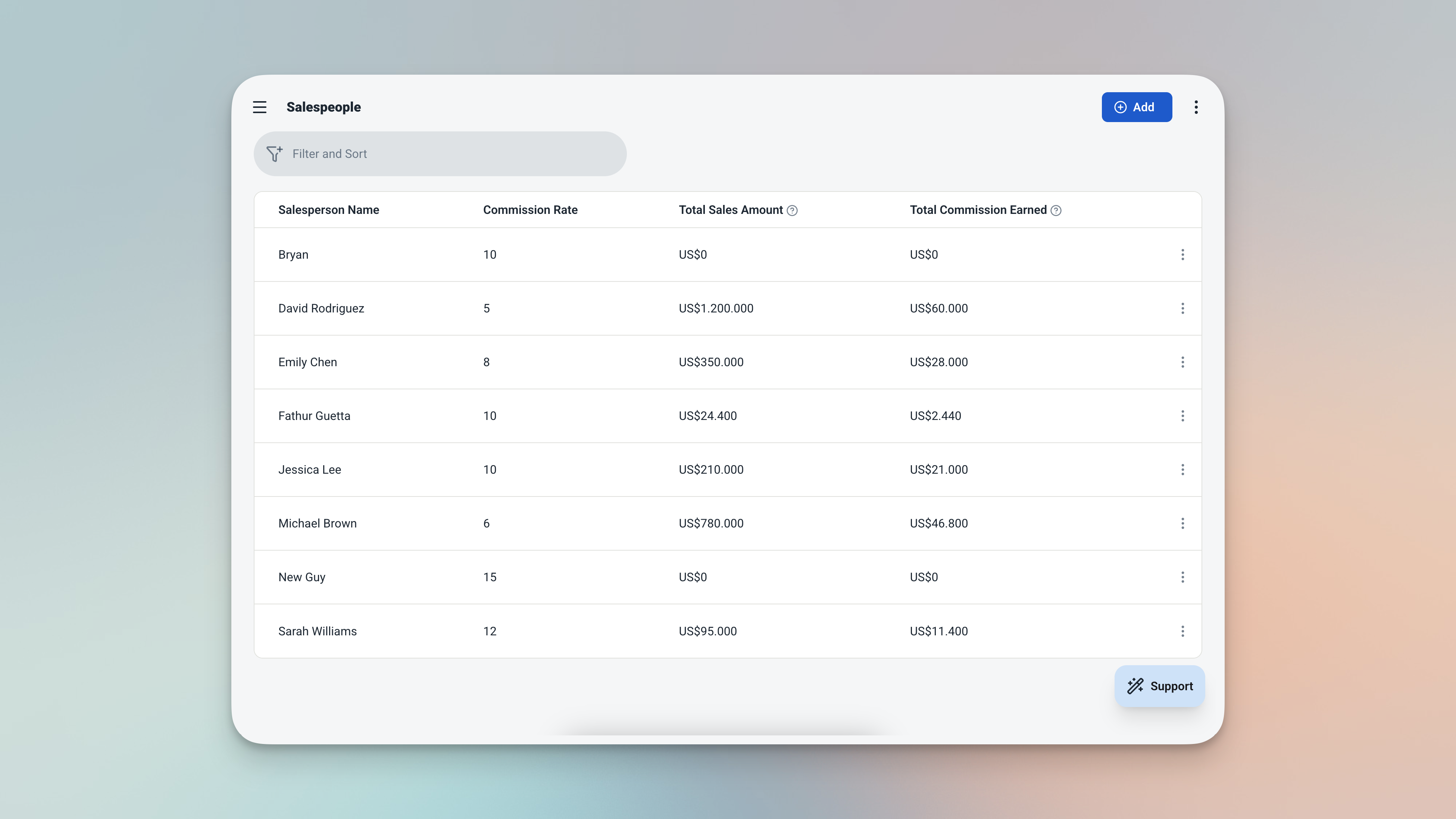
The Salespeople table — your full team roster with live running totals for every rep.
| Field | What It Stores |
|---|---|
| Name | Salesperson's full name |
| Commission Rate | Their rate (e.g. 0.10 for 10%) |
| Total Sales | Sum of all their recorded sales — always current |
| Total Commission | Sum of all their earned commissions — always current |
💼 Sales
The core record. Every deal logged here — linked to a salesperson, with commission calculated automatically at the moment of entry.
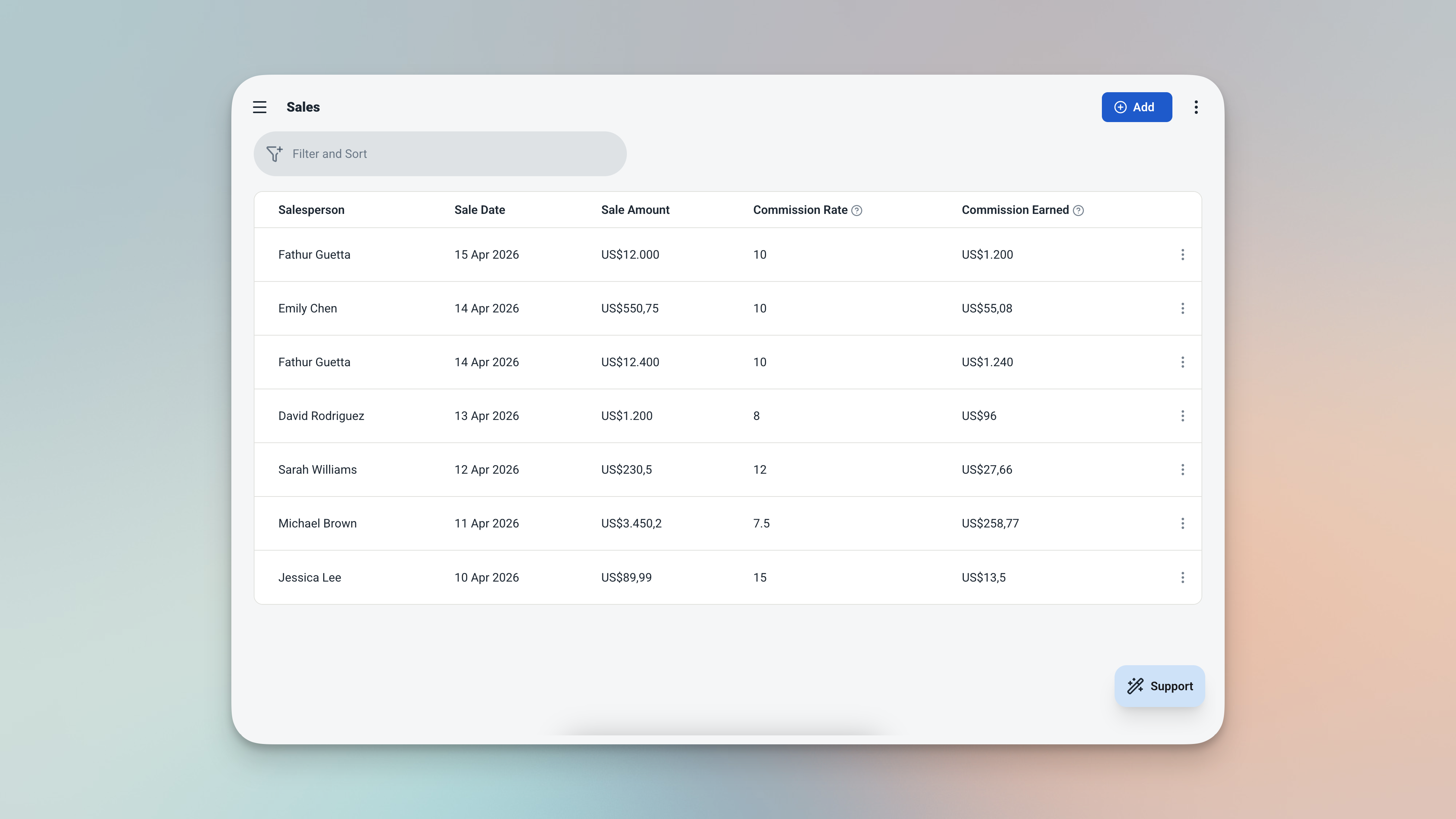
The Sales table — every deal linked, every commission calculated, every rate locked in at the time of sale.
| Field | What It Stores |
|---|---|
| Date | Date of the sale — defaults to today |
| Salesperson | Linked from Salespeople table |
| Amount | The sale value (e.g. $4,500.00) |
| Commission Rate | Captured at sale time — not affected by future changes |
| Commission | Auto-calculated: amount × captured rate |
💳 Commission Payments
The payout log. Records what was paid, for which period, and cross-checks it against what was actually earned in that window.
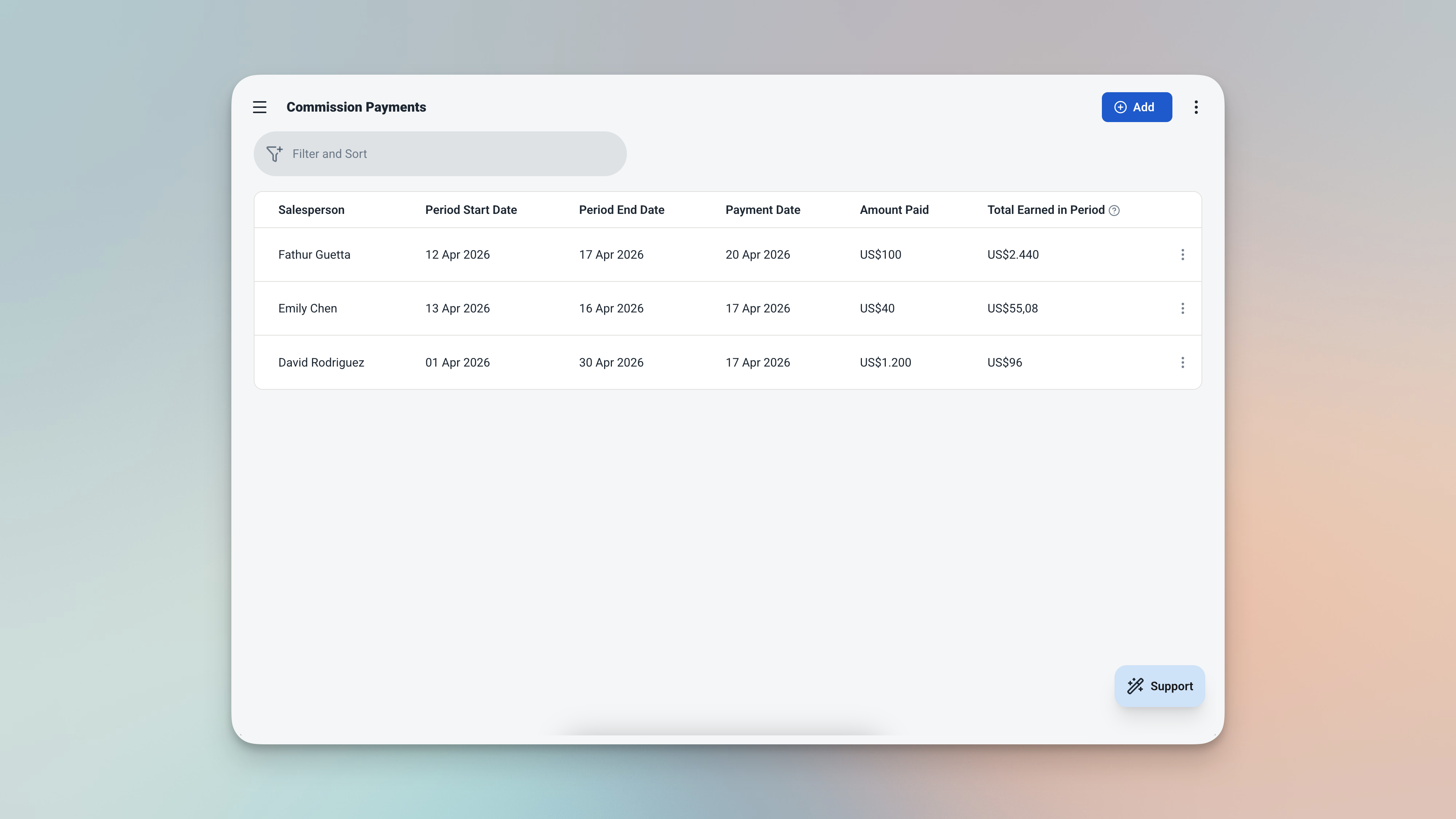
The Commission Payments table — every payout logged with the period, what was earned, and what was paid.
| Field | What It Stores |
|---|---|
| Salesperson | Linked from Salespeople table |
| Period Start | Start of the payout period |
| Period End | End of the payout period |
| Total Commission Earned | Auto-calculated from all sales within the period |
| Amount Paid | What was actually paid out |
| Payment Date | When the payment was made |
Always Know Where Your Numbers Stand
The dashboard and analytics pages give you a complete picture of your commission business — at a glance and in depth.
Dashboard — Four Things at a Glance
Open the app and your month's performance is right there. No digging. No filtering. Just open and see.
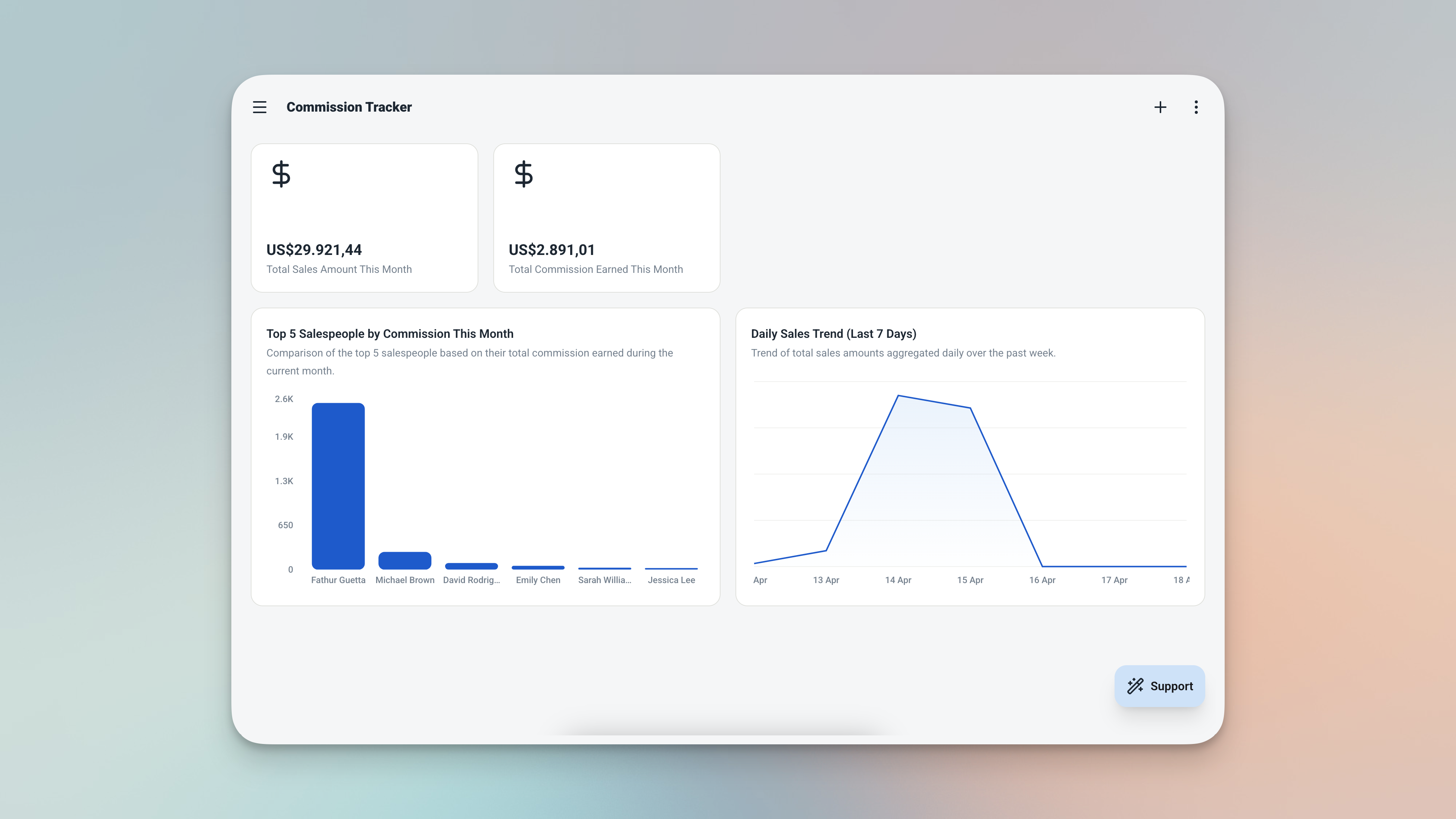
The dashboard — this month's sales, commission owed, top performers, and recent activity, all in one view.
| Widget | What It Shows |
|---|---|
| 💰 Sales This Month | Total sales amount recorded this month |
| 🏆 Commission This Month | Total commission earned this month |
| 📋 Top Performers | Salespeople ranked by total commission — top 5 |
| 🕐 Recent Sales | Latest 10 sales sorted by date |
Analytics — Spot Trends, Reward the Right People
Go deeper with the analytics page. Filter by date range or salesperson for monthly reviews, quarterly reports, or individual performance check-ins.
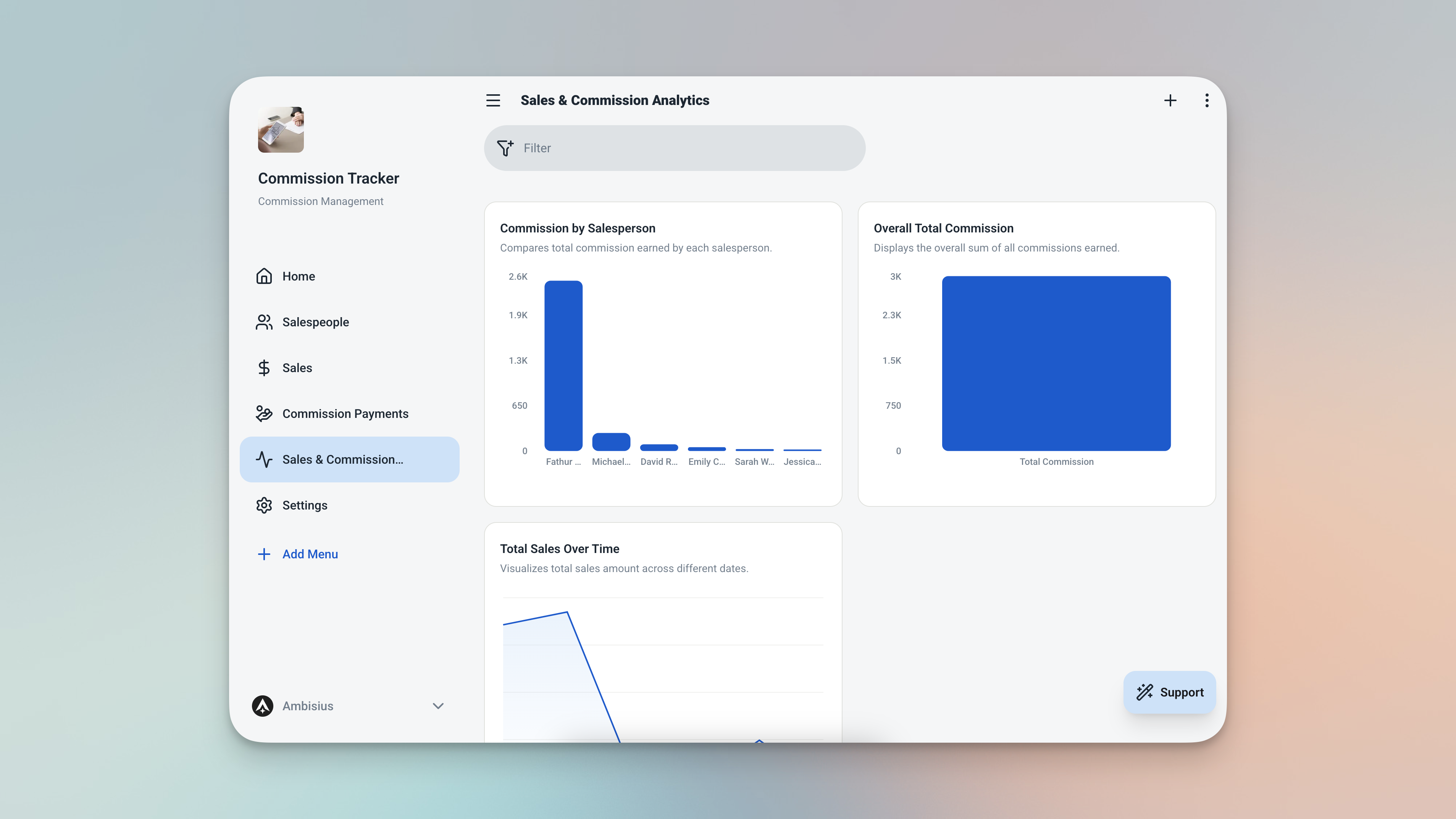
The analytics page — sales volume trends, commission by rep, and total commission for any filtered period.
-
Sales Over TimeA line chart showing daily sales volume. Spot your peak periods and slow weeks at a glance.
-
Commission by SalespersonA bar chart comparing total commission earned per person. See who's leading and who needs support.
-
Total CommissionA summary number for the filtered period — useful for payroll reviews and financial reporting.
From Zero to Running in Minutes
Four steps from zero to a fully running commission tracking app.

Find the Commission Tracker template in the catalogue — one tap duplicates everything into your account.
When you duplicate the template, everything comes with it — all three tables, commission calculations, dashboard, and analytics. There's nothing to configure from scratch.
Need Something Extra? Just Ask
The template works great out of the box — but your business might need a small tweak. Describe it in the chat and the AI makes the change for you.
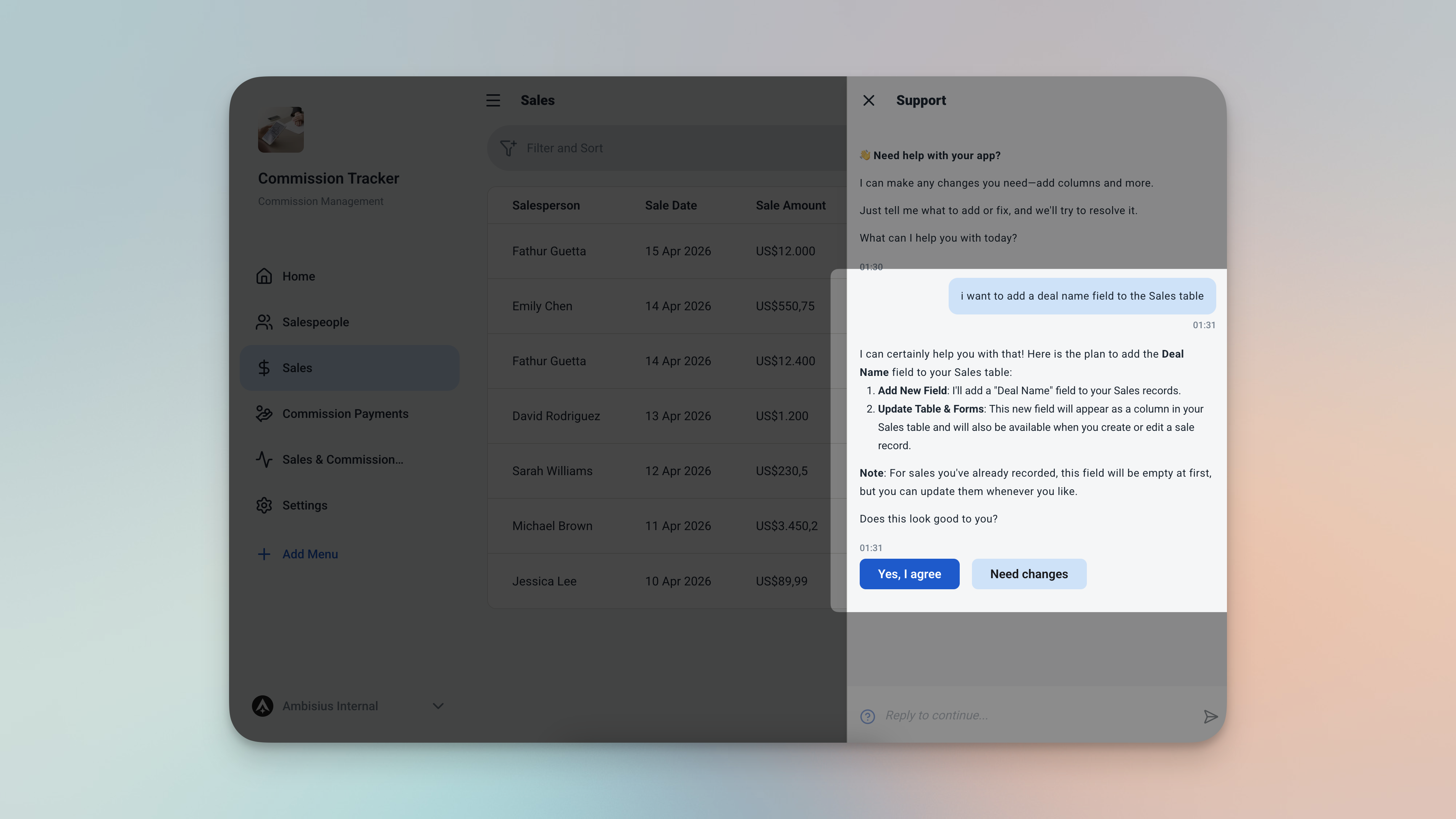
Type what you need — the AI updates the app for you, no coding required.
| What to Ask For | What It Does |
|---|---|
| "Add a deal name field to Sales" | Track what was actually sold — useful when your team sells multiple products or services |
| "Add a sales category field — New Client, Renewal, Upsell" | Understand where your revenue is coming from and which category your team performs best in |
| "Add a notes field to Commission Payments" | Record the payment method, bank reference, or any relevant detail alongside each payout |
Adding a new team member? No chat needed — just add a new row to the Salespeople table with their name and rate. They're immediately available to link to new sales.
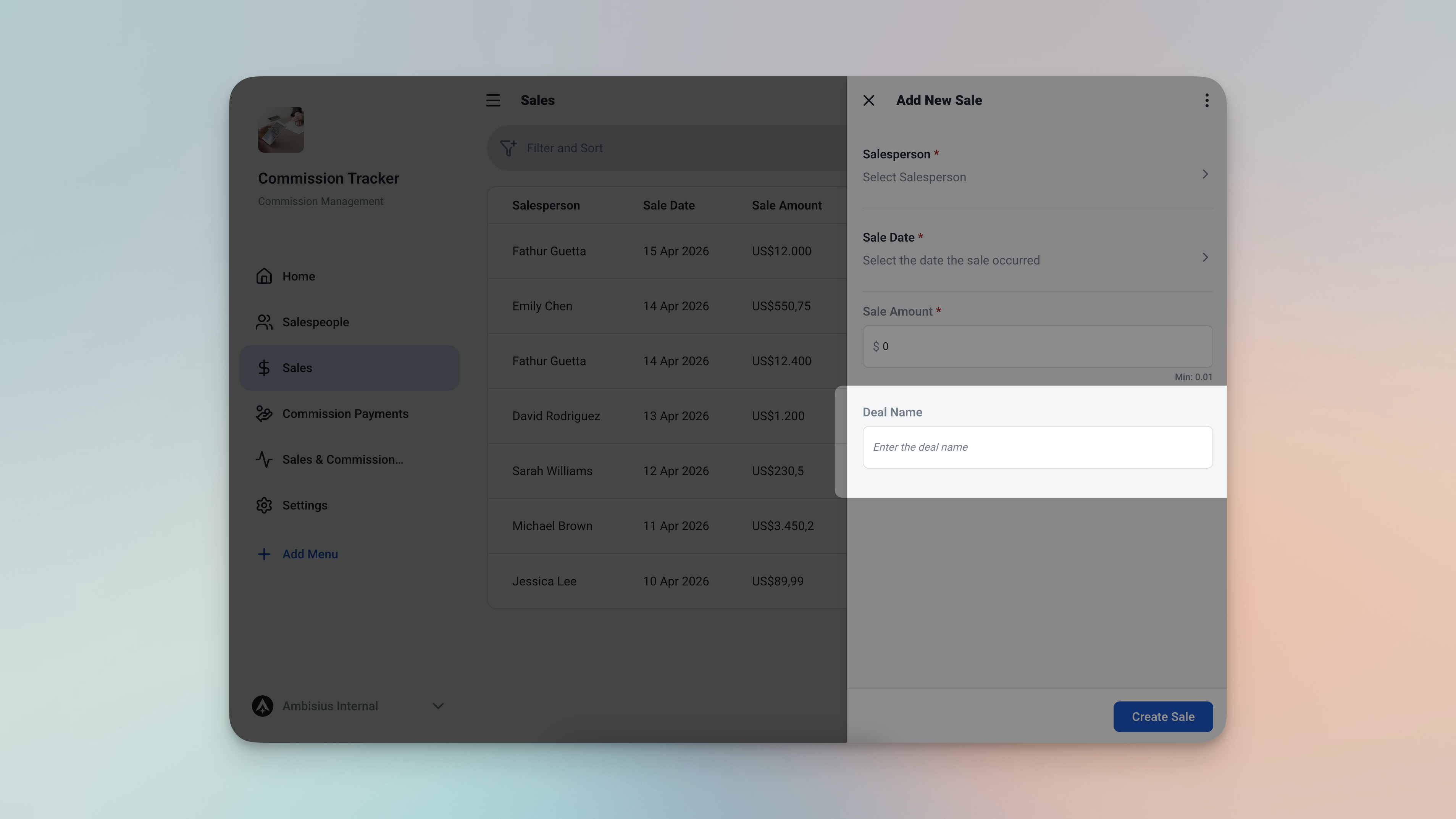
After asking the AI to add a deal name field — it appears in the sales form, ready to use.
Frequently Asked Questions
-
Can I use this template for free?Yes. The Commission Tracker template is free to activate. Exploring and chatting with the AI costs nothing — credits are only used when you confirm a change to the app.
-
What happens if I change a salesperson's commission rate?Nothing changes in the past. The rate is captured at the moment each sale is recorded. Updating a salesperson's rate only affects sales recorded after the change — every historical record stays exactly as it was.
-
How does the app calculate commission for a specific pay period?Create a Commission Payment record, set the period start and end dates, and the app automatically totals all commission earned by that salesperson within that window. No manual filtering or adding up required.
-
Can my salespeople see their own records?Yes. You can invite team members and control exactly what each person can see. A salesperson can view their own sales and commission totals without seeing other team members' data or sensitive business figures.
-
Can I have different commission rates for different salespeople?Absolutely. Each salesperson has their own commission rate stored in their profile. The app uses each person's individual rate when calculating their commission — so different rates across the team are handled automatically.
-
Does this work on mobile?Yes. Ambisius works on iOS, Android, tablet, and any desktop browser. Your sales team can log sales from the field, and you can check the dashboard from anywhere.
Accurate Commissions. Zero Disputes.
Spreadsheet errors and end-of-month arguments are problems your business doesn't need. The Ambisius Commission Tracker template gives every sales team a transparent, automatic commission system — one where every sale is recorded accurately, every rate is locked in at the right time, and every payout is backed by clean data.
Your team knows exactly what they've earned. You know exactly what you owe. And it takes minutes to set up.
