


Cover image for Ambisius Customer Loyalty Program App Template.
Your Regulars Deserve Better Than a Stamp Card
Loyalty programs work — but most small businesses never get one off the ground because the tools are too clunky to maintain.
Stamp cards get lost. Spreadsheets break when two staff members edit at the same time. Tracking points manually is one more thing on an already full plate — so the loyalty program quietly falls apart.
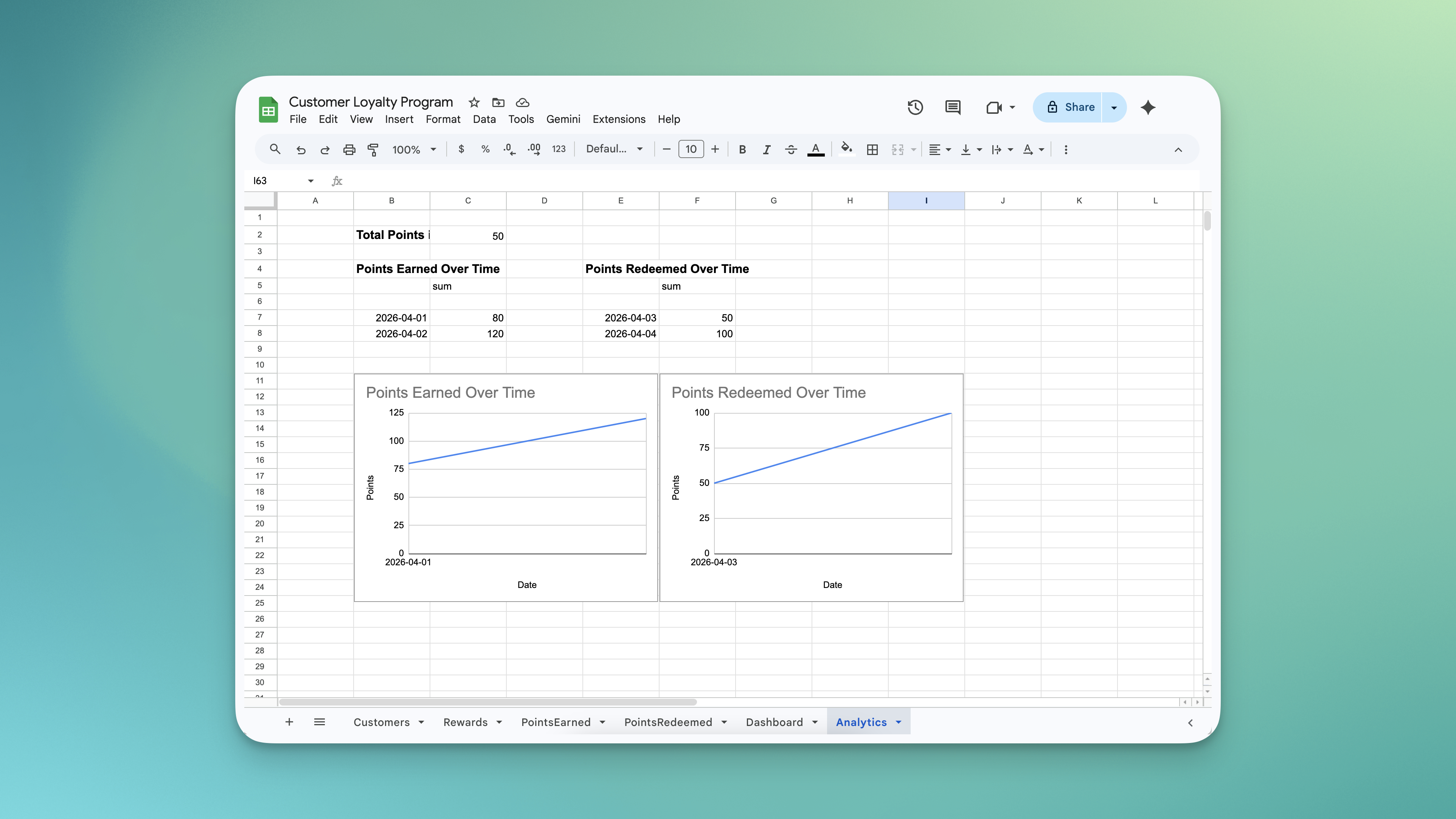
Managing customer loyalty program using spreadsheets - the process is chaotic.
-
Stamp cards disappearCustomers forget them at home, lose them in their wallet, or never bring them back — and your loyalty program loses its value.
-
Spreadsheets don't scaleTwo staff members editing at the same time creates conflicts. One wrong formula wipes out months of data.
-
Manual tracking is error-proneAdding and subtracting points by hand is slow and unreliable — especially during busy hours.
-
Over-redemptions happenWithout a system checking balances, staff may accidentally give out rewards a customer hasn't earned — costing your business money.
-
No visibility into performanceYou can't tell if your loyalty program is actually driving repeat visits without a way to track the data over time.
Any Business With Repeat Customers
If your business runs on regulars, this template was built for you.
Simple for Staff. Powerful for Your Business.
Here's how it works day to day — no training manual needed.
Earning Points
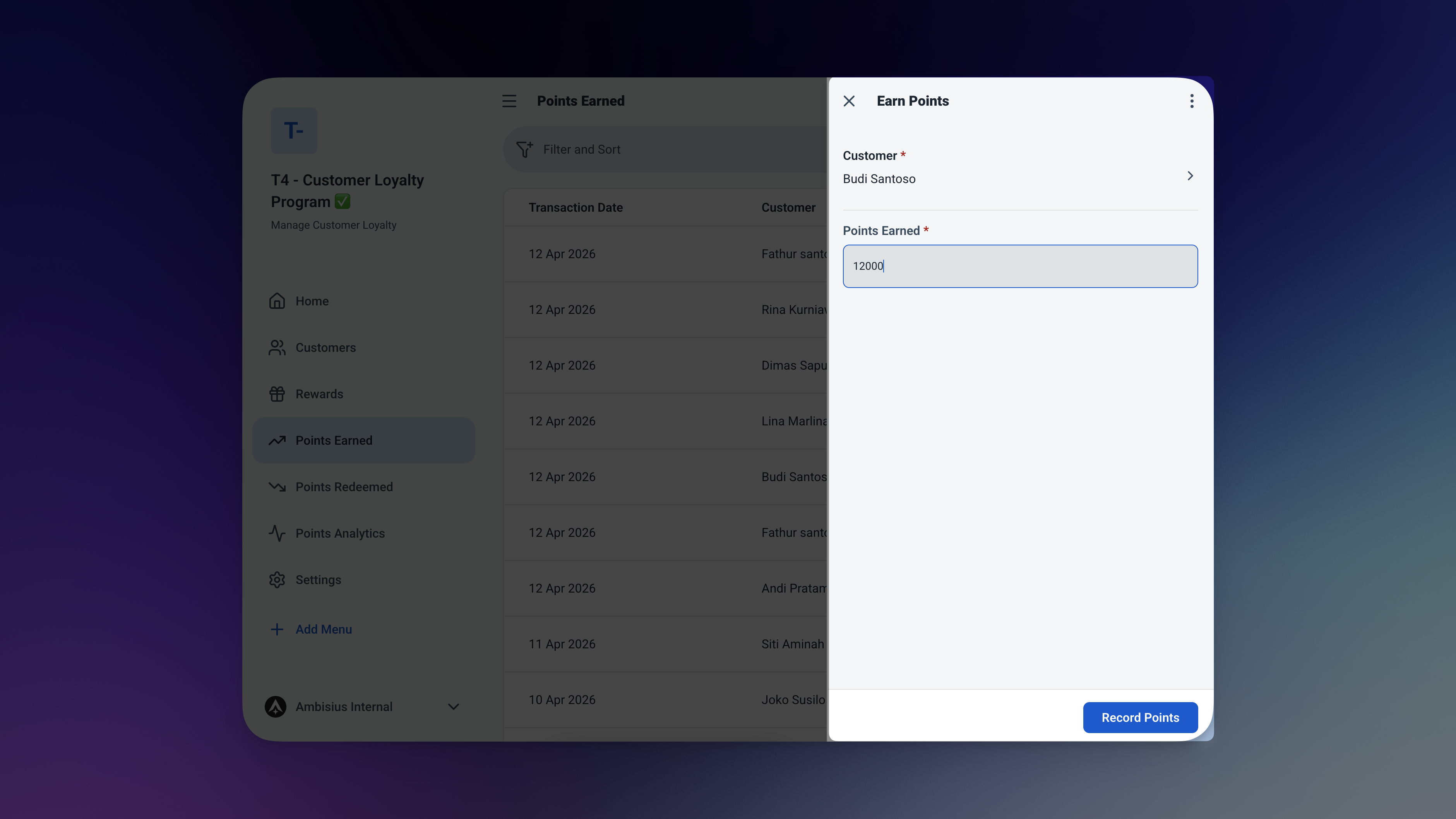
Recording a points earn — two fields, one tap, balance updated automatically.
Redeeming a Reward
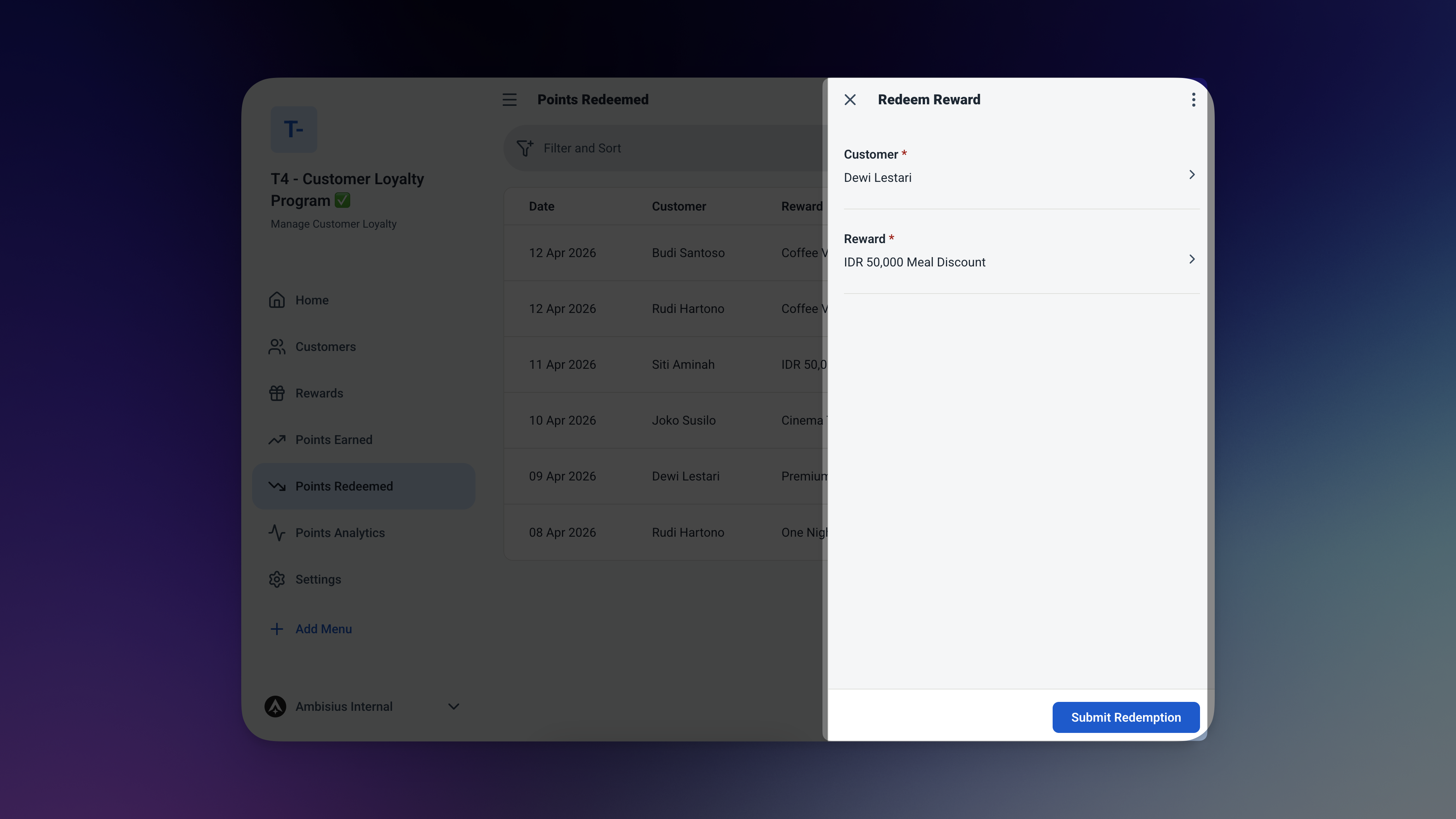
The app checks the balance before saving — if points are short, the redemption is blocked automatically.
At any moment you can see every customer's current points balance, a full history of what they've earned and redeemed, and today's total points activity across all customers.
The Features That Keep Your Loyalty Program Running Smoothly
Four smart features that do the heavy lifting — so your staff doesn't have to.
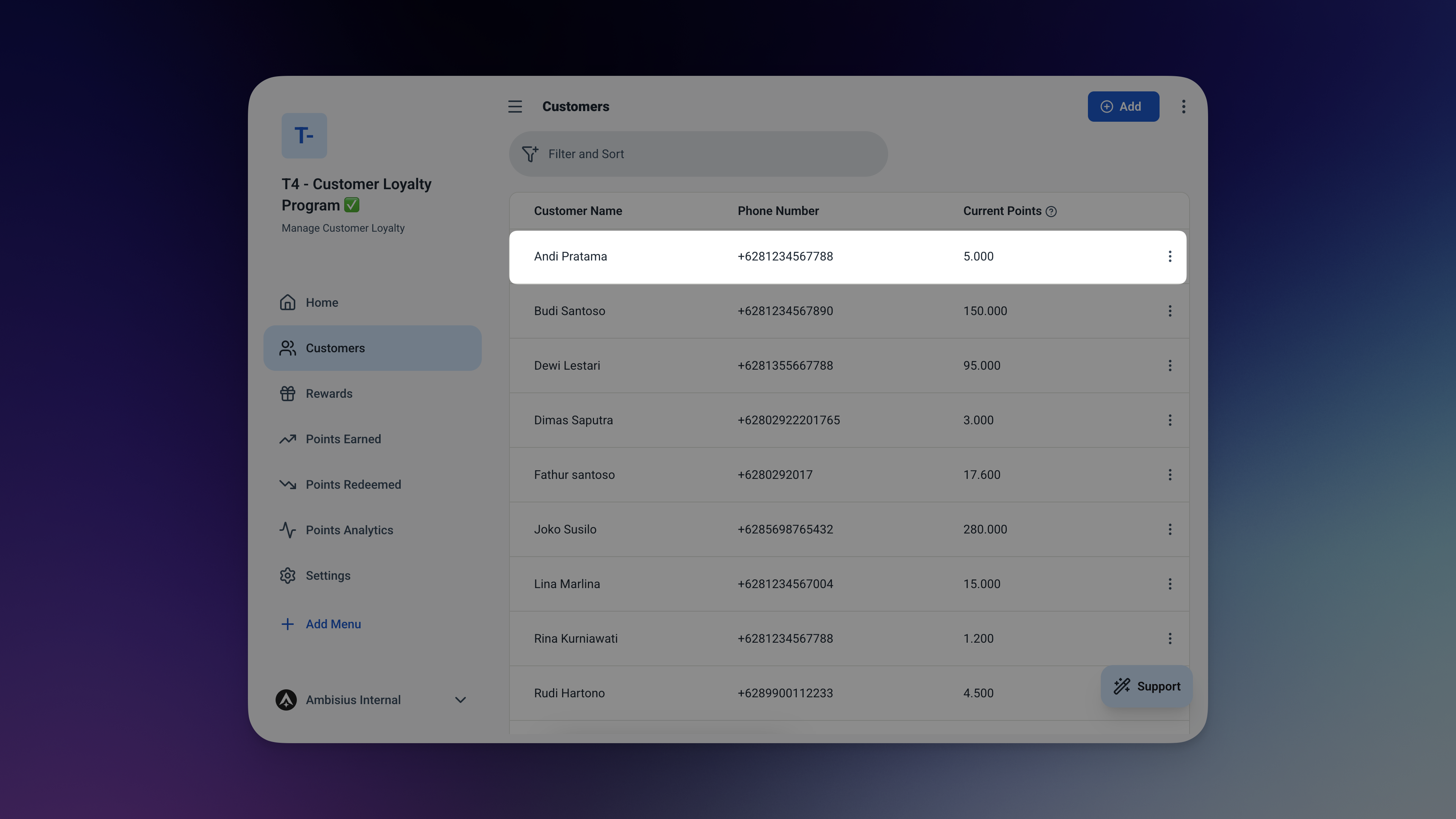
A customer's record — live balance at the top, full transaction history below.
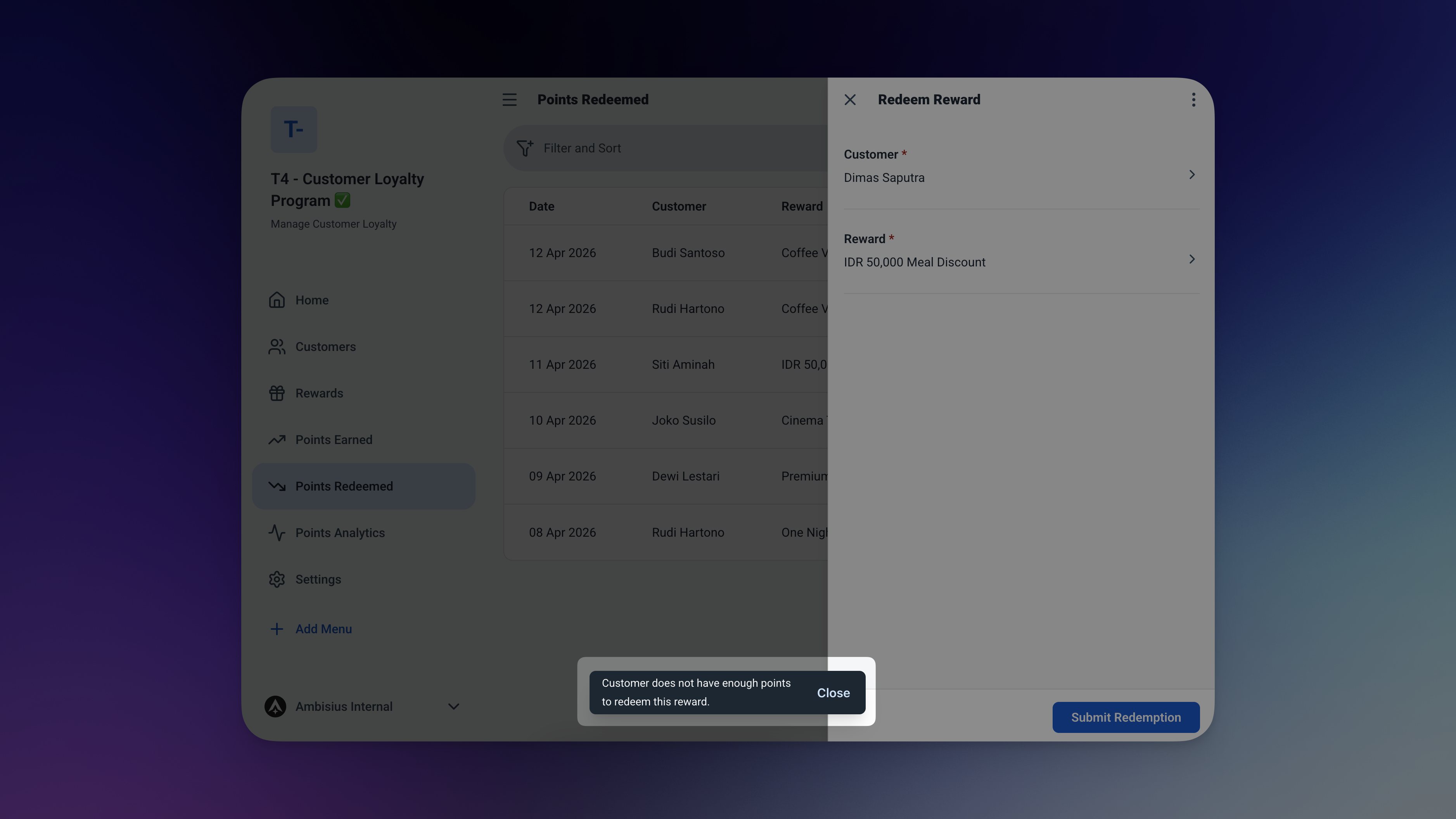
Over-redemption blocked — the app won't let the save go through if the balance is too low.
4 Tables — Pre-Built and Ready to Use
Activate the template and everything is already connected — no setup required.
🧑 Customers
Your customer list — with a live points balance that updates with every transaction.
| Field | What It Stores |
|---|---|
| Name | Customer's full name |
| Phone | Contact number |
| Points Balance | Running total — updates automatically |
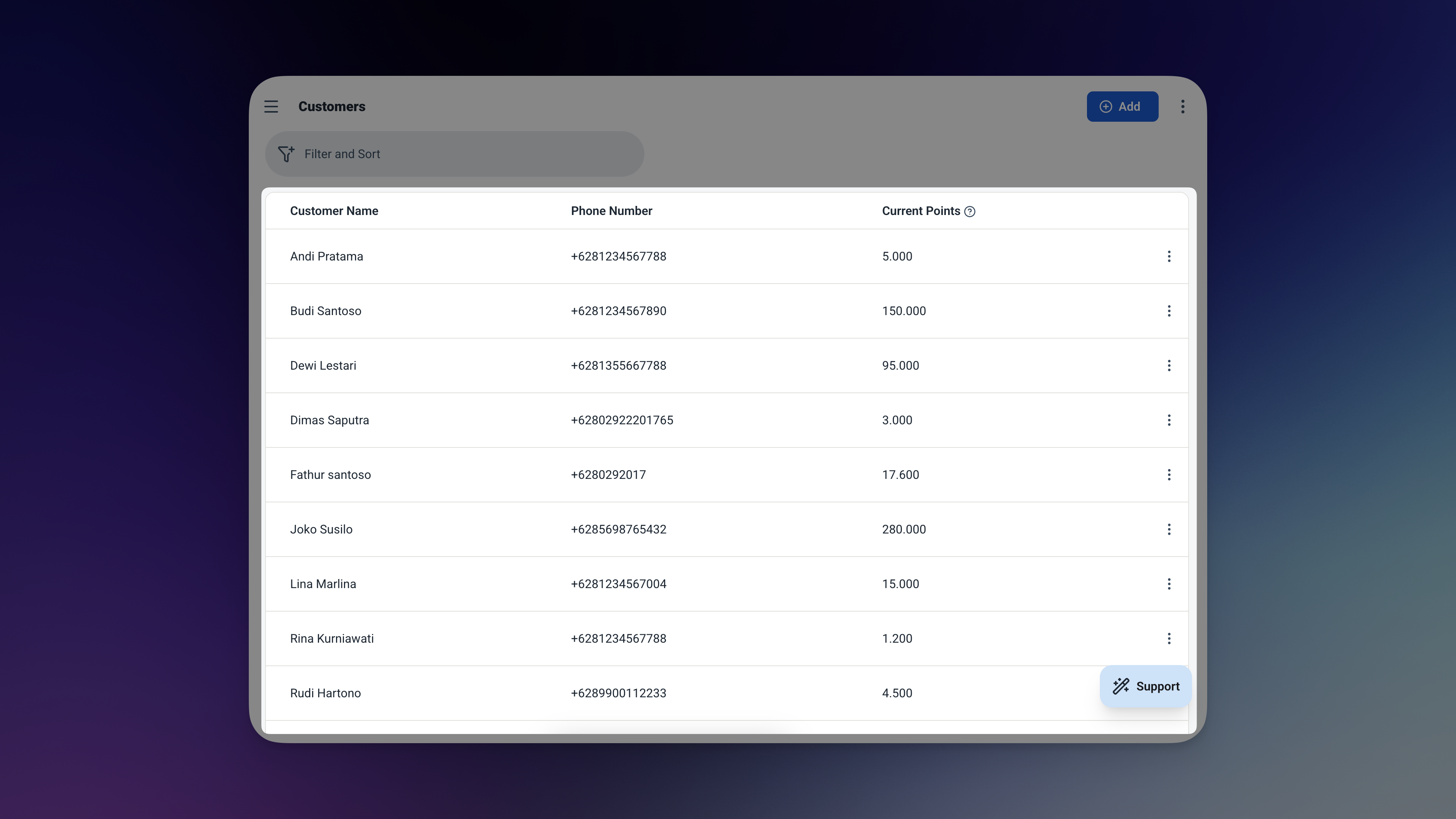
The Customers table — every customer, their contact, and their live points balance.
🎁 Rewards
What customers can redeem — and how many points each reward costs.
| Field | What It Stores |
|---|---|
| Name | Reward name (e.g. Free Coffee, 10% Discount) |
| Points Required | How many points needed to claim it |
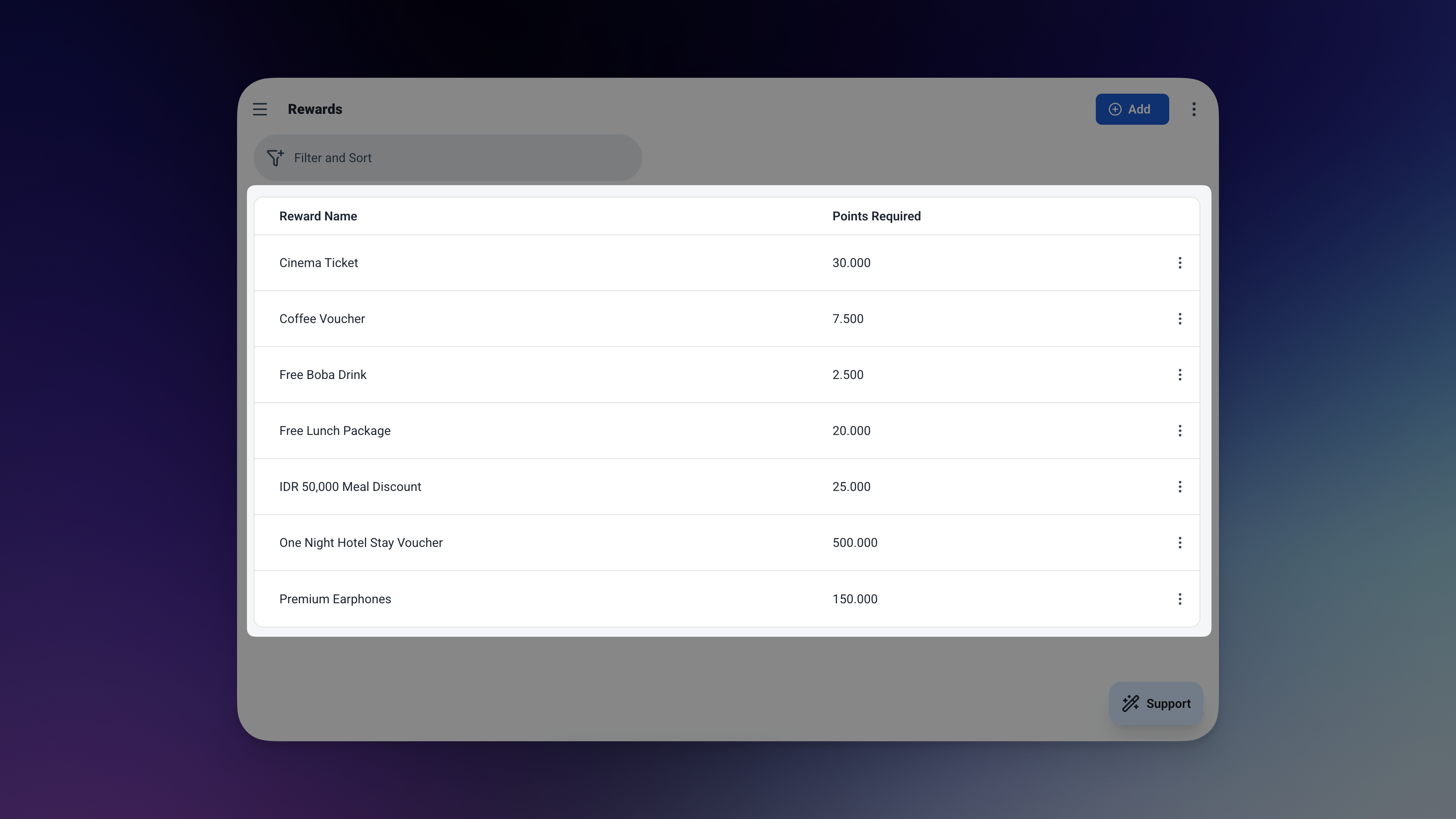
The Rewards table — define your rewards and their point costs once, and staff picks from the list every time.
➕ Points Earned
A log of every time a customer earns points — linked directly to their customer record.
| Field | What It Stores |
|---|---|
| Customer | Linked from Customers table |
| Date | Defaults to today |
| Points | How many points were earned |
➖ Points Redeemed
A log of every redemption — linked to the customer and the reward they claimed.
| Field | What It Stores |
|---|---|
| Customer | Linked from Customers table |
| Reward | Linked from Rewards table |
| Date | Defaults to today |
| Points | How many points were redeemed |
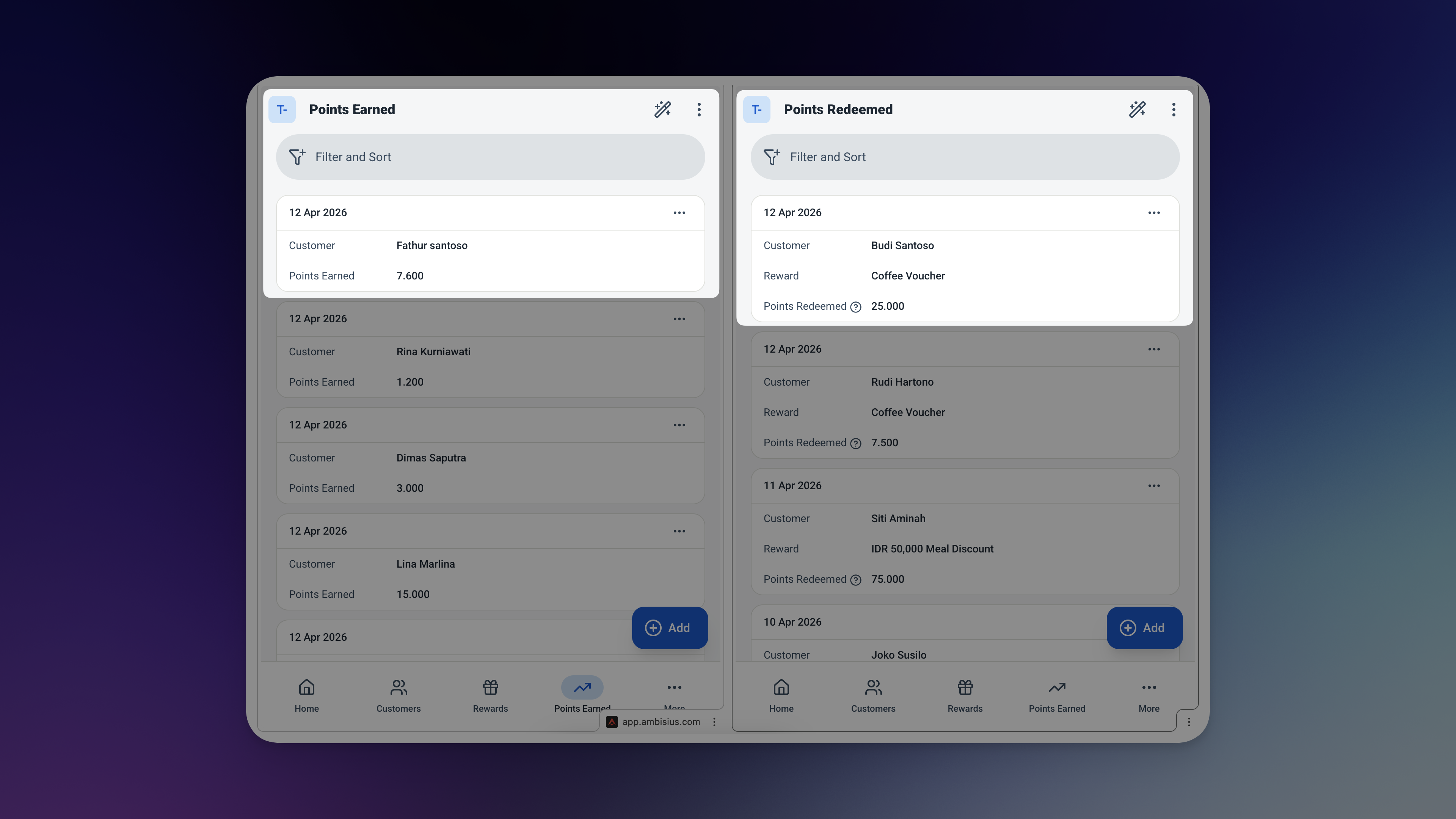
Points Earned and Points Redeemed — every transaction logged, every customer accounted for.
Know Exactly How Your Loyalty Program Is Performing
Open the app and the full picture is right there — no digging required.
Dashboard — Today's Loyalty Activity
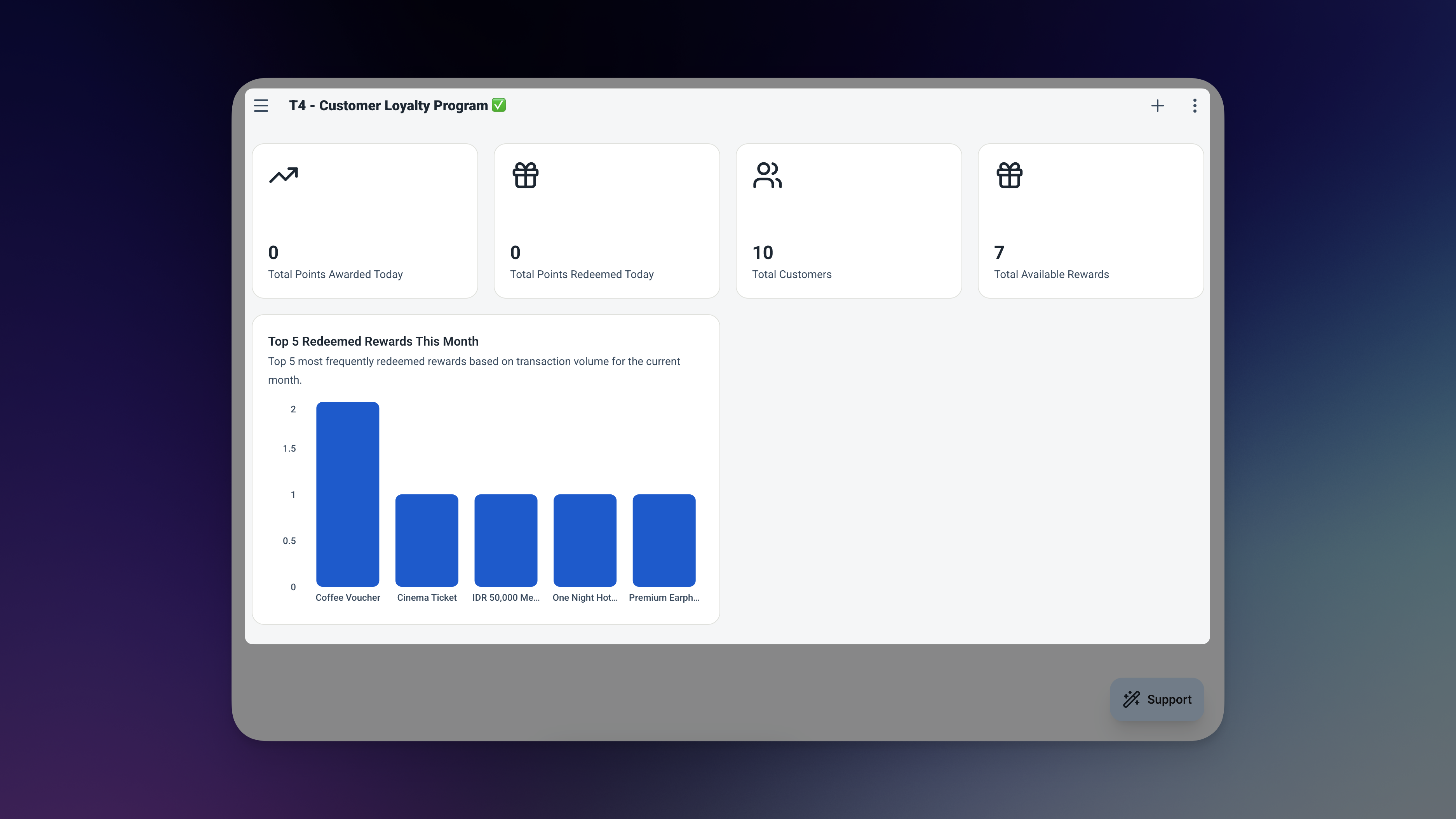
The Dashboard — four widgets, zero effort, full picture of today's loyalty activity.
| Widget | What It Shows |
|---|---|
| Points Earned Today | Total points given out across all customers today |
| Points Redeemed Today | Total points claimed today |
| Recent Earned | The 5 latest earn transactions |
| Recent Redeemed | The 5 latest redemption transactions |
Analytics — Is Your Loyalty Program Actually Working?
The analytics page answers the questions that matter — filter everything by date range to review a campaign period or a specific month.
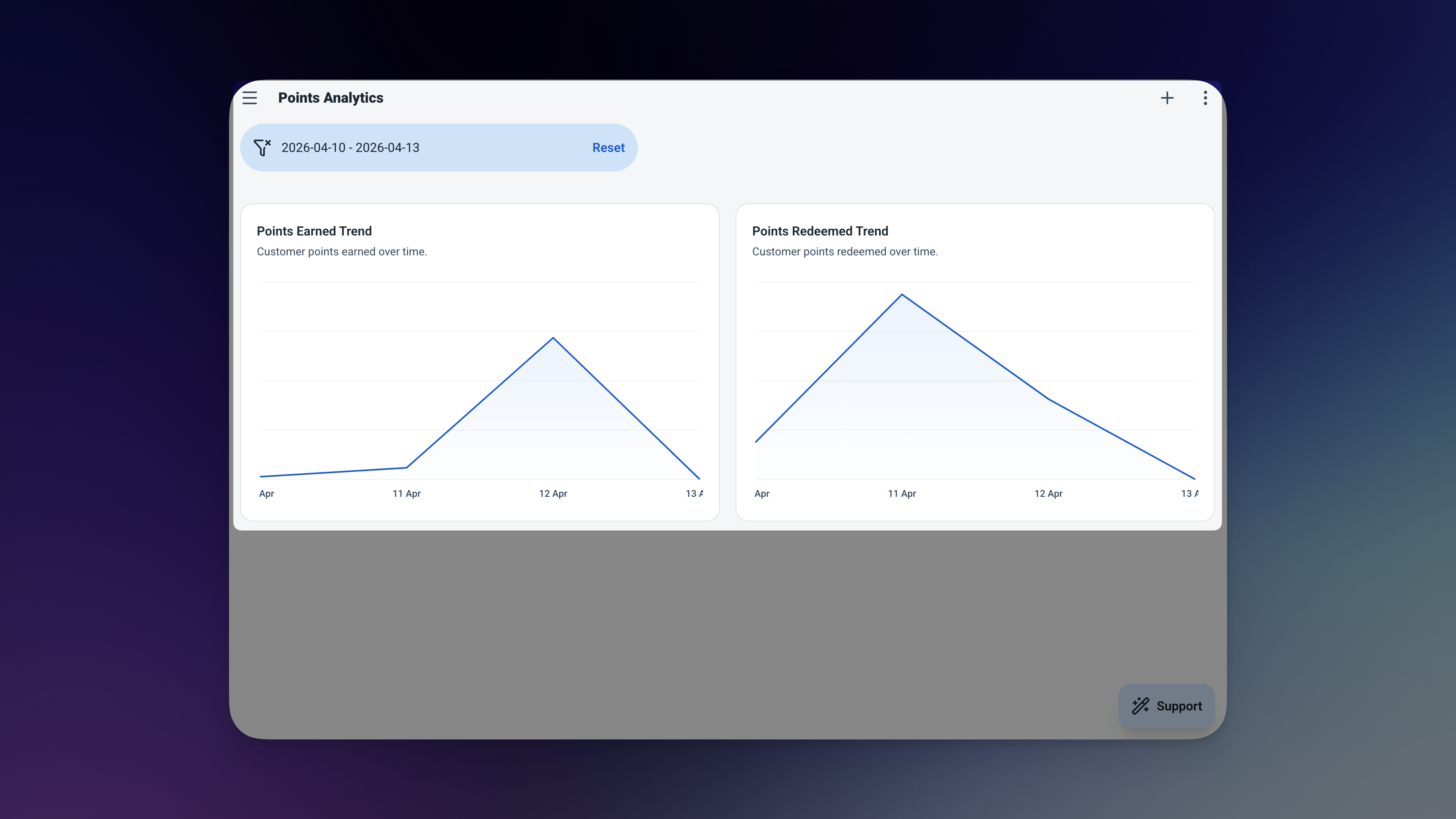
The Analytics page — track engagement trends and see how many points are still in circulation.
| Chart | What It Tells You |
|---|---|
| 📈 Points Earned Over Time | Are customers engaging more or less over time? |
| 📈 Points Redeemed Over Time | Are customers actually using their rewards? |
| 🔢 Total Points in Circulation | How many unspent points are sitting in customer accounts? |
Your Loyalty Program, Live in Minutes
No configuration screens. No technical setup. Four steps and you're running.
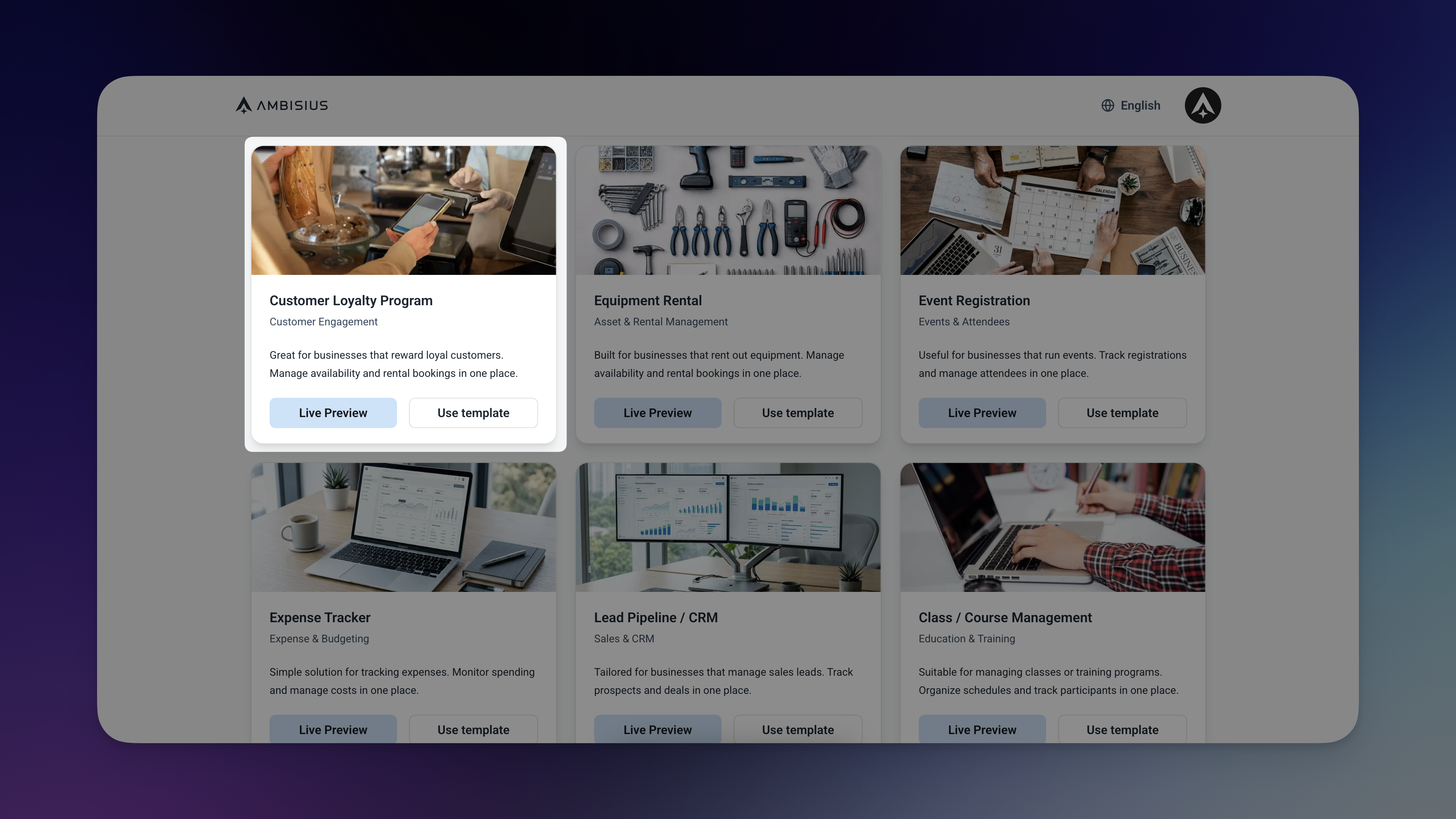
Find the Customer Loyalty Program template in the Ambisius catalogue — one tap to duplicate.
-
1Find the templateOpen Ambisius and browse the template catalogue. Find the Customer Loyalty Program template — it's free to activate.
-
2Duplicate itOne tap. The full app — tables, rules, dashboard, and analytics — is copied straight into your account. Nothing to configure.
-
3Add your rewards and customersFill in your rewards — name and points required — and add your first customers. That's the only setup you need to do.
-
4Start recording pointsYour loyalty program is live. Record your first earn transaction and watch the balance update instantly.
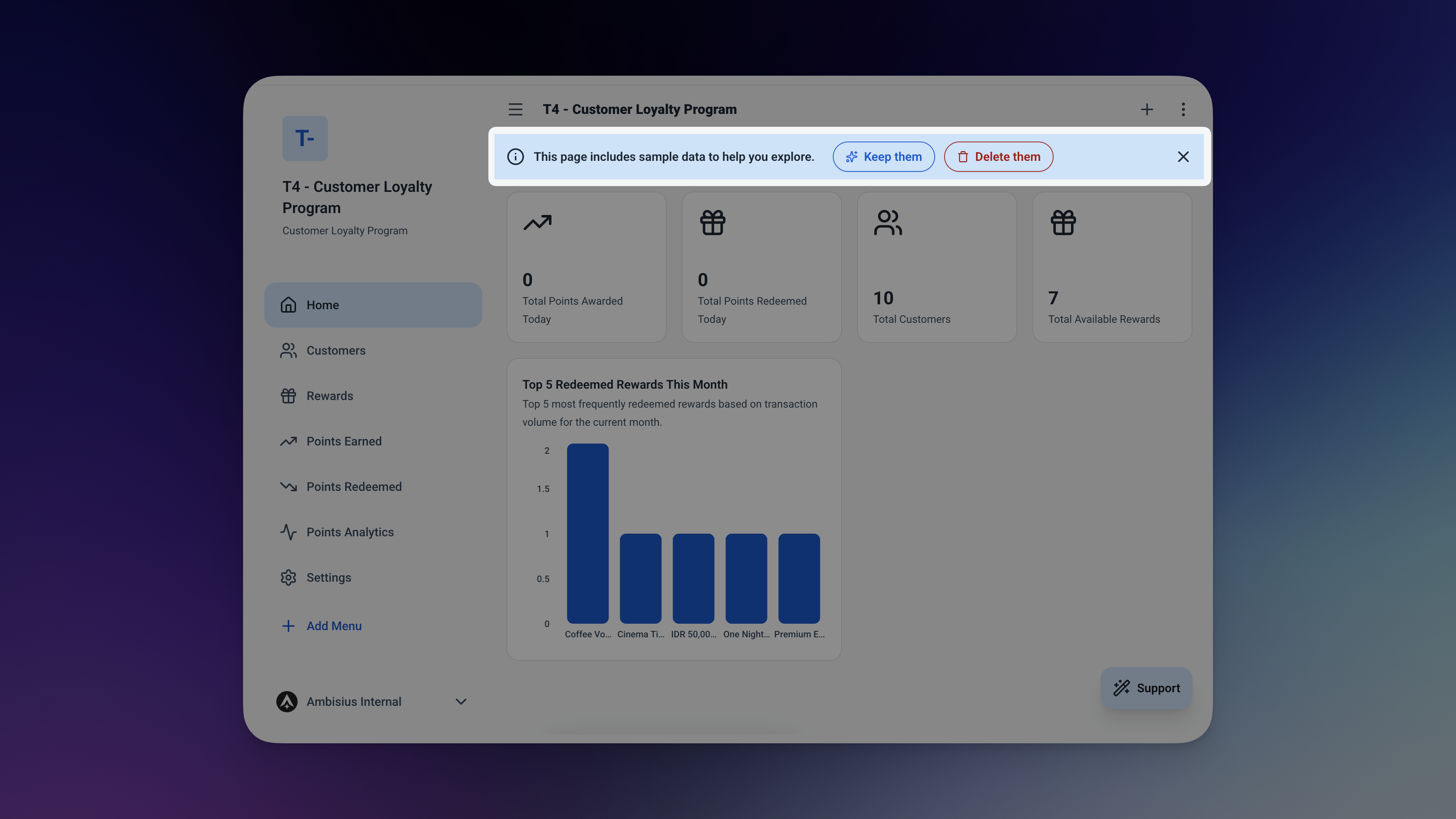
Your duplicated app — ready to use the moment you activate the template.
Need Something Extra? Just Tell the AI
The template works great out of the box — but if your business needs something different, just describe it in the chat.
No technical knowledge needed. Type what you want in plain English — the AI makes the change. No rebuilding, no starting over.
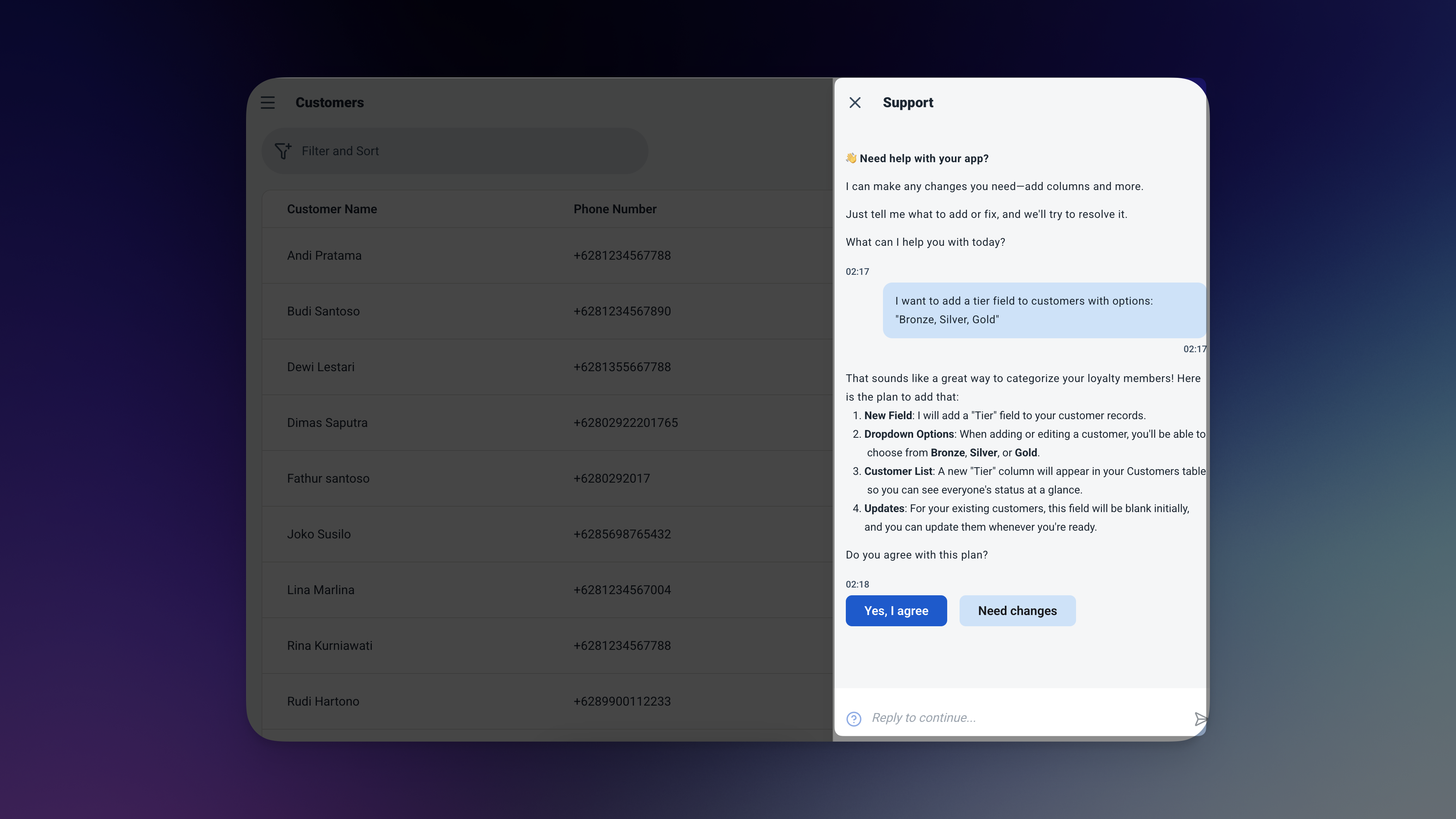
Just describe what you want — the AI handles the change for you.
-
"Add a tier field to customers — Bronze, Silver, Gold"Segment your most loyal customers and treat them differently — exclusive rewards, priority service, or higher point multipliers.
-
"Add a notes field to Points Earned"Record what triggered the points — a purchase, a referral, a birthday reward — so you always know the context behind each transaction.
-
"Add a minimum spend field to Points Earned"Track how much was spent alongside how many points were given — useful for calculating your points-per-dollar rate over time.
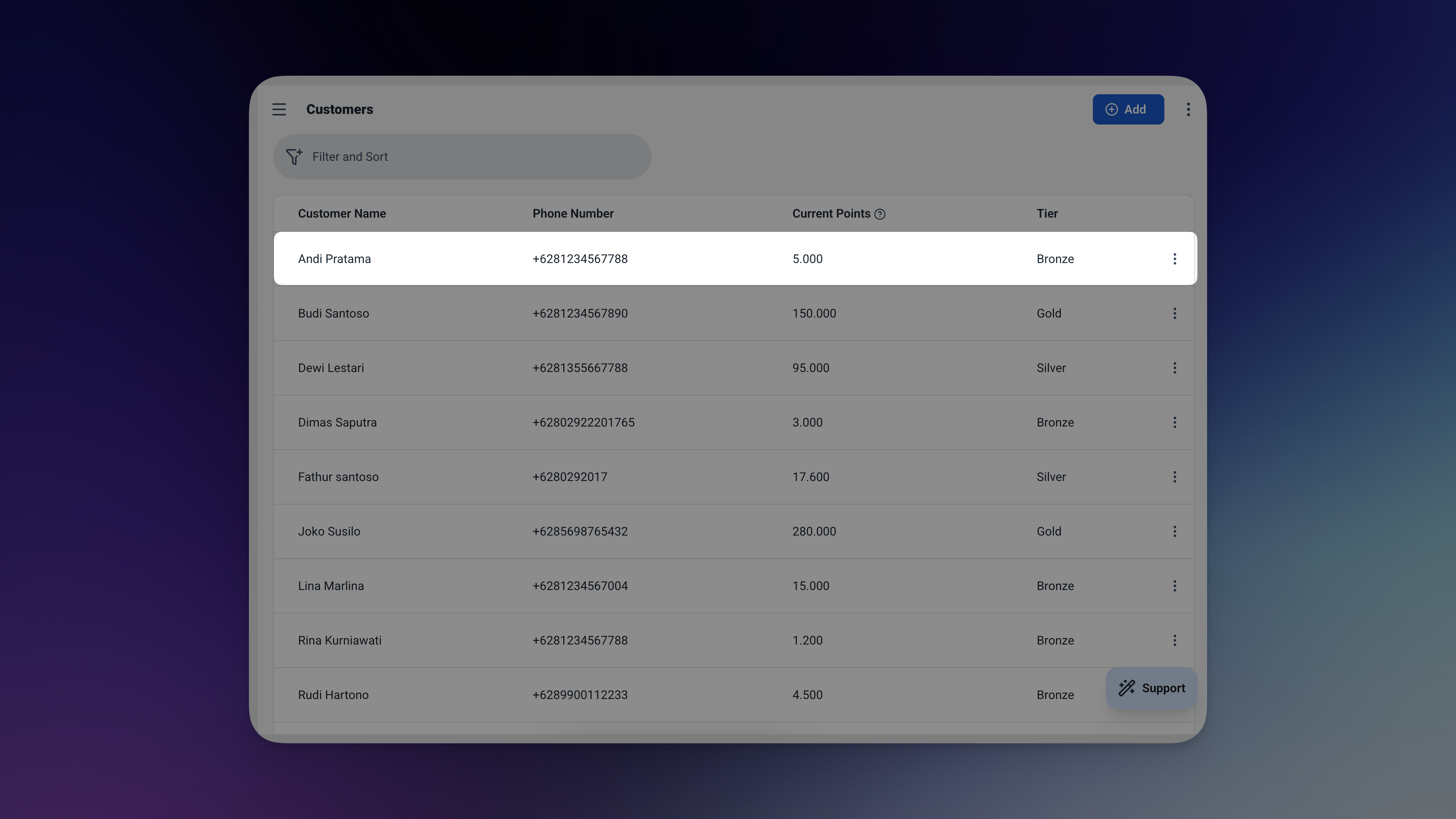
The updated Customers table — a new Tier field added in seconds, no rebuilding required.
Frequently Asked Questions
-
Can I use this template for free?Yes. The Customer Loyalty Program template is free to activate. Exploring and chatting with the AI costs nothing — credits are only used when you confirm a change to the app.
-
What happens if a customer tries to redeem more points than they have?The app blocks it automatically. Before any redemption is saved, the system checks the customer's current balance. If there aren't enough points, the record won't go through.
-
Can I set up different rewards with different point costs?Yes. Add as many rewards as you like to the Rewards table — each with its own name and points required. Staff pick from the list when recording a redemption.
-
Can my staff use this without seeing everything?Yes. You control exactly what each team member can access — per section, per action. A cashier can record earn and redeem transactions without being able to view analytics or edit reward settings.
-
Can I see a customer's full points history?Yes. Every earn and redeem transaction is logged with the customer, date, and points. You can filter either table by customer to see their complete history.
-
Does this work on mobile?Yes. Ambisius works on iOS, Android, tablet, and any desktop browser — the same app, on every device your team uses.
A Loyalty Program Your Customers Will Actually Use
The best loyalty programs are simple — for your staff to run and for your customers to understand. This template gives you exactly that.
Points are tracked automatically, balances are always accurate, and rewards are protected from over-redemption. No stamp cards to reprint. No spreadsheet to maintain. No system to figure out.
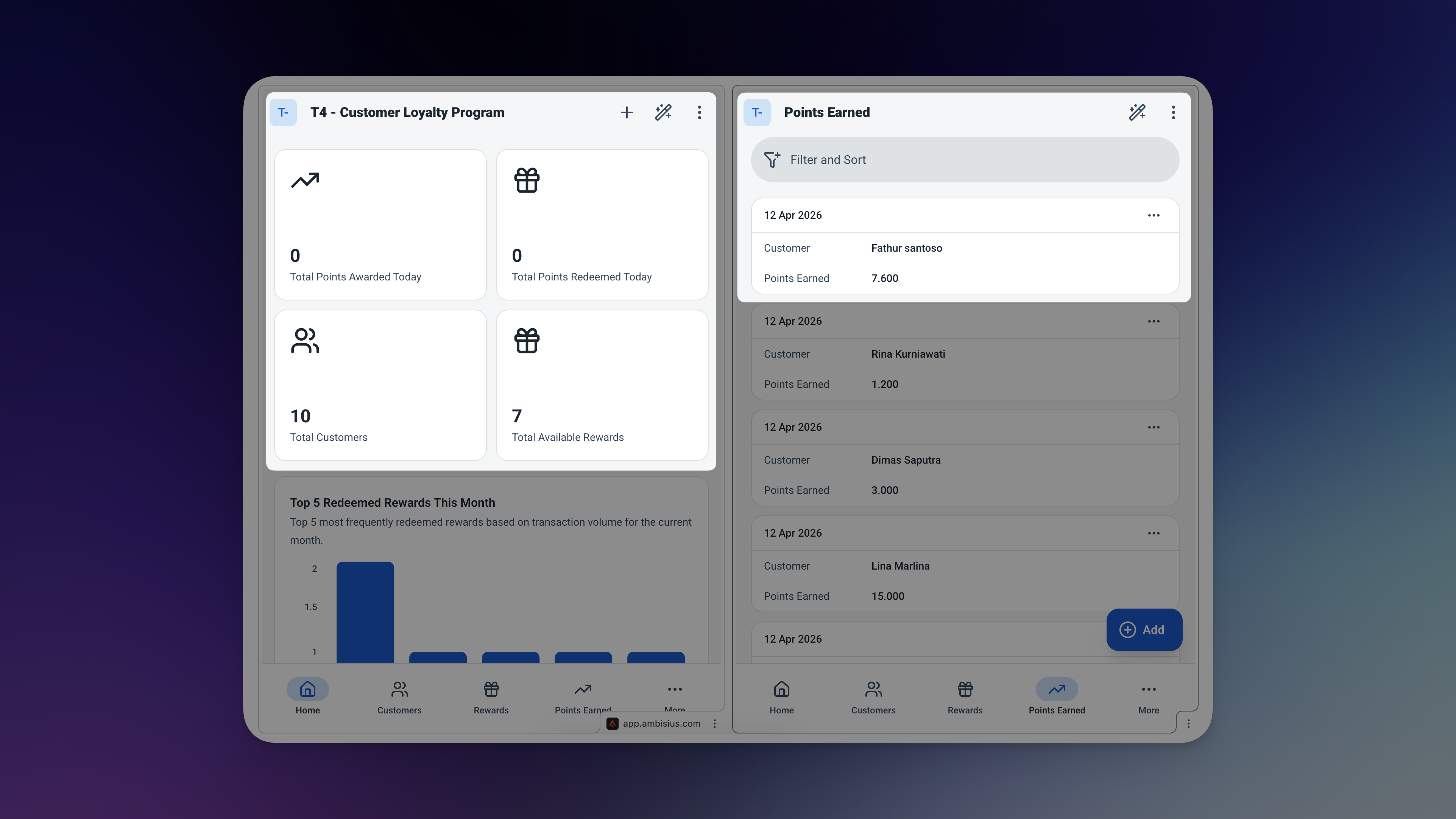
Your regulars already love your business — give them a reason to keep coming back.
