


Cover image for Ambisius Equipment Rental App Template.
Do You Actually Know What's Out Right Now?
Without checking a notebook or calling a staff member — can you say exactly which equipment is rented out today, who has it, and when it's due back?
For most rental businesses, the honest answer is no. Items go out without a proper log, customers return equipment and nobody updates the record — and gear gets rented twice because nobody knew it was already out.
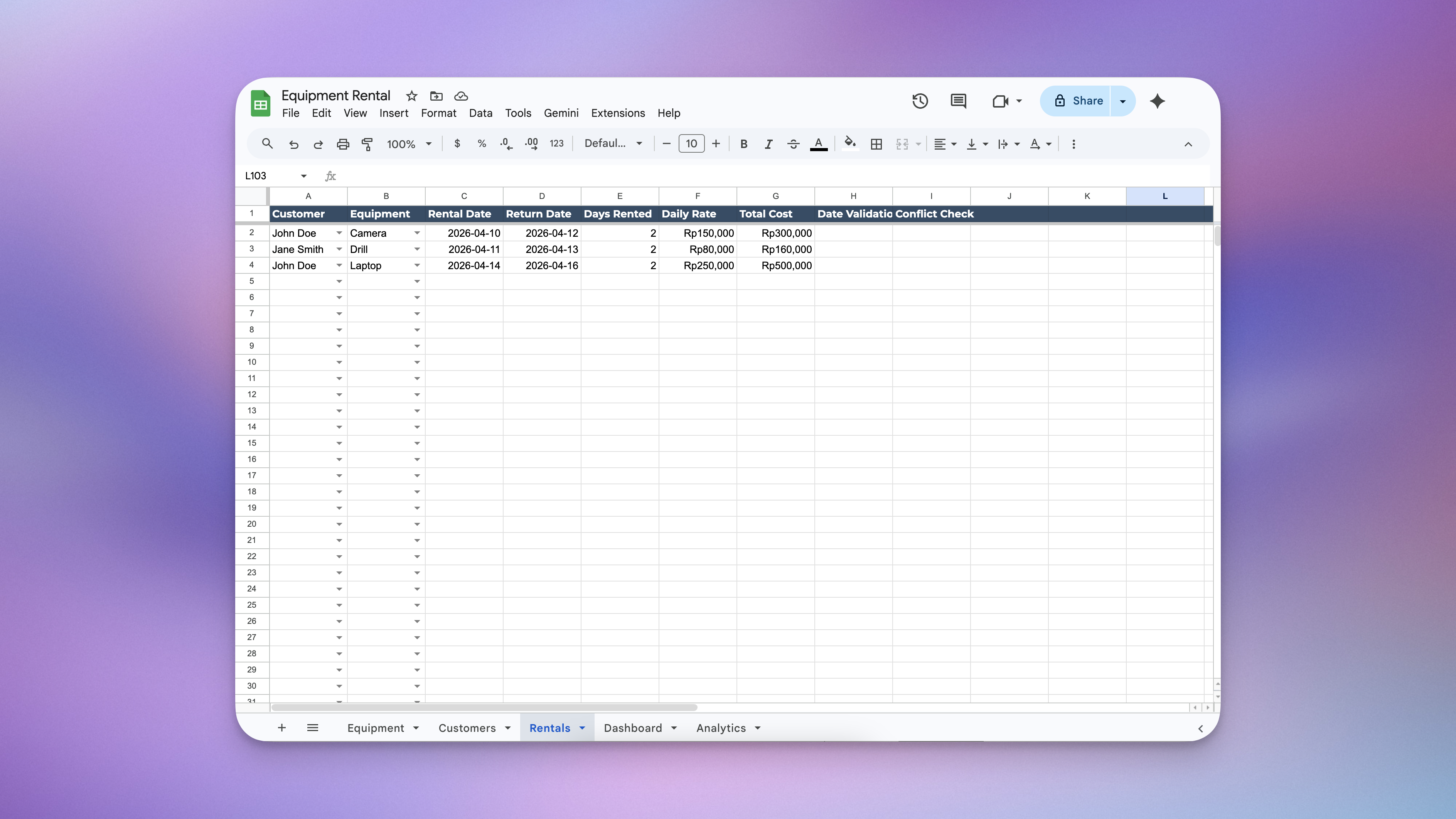
Managing equipment rental using spreadsheets - the process is chaotic.
-
Rentals recorded on paper or memoryNo central record means anyone on the team can miss a booking or contradict another.
-
Equipment rented out twiceWithout a live availability check, the same item can be promised to two customers at once.
-
Returns go unloggedCustomers bring gear back and nobody updates the record — so the item looks unavailable when it isn't.
-
Costs calculated manually — and wrongCounting days by hand and multiplying rates invites errors that cost you money.
-
No visibility into monthly revenueWithout a dashboard, you never know what you've actually earned until you tally it all up at month end.
The Ambisius Equipment Rental template gives you full visibility — instantly. It's a free, ready-made app that tracks every rental from the moment it goes out to the moment it comes back, with costs calculated automatically along the way. No spreadsheets. No coding. No developer needed.
If You Rent It Out, This Was Built for You
One rule of thumb: if customers borrow it and pay by the day, this template handles it.
From Rental to Return — Handled Automatically
Here's exactly what happens when a rental is created.
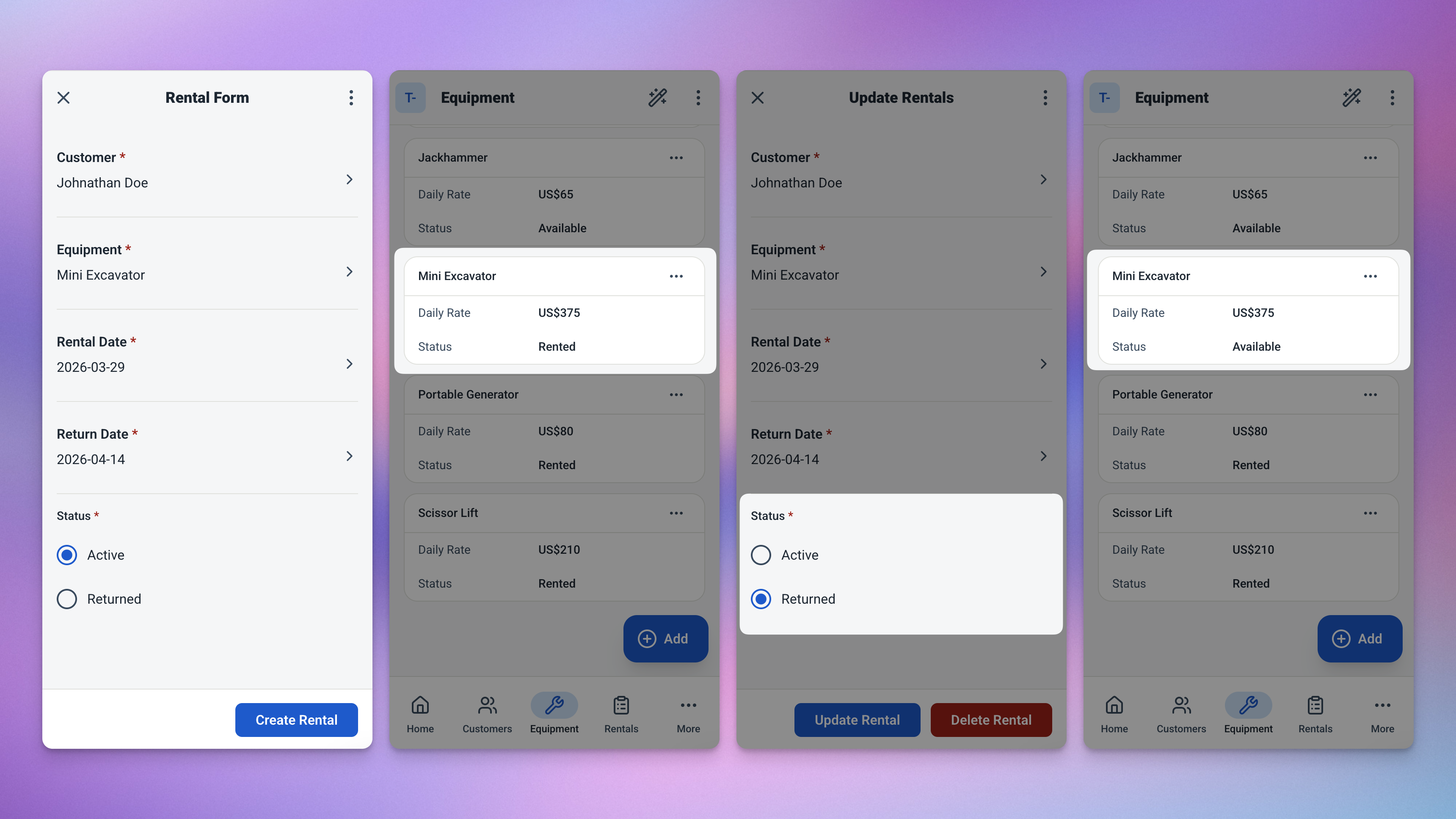
The full rental lifecycle — from booking to return, automated at every step.
-
1Pick the customer and equipmentBoth are selected from existing records — no free typing, no mismatched names. The daily rate is pulled in automatically from the equipment record.
-
2Rental date defaults to todayNo need to enter it manually. Change it if the rental started on a different day, or leave it as is.
-
3Enter the return date — the rest calculates itselfThe app works out how many days that is, multiplies it by the daily rate, and shows the total cost. Instantly. No calculator needed.
-
4Equipment status flips to "Rented" automaticallyNo manual update needed. The moment the rental is saved, that item is marked as unavailable — preventing any double-booking.
-
5Mark as returned — equipment is instantly available againOne action flips the equipment back to "Available" — ready for the next rental, with no separate update required.
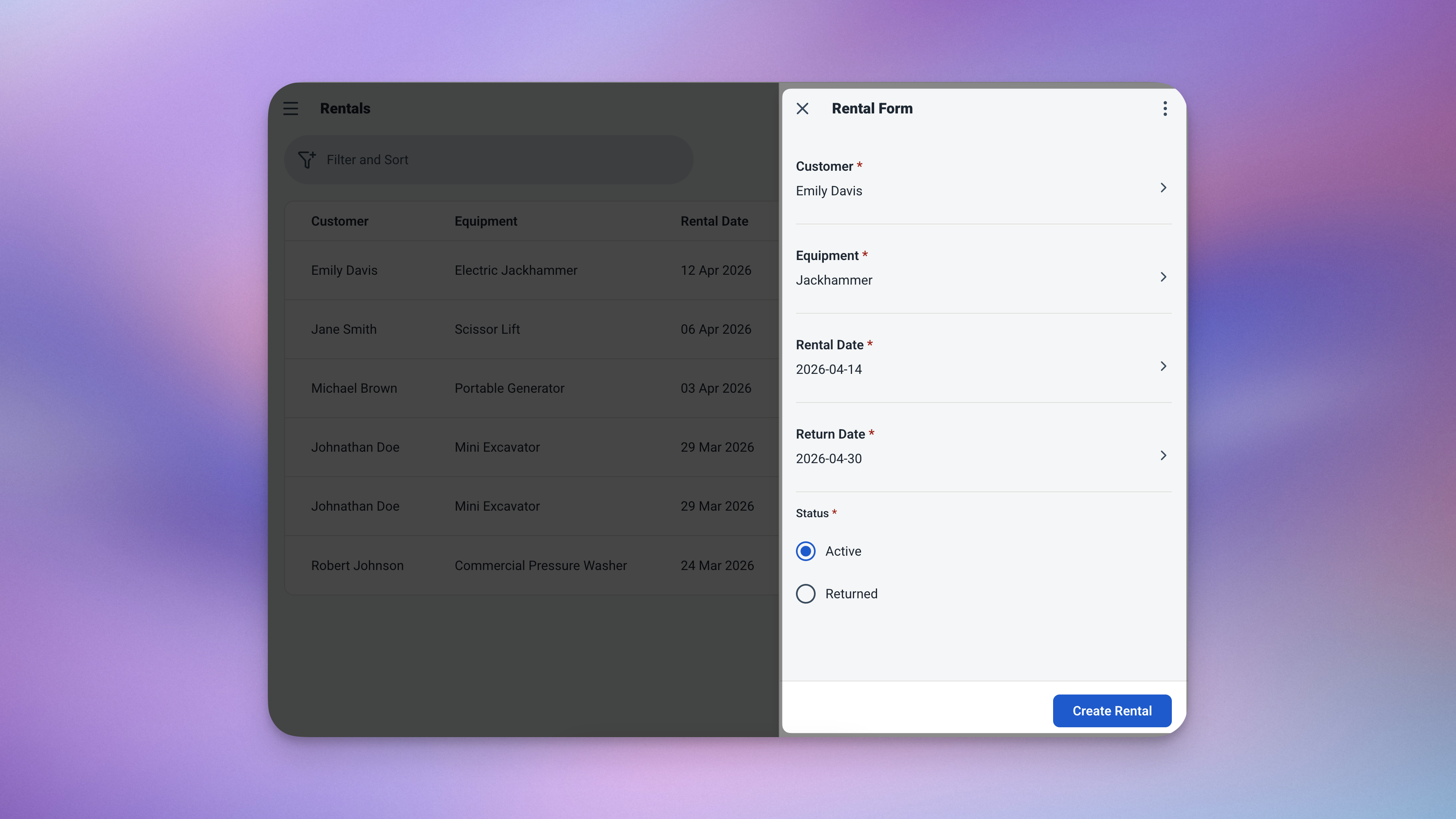
Enter the dates — days rented and total cost fill in automatically.
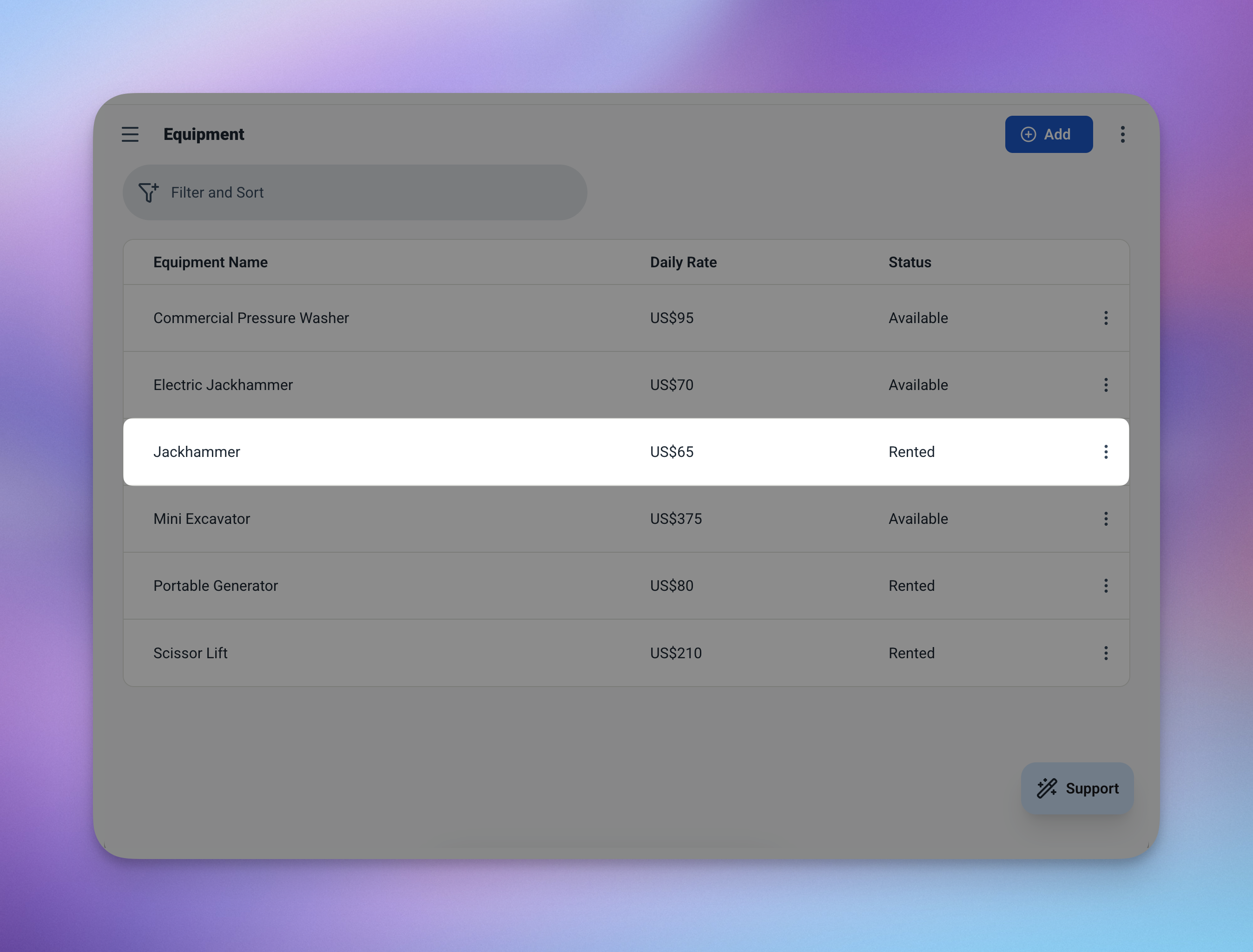
The moment a rental is saved, the equipment status updates to "Rented" — no manual step needed.
The Features That Keep Your Rentals Under Control
Four smart features that eliminate the most common rental business headaches.
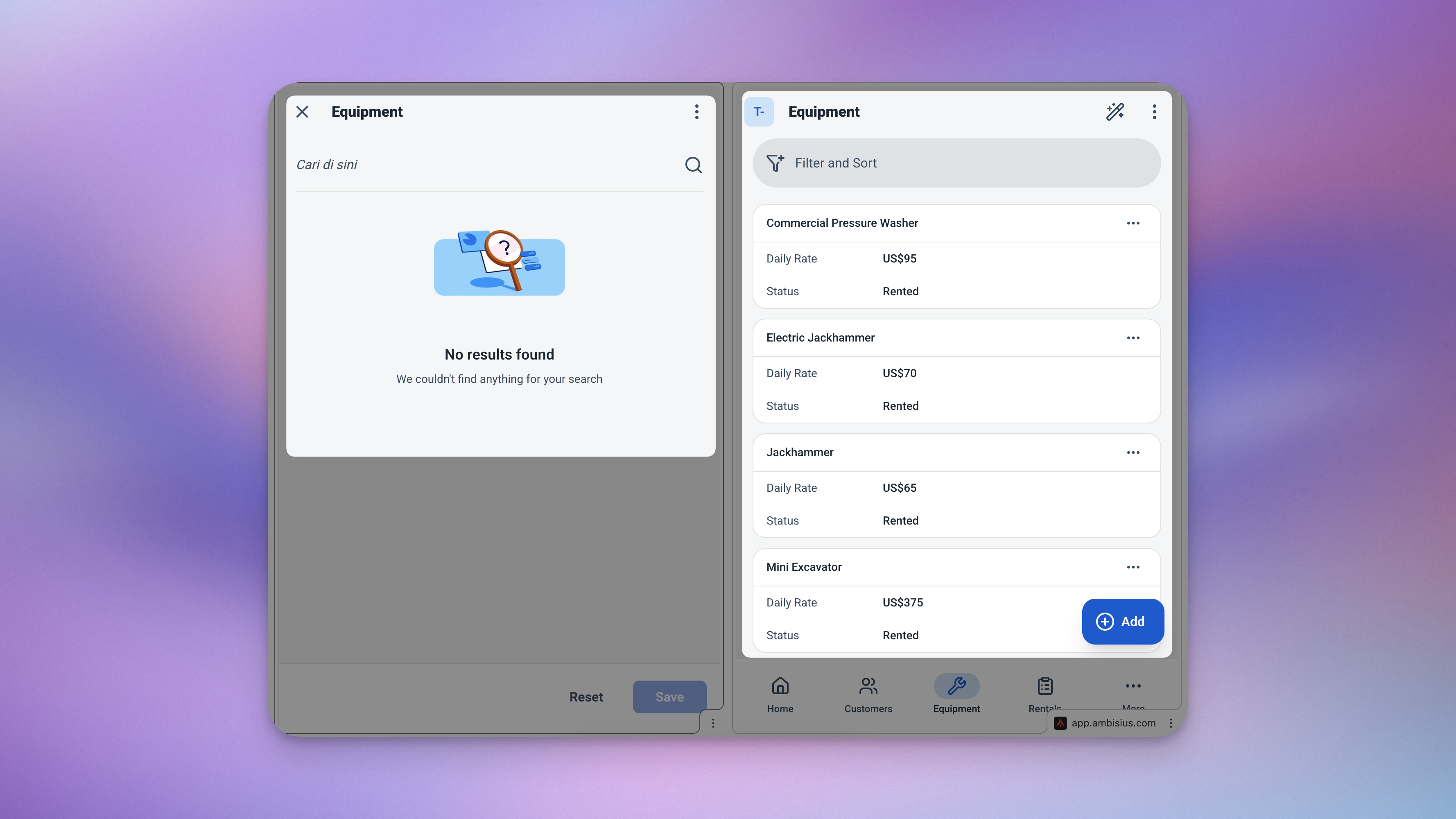
The availability check catches double-bookings before they happen — automatically.
Days Rented = Return Date − Rental Date
Total Cost = Days Rented × Daily Rate
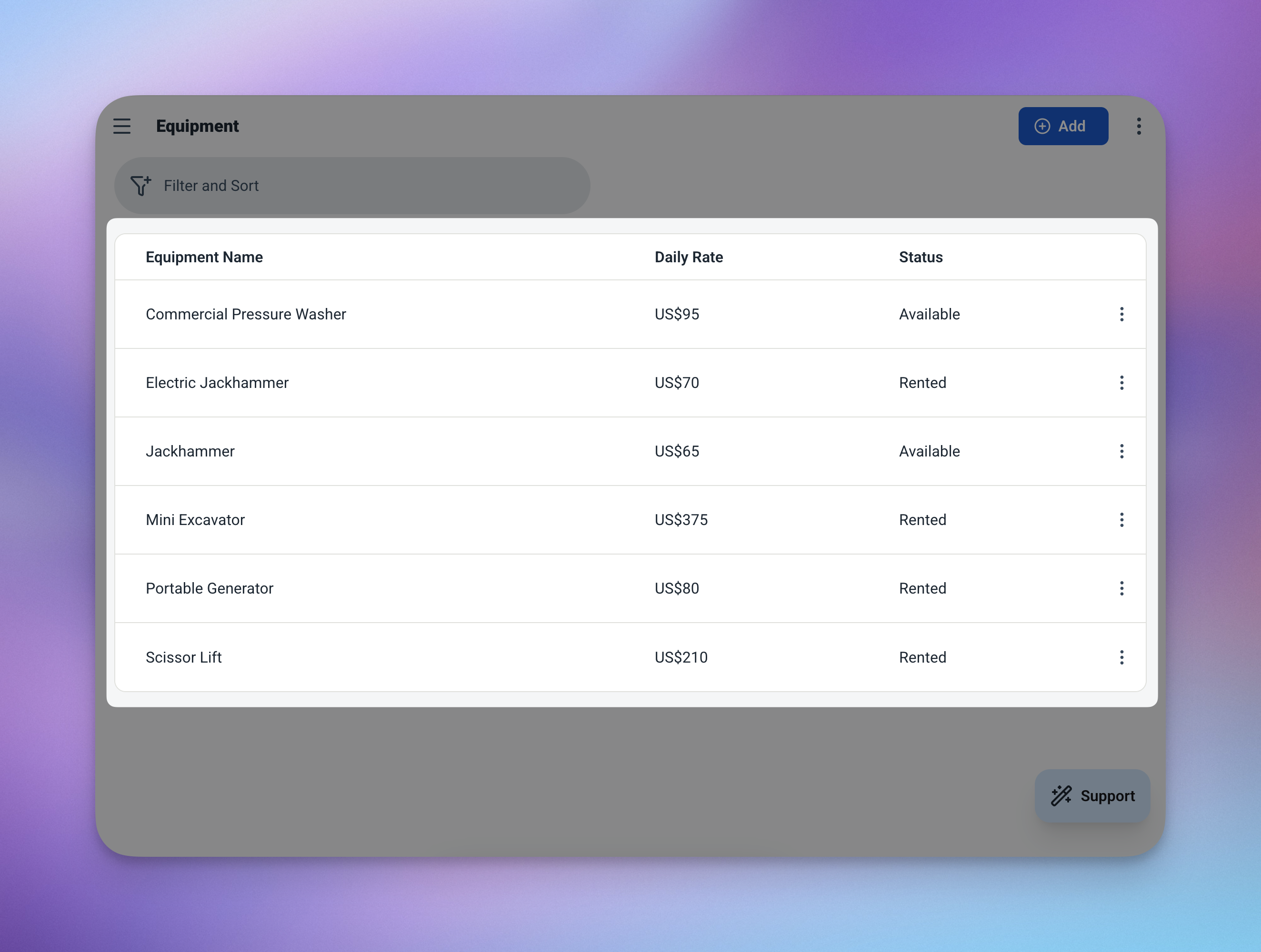
Your equipment list always reflects what's available and what's out — updated automatically.
3 Tables — Connected and Ready to Use
Everything is pre-configured. Here's what each table stores.
🔧 Equipment
Your full inventory — what you own, what it costs per day, and whether it's available.
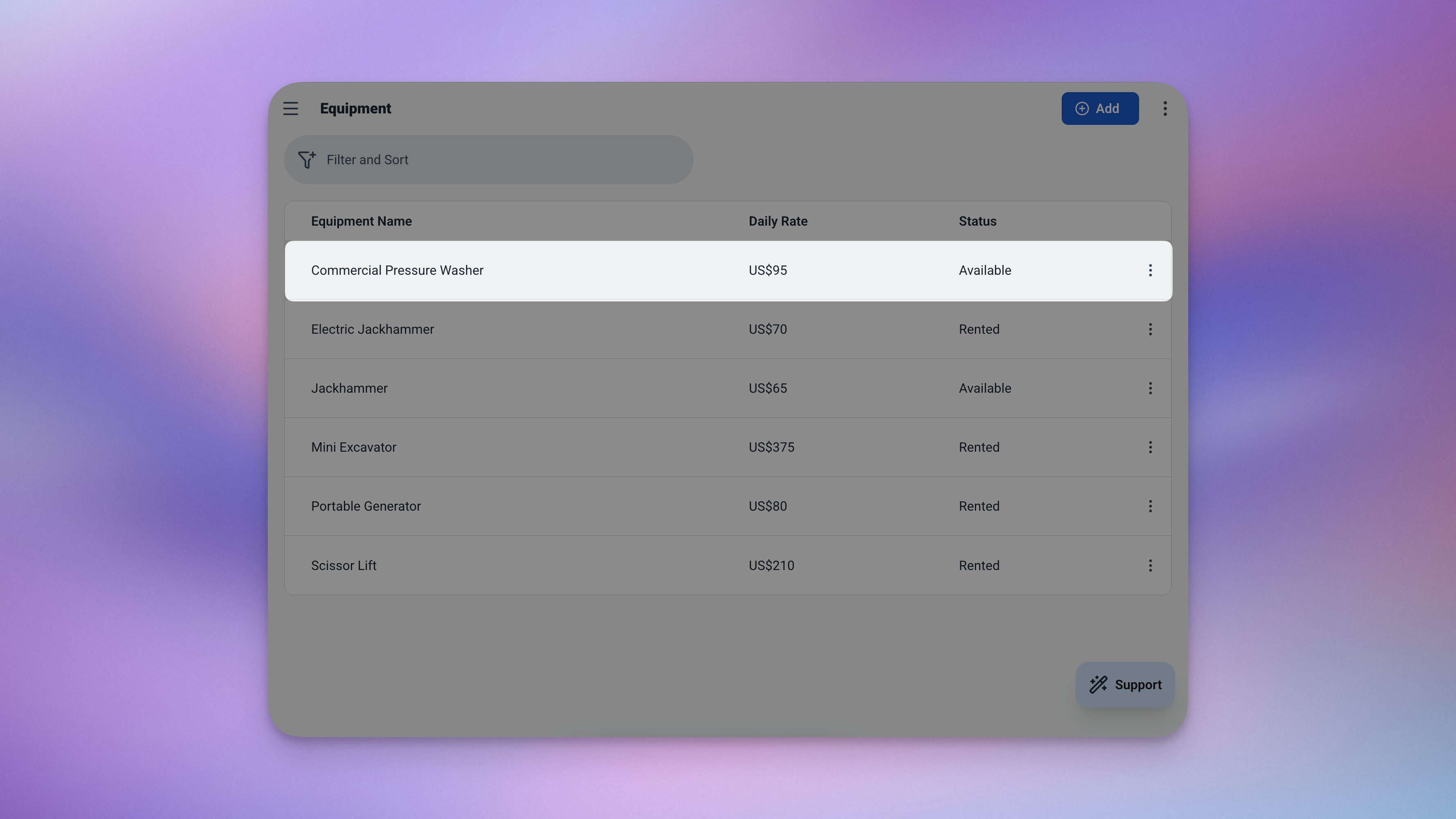
The Equipment table — your full inventory with live availability status.
| Field | What It Stores |
|---|---|
| Name | Equipment name (e.g. Power Drill, Canon EOS R5, Folding Table) |
| Daily Rate | Cost per day (e.g. $15.00) |
| Status | Available or Rented — updates automatically |
👤 Customers
A simple record for every customer who rents from you — linked directly to their rental history.
| Field | What It Stores |
|---|---|
| Name | Customer's full name |
| Phone | Contact number |
📋 Rentals
The core of the app. Every rental transaction — linked to a customer and a piece of equipment, with all costs calculated automatically.
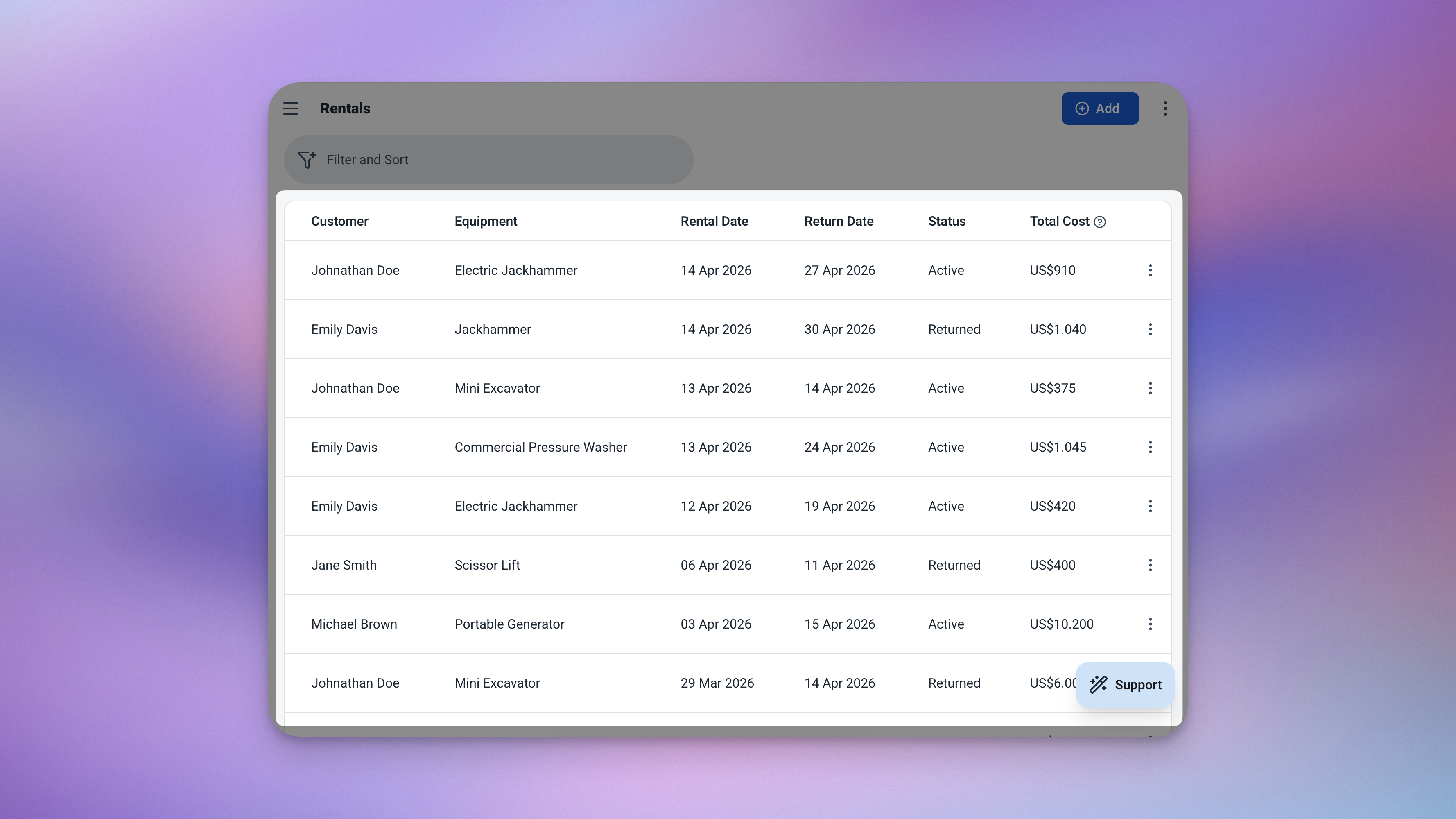
The Rentals table — every transaction linked, every cost calculated, all in one view.
| Field | What It Stores |
|---|---|
| Customer | Linked from Customers table |
| Equipment | Linked from Equipment table |
| Rental Date | When the rental starts — defaults to today |
| Return Date | When the equipment is due back |
| Days Rented | Auto-calculated from the date range |
| Daily Rate | Locked in at rental time |
| Total Cost | Auto-calculated: days rented × daily rate |
Always Know Where You Stand
The dashboard and analytics pages give you a complete picture of your rental business — at a glance and in depth.
Dashboard — Your Rental Overview
Three things, front and centre the moment you open the app.
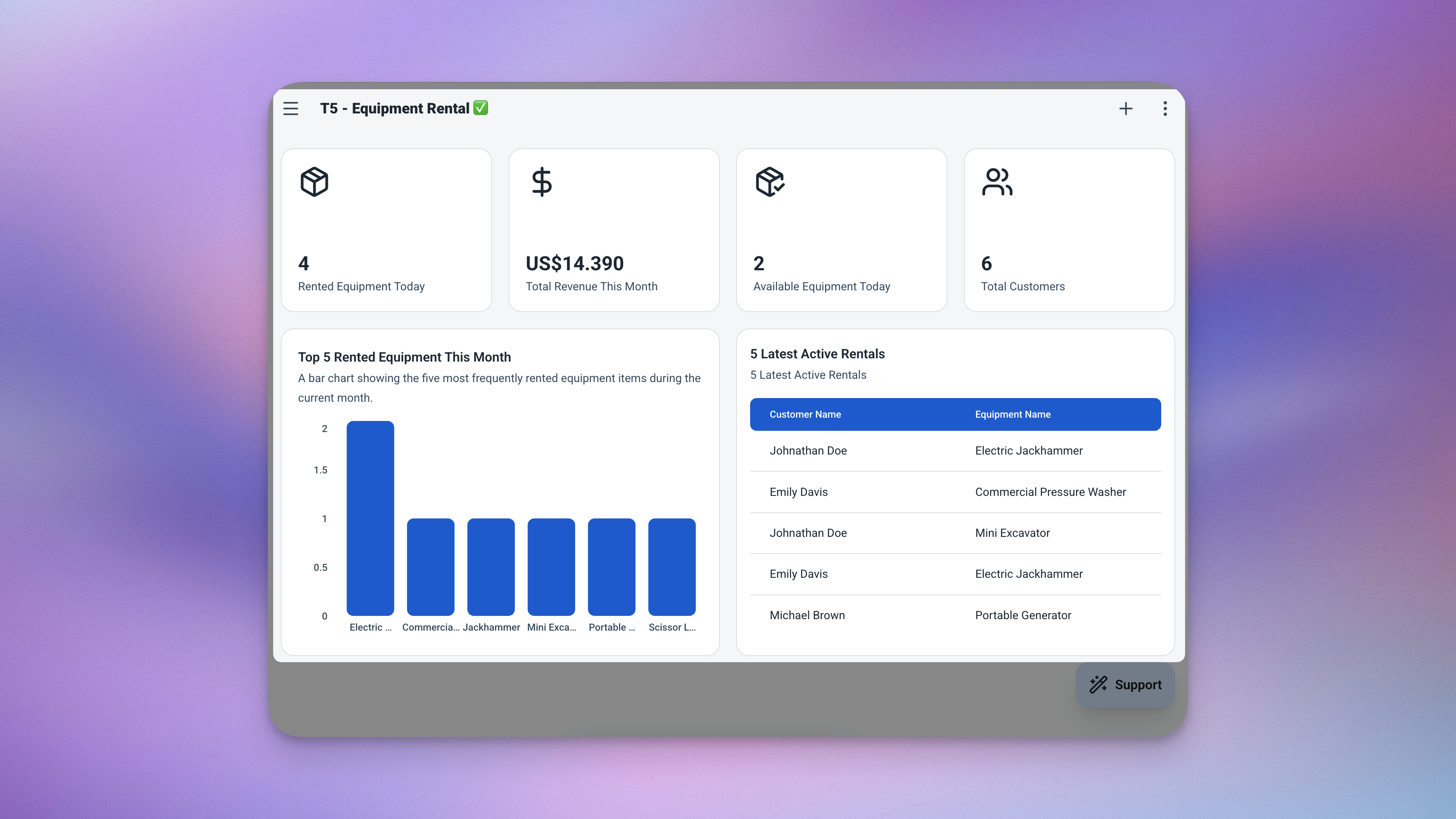
The dashboard — currently rented items, monthly revenue, and active rentals sorted by due date, all in one view.
-
Currently RentedHow many items are out with customers right now — always live.
-
Revenue This MonthTotal rental income for the current month, calculated automatically from all rental records.
-
Active RentalsFull list of ongoing rentals, sorted by return date — so you always see what's due back soonest.
Analytics — Spot the Patterns
Dig deeper into how your rental business is performing. Filter by date range or equipment to zoom in on what matters most.
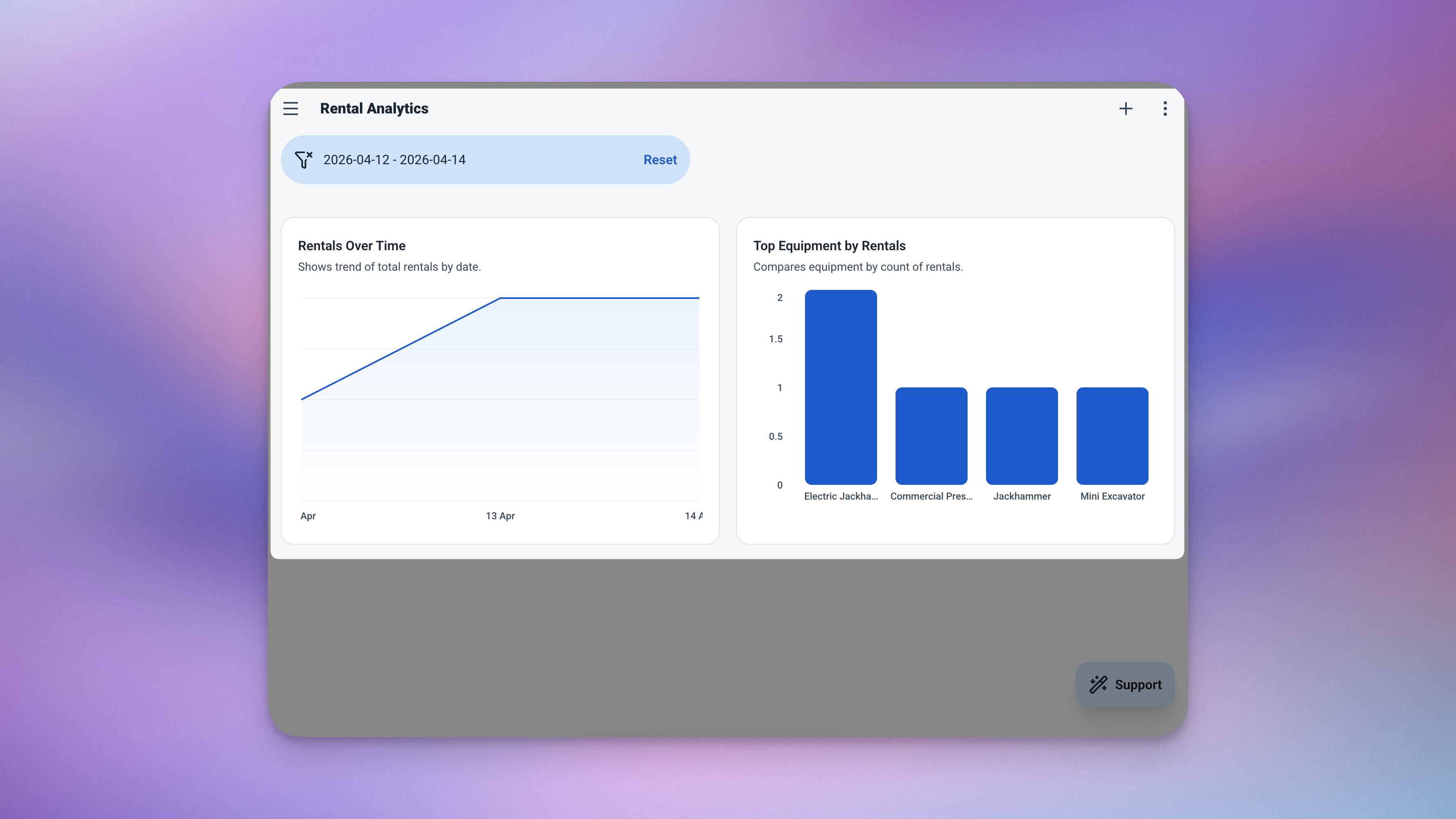
The analytics page — rental volume trends, your best-performing equipment, and total revenue in one view.
| Chart | What It Shows |
|---|---|
| 📈 Rentals Over Time | Daily rental volume — see your busy seasons clearly |
| 📊 Top Equipment | Which items get rented most — know your best assets |
| 💰 Total Revenue | Overall rental income across any date range |
Ready in Minutes — No Setup Required
Four steps from zero to a fully running rental tracking app.
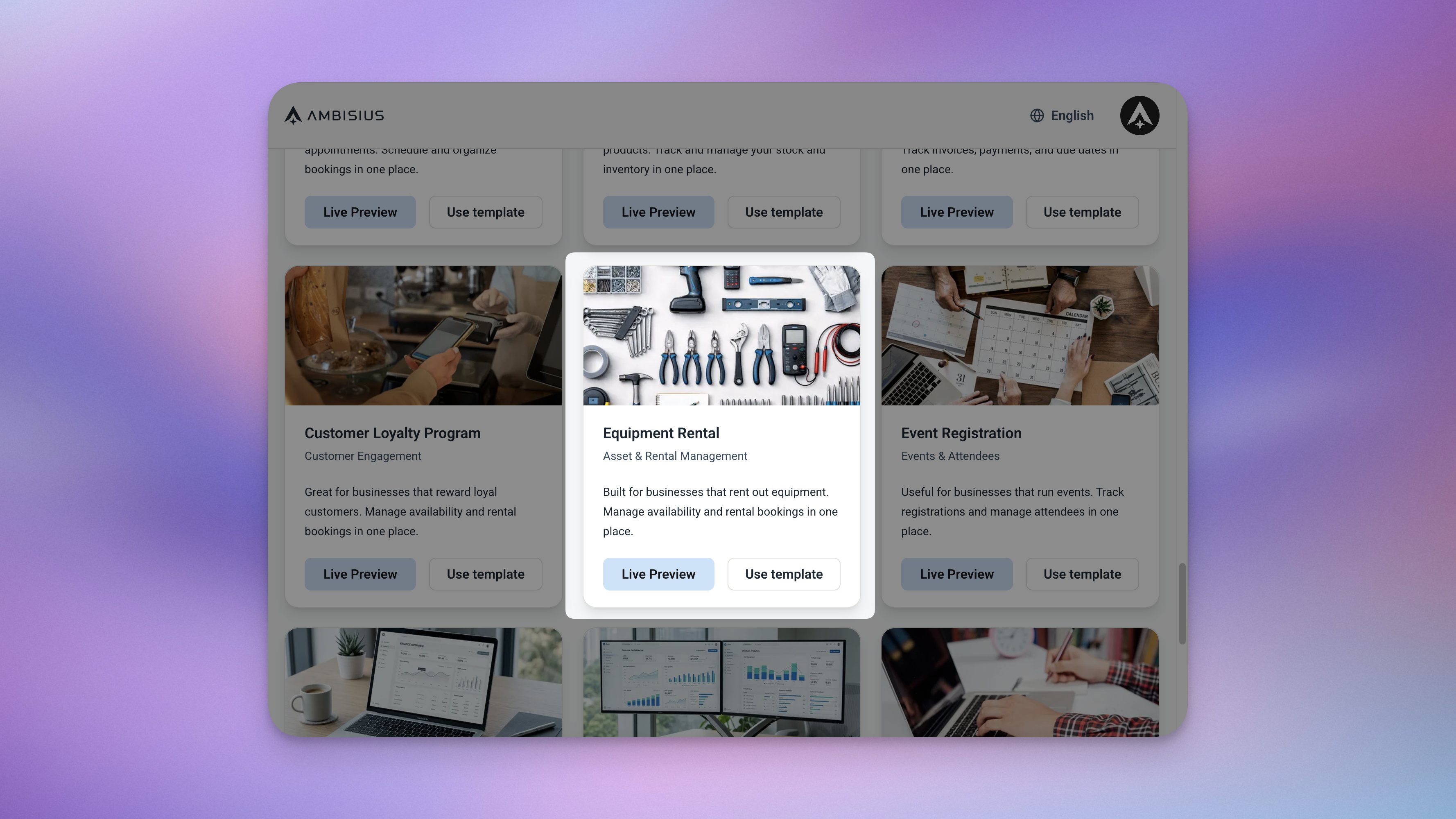
Find the Equipment Rental template in the catalogue — one tap duplicates everything into your account.
When you duplicate the template, everything comes with it — tables, automation rules, dashboard, and analytics. There's nothing to configure from scratch.
Need Something Extra? Just Ask
The template works great out of the box — but your business might need a small tweak. Describe it in the chat and the AI makes the change for you.
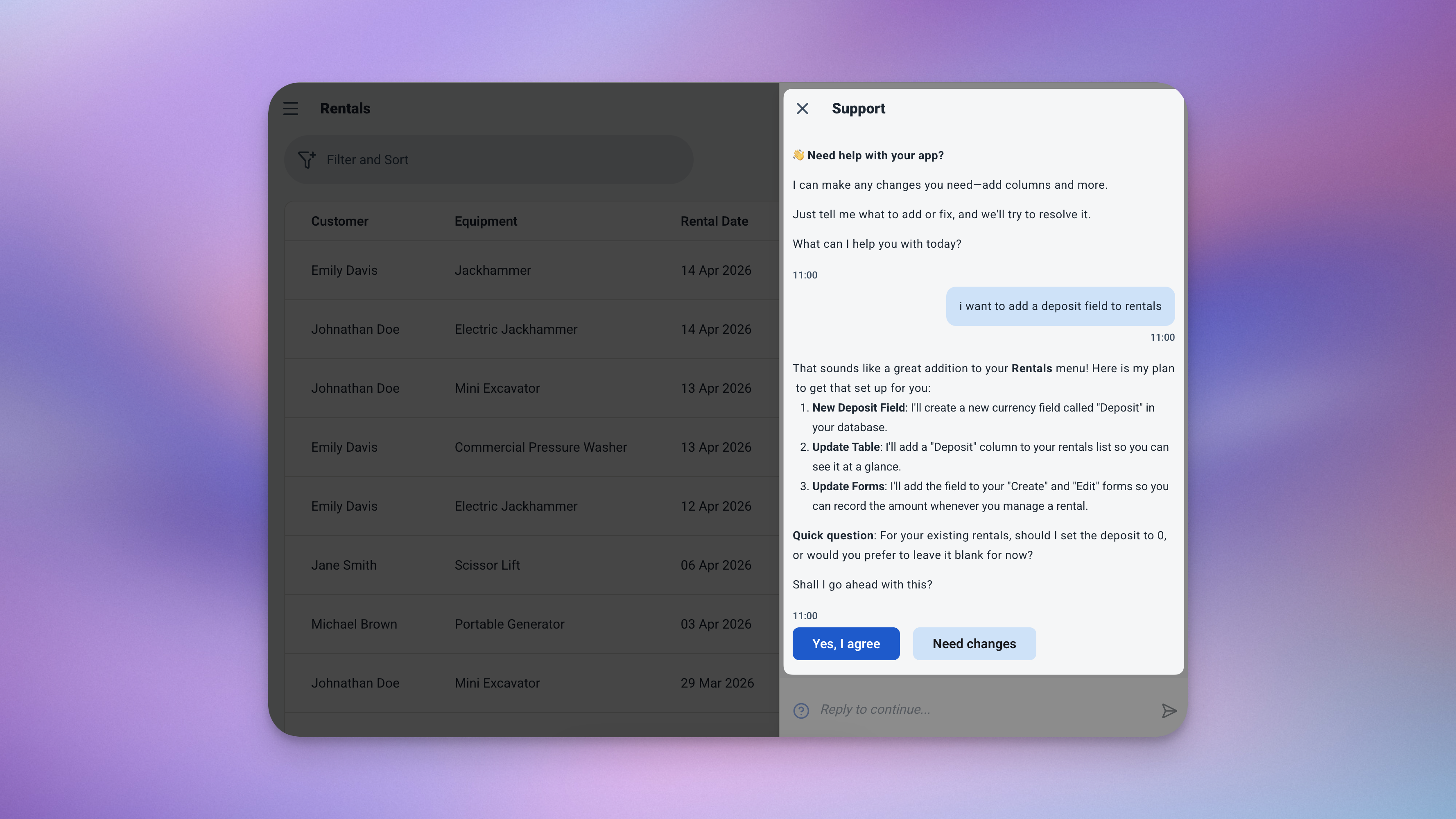
Type what you need — the AI updates the app for you, no coding required.
| What to Ask For | What It Does |
|---|---|
| "Add a deposit field to rentals" | Track security deposits collected per rental |
| "Add a condition field to equipment" | Log equipment condition — e.g. Good, Needs Service, Damaged |
| "Add a category field to equipment" | Group your inventory by type — e.g. Power Tools, Vehicles, AV Gear |
Need to add new equipment or a new customer? No chat needed — just add a new row directly in the table and it's immediately available for rentals.
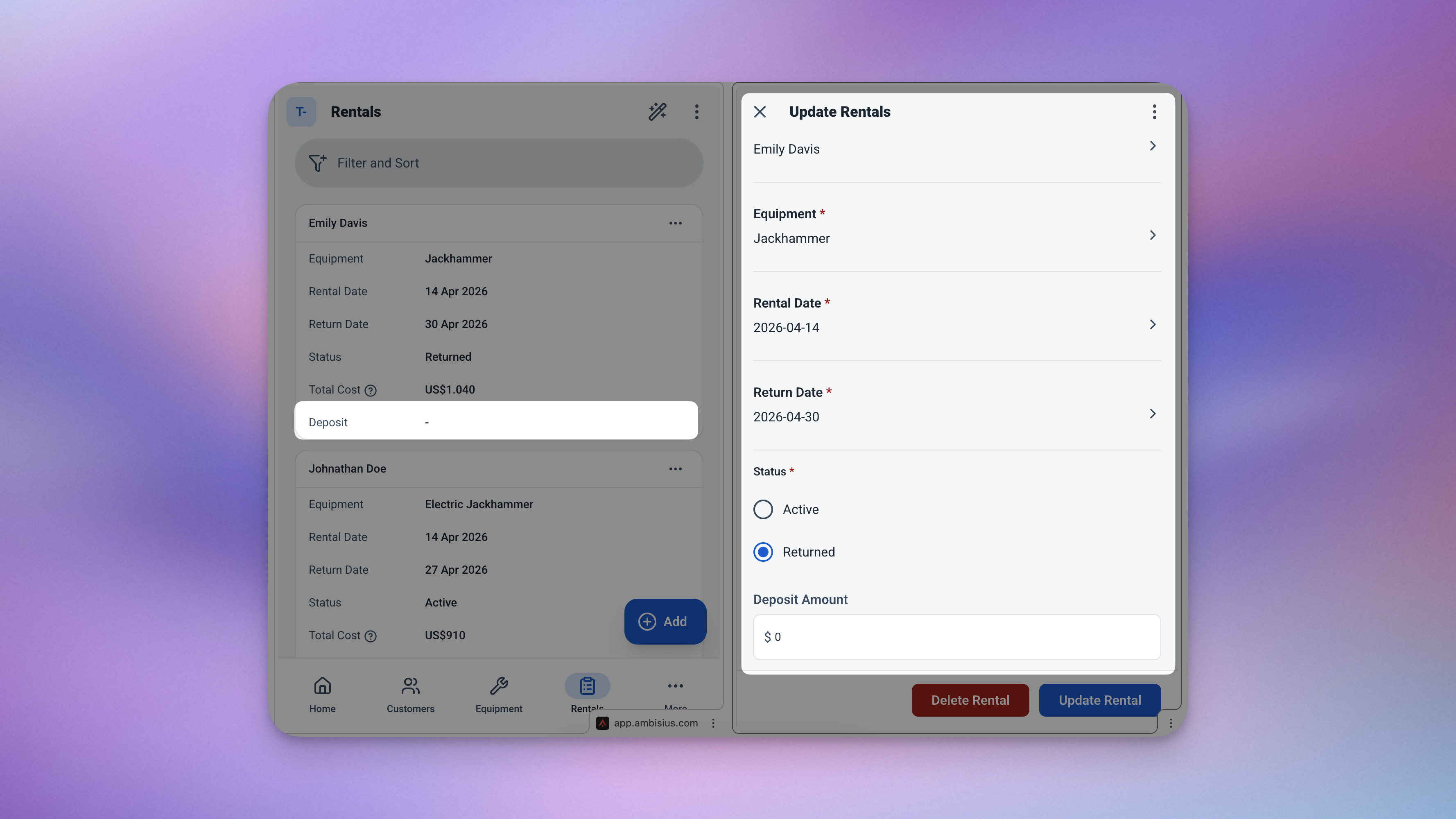
After asking the AI to add a deposit field — it appears in the rental form, ready to use.
Frequently Asked Questions
-
Can I use this template for free?Yes. The Equipment Rental template is free to activate. Exploring and chatting with the AI costs nothing — credits are only used when you confirm a change to the app.
-
What happens if I try to rent out equipment that's already rented?The app blocks it. Before the rental is saved, the system checks the equipment's status. If it's currently marked as "Rented", the transaction won't go through until the item is returned and marked as available again.
-
Will changing my daily rate affect existing rentals?No. The daily rate is captured at the moment each rental is created. Updating the rate on an equipment record later has no effect on past or active rentals.
-
How does the app know when equipment is returned?When you mark a rental as returned, the linked equipment's status automatically flips back to "Available" — no separate update needed.
-
Can my staff use this app too?Yes. You can invite team members and set exactly what each person can see and do. A counter staff member can create rentals without being able to edit equipment rates or view revenue analytics.
-
Does this work on mobile?Yes. Ambisius works on iOS, Android, tablet, and any desktop browser — the same app, on every device your team uses.
Full Visibility Over Every Rental — Starting Today
Not knowing what's out, who has it, or what you're owed isn't just inconvenient — it costs you money. The Ambisius Equipment Rental template gives you a proper rental management system. Every item tracked. Every cost calculated. Every return logged. And your monthly revenue always visible at a glance.
Free to use. Ready in minutes. Works on every device.
