



Cover image for Ambisius Inventory Management App Template.
The Order Is Paid. The Stock Is Gone.
You sold the last one two days ago — your spreadsheet just didn't know yet.
A customer places an order. Payment comes through. You go to pack it — and realise you sold the last one two days ago. Now you have to refund, apologise, and hope they come back. This is the hidden cost of managing inventory manually. It's not just inconvenient — it damages trust.
Spreadsheets have no oversell protection. A stock count going negative doesn't stop a sale from going through — it just means you've already promised something you don't have.
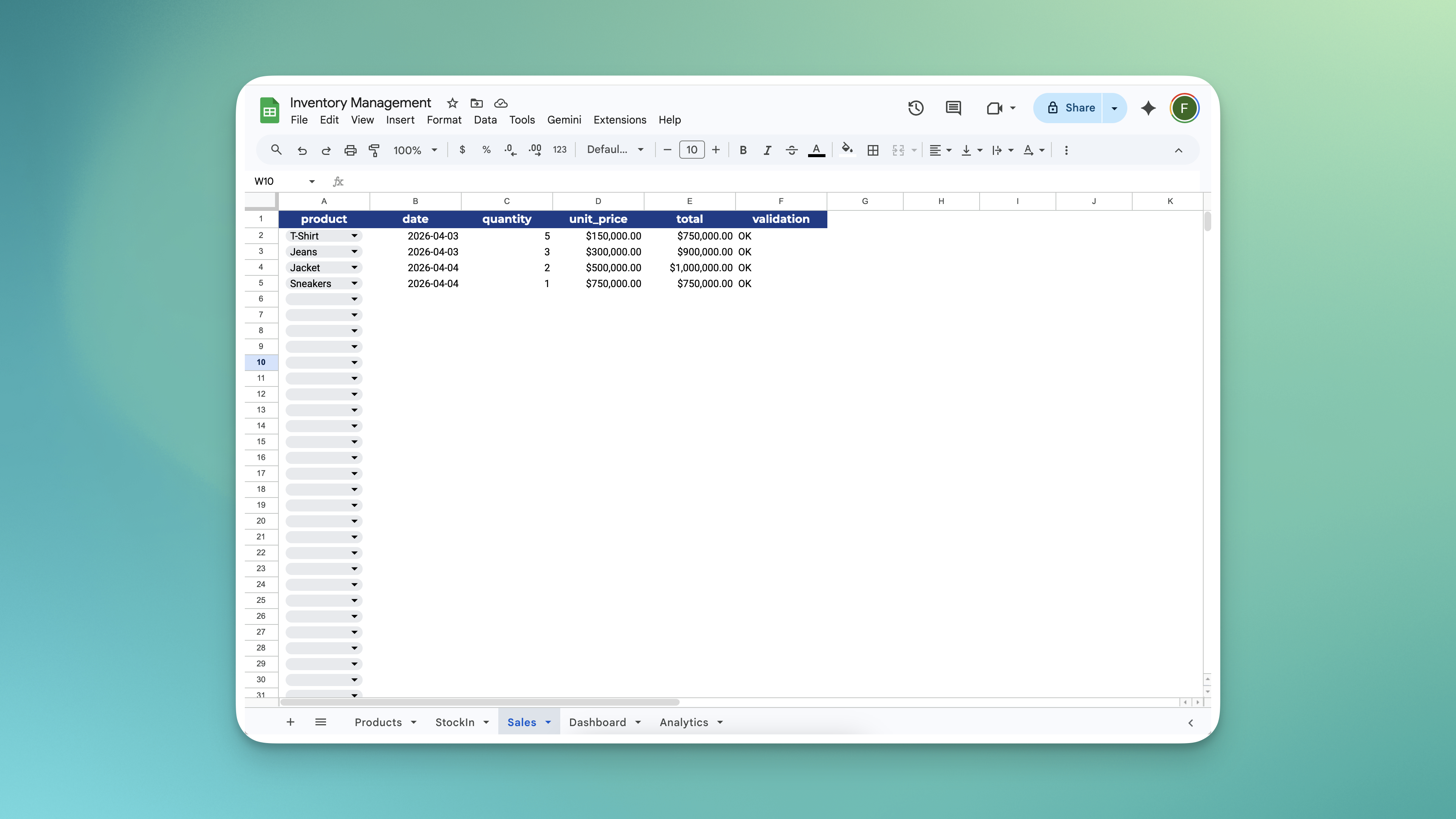
Managing inventory using spreadsheets - the process is chaotic.
-
Stock counts go stale instantlyEvery sale and delivery has to be manually updated — one missed entry and your numbers are already wrong.
-
No oversell protectionA spreadsheet won't stop you from selling stock you no longer have — it just lets the number go negative.
-
Formulas break without warningAdd a row in the wrong place, delete a cell, or copy a formula incorrectly — and the whole sheet silently produces wrong totals.
-
Price changes corrupt your historyUpdate a price in the spreadsheet and every past record that references it changes too — your revenue history becomes unreliable.
-
No alerts, no dashboard, no visibilityA spreadsheet won't tell you when stock is running low — you only find out when a customer asks for something you no longer have.
Built for Anyone Who Sells Physical Products
One rule of thumb: if you buy stock and sell it, this template works for you.
Stock That Manages Itself
Here's what happens from the moment you start using the app.
Receiving New Stock
Open Stock In, select the product, enter the quantity received — stock goes up automatically. No formula. No manual edit.
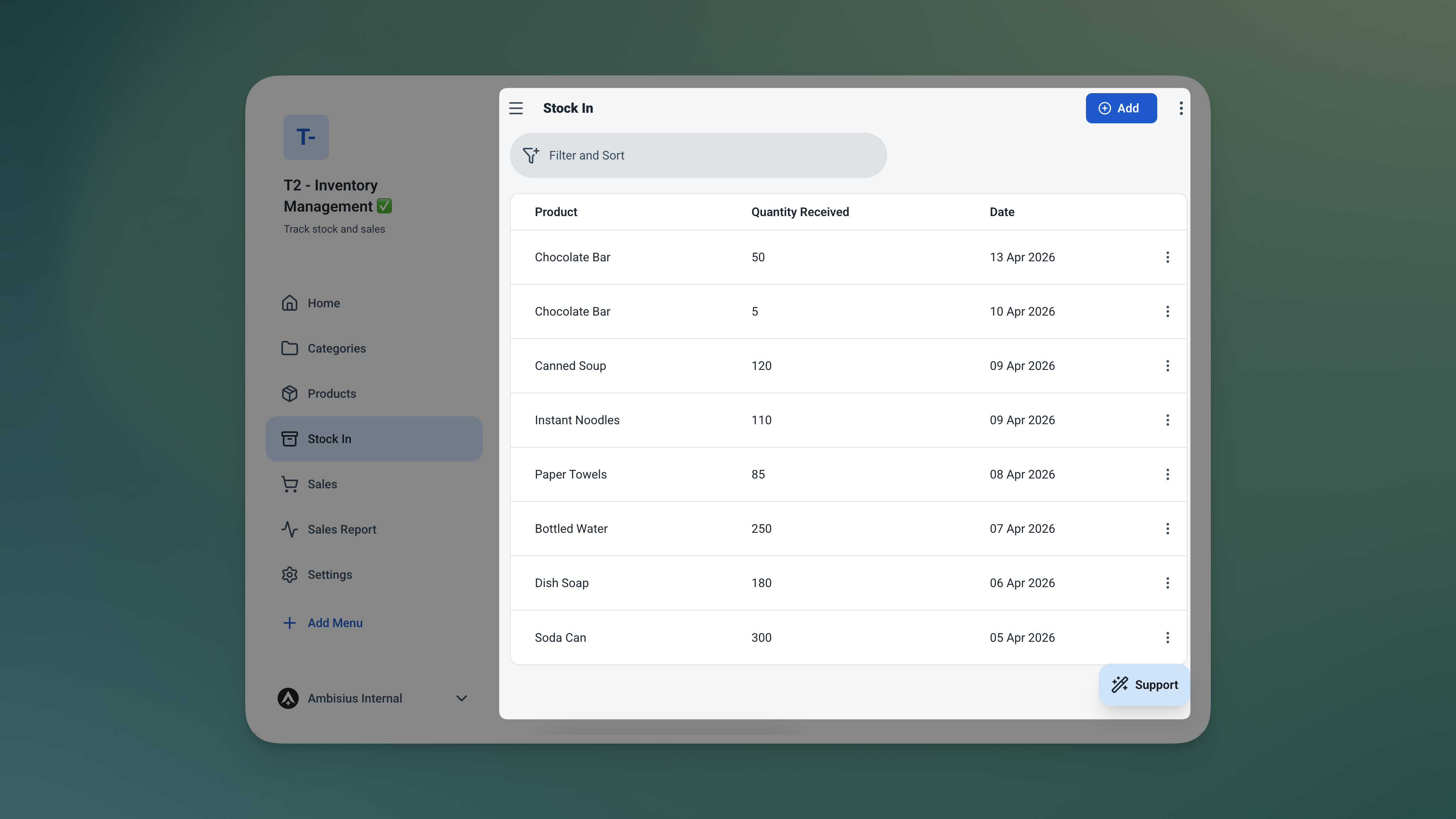
Log a delivery in seconds — the product's stock level updates the moment you save.
Making a Sale
Select the product, enter the quantity sold — stock goes down, the sale total calculates itself, and the price is locked in at that moment. Even if you change your price list tomorrow, this sale record stays accurate.
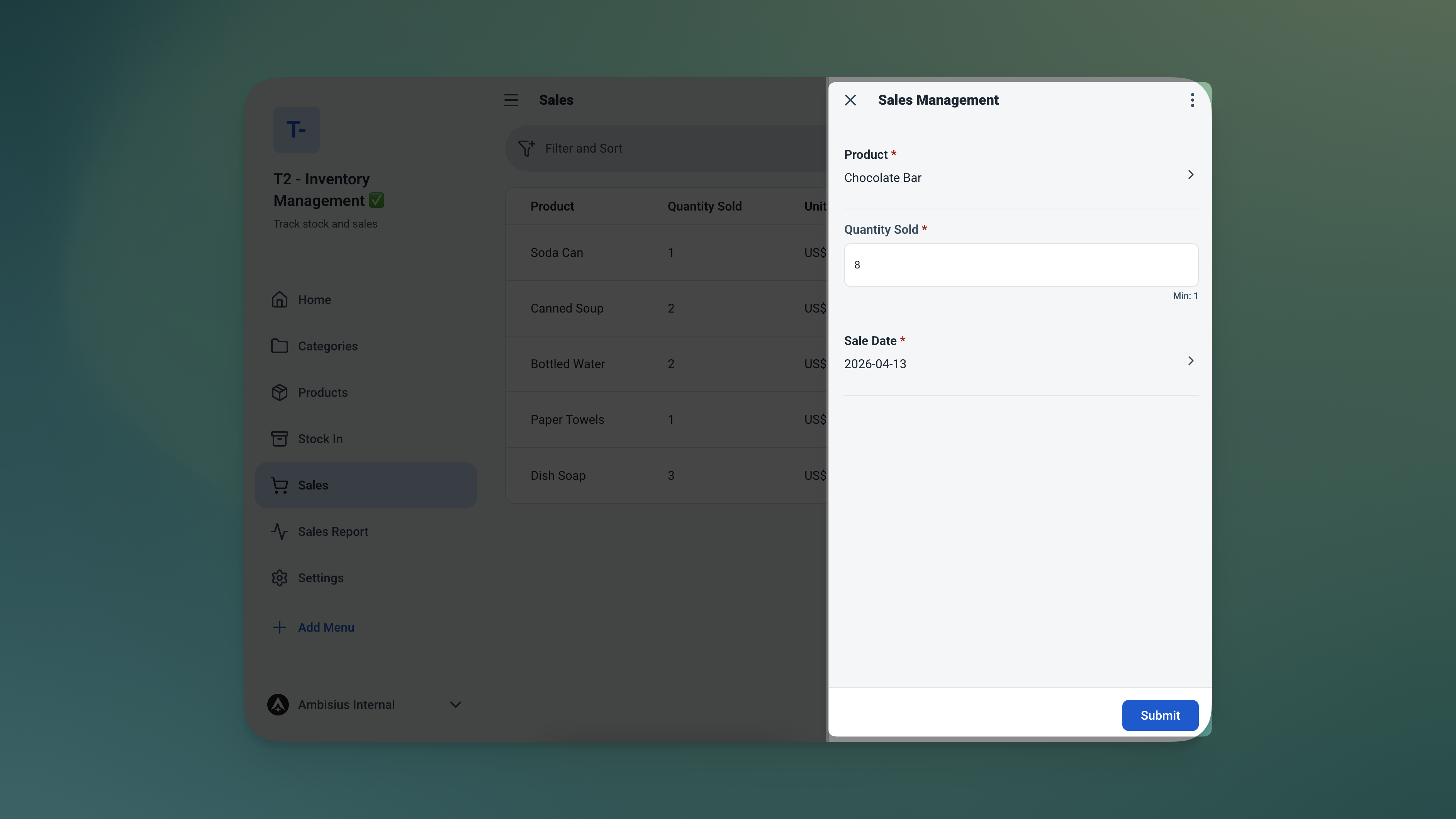
Record a sale and the total calculates itself — stock adjusts automatically in the background.
Trying to sell more than you have? The app won't allow it. If the quantity entered exceeds available stock, the save is blocked — right there, before any damage is done.
The Features That Keep Your Inventory Accurate
Every feature in this template exists for one reason: to make sure your stock numbers are always right.
Sale Total = Quantity × Unit Price (locked at time of sale)
Stock Level = Opening Stock + Total Stock In − Total Units Sold
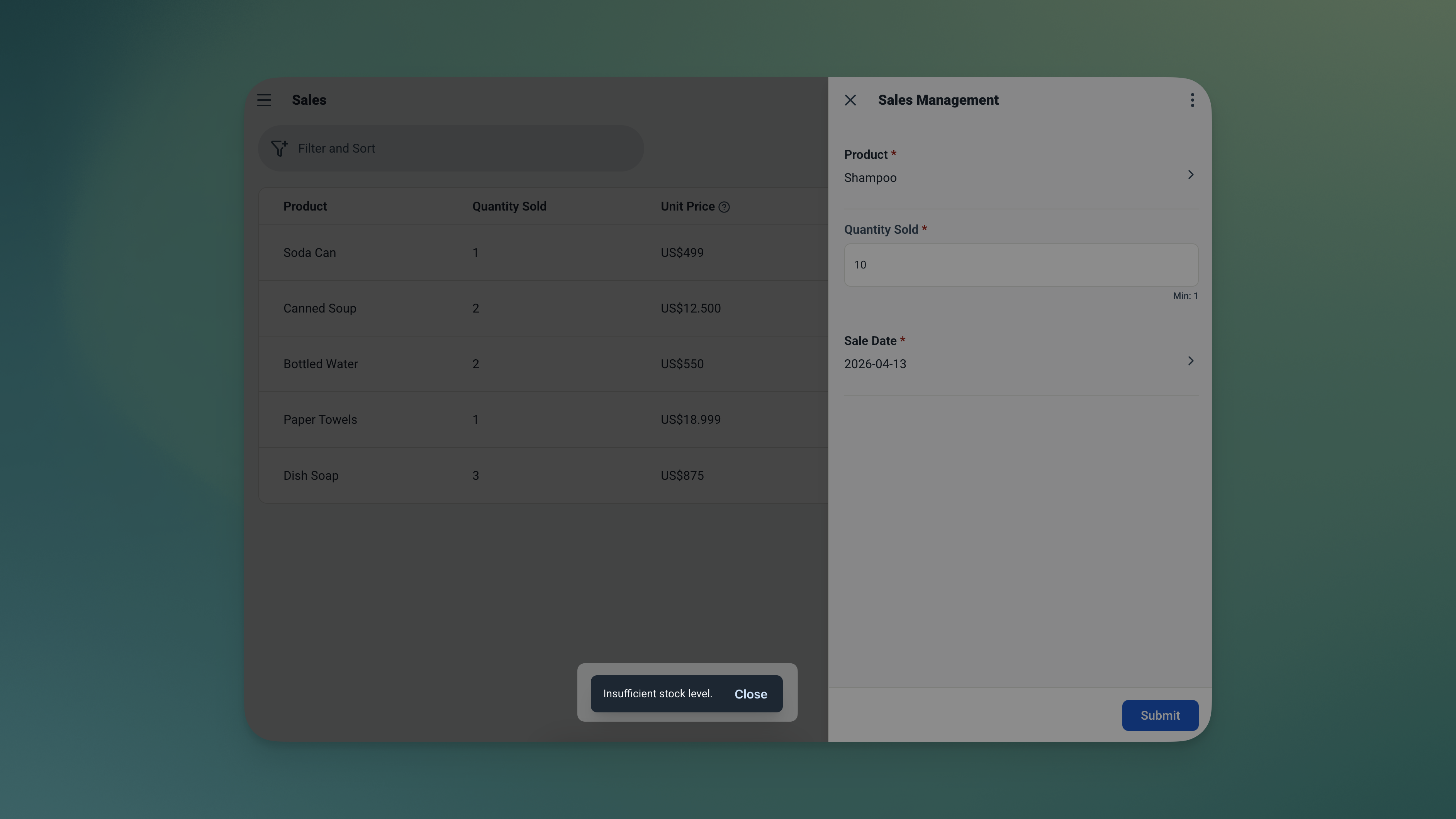
Oversell prevention in action — the app blocks the transaction before any damage is done.
3 Tables. Everything Connected.
The template comes with three pre-configured tables — all linked, all ready to use from day one.
🗂️ Products — Your Catalogue
Everything you sell lives here. Add a product once — it's available everywhere else in the app.
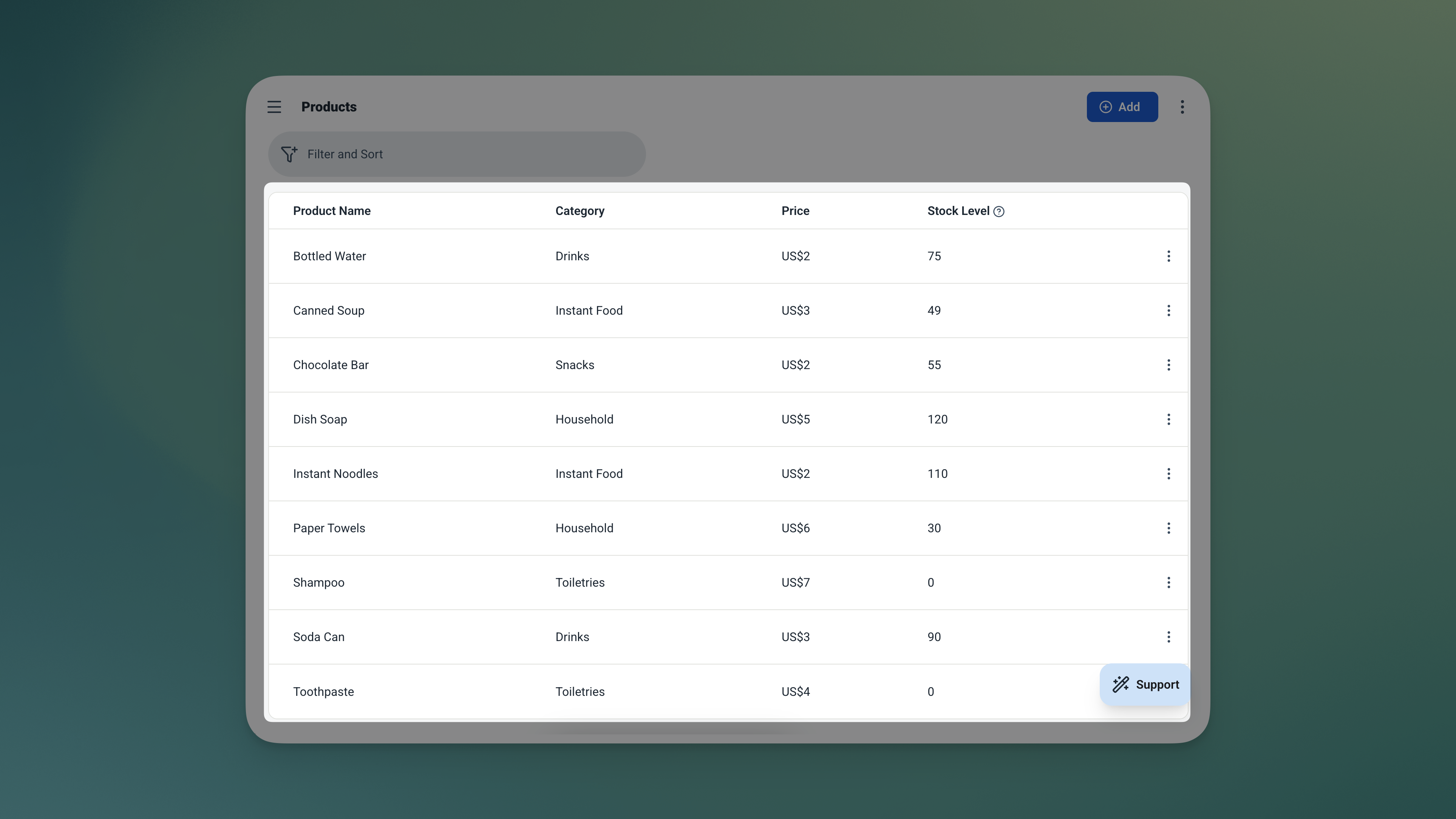
The Products table — your master catalogue. Add a product once and it's available across the entire app.
| Field | What It Stores |
|---|---|
| Name | Product name (e.g. Tote Bag, Americano, Face Serum) |
| Price | Selling price |
| Stock | Current stock level — updates automatically |
📥 Stock In — Every Delivery Logged
Each time inventory arrives, it gets recorded here. The linked product's stock goes up the moment the record is saved.
| Field | What It Stores |
|---|---|
| Product | Linked from Products table |
| Date | Date received — defaults to today |
| Quantity | Number of units received |
🧾 Sales — Every Transaction Recorded
The full picture of every sale — what was sold, when, at what price, and for how much.
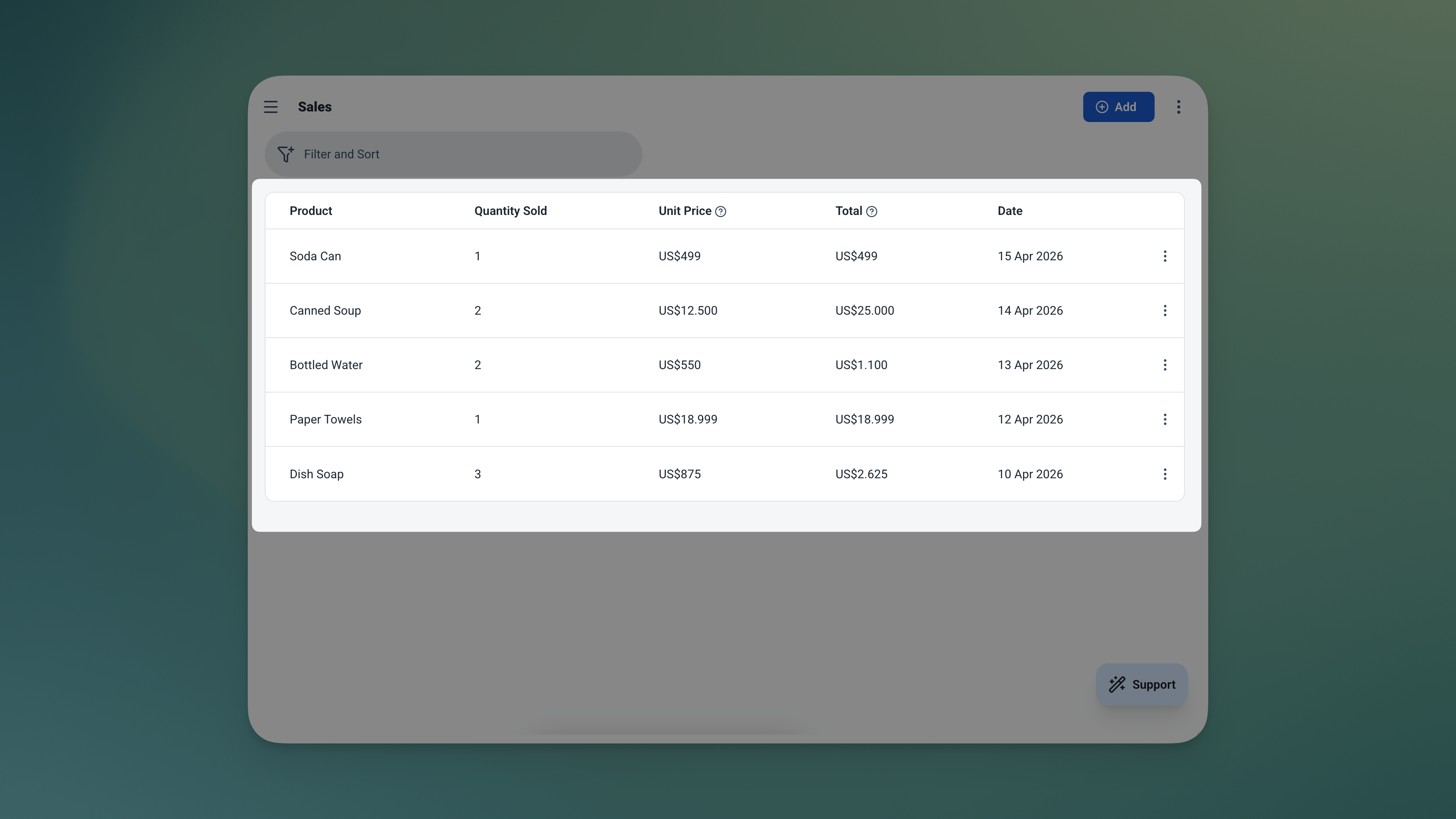
The Sales table — every transaction logged with a locked price and auto-calculated total.
| Field | What It Stores |
|---|---|
| Product | Linked from Products table |
| Date | Sale date — defaults to today |
| Quantity | Units sold |
| Unit Price | Locked at time of sale |
| Total | Auto-calculated — quantity × unit price |
Your Business at a Glance
No digging. No filtering. The dashboard tells you what needs attention before you even think to ask.
Dashboard — What Needs Your Attention Today
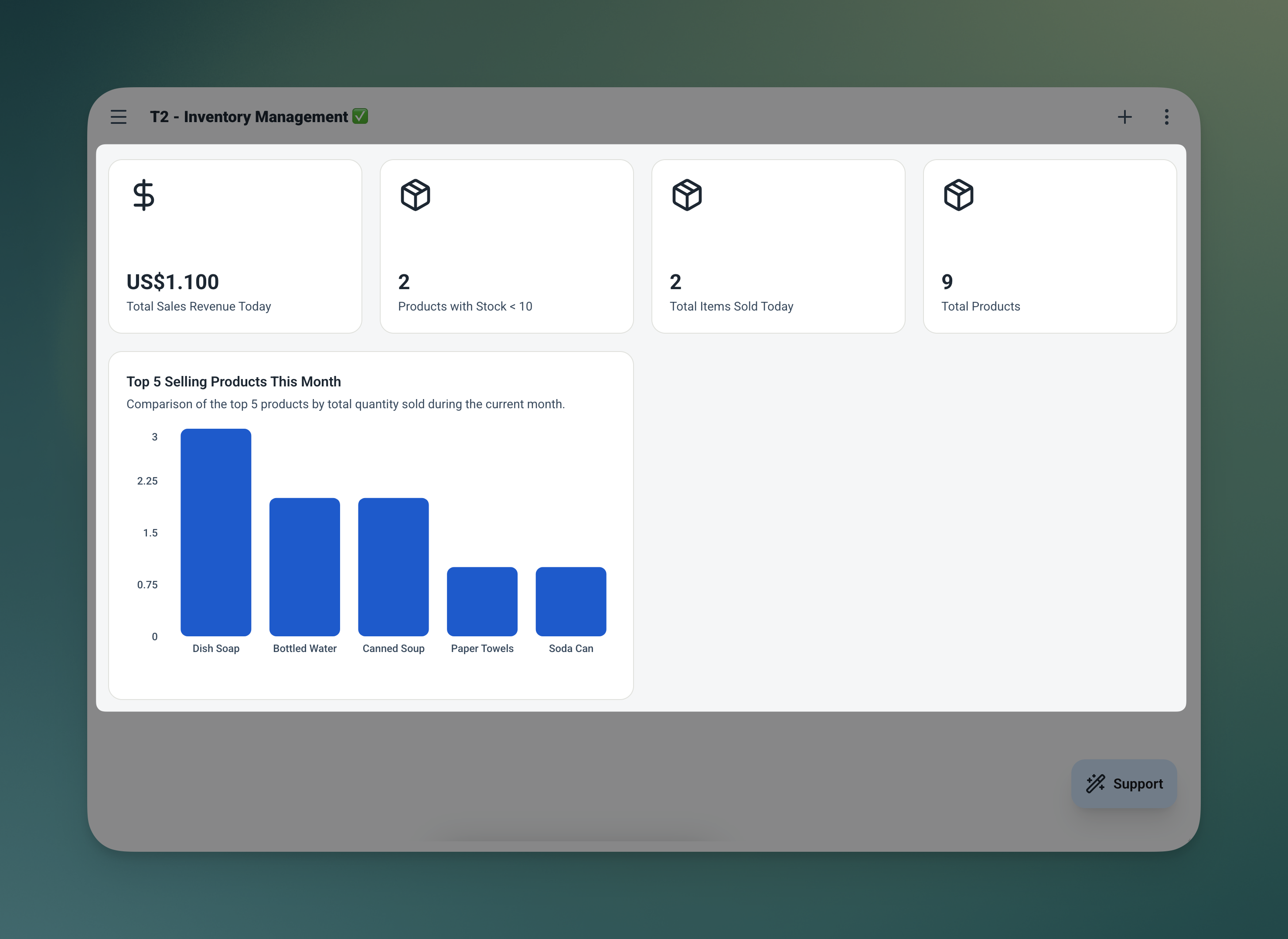
Four widgets. Everything that matters — right on the home screen the moment you open the app.
| Widget | What It Shows |
|---|---|
| 💰 Sales Today | Total revenue recorded today |
| ⚠️ Low Stock Items | Count of products with stock below 10 |
| 🧾 Recent Sales | Latest transactions — most recent first |
| 📉 Low Stock Products | Products running low — sorted by stock level, lowest first |
Analytics — Spot the Patterns
Go deeper when you need to review performance or plan your next restock. Filter by date range or product to zoom in on exactly what you need.
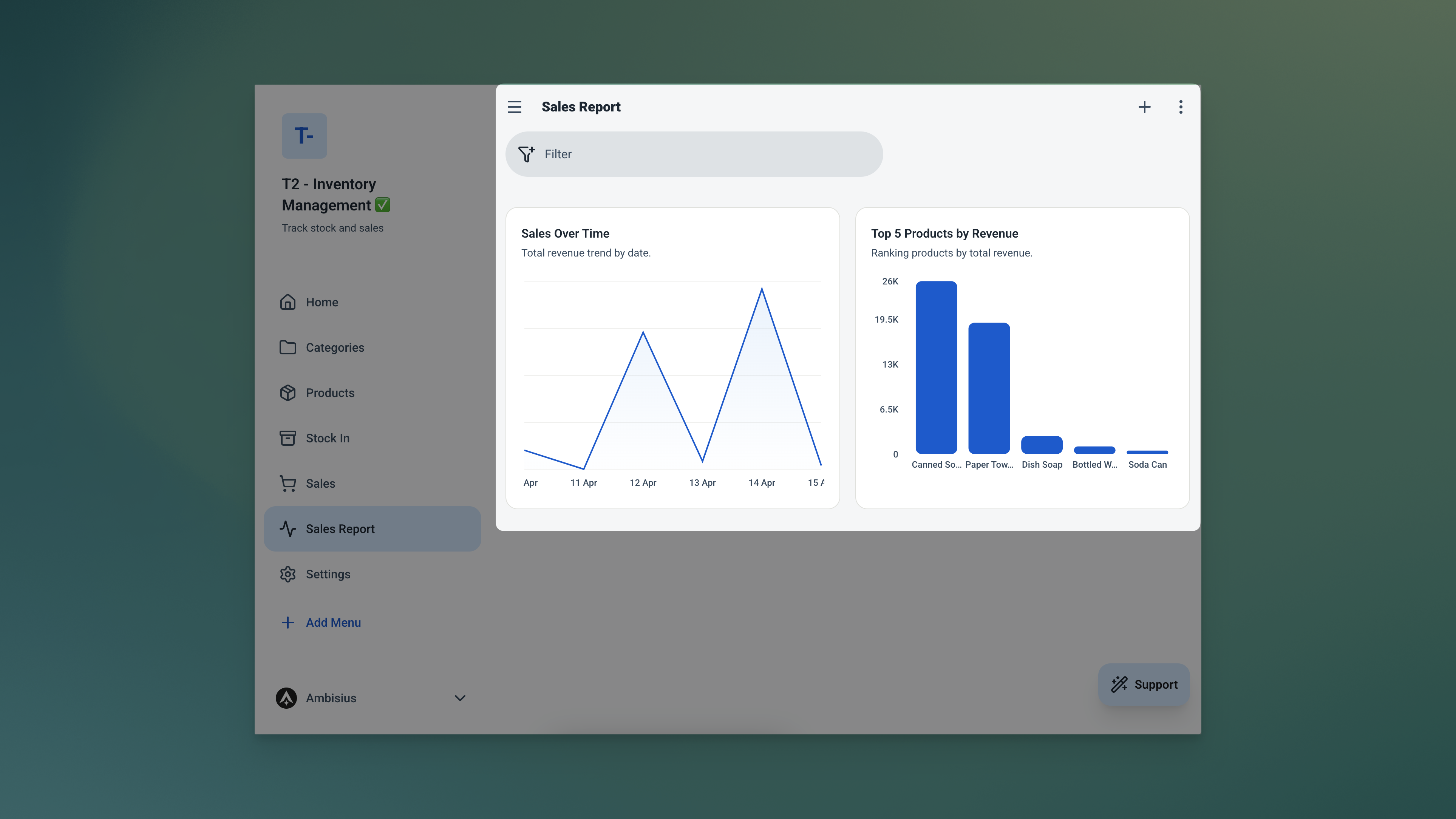
The Analytics page — spot your busy periods, identify your best sellers, and plan your next restock with confidence.
| Chart | What It Shows |
|---|---|
| 📈 Sales Over Time | Daily revenue trend — see your busy and slow periods |
| 🏆 Top 5 Products by Revenue | Your best-performing products at a glance |
| 💵 Total Revenue | Summary number for the selected period |
From Zero to Live Inventory in Minutes
No configuration. No setup wizard. Three steps and you're running.
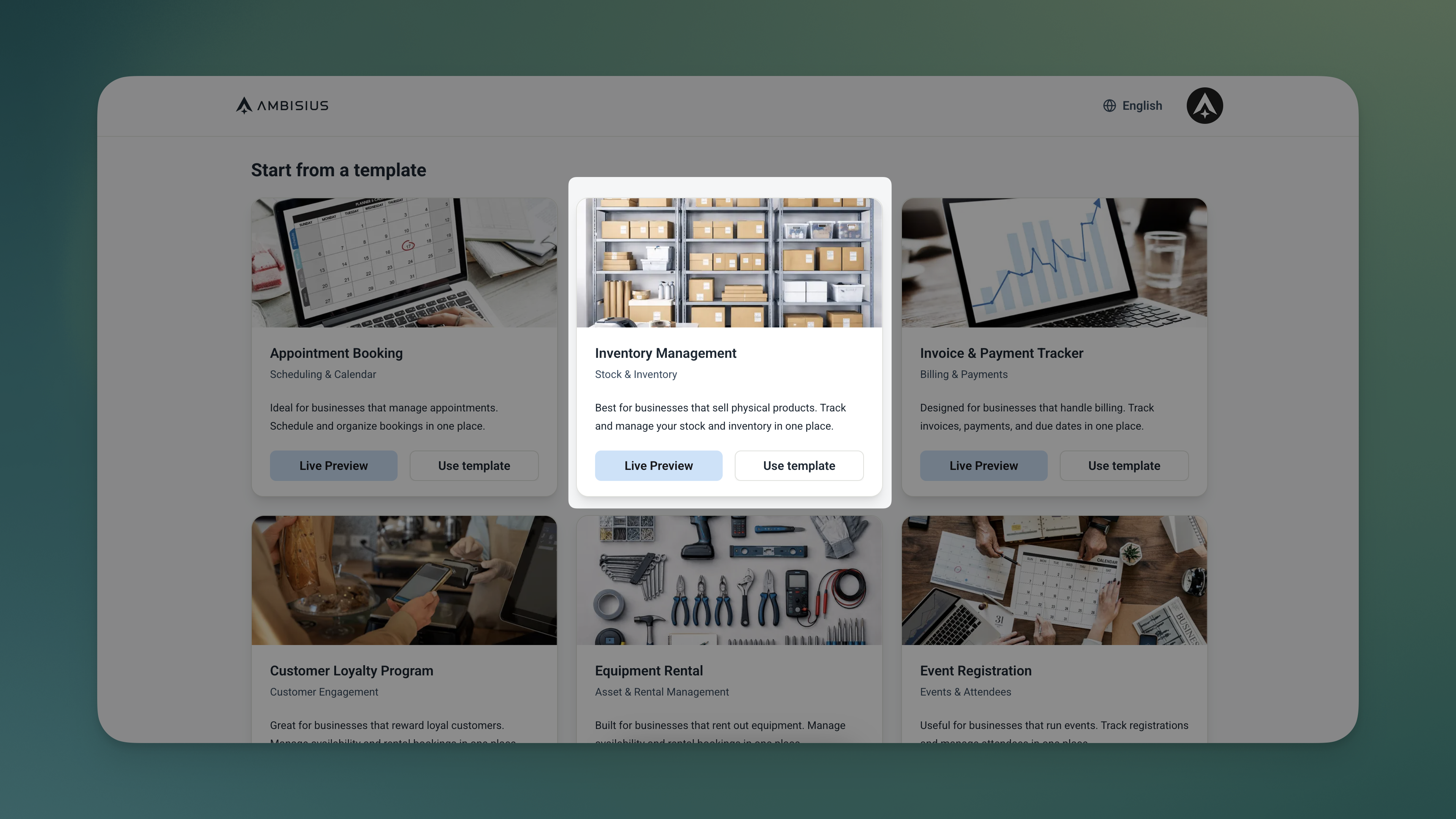
Find the Inventory Management template in the catalogue — one tap duplicates everything into your account.
-
1Open the template catalogueFind the Inventory Management template in Ambisius and tap to open it. You'll see a preview of all three tables and the dashboard before you commit.
-
2Duplicate it into your accountOne tap copies the full template — tables, rules, dashboard, and analytics all included. It's immediately yours to use.
-
3Add your products and opening stockFill in your products with their names, prices, and current stock levels. This becomes your master catalogue — available instantly across the entire app.
-
4Start logging Stock In and SalesFrom this point, the app takes care of everything else. Every delivery and every sale keeps your stock count accurate automatically.
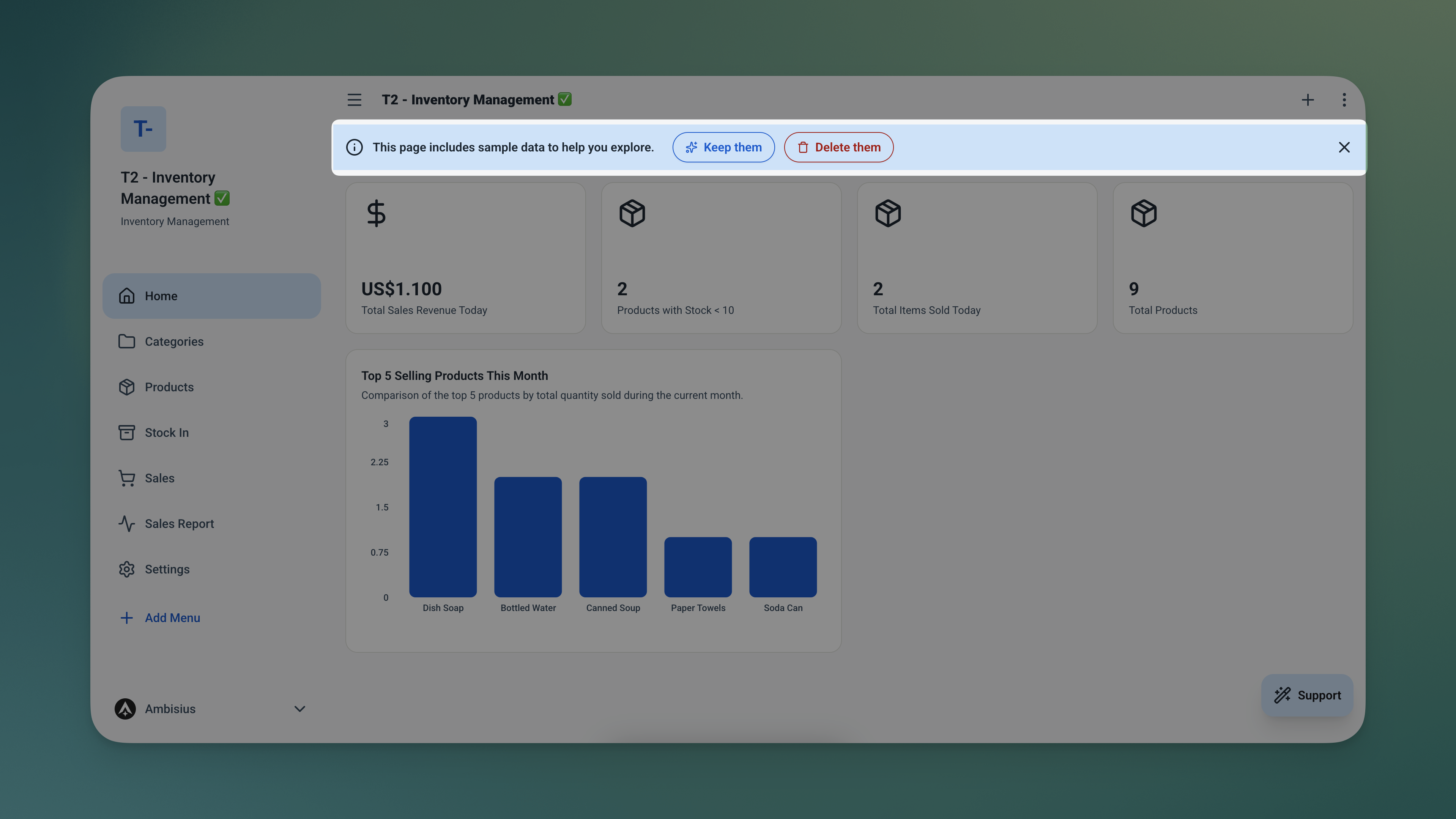
Duplicated and ready — your Products table and Dashboard are live the moment you add your first product.
Need Something Extra? Just Describe It.
The template works great out of the box — but your business might need a small tweak. Type what you want in the chat and the AI makes it happen.
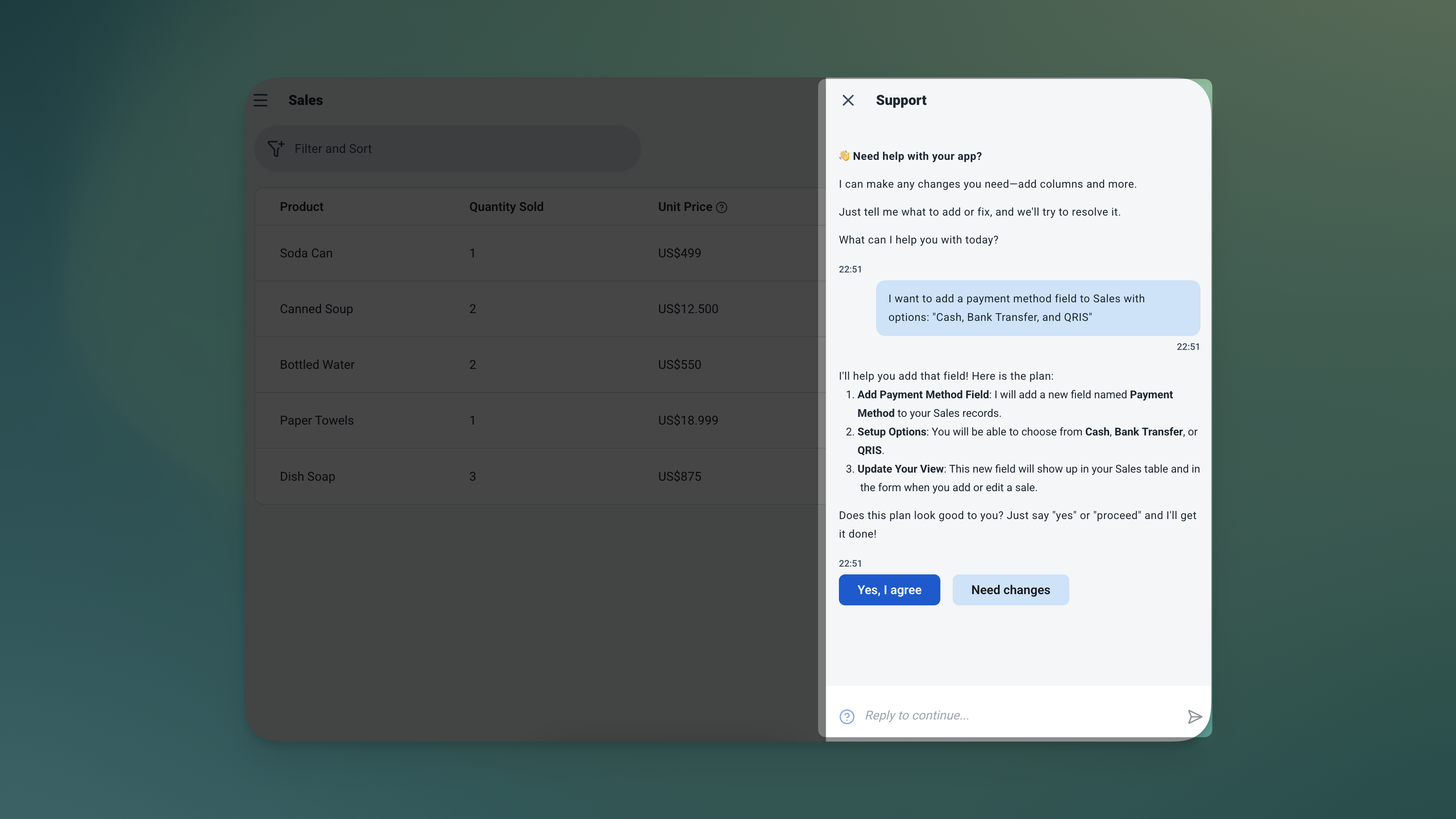
Just describe what you need — the AI adds the field, the options, and the logic for you.
| What to Ask For | What It Does |
|---|---|
| "Add a supplier field to Stock In" | Track which supplier each delivery came from |
| "Add a category field to Products" | Group products by type — e.g. Clothing, Food, Accessories |
| "Add a payment method field to Sales" | Record how each sale was paid — Cash, Transfer, QRIS |
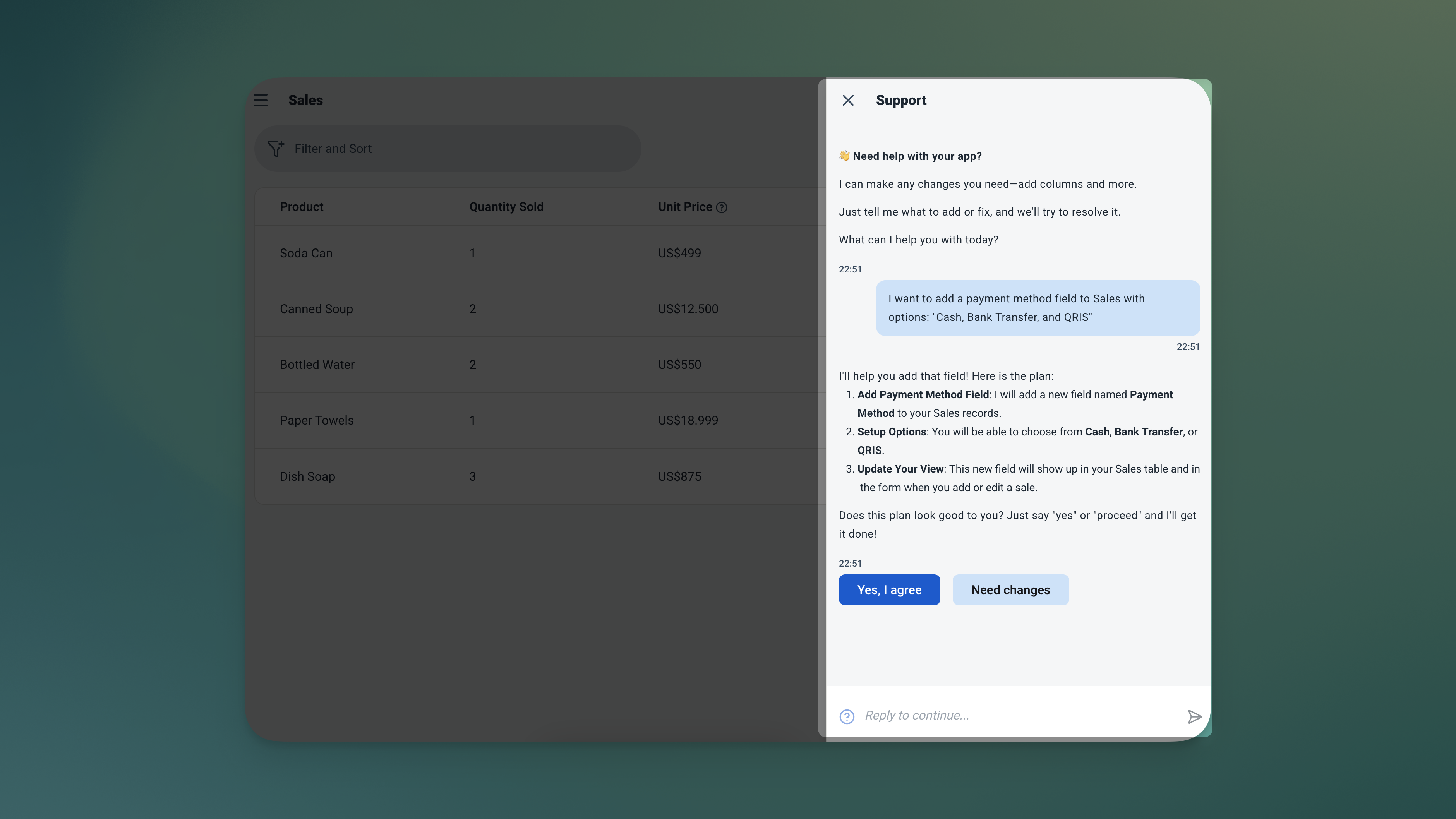
The updated Sales form — a new Payment Method field added in seconds, no code required.
Already know what products you carry? No chat needed — just add them directly as rows in the Products table and you're ready to go.
Frequently Asked Questions
-
Can I use this template for free?Yes. The Inventory Management template is free to activate. Browsing and chatting with the AI costs nothing — credits are only used when you confirm a change to the app.
-
What happens if I try to sell more stock than I have?The app blocks the sale before it's saved. It checks available stock against the quantity entered — if there isn't enough, the transaction won't go through.
-
Will changing a product's price affect past sales records?No. The price is captured at the moment each sale is recorded. Updating your price list later has no effect on historical records — your revenue data stays accurate.
-
Can my staff record sales without seeing everything in the app?Yes. You can invite team members and set exactly what each person can access. A cashier can record sales without being able to edit product prices or view revenue analytics.
-
Can I track multiple products?Absolutely — there's no limit. Add as many products as you need directly in the Products table. They're immediately available when recording stock in or sales.
-
Does this work on mobile?Yes. Ambisius runs on iOS, Android, tablet, and any desktop browser. Your team can record sales from a phone while you check the dashboard from your laptop.
Stop Counting Stock Manually
Spreadsheets break. Notebooks get lost. And neither one stops you from accidentally overselling a product you no longer have.
The Ambisius Inventory Management template gives you a live stock system that updates itself — every sale, every delivery, automatically. Your dashboard tells you what's running low before it becomes a problem, and your revenue numbers are always accurate.
Free to use. Ready in minutes. No spreadsheet formulas to maintain — ever.
