



Cover image for Ambisius Invoice Tracker App Template.
Do You Actually Know Who Owes You Money Right Now?
Not roughly. Not "I think it's around...". Exactly.
For most freelancers and small business owners, the honest answer is: not really. There's an invoice somewhere in email, a payment that came in last week, another client who's been quiet for 40 days. Keeping track of it all manually — across spreadsheets, chat threads, and memory — is exhausting and error-prone.
Chasing payments over WhatsApp or manually checking spreadsheets isn't just inconvenient — it's a cash flow problem waiting to happen. Invoices get forgotten. Payments go unrecorded. Clients take longer to pay because no one follows up.
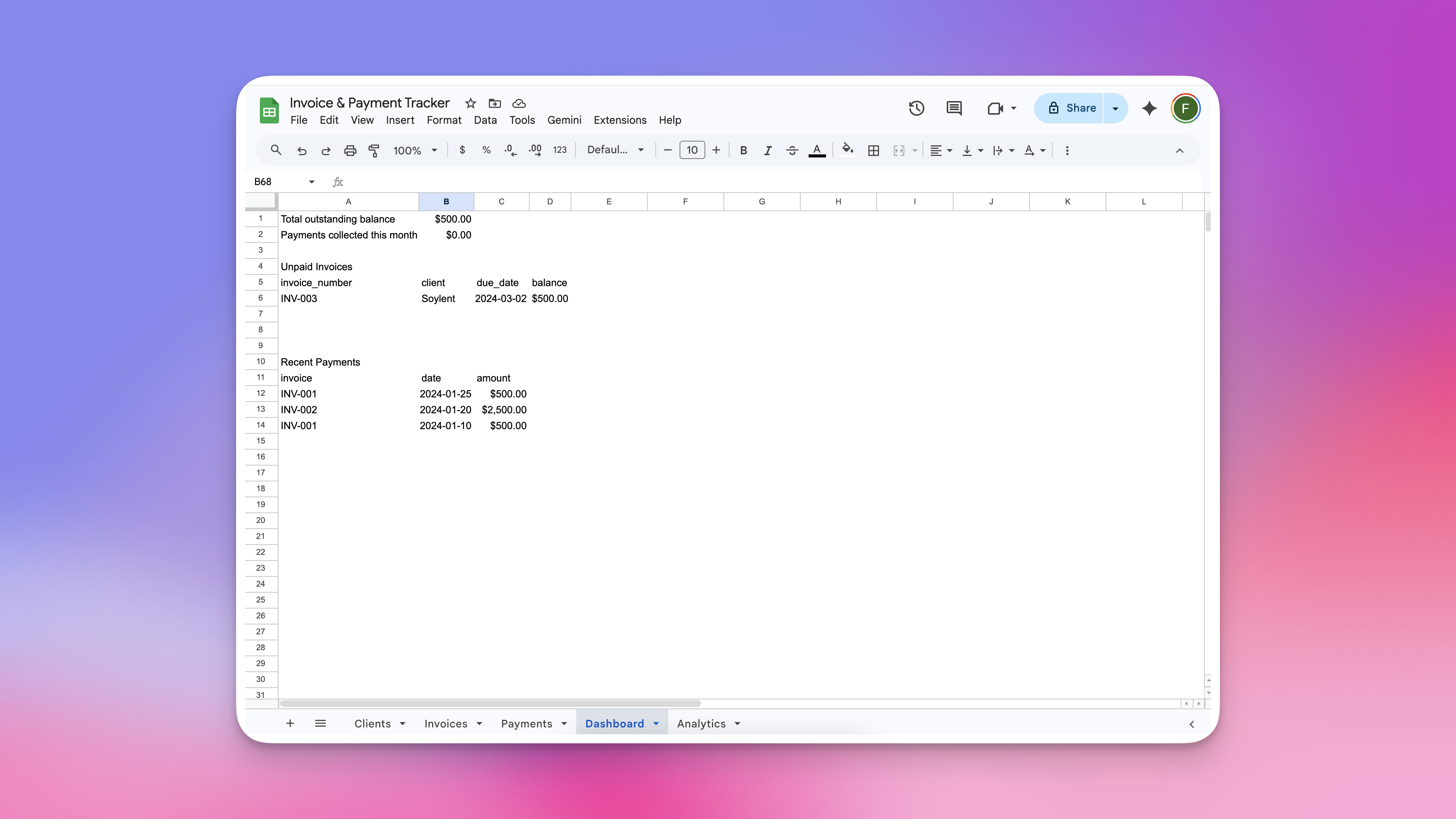
Managing invoice and payment tracker using spreadsheets - the process is chaotic.
-
Invoice numbers assigned manuallyOne missed number or duplicate and your records are already unreliable.
-
Due dates calculated by handMental calendar math at the end of a busy week leads to wrong dates and missed follow-ups.
-
Balances updated manuallyEvery partial payment means updating multiple cells across multiple sheets — and hoping nothing breaks.
-
Overpayments slip throughNo system to catch a payment that exceeds what's owed means messy records and awkward client conversations.
-
No single view of what's outstandingWithout a dashboard, you never know your real total outstanding balance without doing the math yourself.
If You Send Invoices and Wait to Get Paid, This Is for You
One thing they all have in common: they bill clients and need to know when they've been paid.
No Manual Math. No Chasing Your Own Records.
Here's what using the Invoice Tracker actually feels like.
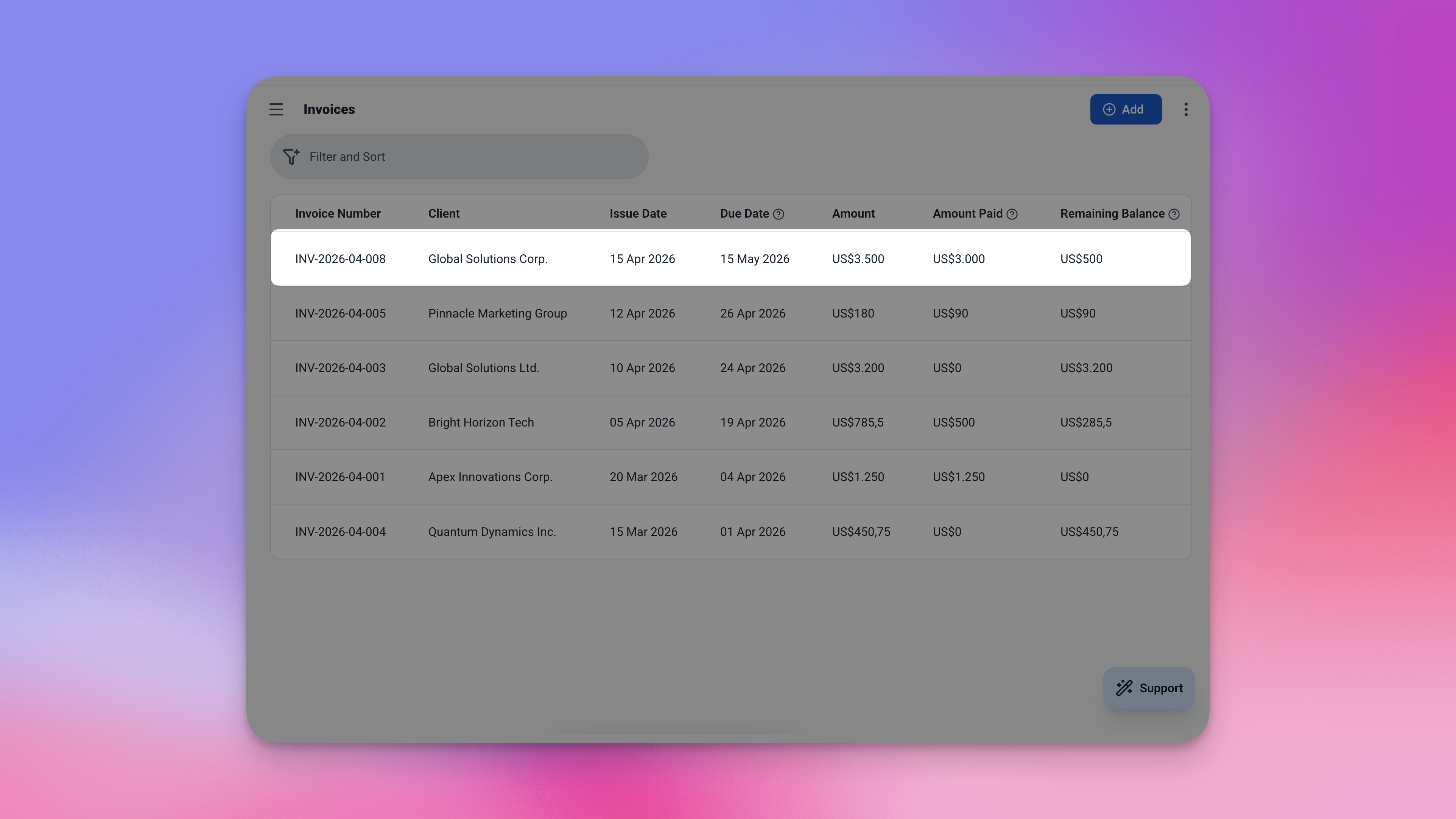
Open a new invoice — the number and due date fill in automatically.
-
1Create an invoice — the number generates itselfOpen a new invoice, link it to a client, enter the amount. The invoice number (INV-0001, INV-0002...) is assigned automatically. No numbering system to maintain.
-
2Due date sets itselfThe due date is automatically set 30 days from the issue date the moment the invoice is created. No mental calendar math needed.
-
3Record a payment — balances update everywhereWhen a client pays, record the payment against their invoice. The remaining balance updates instantly — and so does the client's total outstanding balance.
-
4Overpayment is blockedTry to record a payment larger than what's still owed? The app stops it. No accidental overpayments slip through.
-
5Open the dashboard — see everything at onceTotal outstanding across all clients. Payments collected this month. Every unpaid invoice sorted by due date. Most recent payments. All on one screen.
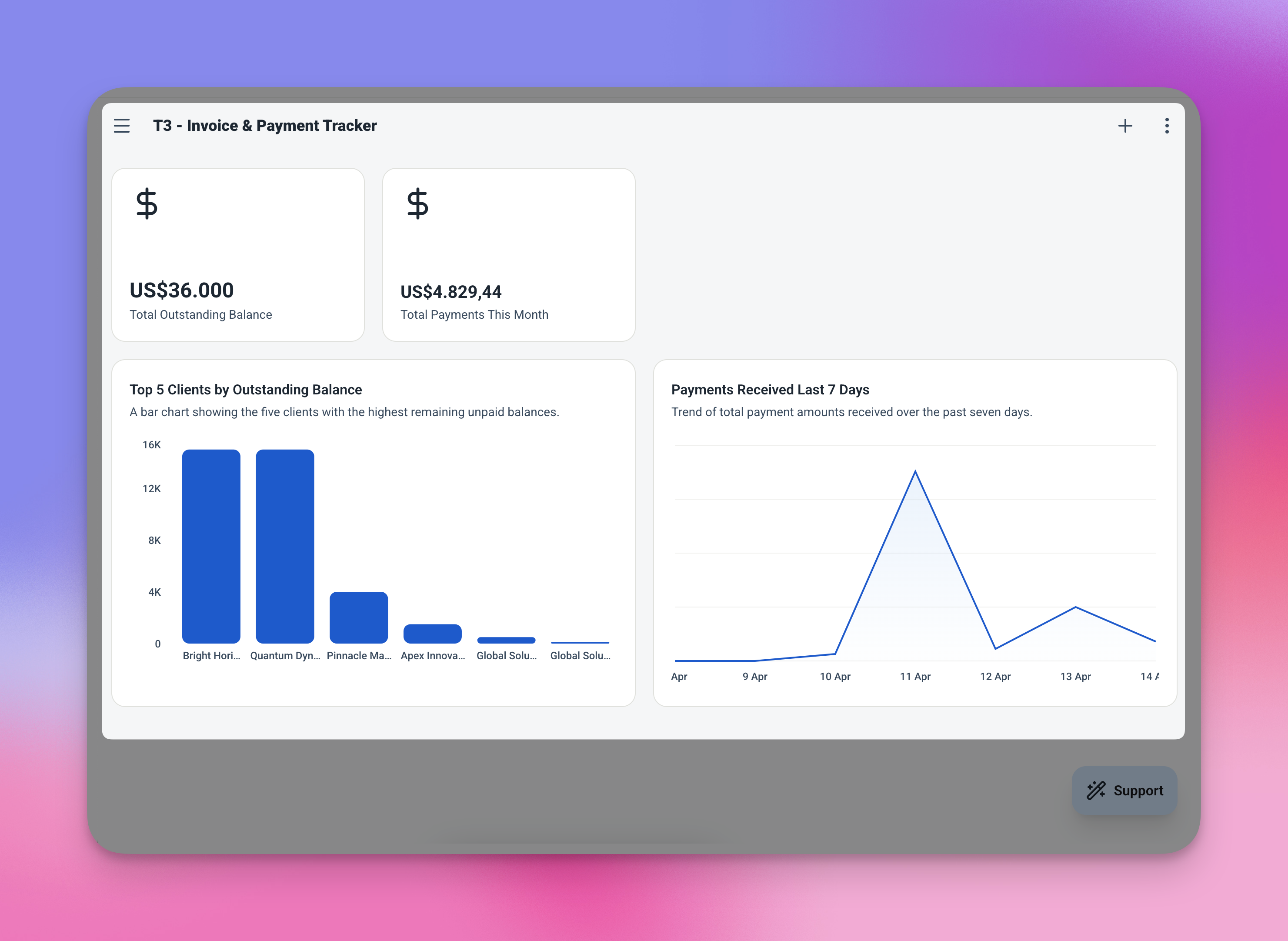
The dashboard — your complete financial picture, always current.
The Features That Keep Your Cash Flow Clear
Four smart automations that eliminate the manual work behind every invoice.
Auto Invoice Numbering
Every new invoice gets a sequential number assigned automatically — no numbering system to maintain, no risk of duplicates or gaps in your records.
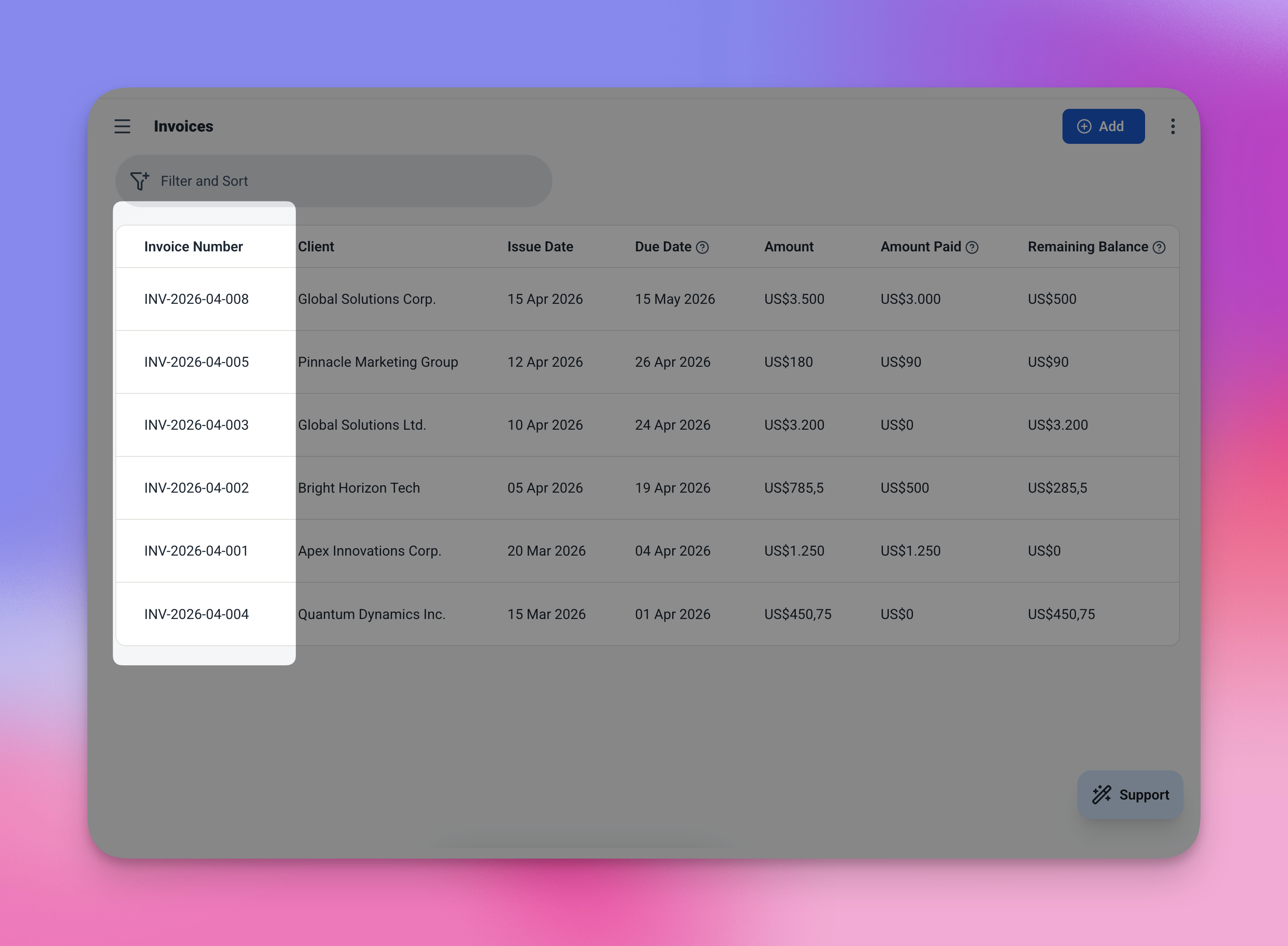
Invoice numbers are assigned automatically — INV-0001, INV-0002, and counting.
Auto Due Date
The due date is calculated the moment you save a new invoice — 30 days from the issue date, with no input required from you.
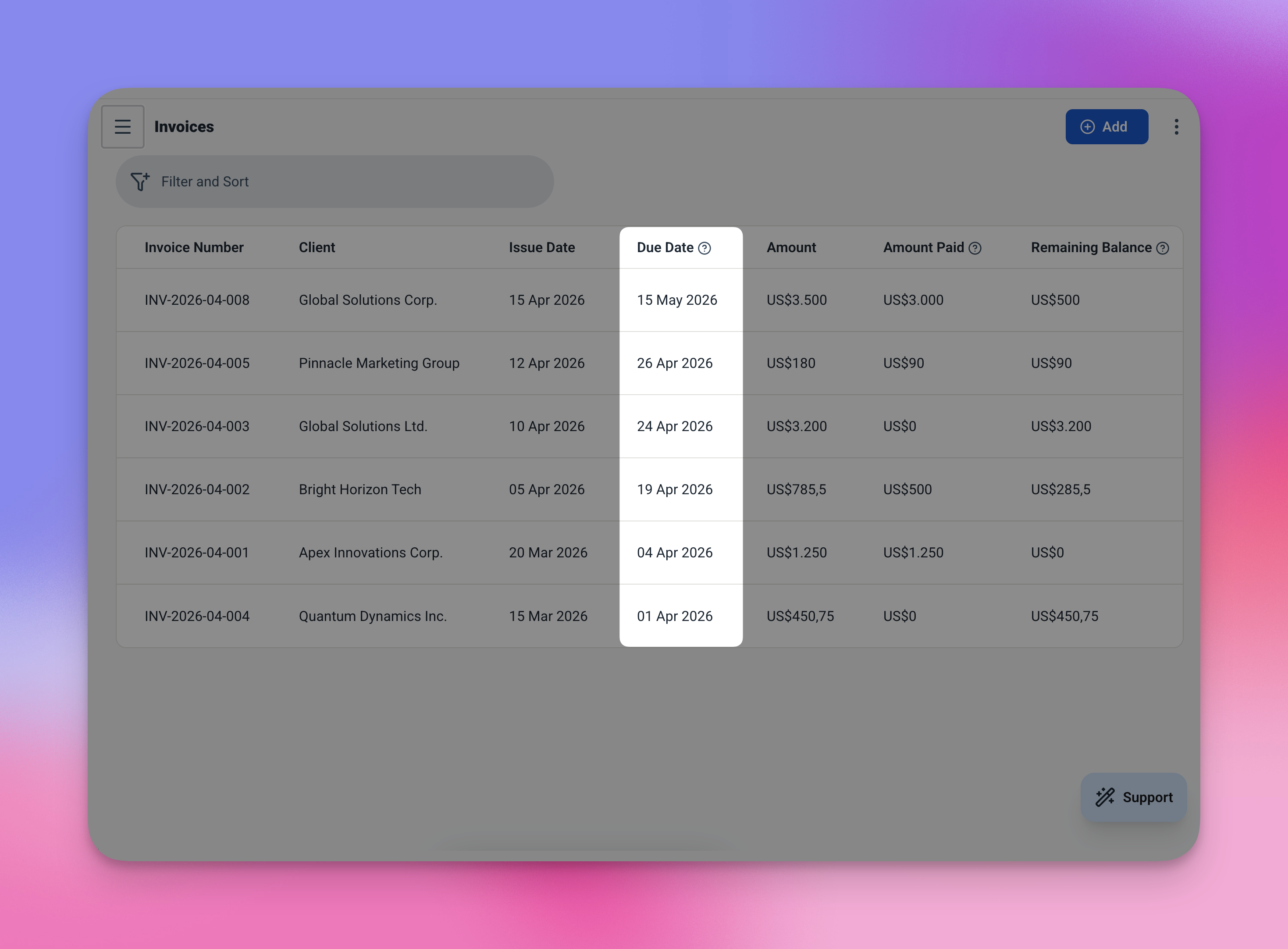
Issue date in, due date out — automatically, every time.
Live Balance Calculation
Record a partial payment and the balance updates instantly — on the invoice itself and rolled up into the client's total outstanding balance.
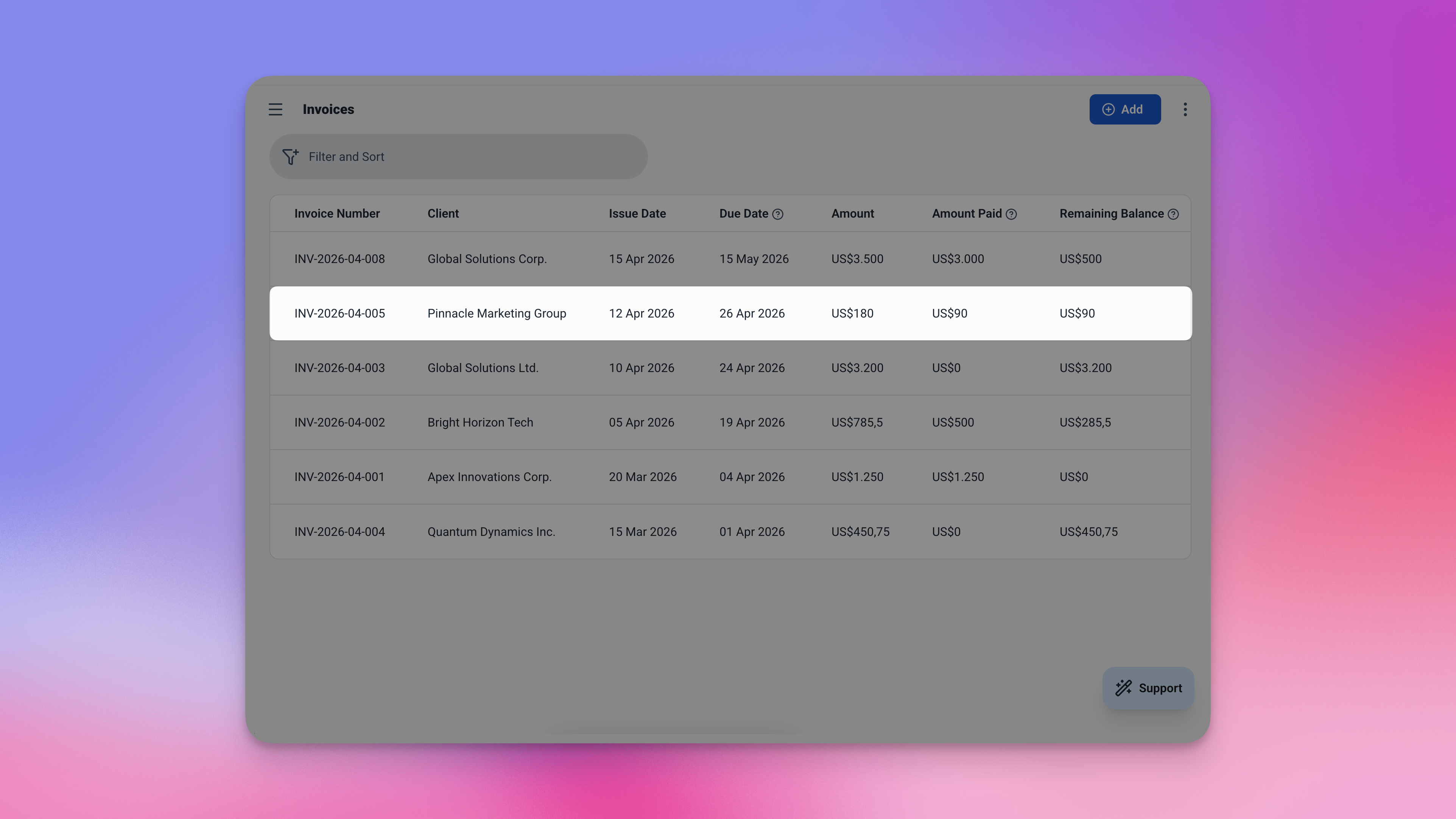
Client totals roll up automatically — no formulas to maintain.
Overpayment Prevention
The system validates every payment before it's saved. If the amount entered exceeds the invoice's remaining balance, the payment is blocked with a clear error message.
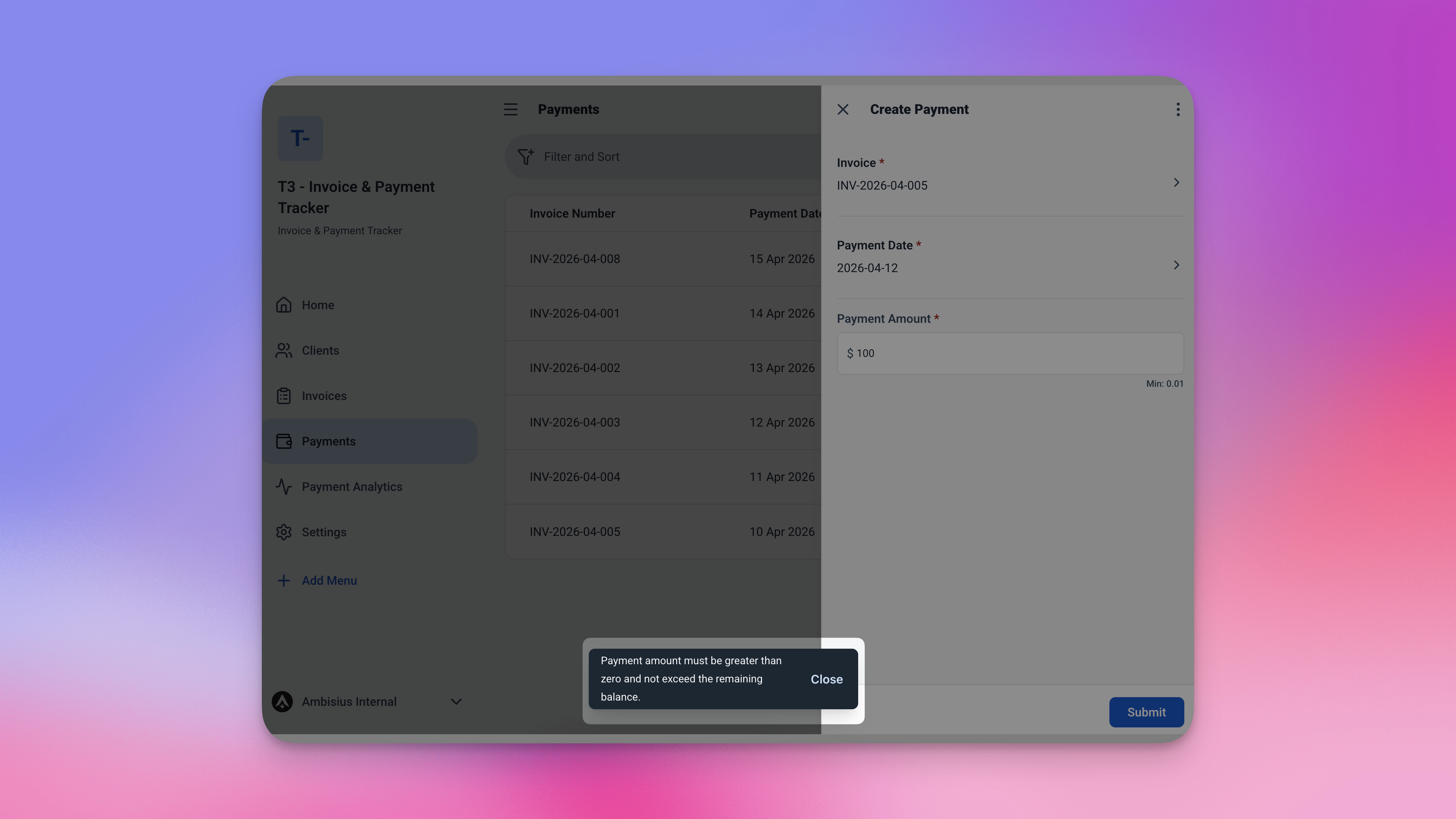
Overpayments are blocked before they happen — keeping your records clean.
3 Tables. All Connected. All Ready.
The template comes pre-built with three linked tables — everything connects automatically.
🧑💼 Clients
Your client list — with running totals that update automatically as invoices and payments are recorded.
| Field | What It Stores |
|---|---|
| Name | Client or company name |
| Total Invoiced | Sum of all invoices raised for this client — auto-calculated |
| Total Paid | Sum of all payments received — auto-calculated |
| Outstanding Balance | What they still owe — auto-calculated |
🧾 Invoices
The core record — everything about a billing transaction in one place.
| Field | What It Stores |
|---|---|
| Invoice Number | Auto-generated (INV-0001, INV-0002...) |
| Client | Linked from Clients table |
| Issue Date | Date the invoice was raised (defaults to today) |
| Due Date | Auto-set to 30 days after issue date |
| Amount | Total invoice value |
| Amount Paid | How much has been received so far |
| Remaining Balance | Auto-calculated — amount minus amount paid |
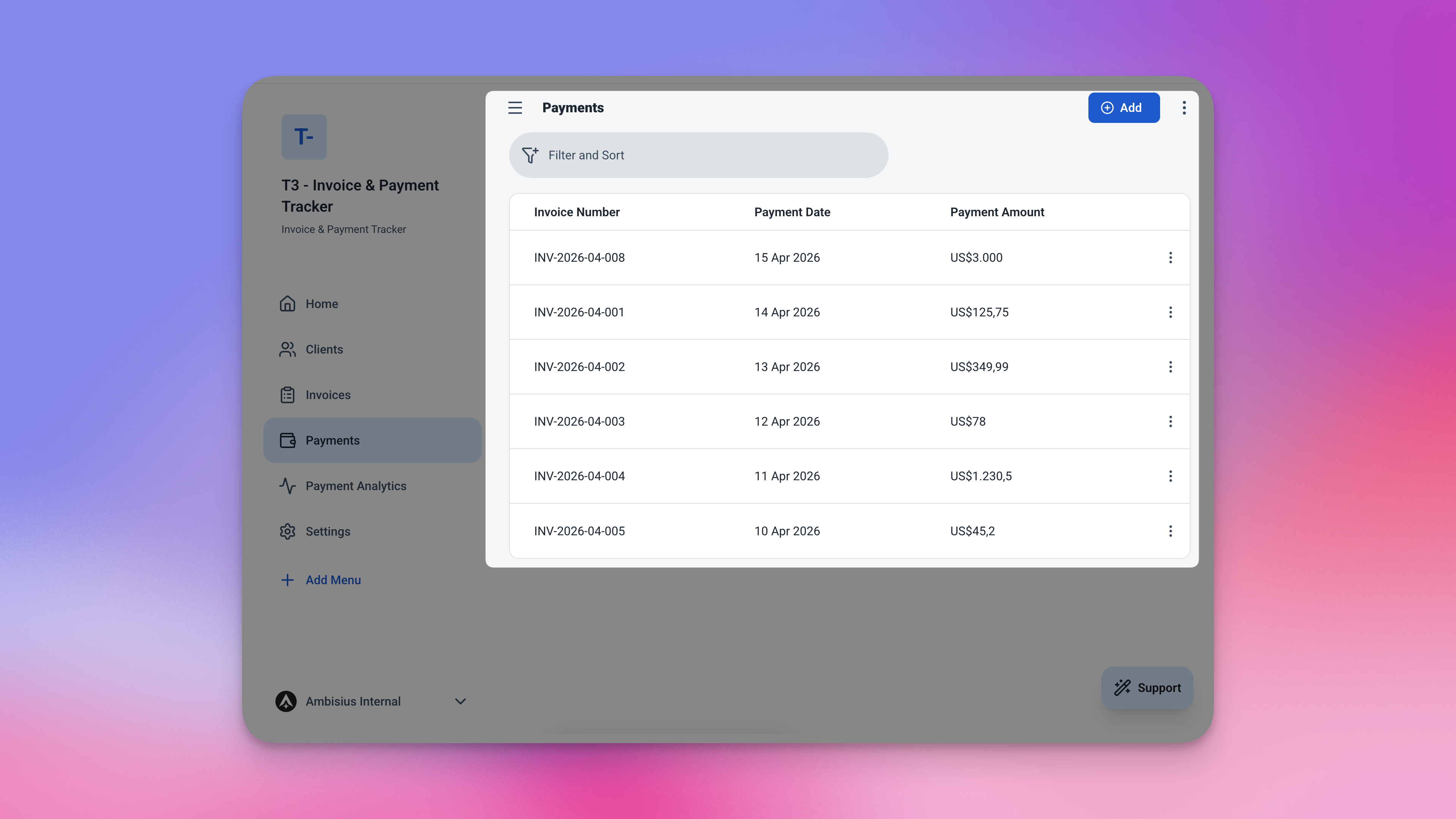
The Invoices table — every billing record in one place, balances calculated automatically.
💳 Payments
A record of every payment received, linked back to the invoice it belongs to.
| Field | What It Stores |
|---|---|
| Invoice | Linked from Invoices table |
| Date | Payment date (defaults to today) |
| Amount | Payment amount received |
Remaining Balance = Invoice Amount − Total Payments Received
Client Outstanding = Sum of all Remaining Balances across linked invoices
Your Financial Picture — Always Up to Date
No spreadsheet. No manual tally. Just open the app.
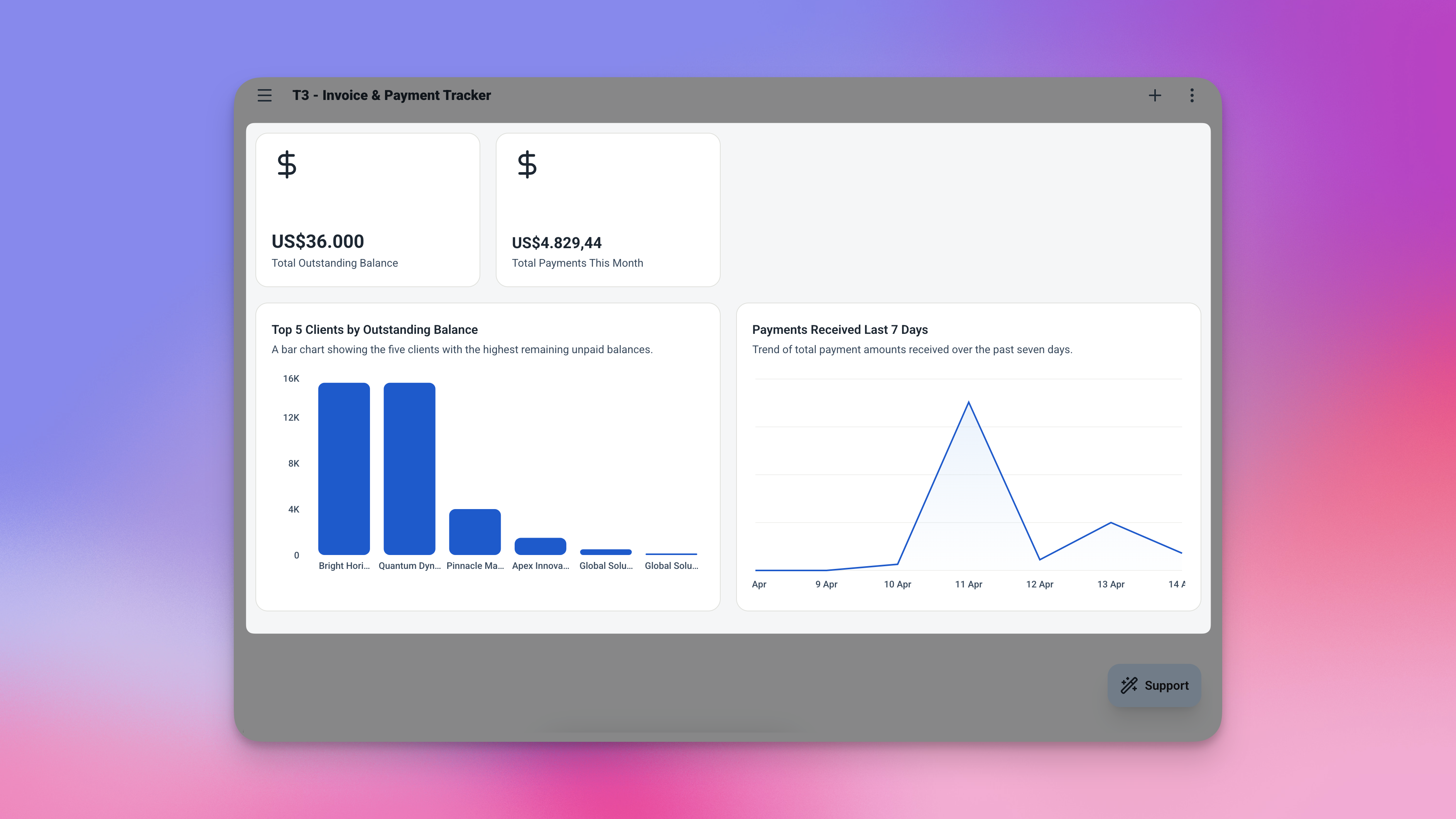
Four widgets. One screen. Everything you need to know about your cash flow.
| Widget | What It Shows |
|---|---|
| 💰 Total Outstanding | The total unpaid balance across every client and invoice |
| 📥 Paid This Month | Total payments received in the current month |
| 📋 Unpaid Invoices | Every invoice with a remaining balance, sorted by due date |
| 🕐 Recent Payments | The 5 most recent payments recorded |
Analytics — Spot Trends, Review Performance
Two views that help you understand your cash flow over time. Filter by date range to review any month, quarter, or custom period.
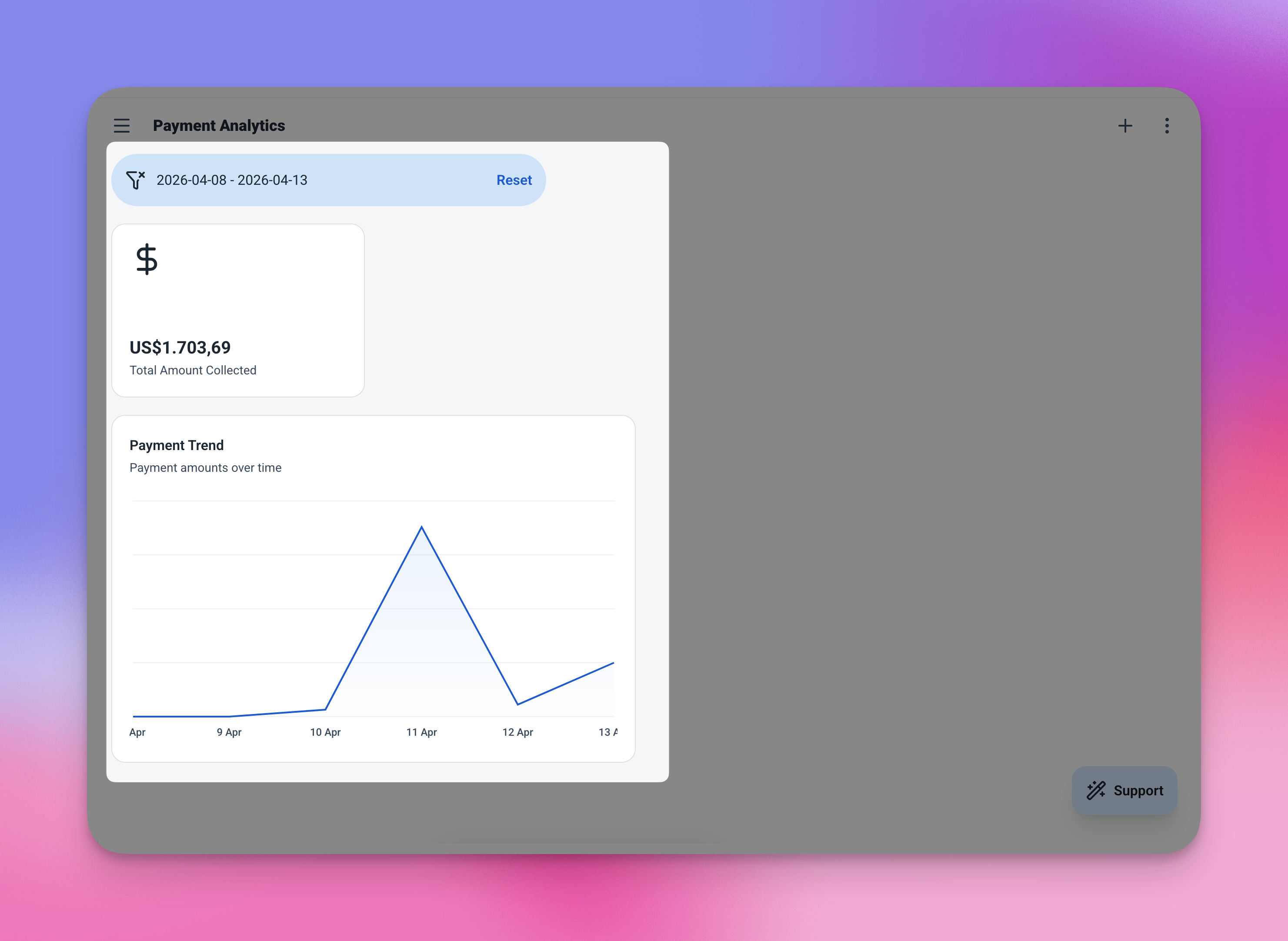
Analytics — see payment volume over time and total collected for any period.
-
Payments Over TimeA line chart showing payment volume by day. Spot your busy billing periods and quiet months at a glance.
-
Total CollectedA single summary number for the selected period — filtered by any date range you choose.
From Zero to First Invoice in Minutes
Five steps — and most of them take less than 60 seconds each.
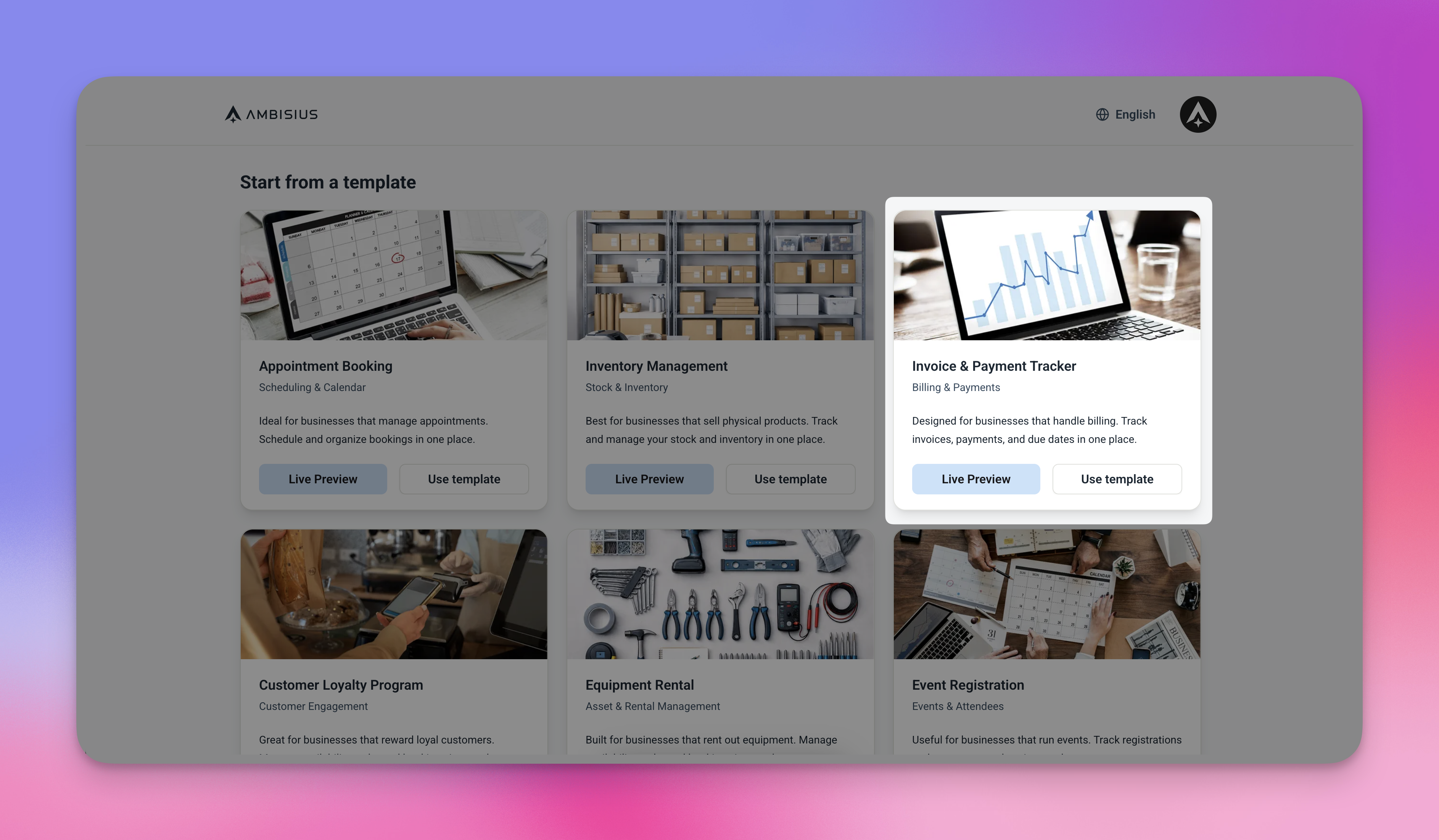
Find the Invoice Tracker in the template catalogue and duplicate it in one tap.
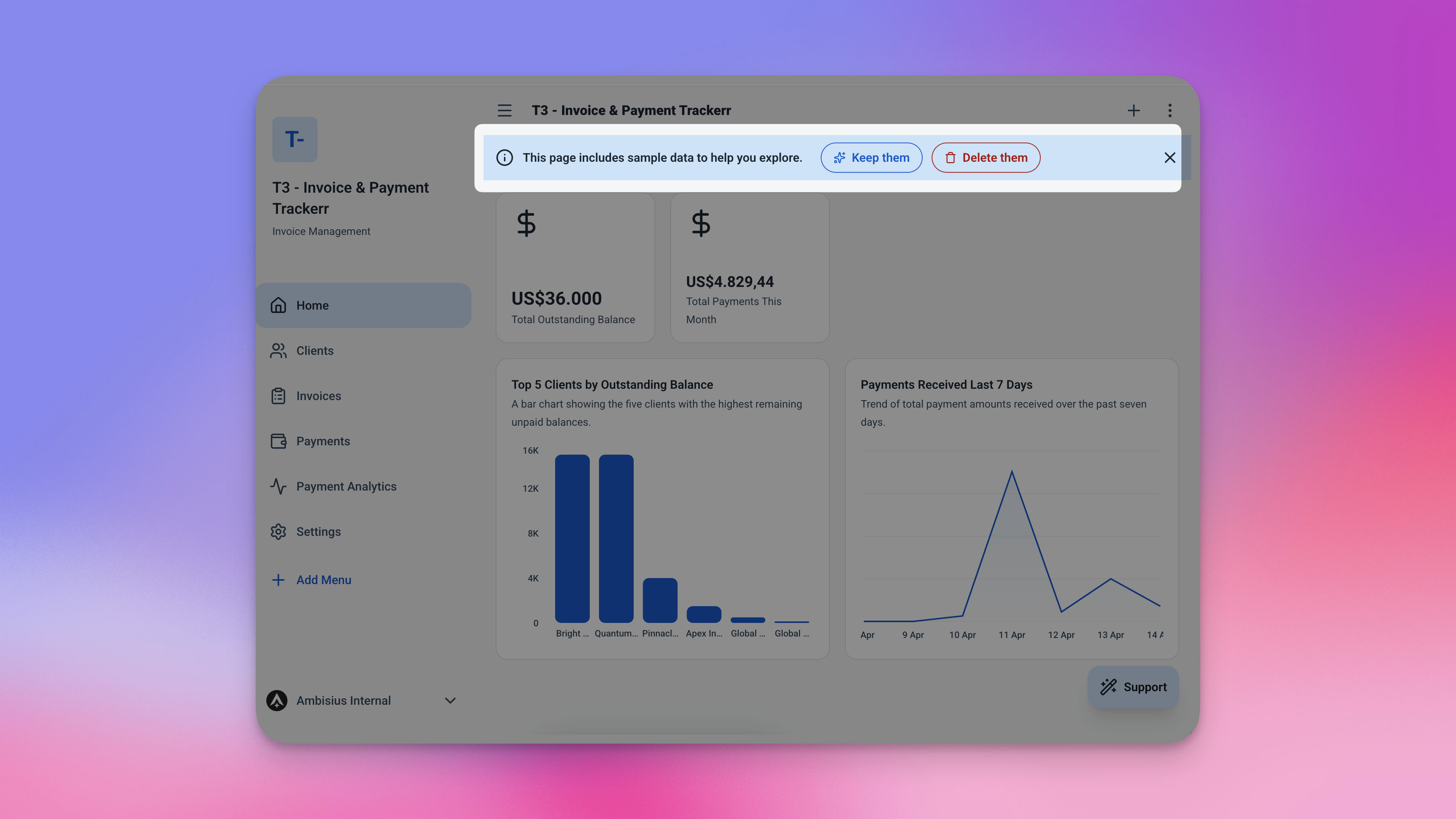
Your app is ready the moment you duplicate — tables, rules, dashboard, and analytics all included.
The full app — tables, automation rules, dashboard, and analytics — is copied straight into your account in one tap. No setup, no configuration required.
Need Something Extra? Just Ask the AI
The template works great out of the box — but your business might need a small tweak. Just type what you need in the chat and the AI handles it.
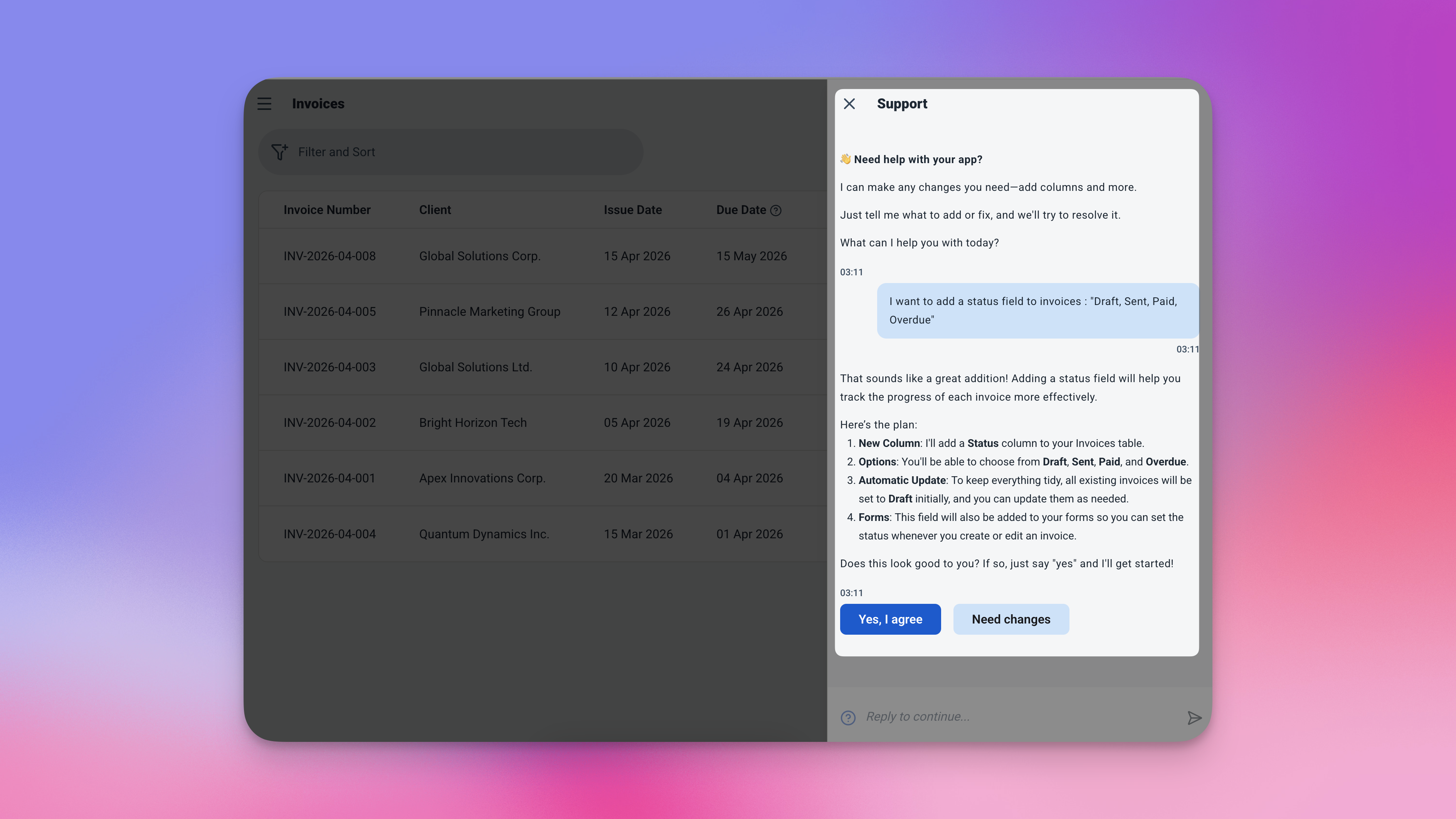
Type what you need — the AI updates the app for you.
Exploring the template and chatting with the AI costs nothing. Credits are only used when you confirm a change to the app.
-
💬 "Add a payment method field — Cash, Bank Transfer, Credit Card"Know not just when you were paid, but how.
-
💬 "Add a status field to invoices — Draft, Sent, Paid, Overdue"Track where each invoice stands in your billing workflow.
-
💬 "Add a notes field to invoices"Capture project descriptions, billing terms, or any context you need per invoice.
-
💬 "Change the default due date to 14 days after the issue date"Adjust the payment terms to match how your business actually works.
Frequently Asked Questions
-
Can I use this template for free?Yes. The Invoice Tracker template is free to activate. Exploring and chatting with the AI costs nothing — credits are only used when you confirm a change to the app.
-
What happens if I try to record a payment larger than what's owed?The app blocks it automatically. Before any payment is saved, the system checks it against the invoice's remaining balance. If the amount is too high, the payment won't go through.
-
Can I track multiple clients at the same time?Yes — there's no limit on clients or invoices. Each client has their own running total, and the dashboard shows your full outstanding balance across everyone at once.
-
Does the balance update automatically when I record a payment?Yes. The moment a payment is saved, the remaining balance on the invoice updates — and so does the client's total outstanding balance. No manual recalculation needed.
-
Can I change the default 30-day due date?Yes. Just ask the AI in chat — "Change the default due date to 14 days after the issue date" — and it will update the rule for you.
-
Does this work on mobile?Yes. Ambisius runs on iOS, Android, tablet, and any desktop browser. Create invoices from your laptop, record payments from your phone — it all stays in sync.
Stop Guessing. Start Knowing.
Not knowing who owes you money isn't just stressful — it's a real cash flow risk. Invoices get forgotten. Payments go unrecorded. Clients take longer to pay because no one follows up.
The Ambisius Invoice Tracker template gives you a clear, always-accurate picture of every invoice and every payment — automatically. No spreadsheets, no manual tallying, no chasing your own records. It's free, it's ready in minutes, and it grows with your business.
