



Cover image for Ambisius Sales Pipeline and CRM App Template.
That Deal You Were Sure About? It Went Cold Because Nobody Followed Up.
It's not laziness — it's the system.
You had a great first call. They seemed interested. You said you'd follow up in a week. That was three weeks ago. When leads live in a spreadsheet or scattered across chat messages, things fall through the cracks — and by the time you remember to follow up, the moment has passed.
Spreadsheets have no follow-up reminders and no pipeline awareness. A deal going cold doesn't announce itself — it just quietly disappears.
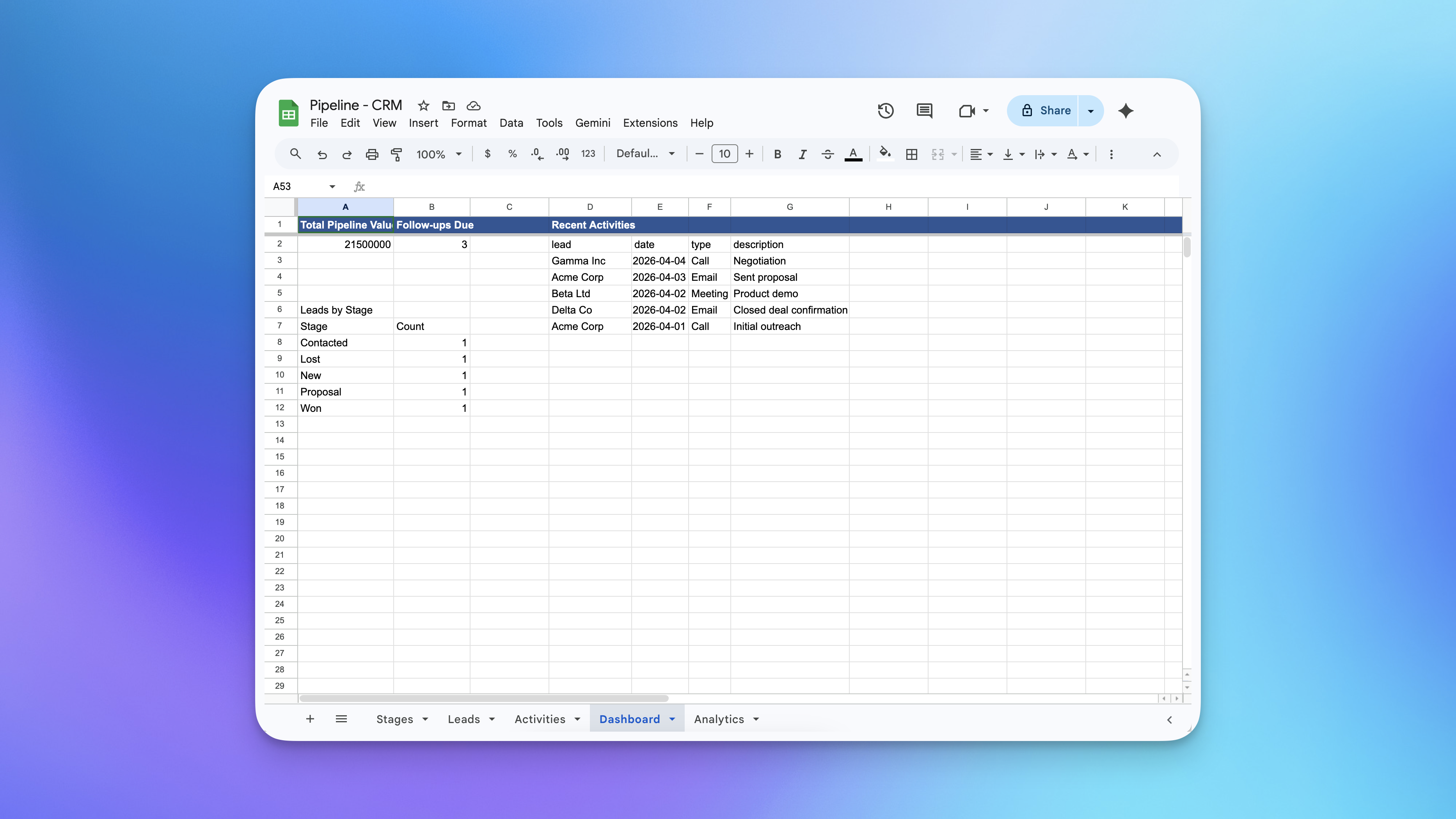
Managing a sales pipeline using spreadsheets - the process is chaotic
-
No follow-up remindersNothing tells you when a lead is waiting. Follow-up dates live in your head — and they get forgotten.
-
No pipeline visibilityThere's no single view of where every deal stands. You're scrolling through rows trying to piece together the picture.
-
Days in pipeline never trackedLeads can sit untouched for weeks with no indication of how long they've been open — stale deals look the same as fresh ones.
-
No activity historyWhen a lead comes back after months of silence, there's no record of what was said — you're starting from scratch every time.
-
Pipeline value is always a guessWithout automatic totals per stage, you never really know how much revenue is sitting in your pipeline at any given moment.
If You're Chasing Deals, This Was Built for You
Whether you're a one-person operation or a small team, this template fits how you work.
Your Entire Pipeline — Always in Front of You
Forget digging through emails or scrolling back through chats. Here's what the app does from the moment you add a lead.
Every lead at a glance — stage, deal value, days open, and when to follow up next.
-
Every lead has a stageNew, Contacted, Proposal, Won, Lost — leads move through stages as deals progress. At a glance, you always know where everything stands.
-
Days in pipeline — calculated automaticallyThe app tracks how long each lead has been open, from the day it was created to today. No manual tracking. Just a number that updates itself every day.
-
Follow-up dates keep you proactiveSet a follow-up date for any lead. The dashboard flags every lead where that date has arrived — so you start each day knowing exactly who to contact.
-
Every interaction logged in one placeLog a call, email, meeting, or note against any lead. The full history is always there — so you never have to ask "wait, what did we last talk about?"
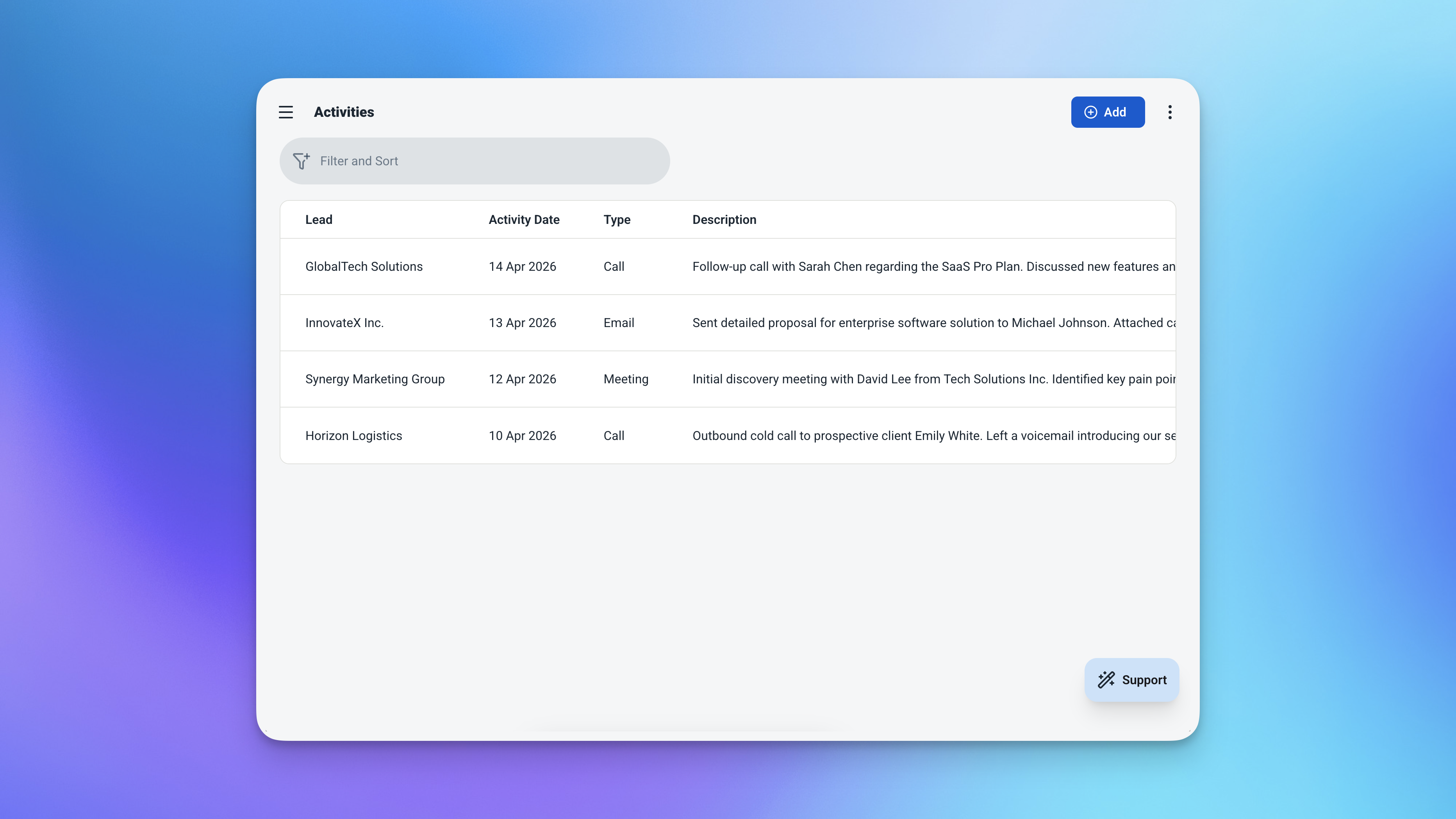
The full interaction history for a lead — every call, email, and meeting in one place.
Four Things That Keep Your Pipeline Moving
Each feature is designed to remove a specific reason deals go cold.
Pipeline Stages — With Value Rolled Up Automatically
Define your stages once — New, Contacted, Proposal, Won, Lost — and every lead slots into one. The app automatically totals the estimated deal value for each stage, so you always know how much is sitting at each point in your pipeline.
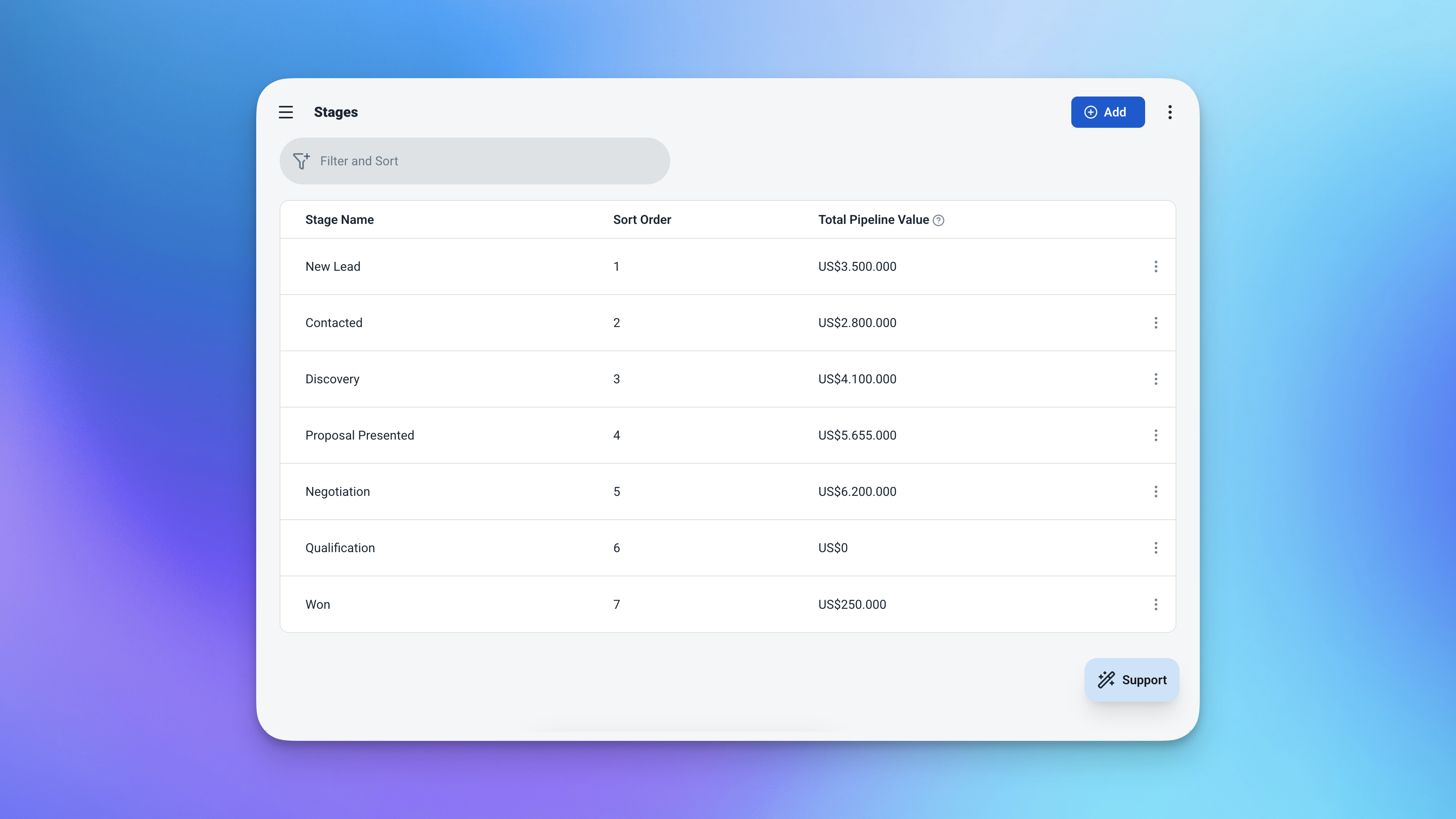
Stage totals calculated automatically — no formulas needed.
Days in Pipeline — Always Current
The moment a lead is created, the clock starts. Spot leads that have been sitting too long, prioritise, and act before it's too late.
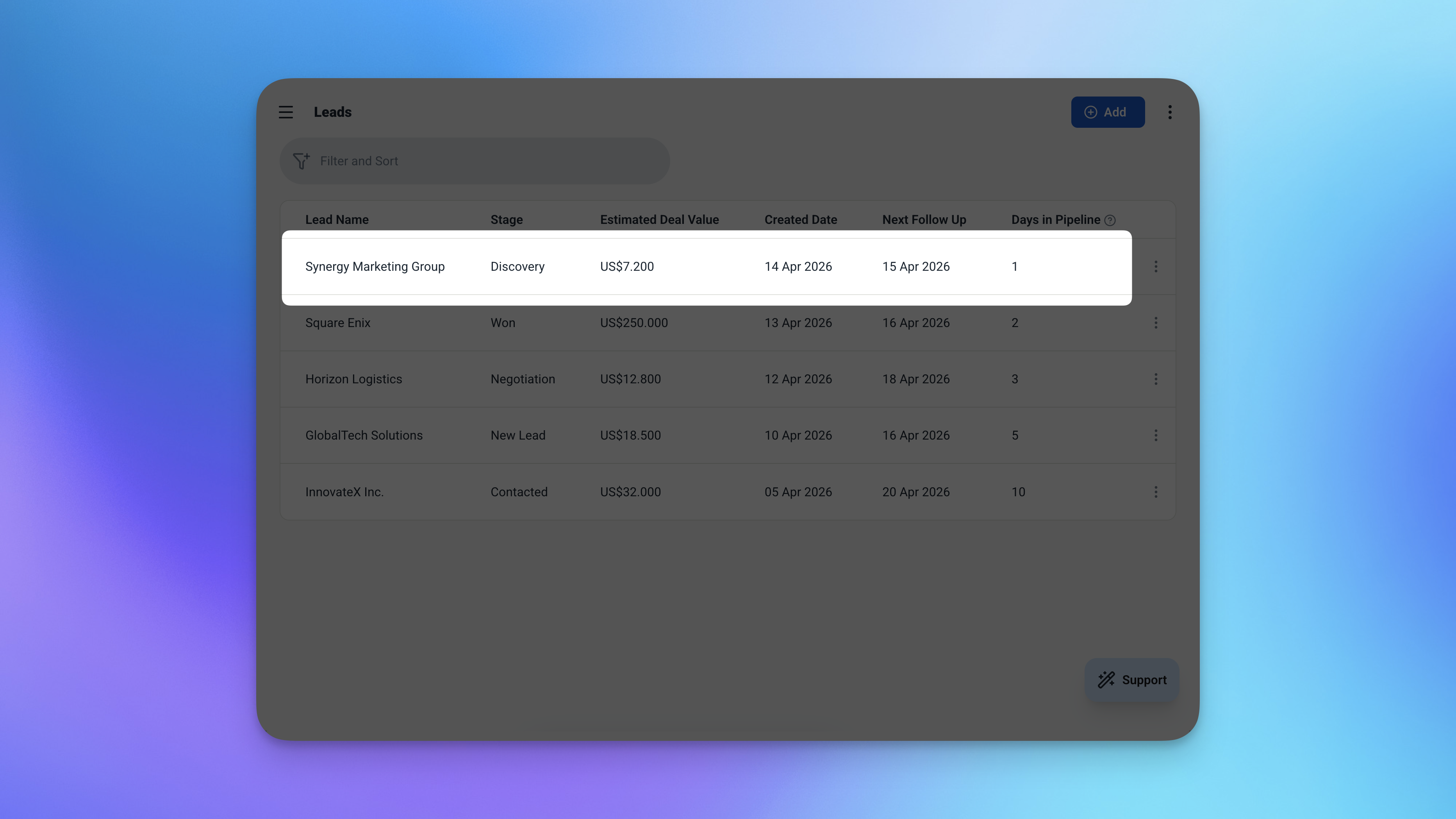
Days in pipeline — updated automatically every day, no input required.
Follow-Up Tracking — Know Who to Call Today
Every lead can have a next follow-up date. The dashboard counts how many are due today or overdue — and surfaces them immediately. No more relying on memory.
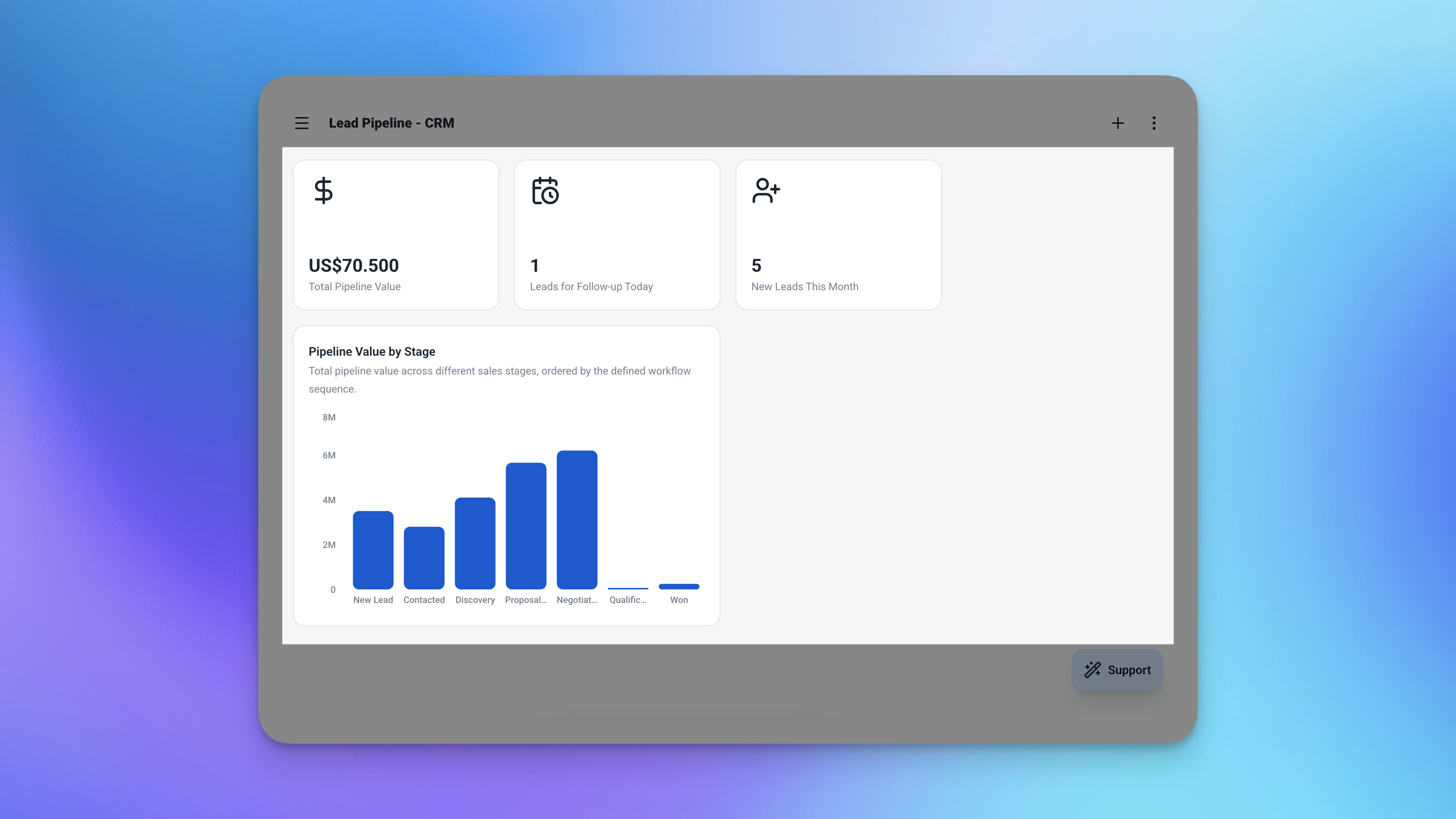
Open the app and immediately see how many follow-ups are waiting for you today.
Activity Log — Full History Per Lead
Every interaction gets logged: a call, an email, a meeting, or a quick note. Each entry is tied to the lead and dated automatically. When a lead goes quiet and comes back months later, you'll know exactly where you left off.
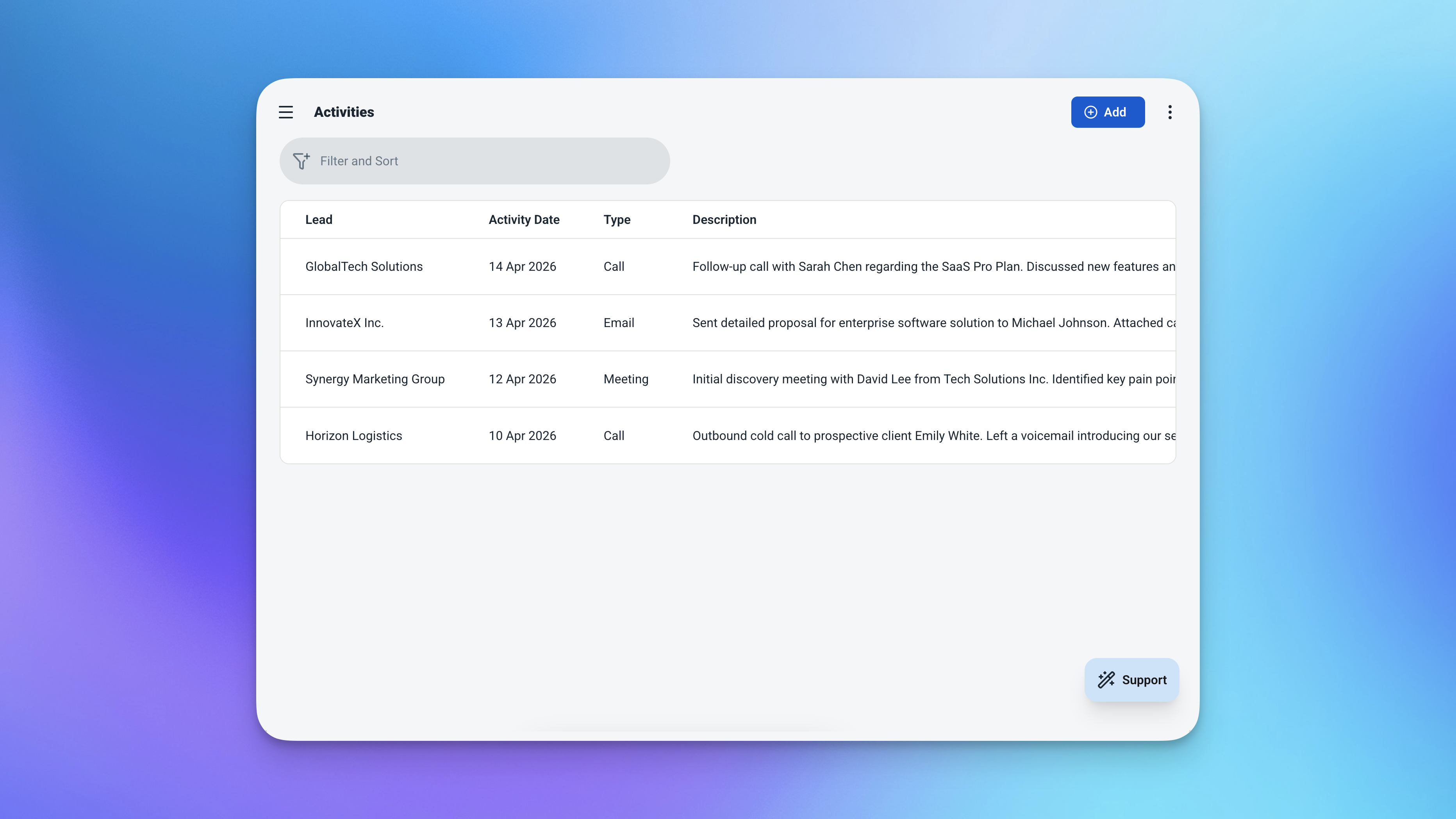
Every touchpoint logged and dated — the full story of every deal, always accessible.
3 Tables — Ready the Moment You Activate
Everything is pre-built. Just add your data and start closing.
Stages
Your pipeline steps. Define them once — the app tracks lead counts and total value for each automatically.
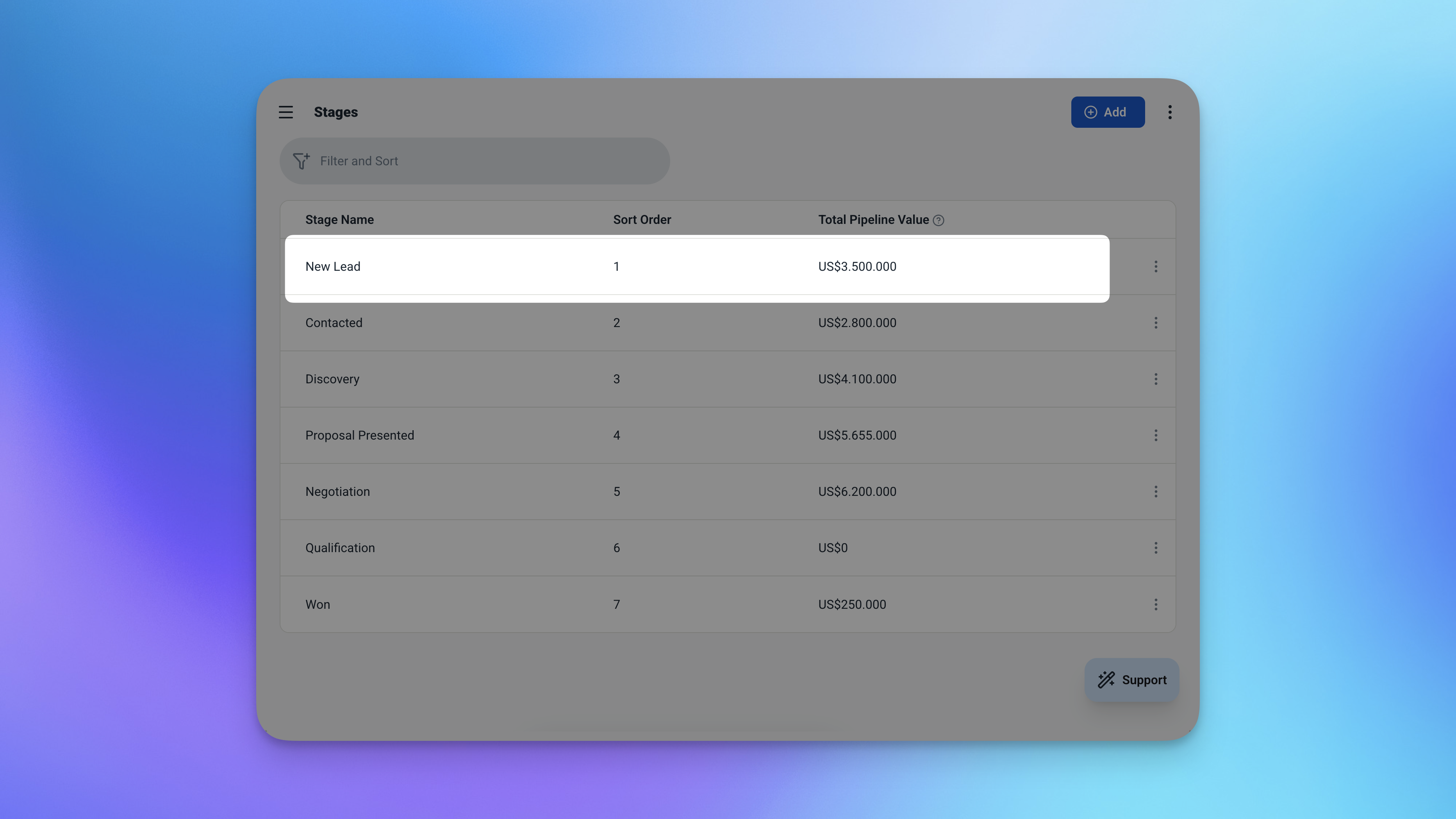
The Stages table — pre-loaded with sensible defaults, easy to customise.
| Field | What It Stores |
|---|---|
| Name | Stage label — e.g. New, Contacted, Proposal, Won, Lost |
| Total Value | Auto-calculated sum of all lead values in this stage |
Leads
The heart of the pipeline. Every potential deal lives here.
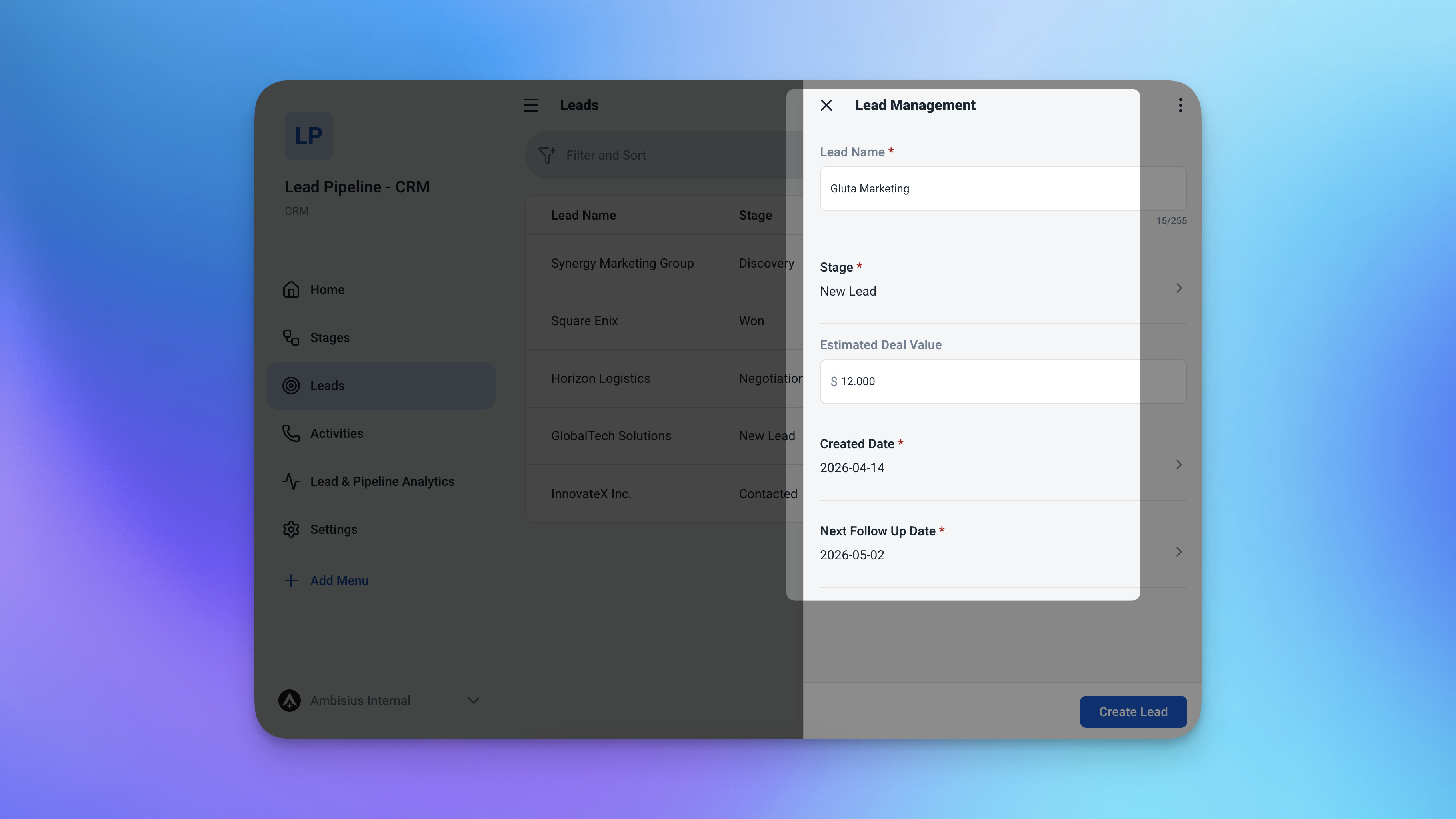
The Leads table — every deal, every detail, all in one place.
| Field | What It Stores |
|---|---|
| Name | Lead or company name |
| Stage | Which stage this deal is in |
| Value | Estimated deal value |
| Created Date | When the lead entered the pipeline — defaults to today |
| Next Follow-Up | When to reach out next |
| Days in Pipeline | Auto-calculated — today minus created date |
Activities
Every touchpoint with a lead, logged and dated.
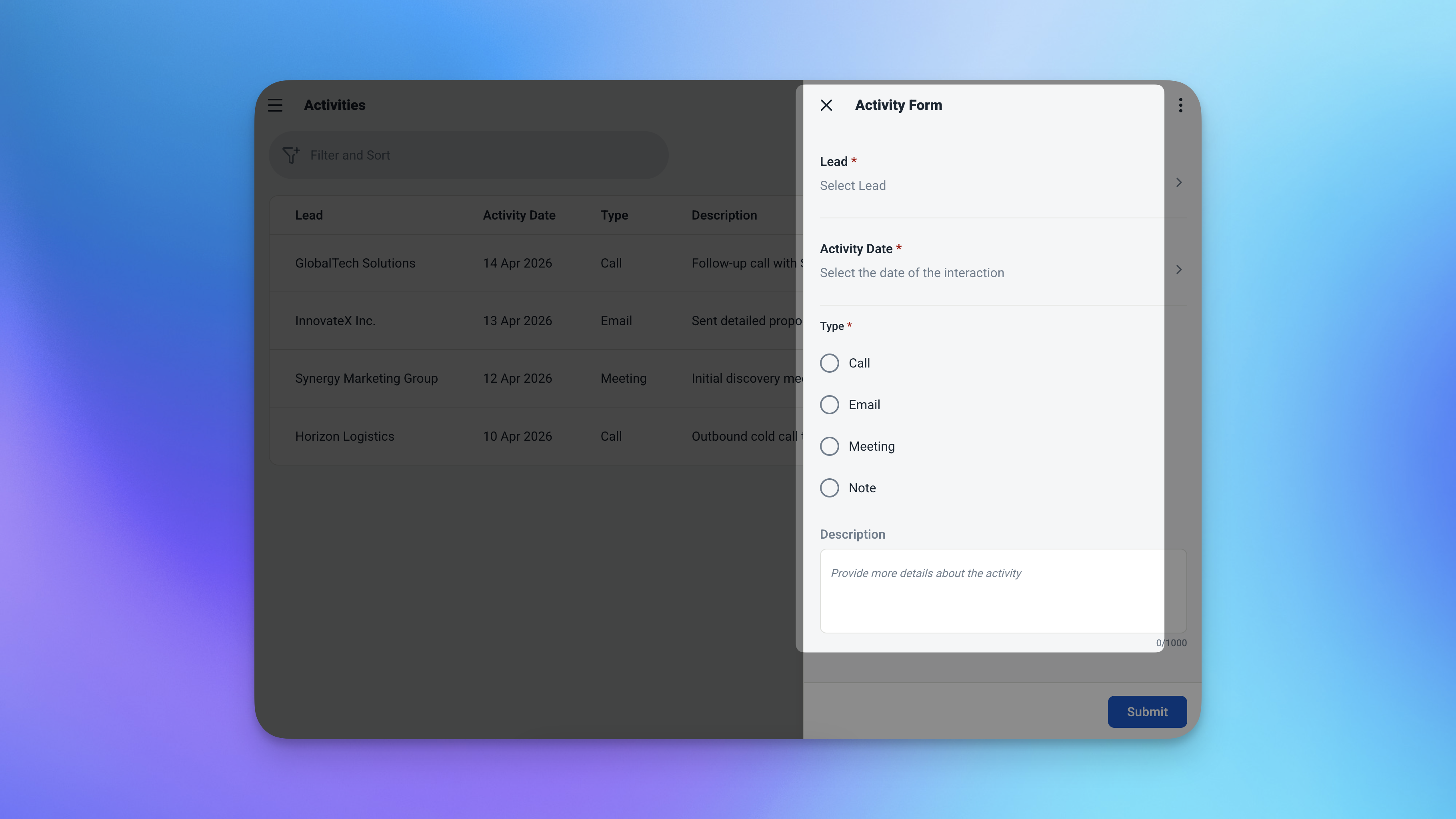
The Activities table — a complete, searchable history of every client interaction.
| Field | What It Stores |
|---|---|
| Lead | Which lead this activity belongs to |
| Date | When it happened — defaults to today |
| Type | Call, Email, Meeting, or Note |
| Description | What was discussed or done |
Start Every Workday Here
Open the app and your pipeline status is right there — no digging required.
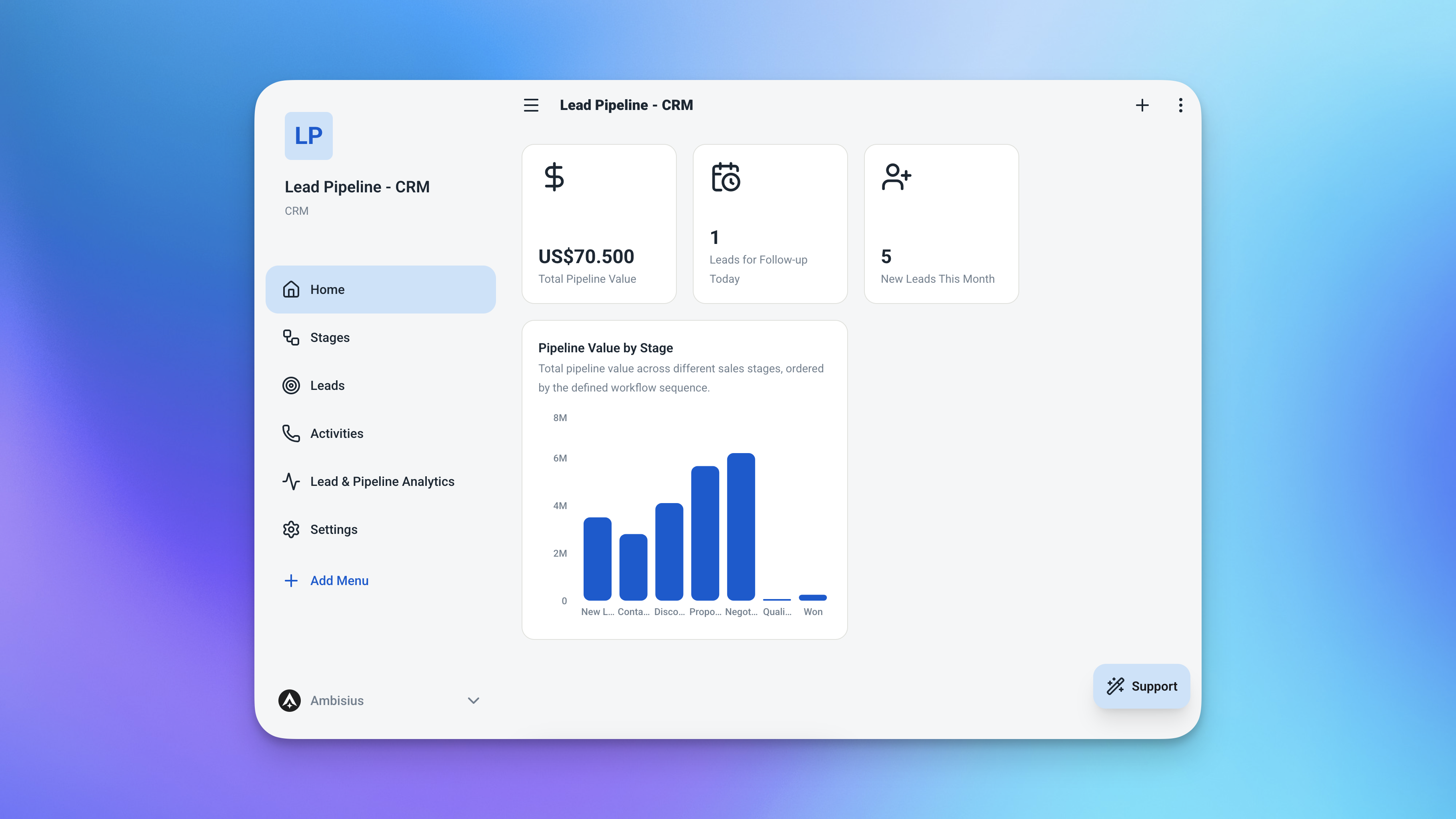
The dashboard — four numbers that tell you everything about where your pipeline stands.
| Widget | What It Shows |
|---|---|
| 💰 Total Pipeline Value | Sum of all estimated deal values across every lead |
| 🔔 Follow-ups Due | Count of leads where follow-up date is today or overdue |
| 📊 Leads by Stage | Table of stages sorted by total value — see where the money is |
| 🕐 Recent Activities | Last 10 interactions logged across all leads |
Analytics — Dig Deeper When You Need To
Three views to understand how your pipeline is performing. Filter by date range or stage to review a specific period or zoom in on one part of the funnel.
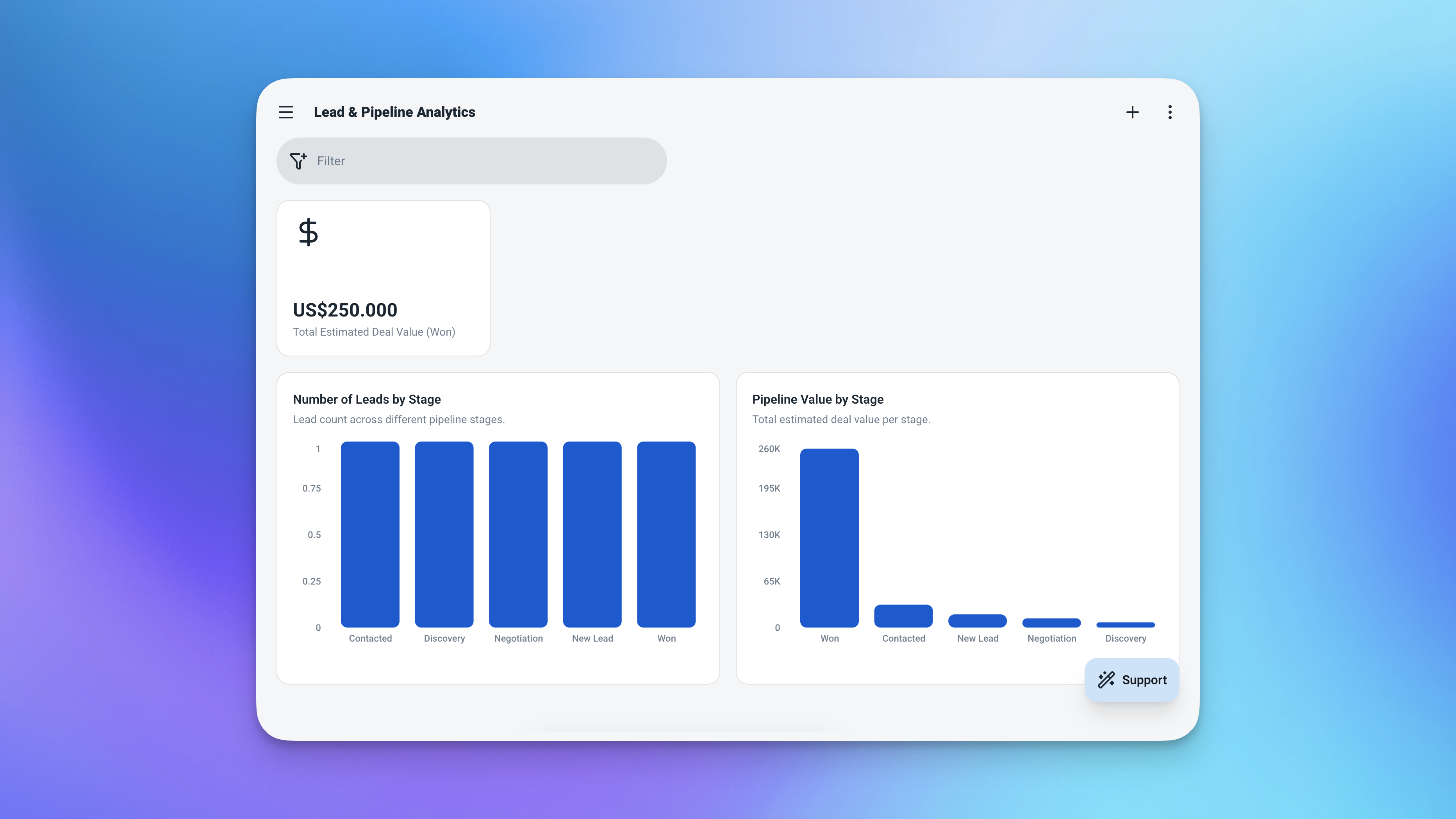
The analytics page — understand your pipeline performance at a deeper level.
-
Leads by StageHow many deals are at each point in the funnel.
-
Pipeline Value by StageWhere the money is concentrated — see which stage holds the most value.
-
Total Won ValueYour actual closed revenue, at a glance.
From Zero to Running Pipeline in Minutes
Four steps and you're live — no setup guides, no configuration headaches.
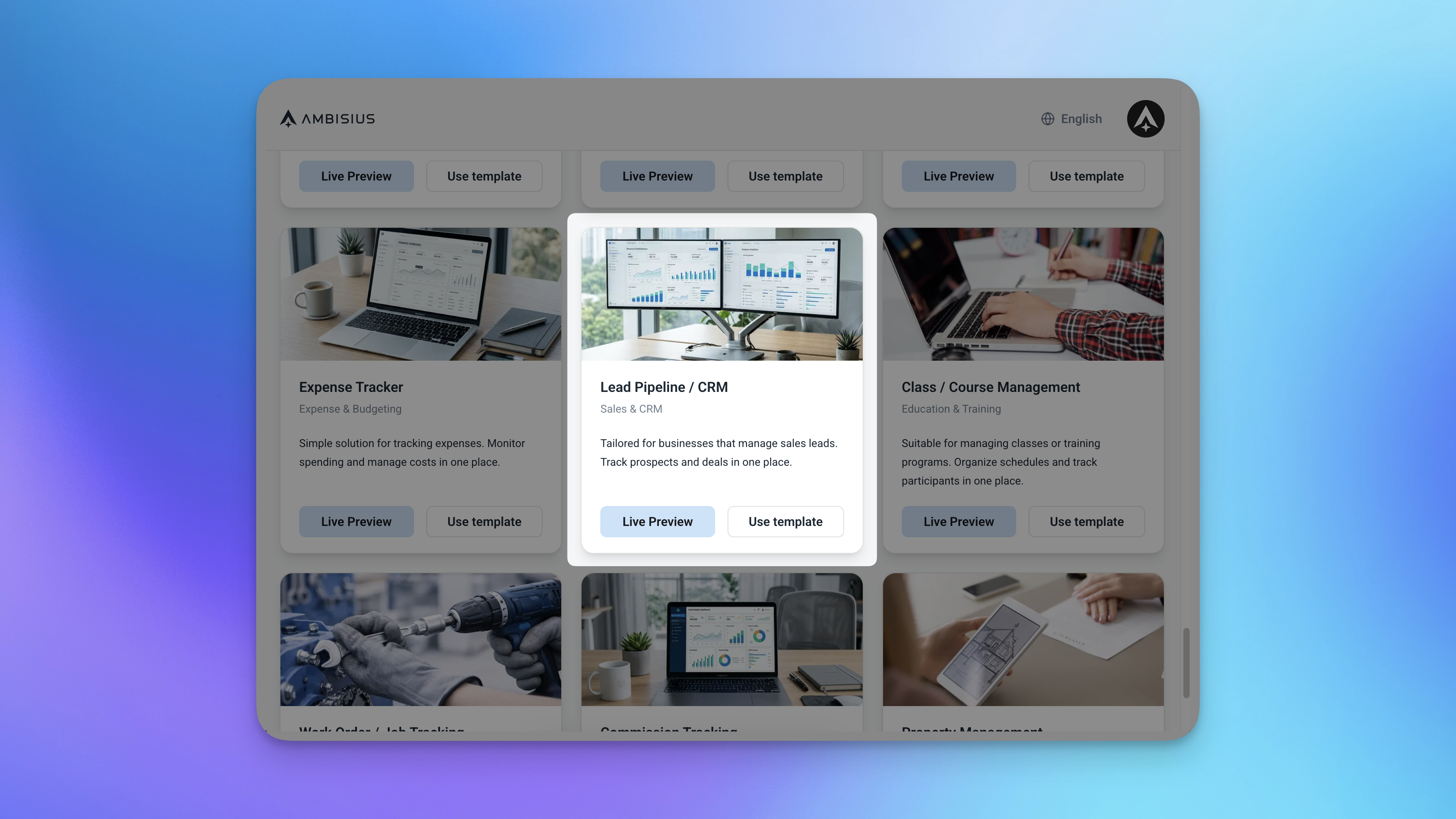
Find the Sales Pipeline & CRM template in the catalogue — one tap to duplicate.
-
1Find the templateOpen Ambisius and browse the template catalogue. Find the Sales Pipeline & CRM template.
-
2Duplicate itOne tap. The full app — tables, dashboard, analytics — is instantly copied into your account.
-
3Set up your stages and add your leadsRename or add stages to match how you sell. Then add your current leads — name, estimated value, and follow-up date.
-
4Start logging and closingAdd your first activity, move a lead to the next stage, and let the app keep track of everything from here.
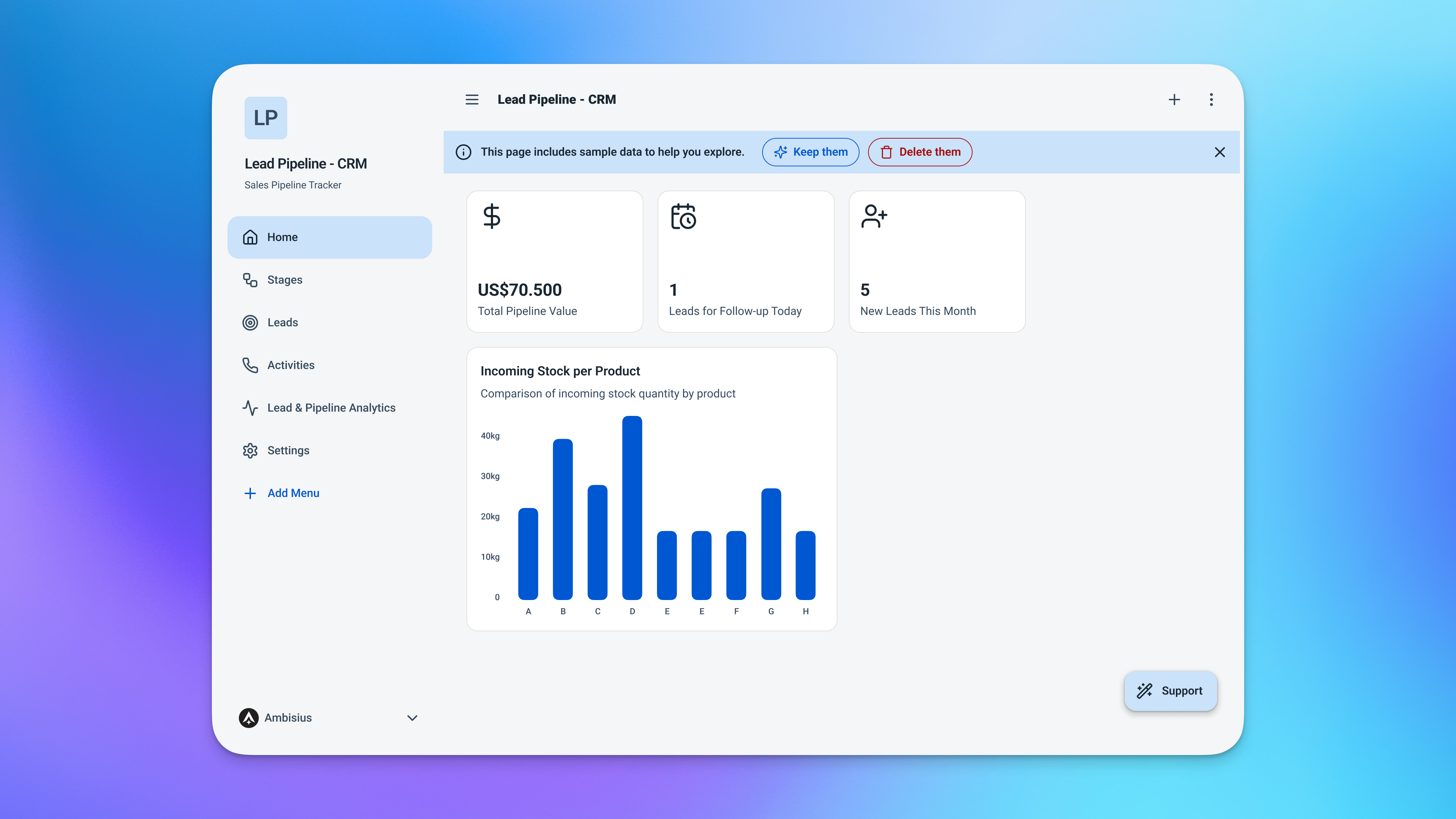
Ready to use the moment you duplicate — just add your leads and go.
Exploring and chatting with the AI costs nothing — credits are only used when you confirm a change to the app. Your pipeline is free to set up and run.
Need Something Extra? Just Tell the AI
The template works great out of the box — but your sales process might have a few specific needs.
Just describe what you want in the chat, and the AI makes it happen. A few ideas to get you started:
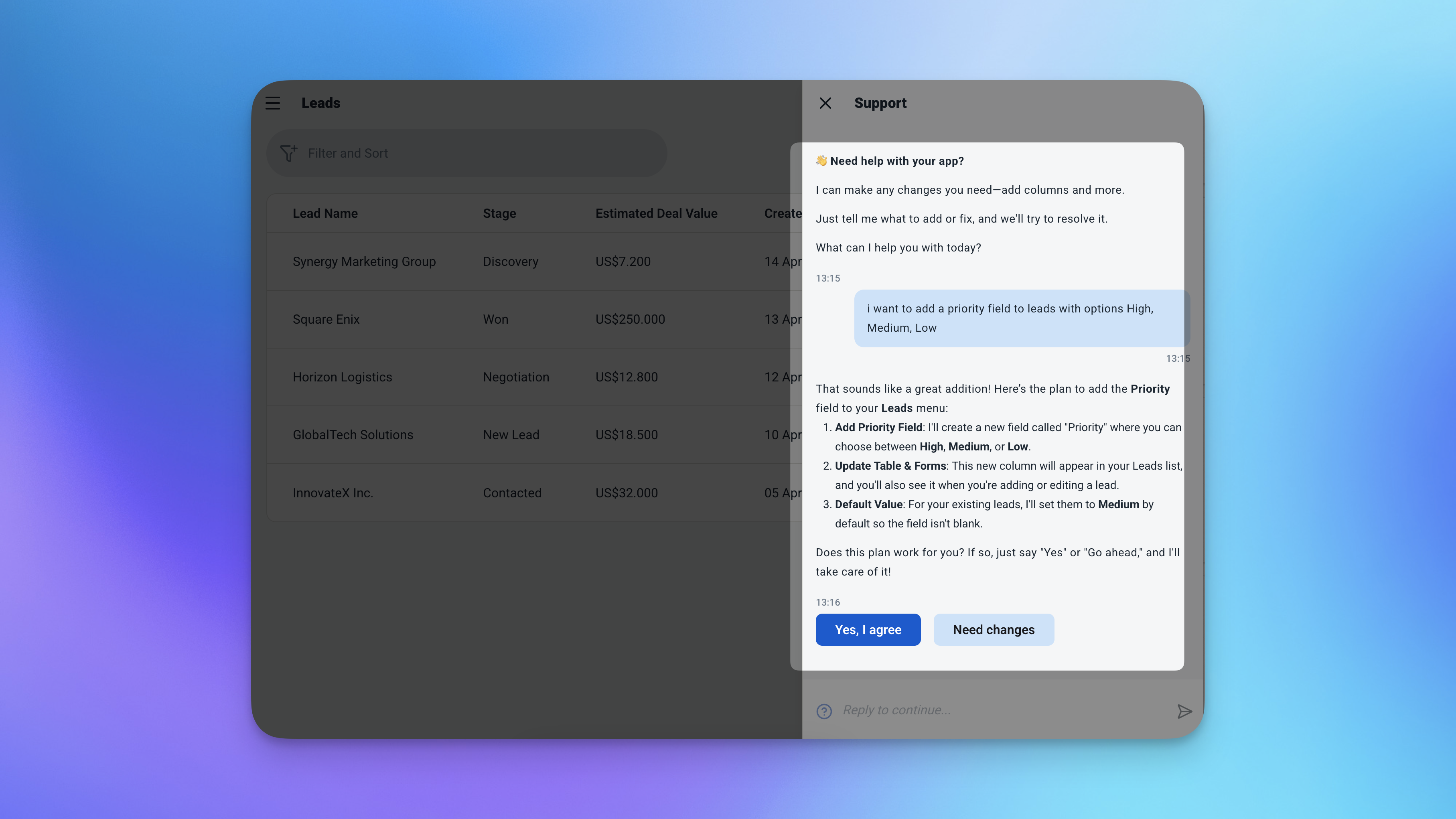
Just describe what you need — the AI handles the rest.
-
"Add a company name field to leads"Useful when you're tracking deals at the company level, not just a contact name.
-
"Add a priority field to leads — High, Medium, Low"Sort and filter your pipeline by urgency. Focus on what matters most first.
-
"Add a deal source field — Referral, Website, Cold Outreach, Event"Understand where your best leads are coming from over time.
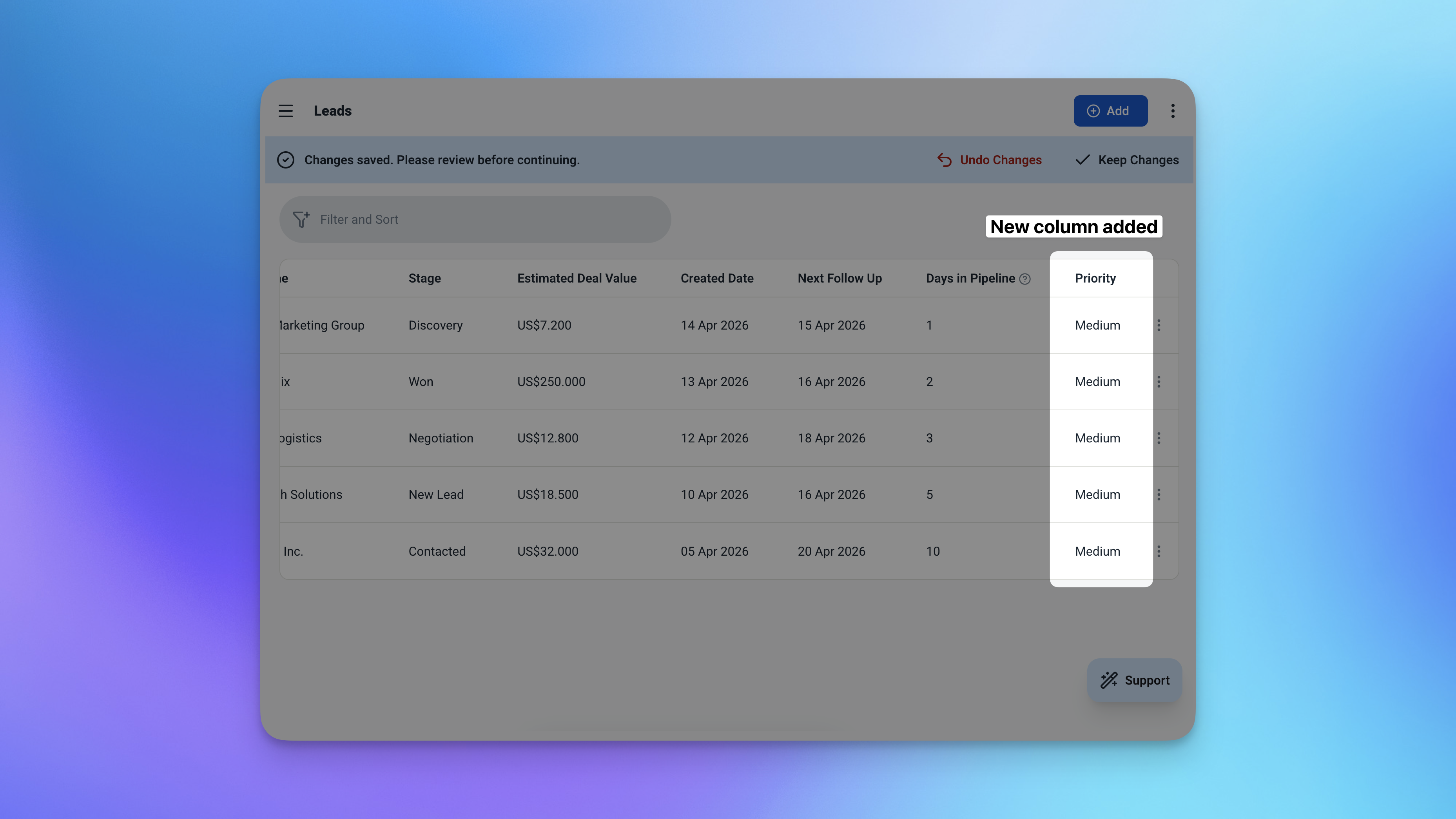
The updated lead form after customisation — new fields added in seconds.
Want to add a new stage or a new lead? No chat needed — just add a row directly in the table.
Frequently Asked Questions
-
Can I use this template for free?Yes. The Sales Pipeline & CRM template is free to activate. Exploring and chatting with the AI costs nothing — credits are only used when you confirm a change to the app.
-
How does the app know how many days a lead has been in the pipeline?The app records the date a lead was created and automatically calculates the difference from today. That number updates on its own every day — no manual input needed.
-
Can I add my own pipeline stages?Absolutely. The default stages are New, Contacted, Proposal, Won, and Lost — but you can rename them, add new ones, or remove any that don't fit your process. Just edit the Stages table directly.
-
Can my sales team use this together?Yes. You can invite team members and control exactly what each person can access. A sales rep can manage their own leads and log activities without seeing the full analytics or editing the stage setup.
-
Can I track multiple deals for the same client?Yes. Each lead is its own record — so you can have multiple deals linked to the same company or contact, each at a different stage with its own activity history.
-
Does this work on mobile?Yes. Ambisius works on iOS, Android, tablet, and any desktop browser. Your pipeline is always with you, on whatever device you're using.
Stop Losing Deals to Poor Follow-Up
Most lost deals aren't lost because of price or competition. They're lost because someone forgot to follow up at the right moment.
The Ambisius Sales Pipeline & CRM template gives you a clear, always-updated view of every lead in your pipeline — who's waiting, how long they've been waiting, and what needs to happen next. It's free, ready in minutes, and works across every device your team uses.
Add your first lead today and see exactly where your pipeline stands.
