


Cover image for Ambisius Propert Rental Management App Template.
Still Tracking Rent in a Spreadsheet?
You've got 5 properties. Three are occupied, one is vacant, and one — you're not quite sure. The lease might have ended last month. Or was it next month?
This is what property management looks like without the right system — a constant game of catch-up across notebooks, spreadsheets, and WhatsApp messages. It works, until it doesn't.
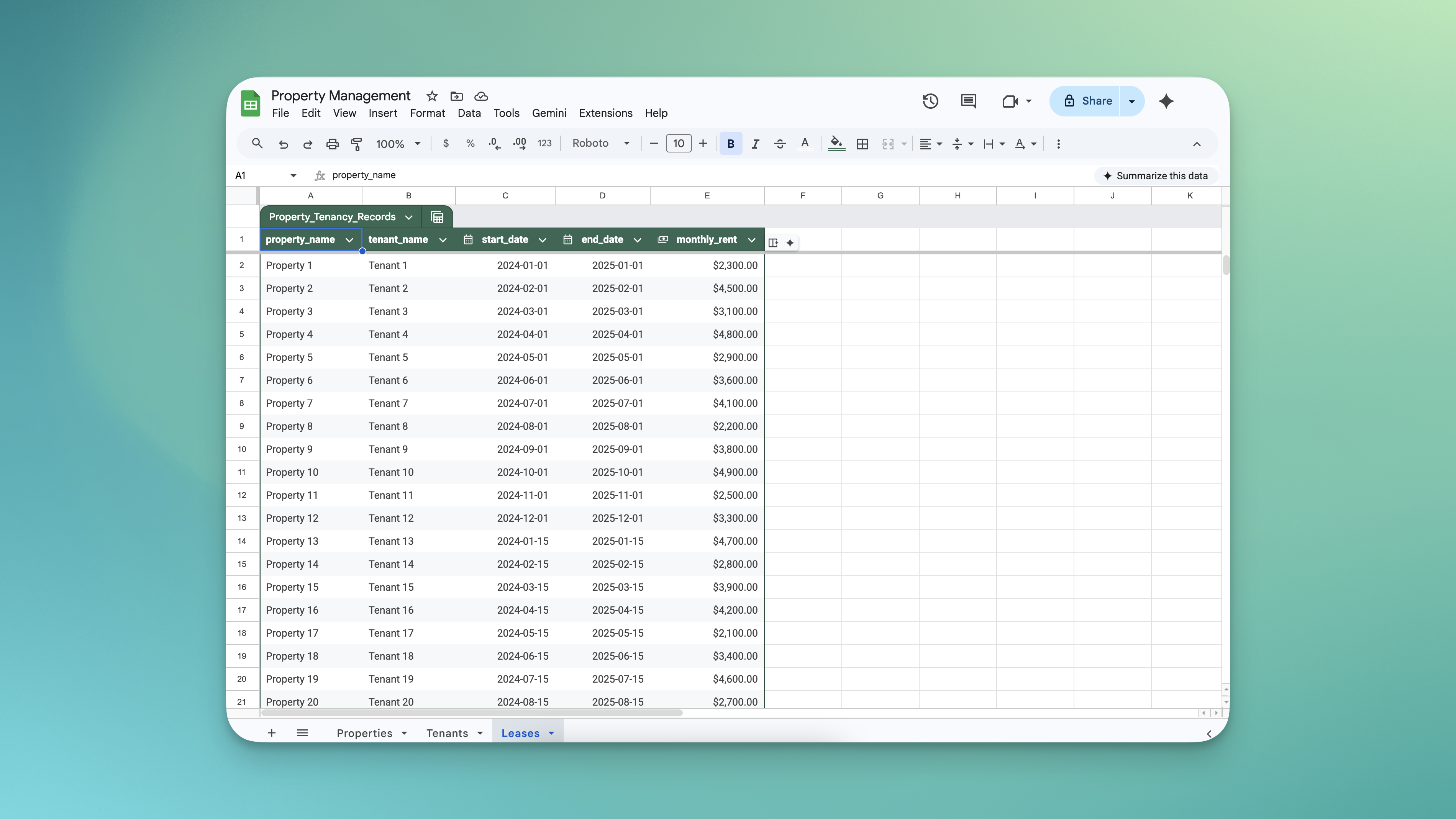
A typical rental spreadsheet — one missed update and you're chasing payments you didn't know were overdue.
-
Which units are actually vacant?Without a live status, you're guessing — or manually checking every lease end date to figure out what's available.
-
Lease overlaps happen more than landlords admitWhen leases are tracked manually, it's easy to accidentally sign two tenants onto the same property for the same period.
-
Overdue payments go unnoticedWithout automatic flagging, you only find out someone hasn't paid when you manually cross-check — which rarely happens on time.
-
Rent disputes with no clear recordWhen rent changes and the original agreed amount isn't locked in, tenants and landlords end up arguing over what was actually signed.
-
No real-time financial pictureHow much rent have you collected this month? How much is still outstanding? Without a dashboard, you don't know until you tally it all up manually.
The Ambisius Property Rental Management template brings everything into one place: which properties are occupied, what rent was agreed at signing, which payments are overdue, and your full financial picture — updated in real time. Free to use. Ready in minutes. No spreadsheet formulas to maintain.
Built for Landlords and Property Managers of All Sizes
You don't need to manage a hundred units for this to be useful. Whether you manage 2 properties or 20, the problems are the same — and this template solves all of them.
-
🏠 Individual LandlordsManaging a handful of residential properties on the side — without the overhead of expensive property management software.
-
🏢 Property ManagersHandling multiple units or buildings on behalf of owners — with a clean, auditable record of every lease and payment.
-
🏪 Commercial LandlordsTracking shop lots, office spaces, or mixed-use properties — with automatic status updates and overdue flagging built in.
-
📋 Anyone Currently Using SpreadsheetsWho wants something that actually enforces rules, flags problems automatically, and doesn't break when someone edits the wrong cell.
The Whole Picture, Without the Manual Work
Here's what the app handles from the moment you start using it.
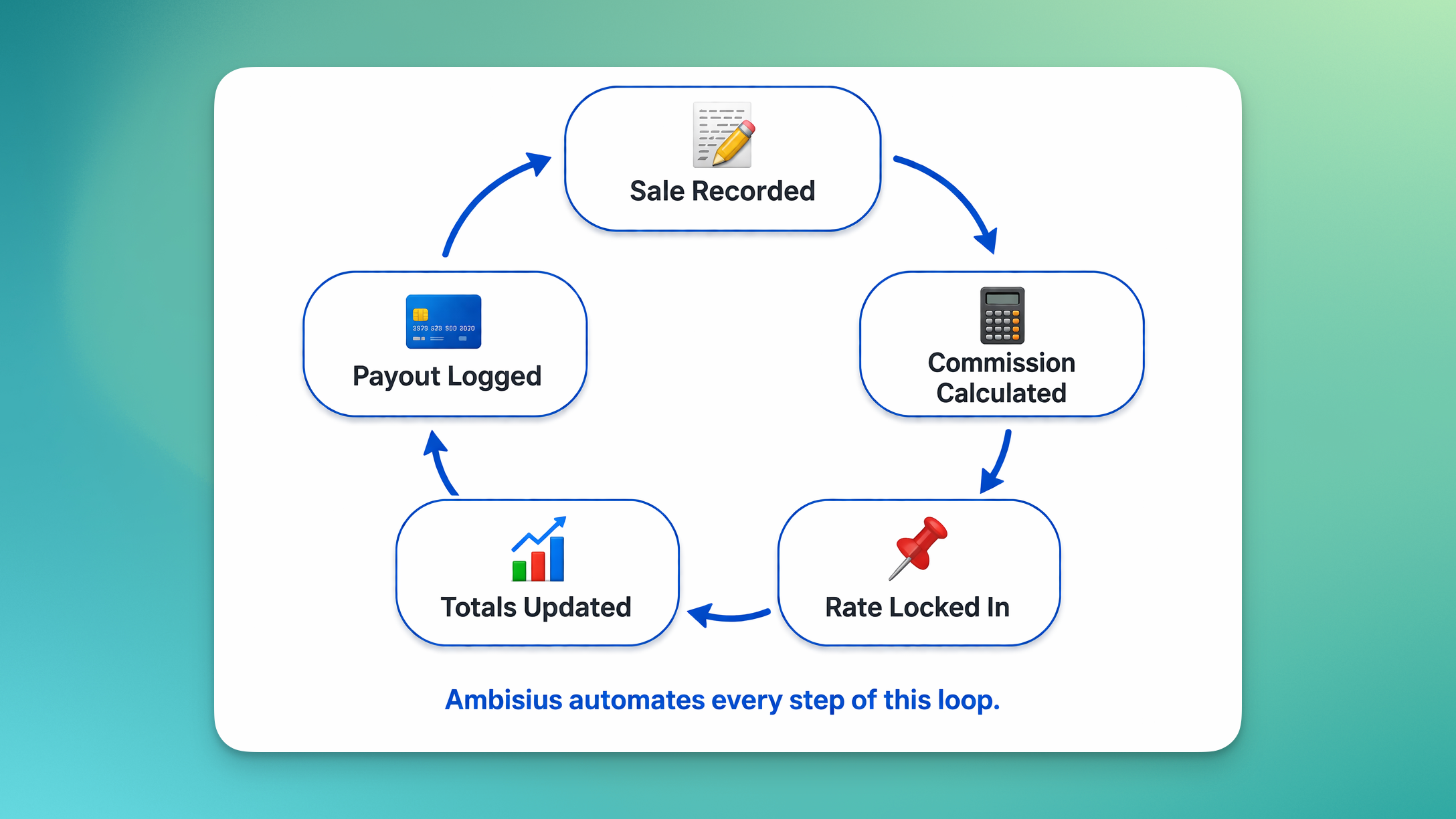
The full property management lifecycle — from lease creation to overdue detection, automated at every step.
-
1Property status updates itselfWhen a lease is created for a property, its status switches to Occupied automatically. When the lease ends, it goes back to Vacant — no manual updating needed.
-
2Rent is locked in at signingThe monthly rent is captured the moment a lease is created. If you adjust the rent on a property later, existing leases are not affected — what was agreed stays agreed.
-
3Overlapping leases are blockedWhen creating a new lease, the system checks whether the selected property already has an active lease covering the same dates. If it does, the save is blocked before it becomes a problem.
-
4Overdue payments are flagged automaticallyEvery rent payment has a due date. If the due date passes without a paid date recorded, the app calculates how many days overdue it is — and surfaces it on the dashboard.
-
5Your full overview is one tap awayOpen the app and instantly see how many units are occupied, how much rent has been collected this month, and exactly which payments need chasing.
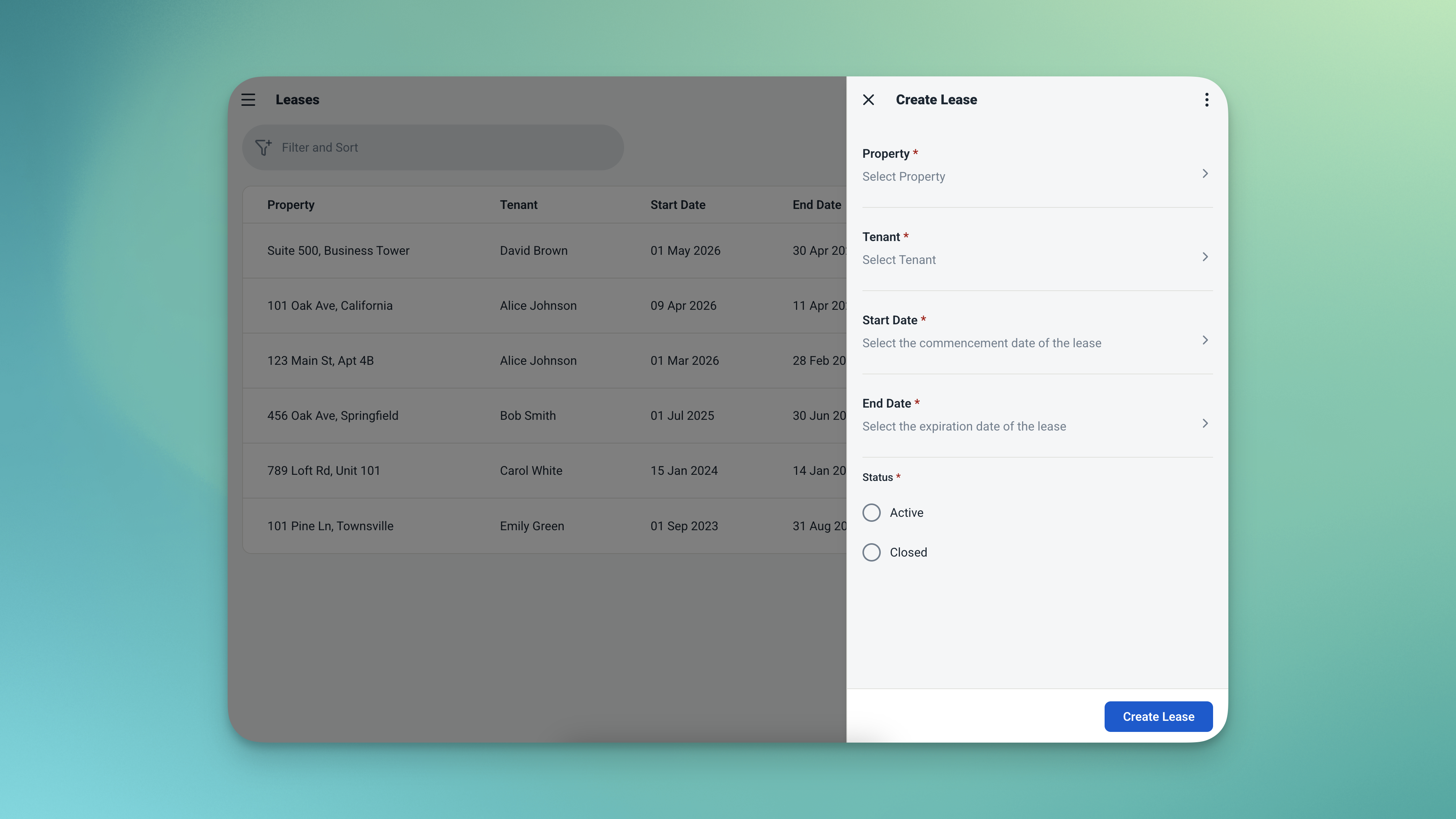
Create a lease — the agreed rent is locked in at signing and the property status flips to Occupied automatically.
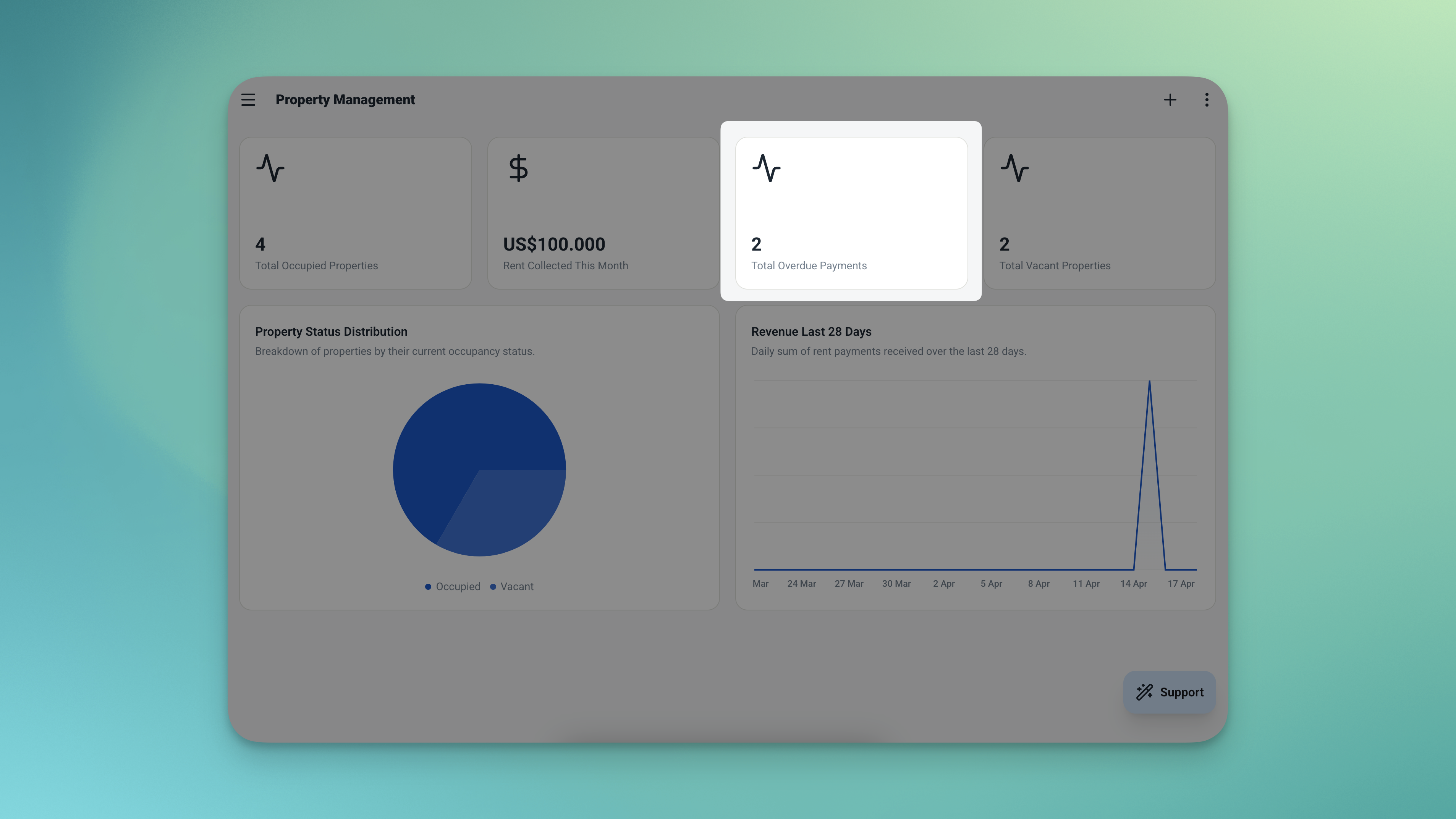
Overdue payments surface on the dashboard automatically — sorted by urgency, oldest first.
Four Features That Run Your Property Portfolio
Four smart features that eliminate the most common property management headaches.
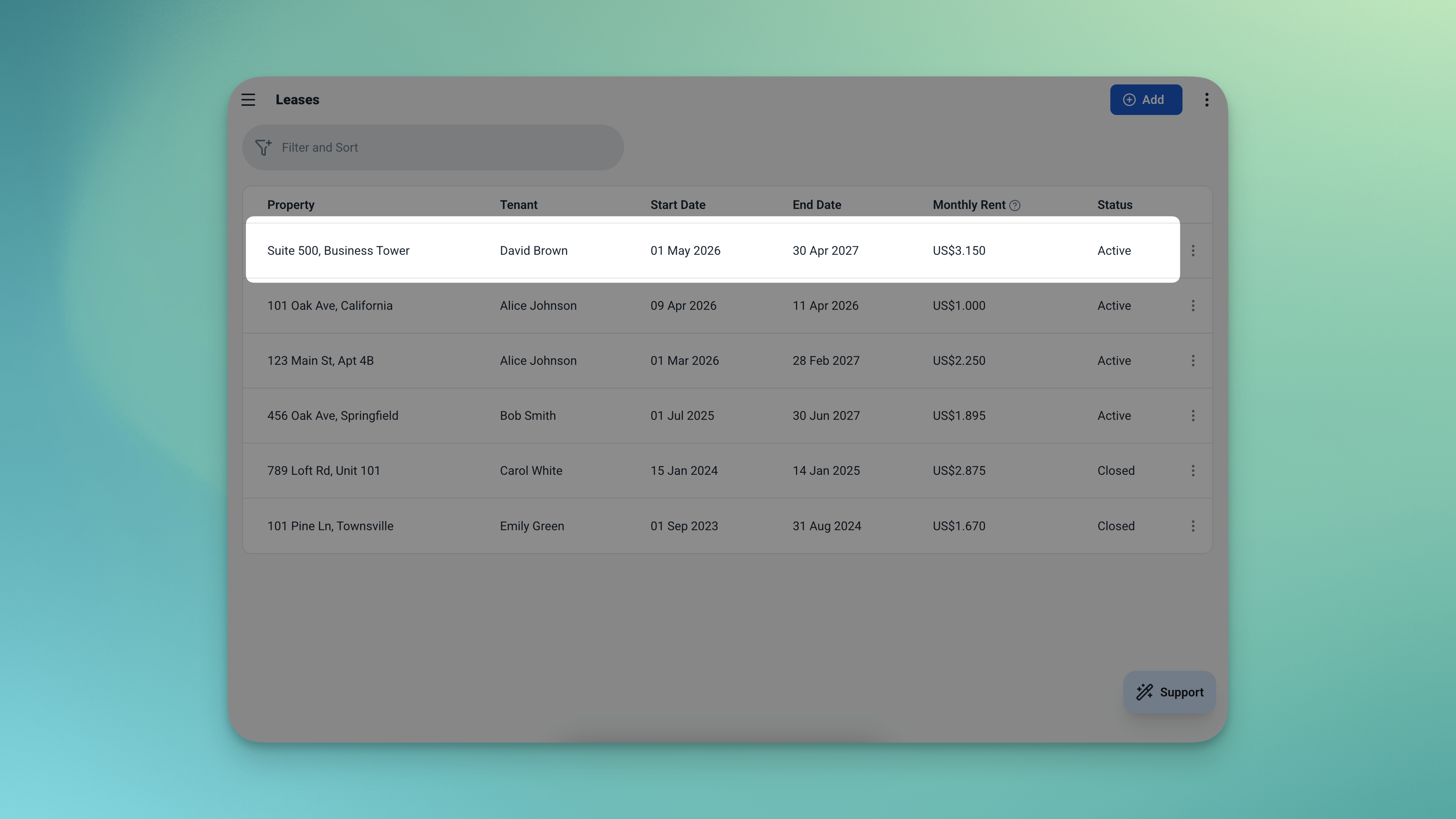
The agreed rent is locked in at lease creation — future rate changes never touch existing records.
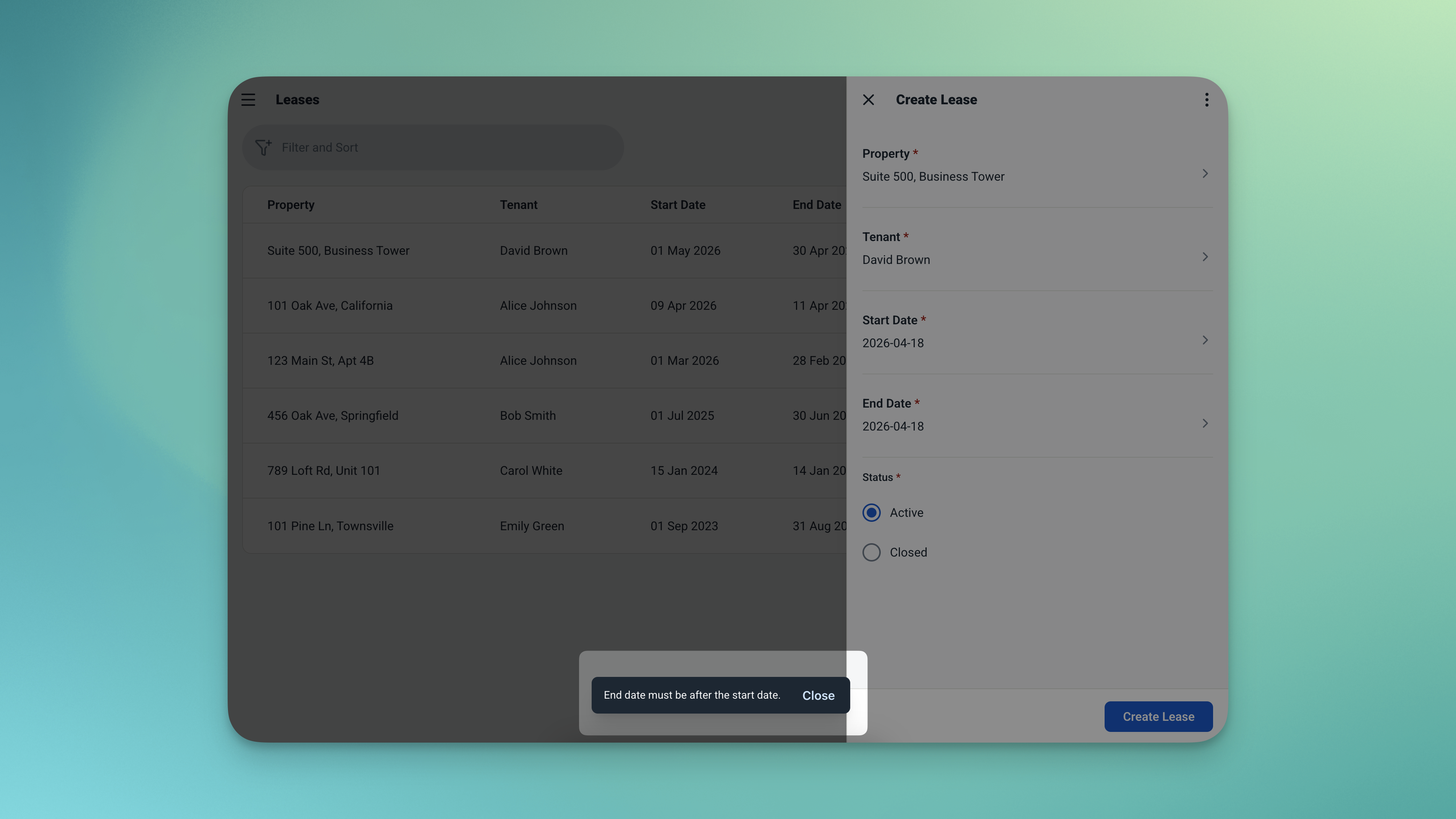
The overlap check catches conflicting leases before they're saved — automatically.
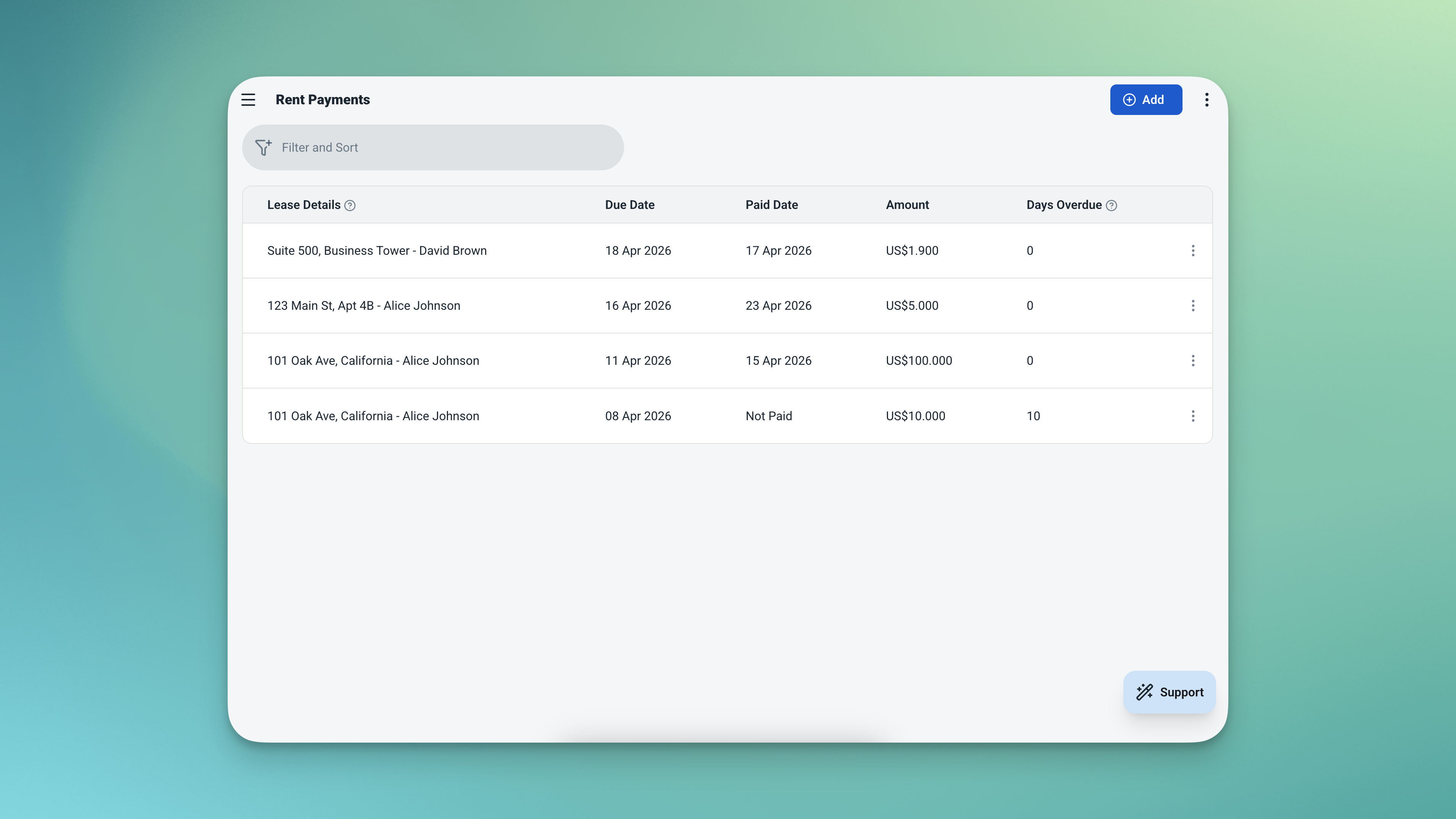
Days overdue is calculated automatically for every unpaid payment — no manual cross-checking needed.
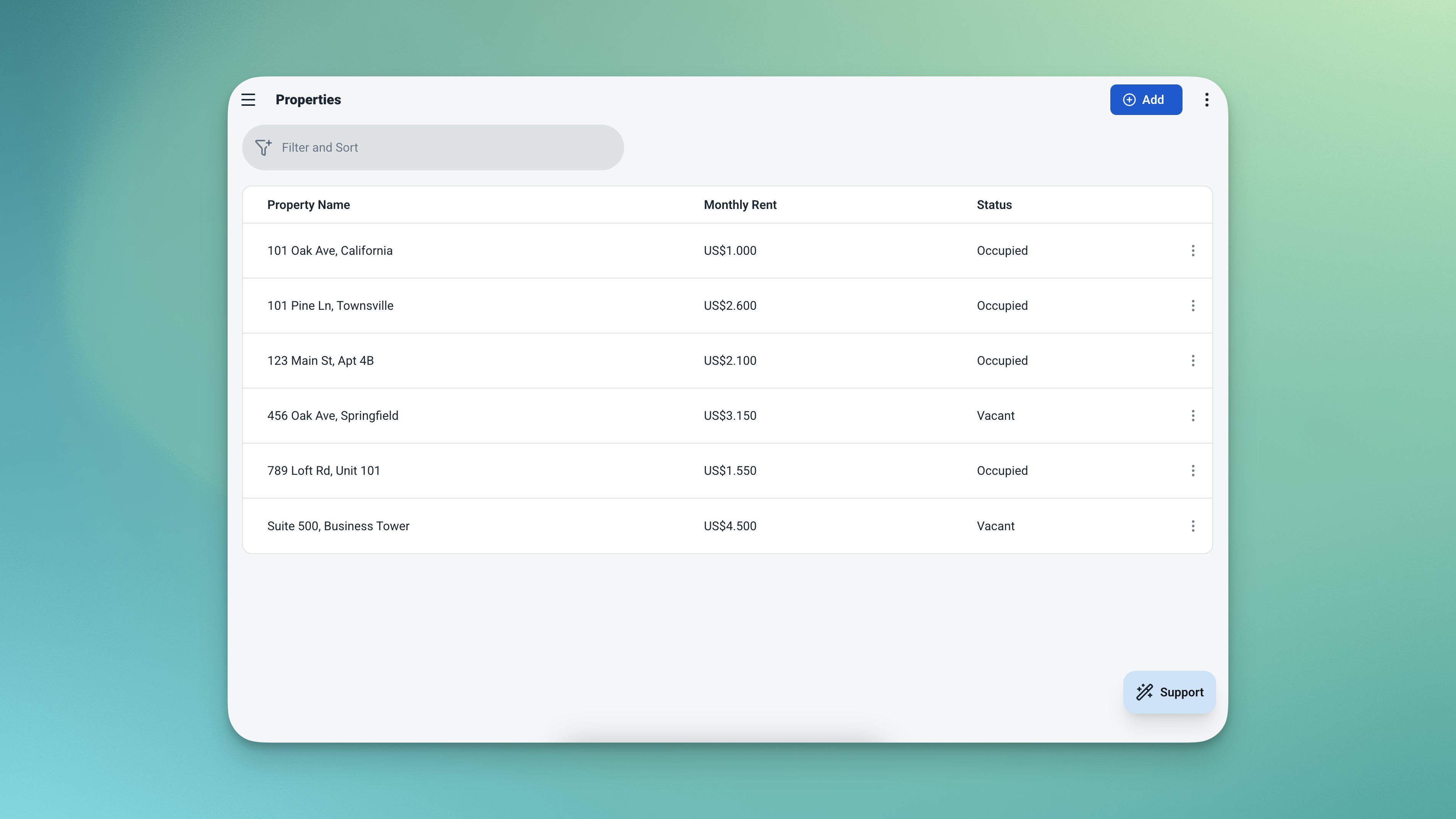
Your property list always reflects what's occupied and what's available — updated automatically.
4 Tables — All Connected, All Ready to Use
Activate the template and all four tables are ready to go — connected, automated, and waiting for your data.
🏠 Properties
Your property portfolio. Every unit, its standard rent, and its current occupancy status — always up to date.
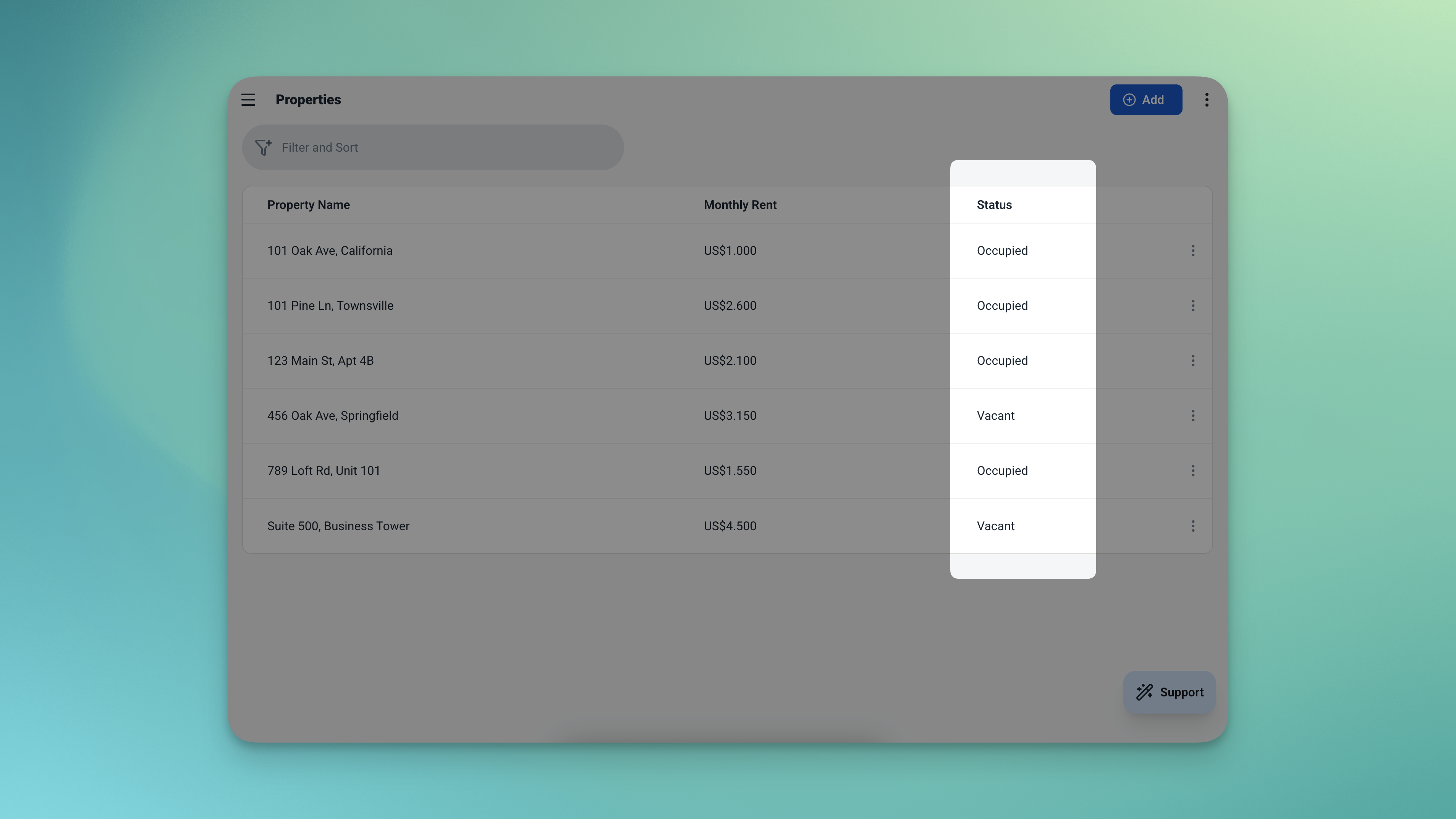
The Properties table — your full portfolio with live occupancy status on every unit.
| Field | What It Stores |
|---|---|
| Name | Property identifier (e.g. Unit 3A, Shop Lot 12, Office Suite B) |
| Monthly Rent | Standard asking rent for the property |
| Status | Vacant or Occupied — updates automatically based on active leases |
👤 Tenants
A simple contact record for every tenant — linked directly to their lease and payment history.
| Field | What It Stores |
|---|---|
| Name | Tenant's full name |
| Phone | Contact number |
📄 Leases
The agreement between a tenant and a property. Dates, duration, and the rent locked in at the moment of signing.
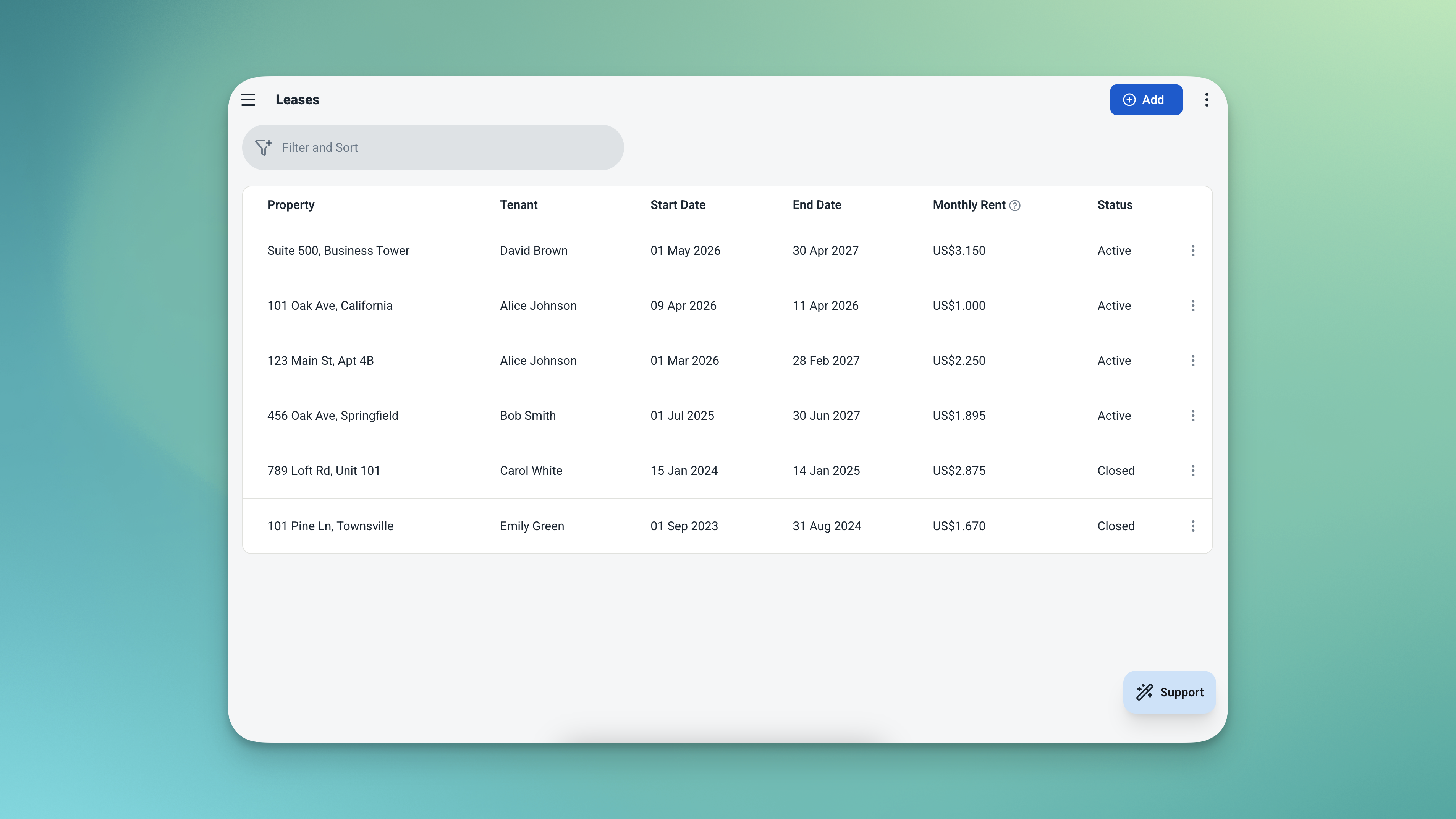
The Leases table — every agreement linked, every rent amount locked in at signing.
| Field | What It Stores |
|---|---|
| Property | Linked from Properties table |
| Tenant | Linked from Tenants table |
| Start Date | When the lease begins |
| End Date | When the lease ends |
| Monthly Rent | Captured at signing — not affected by future changes to the property |
💳 Rent Payments
Every payment due under every lease — tracked, dated, and automatically flagged if overdue.
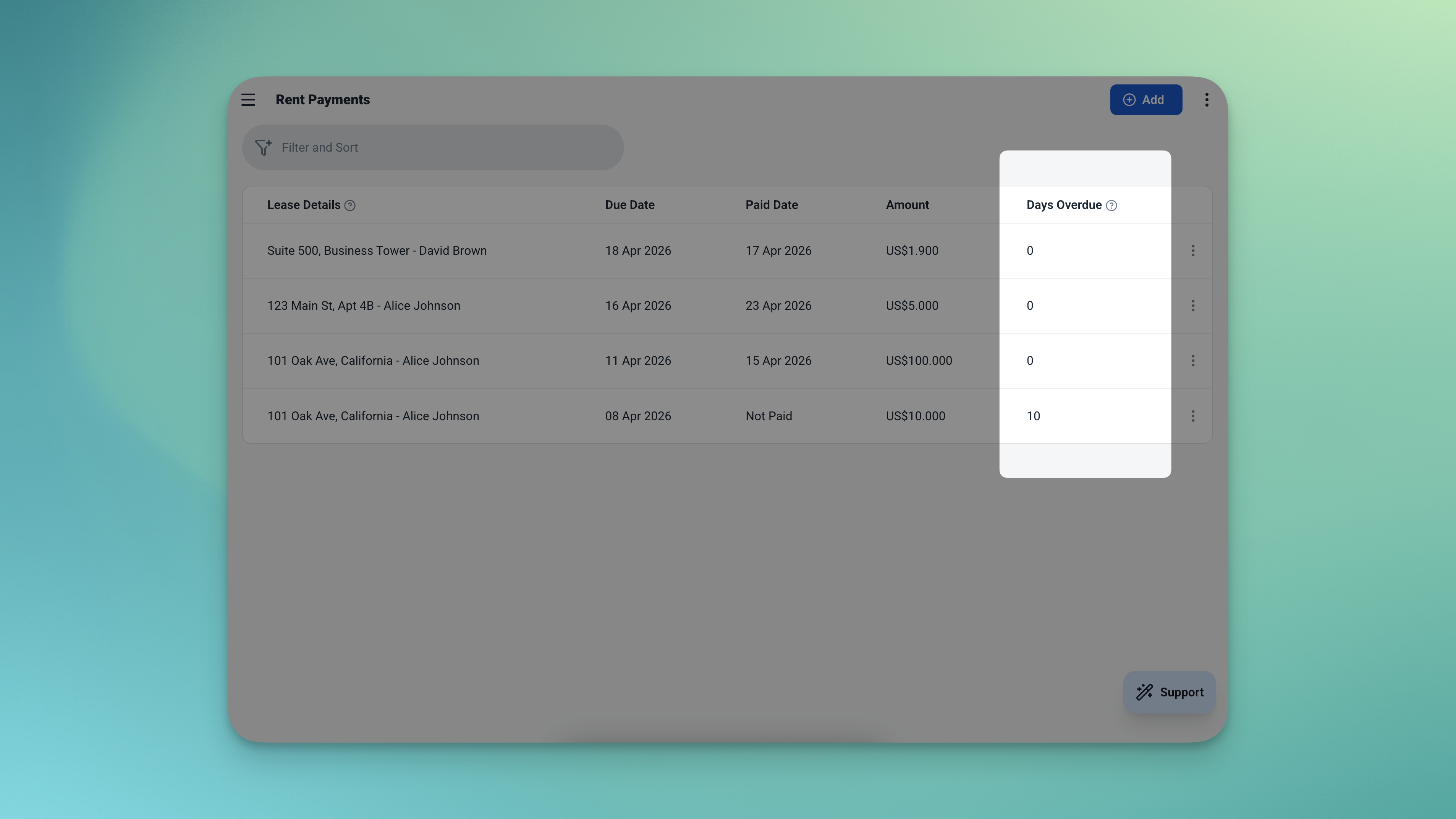
The Rent Payments table — every payment tracked, with days overdue calculated automatically for anything unpaid.
| Field | What It Stores |
|---|---|
| Lease | Linked from Leases table |
| Due Date | When the payment is due |
| Paid Date | When payment was received — left empty if unpaid |
| Amount | Payment amount |
| Days Overdue | Auto-calculated if due date has passed and no paid date is recorded |
Everything You Need to Know — Without Opening a Single Spreadsheet
The dashboard and analytics pages give you a complete picture of your rental portfolio — at a glance and in depth.
Dashboard — Your Property Overview at a Glance
Three numbers tell you the state of your portfolio instantly. Below the metrics, two action-ready tables keep you one step ahead.
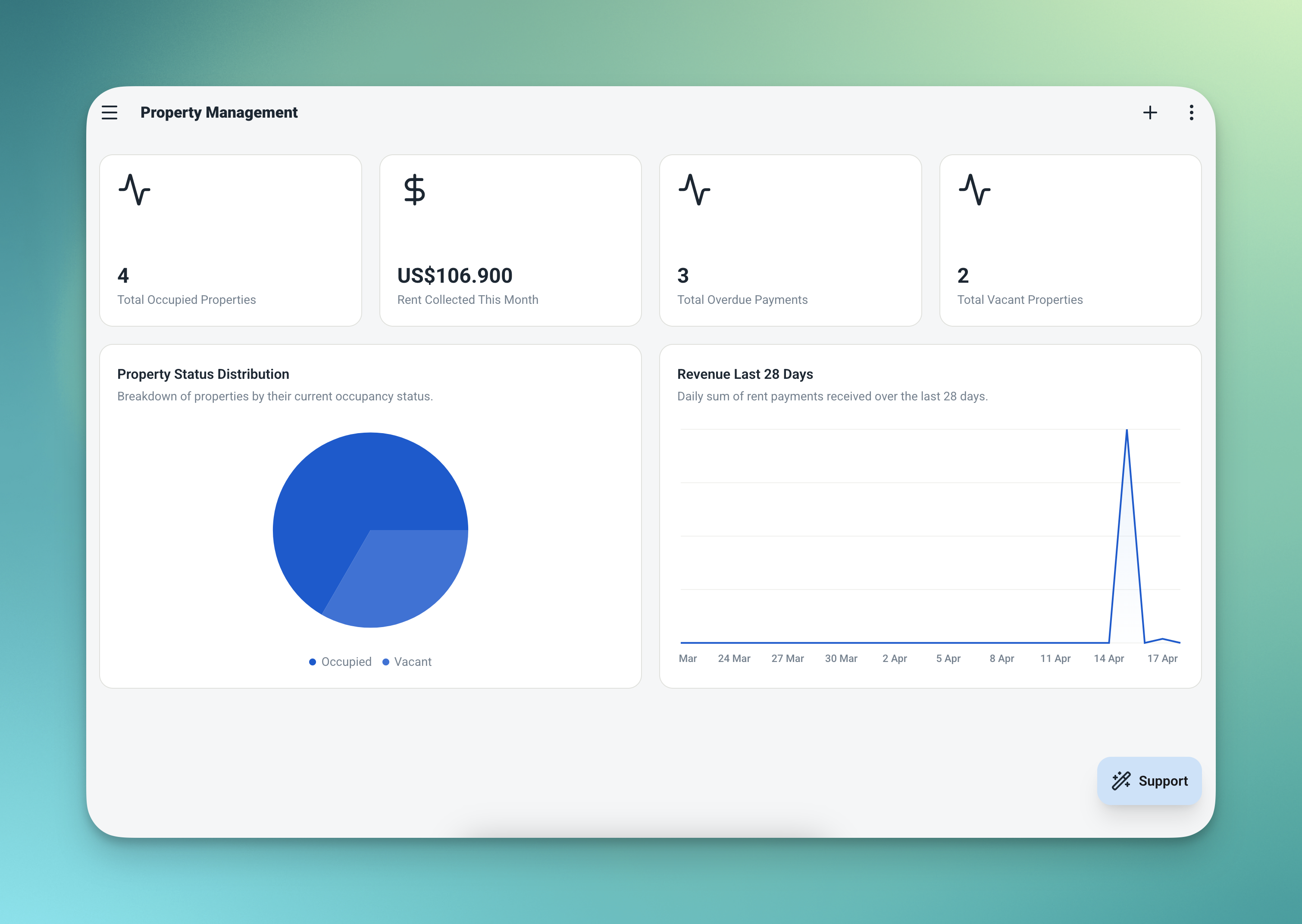
The dashboard — occupied units, rent collected, overdue payments, and vacant properties all in one view.
| Widget | What It Shows |
|---|---|
| 🏢 Occupied Units | How many properties currently have active tenants |
| 💰 Rent Collected This Month | Total payments received so far this month |
| ⚠️ Overdue Payments | How many payments are past due with no payment recorded |
| 📋 Overdue Payments List | Full list sorted by due date, oldest first — so you know exactly who to chase |
| 🏠 Vacant Properties List | Every unit available for a new tenant, at a glance |
Analytics — Your Financial Picture Over Time
Go deeper with the analytics page. Filter by date range or specific property to drill into what matters most.
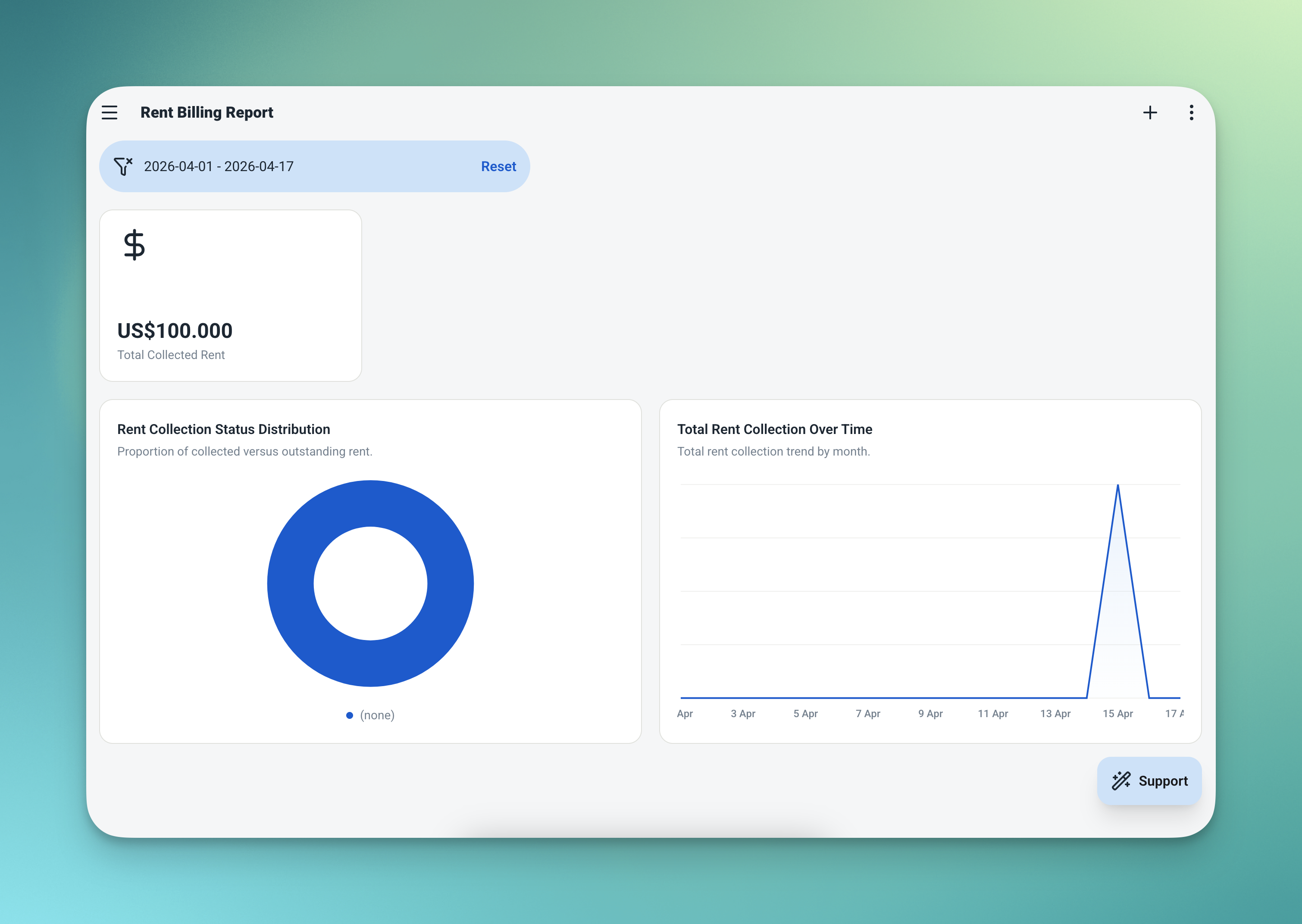
The analytics page — monthly rent collection trends, total collected, and outstanding receivables for any filtered period.
| Chart / Metric | What It Shows |
|---|---|
| 📈 Rent Collection Over Time | Monthly rent collected — spot seasonal trends or collection gaps |
| 💵 Total Collected | Sum of all payments received in the selected period |
| 📋 Outstanding Rent | Sum of all unpaid payments — your receivables at a glance |
From Zero to a Working Property Management App in Minutes
Four steps from zero to a fully running rental management app.
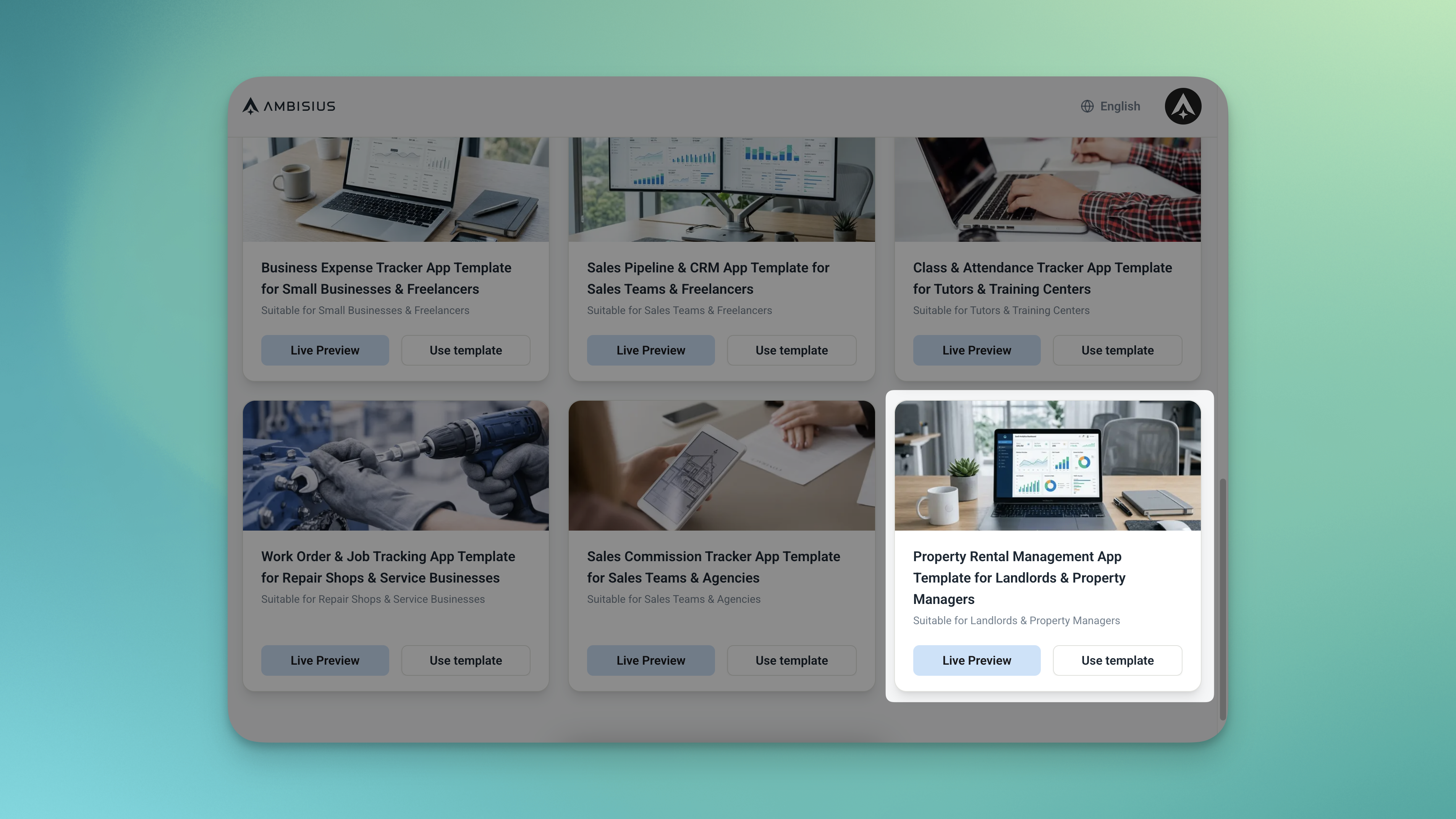
Find the Property Rental Management template in the catalogue — one tap duplicates everything into your account.
When you duplicate the template, everything comes with it — all 4 tables, overlap prevention, overdue detection, dashboard, and analytics. There's nothing to configure from scratch.
Need Something Extra? Just Tell the AI
The template works great out of the box — but every landlord runs things a little differently. Describe what you need in the chat and the AI makes the change.
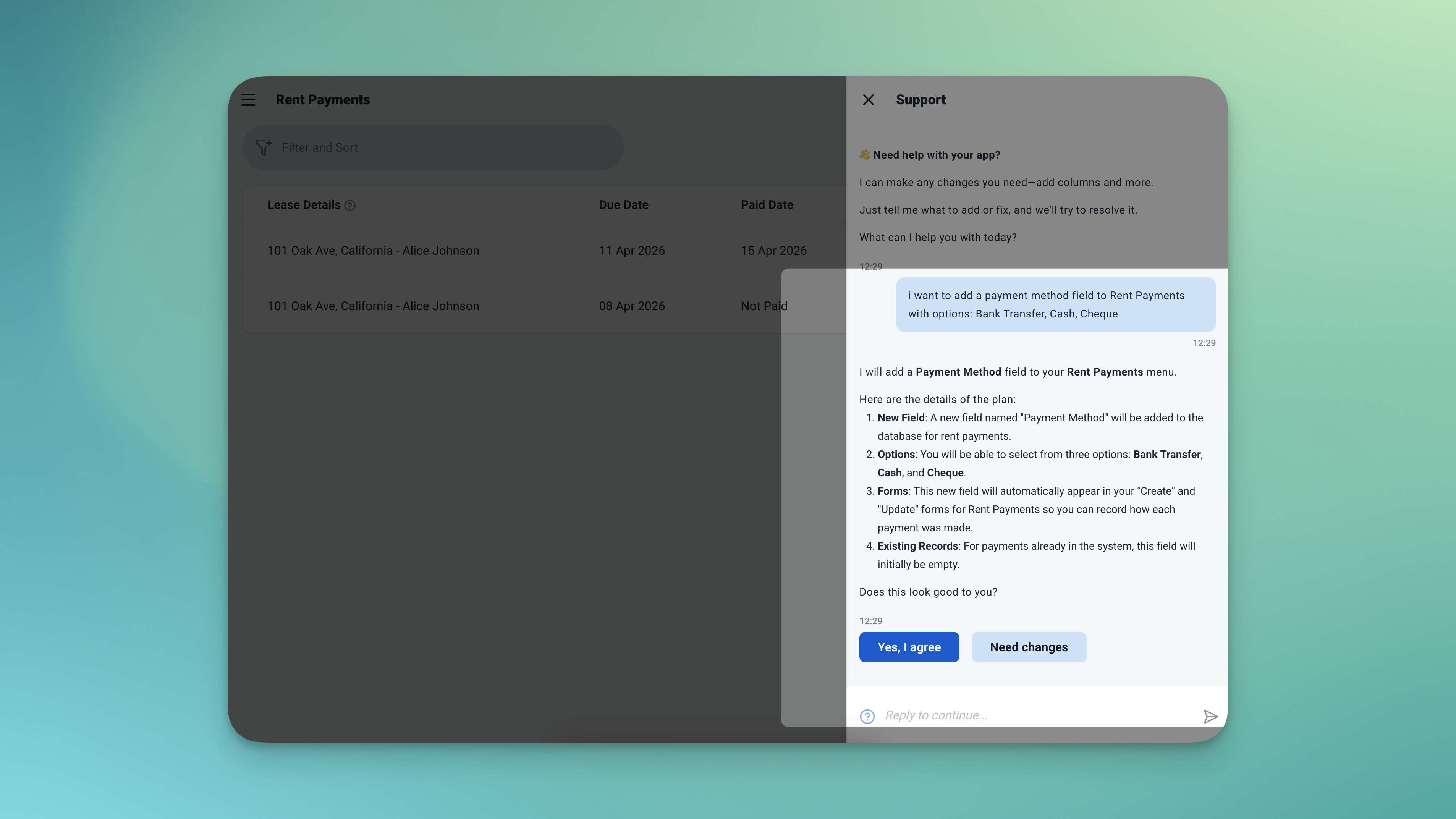
Type what you need — the AI updates the app for you, no coding required.
| What to Ask For | What It Does |
|---|---|
| "Add a payment method field to Rent Payments — Bank Transfer, Cash, Cheque" | Track how each payment was made alongside every record |
| "Add a property type field — Apartment, House, Shop, Office" | Categorise your portfolio by type for easier filtering and reporting |
| "Add a notes field to Leases" | Record key terms, special agreements, or remarks per lease |
Adding a new property or tenant? No chat needed — just add a new row directly in the table and it's immediately available across the app.
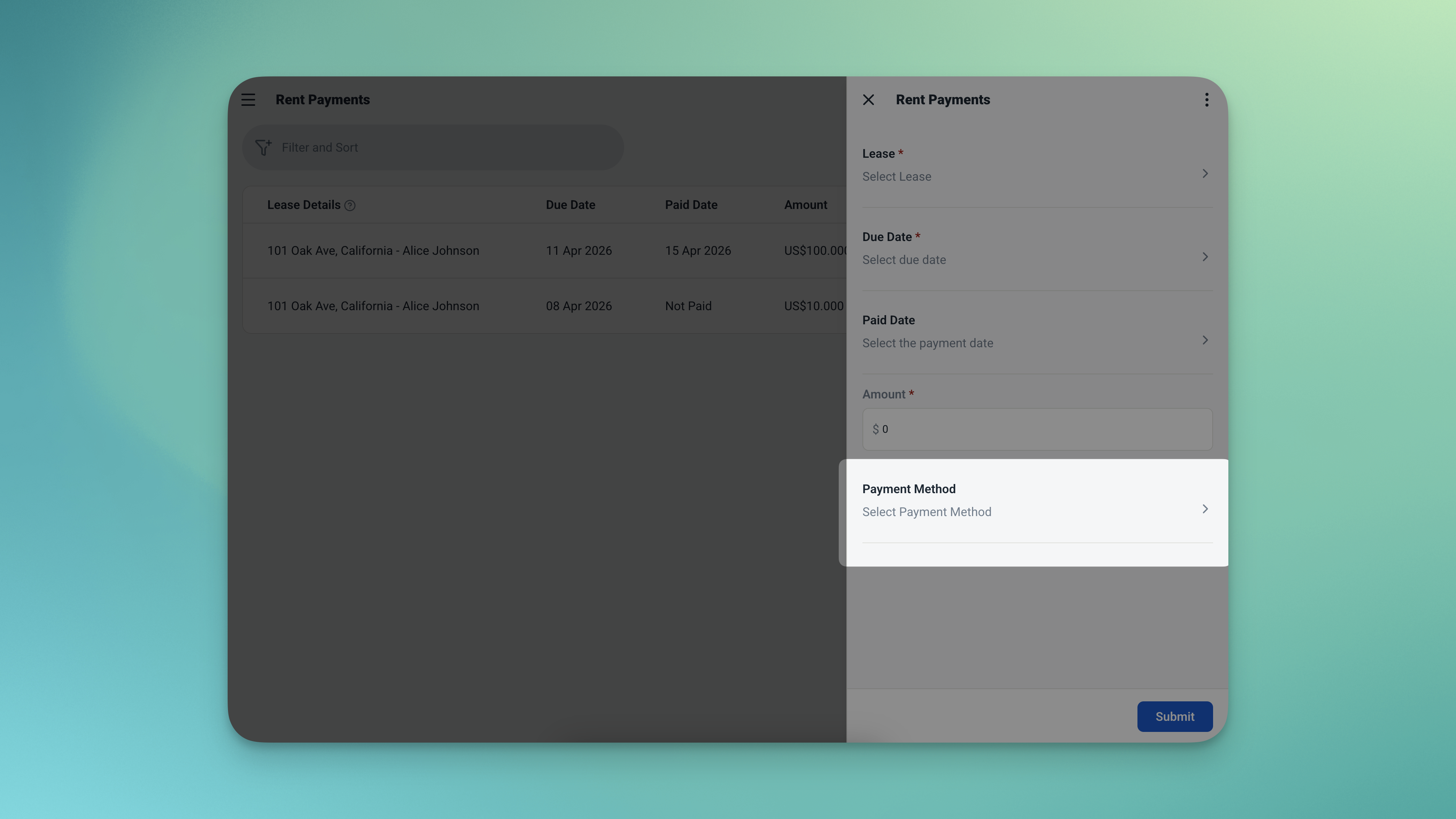
After asking the AI to add a payment method field — it appears in the form, ready to use.
Frequently Asked Questions
-
Can I use this template for free?Yes. The Property Rental Management template is free to activate. Exploring and chatting with the AI costs nothing — credits are only used when you confirm a change to the app.
-
What happens if I try to create two leases for the same property at the same time?The app blocks it. Before a lease is saved, the system checks whether the selected property already has an overlapping lease. If it does, the new lease won't go through until the conflict is resolved.
-
Will changing the rent on a property affect existing leases?No. The monthly rent is captured at the moment each lease is created. Updating a property's rent later has no effect on any existing lease records — what was agreed at signing stays on record.
-
How does the app know a payment is overdue?Every rent payment has a due date. If today's date passes that due date and no paid date has been recorded, the app automatically calculates how many days overdue the payment is and flags it on the dashboard.
-
Can I manage multiple properties with this app?Yes — there's no limit to how many properties, tenants, or leases you can add. The dashboard and analytics scale with your portfolio automatically.
-
Can my property manager or staff use this too?Yes. You can invite team members and control exactly what each person can access. A property manager can log payments without being able to edit lease terms or view financial analytics.
Your Properties, Your Leases, Your Payments — All in One Place
Chasing rent manually, second-guessing which units are vacant, and discovering a lease overlap after the fact — none of that needs to be part of running a rental property. The Ambisius Property Rental Management template gives you a proper system that tracks everything automatically: property status, agreed rent, payment history, and what's overdue — all in one place, on any device.
Free to use. Ready in minutes. Built for landlords who'd rather spend time on their business than on their spreadsheets.
